
1. Introduction
The Behringer ULTRALINK ULM300USB is a high-performance 2.4 GHz digital wireless system designed for vocal applications. It includes a handheld microphone and a dual-mode USB receiver, offering superior sound quality and ease of use. This manual provides detailed instructions for setting up, operating, and maintaining your wireless system.
2. What's in the Box
Verify that all components are present upon unpacking:
- ULM300M Handheld Microphone
- ULM300D Dual-Mode USB Receiver
- 2 AA Batteries (required for microphone operation)
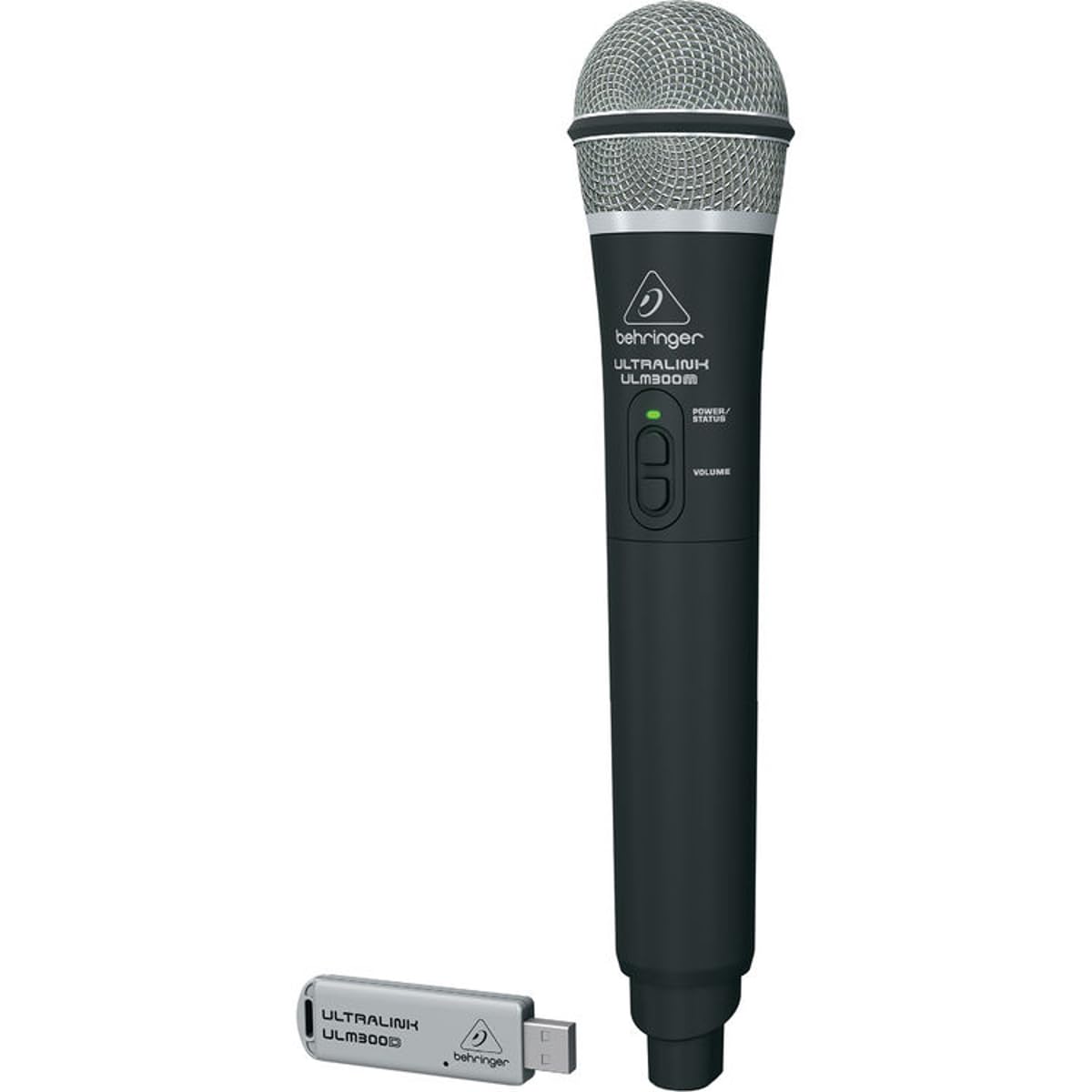
Image: The Behringer ULTRALINK ULM300USB system, showing the handheld microphone and the compact USB receiver.
3. Setup Guide
- Install Batteries: Unscrew the bottom part of the ULM300M handheld microphone to access the battery compartment. Insert two AA batteries, ensuring correct polarity.
- Connect USB Receiver:
- For direct connection to a Behringer mixer or PA system: Plug the ULM300D USB receiver into the dedicated USB port on your Behringer device.
- For connection to a computer: Plug the ULM300D USB receiver into an available USB port on your computer. The system will typically be recognized as a standard audio input device.
- Power On: Press and hold the power button on the ULM300M microphone until the power/status LED illuminates.
- Pairing (Automatic): The microphone and receiver are designed to pair automatically upon power-up. The status indicator on both devices should show a steady light, indicating a successful connection.
- Audio Output: Ensure your mixer or computer's audio settings are configured to receive input from the ULM300USB system.
4. Operating Instructions
4.1 Microphone Controls

Image: Close-up view of the microphone's power/status LED and volume control buttons.
- Power Button: Press and hold to turn the microphone ON or OFF. A short press will mute/unmute the microphone.
- Volume Buttons: Use the '+' and '-' buttons to adjust the microphone's output volume directly on the unit.
- Status LED: Indicates power status, battery level, and mute status.
4.2 Range and Performance
The ULM300USB system operates on the 2.4 GHz frequency band, offering a maximum range of 200 feet (60 meters) under optimal conditions. For best performance, ensure a clear line of sight between the microphone and the receiver, and avoid obstructions or strong sources of 2.4 GHz interference (e.g., Wi-Fi routers, other wireless devices).
5. Maintenance
- Cleaning: Use a soft, dry cloth to clean the microphone and receiver. Do not use liquid cleaners or solvents.
- Battery Replacement: Replace AA batteries in the microphone when the status LED indicates low power. Always use fresh, high-quality batteries for optimal performance.
- Storage: When not in use for extended periods, remove batteries from the microphone and store the system in a cool, dry place.
6. Troubleshooting
| Problem | Possible Cause | Solution |
|---|---|---|
| No sound from microphone | Microphone off, muted, low batteries, receiver not connected, incorrect audio input selected. | Ensure microphone is powered on and unmuted. Replace batteries. Verify receiver is properly connected and recognized by your audio device. Check audio input settings. |
| Interference or dropouts | Obstructions, distance, other 2.4 GHz devices. | Reduce distance between microphone and receiver. Ensure clear line of sight. Move away from other 2.4 GHz devices. |
| Low volume | Microphone volume too low, audio device input gain too low. | Increase microphone volume using the '+' button. Adjust input gain on your mixer or computer. |
7. Specifications
| Feature | Detail |
|---|---|
| Model Name | ULM300USB |
| Connectivity Technology | Wireless, USB |
| Frequency Response | 2.4 GHz |
| Maximum Range | 200 feet / 60 m |
| Microphone Form Factor | Microphone System |
| Power Source | Battery Powered (2 AA batteries required) |
| Material | Stainless Steel |
| Item Weight | 14.2 ounces (approx. 402 grams) |
| Product Dimensions (L x W x H) | 2.09 x 2.09 x 10.24 inches (approx. 5.3 x 5.3 x 26 cm) |
| Impedance | 150 Ohms |
| Signal-to-Noise Ratio | 35 dB |
| Polar Pattern | Unidirectional |
| Compatible Devices | Amplifier, Karaoke Machine, Radio, Speaker |
8. Warranty and Support
For warranty information and technical support, please refer to the official Behringer website or contact their customer service. Keep your purchase receipt as proof of purchase for any warranty claims.
Note: Product specifications and appearance are subject to change without notice.


