
Introduction
The Nikon D5600 is a DX-format Digital SLR camera designed for photographers looking to capture stunning photos and videos with ease and expand their creative possibilities. It combines exceptional image quality with intuitive controls, making it suitable for both beginners and those looking to grow their skills.
With its powerful image sensor and versatile lens options, the D5600 allows you to capture extraordinary detail, clarity, and low noise, even in challenging lighting conditions. Its compact and lightweight design ensures comfortable handling for extended shooting sessions.
What's in the Box
- Nikon D5600 Camera Body
- AF-P DX NIKKOR 18-55mm f/3.5-5.6G VR Lens
- EN-EL14a Rechargeable Li-ion Battery
- MH-24 Battery Charger
- AN-DC3 Strap
- BF-1B Body Cap
- DK-25 Rubber Eyecup
Setup
Before you begin capturing memories, follow these steps to set up your Nikon D5600 camera:
- Charge the Battery: Insert the EN-EL14a battery into the MH-24 charger and plug it into a power outlet. The charge lamp will blink while charging and turn off when complete.
- Insert the Battery: Open the battery chamber cover on the bottom of the camera and insert the charged battery.
- Insert a Memory Card: Open the memory card slot cover on the side of the camera and insert a compatible SD card (UHS-I Class 3 recommended) until it clicks into place.
- Attach the Lens: Align the mounting mark on the lens with the mounting mark on the camera body. Rotate the lens counter-clockwise until it clicks into place.
- Initial Settings: Turn on the camera using the power switch. Follow the on-screen prompts to set the language, date, time, and time zone.

Figure 1: Nikon D5600 camera body with attached 18-55mm kit lens.
Video 1: Official guide on getting started with the Nikon D5600, covering initial setup and basic functions.
Operating the Camera
The Nikon D5600 offers a range of features to enhance your photography experience:
- Image Quality: Equipped with a 24.2 MP DX-format CMOS sensor, the D5600 delivers stunningly detailed and vibrant images.
- Autofocus System: The Multi-CAM 4800DX 39-point AF sensor provides fast and accurate focusing, even with moving subjects.
- Continuous Shooting: Capture fast-paced action with continuous shooting at up to 5 frames per second (fps).
- Full HD Video: Record cinematic Full HD 1080p videos at up to 60 fps, perfect for capturing dynamic scenes.
- Vari-Angle Touchscreen: The 3.2-inch 1.037m-dot vari-angle touchscreen allows for flexible shooting angles and intuitive control.
- SnapBridge Connectivity: Utilize SnapBridge (Bluetooth and Wi-Fi with NFC) to seamlessly transfer images to your smart device for instant sharing and remote control.

Figure 2: Front view of the Nikon D5600, highlighting the lens and body design.
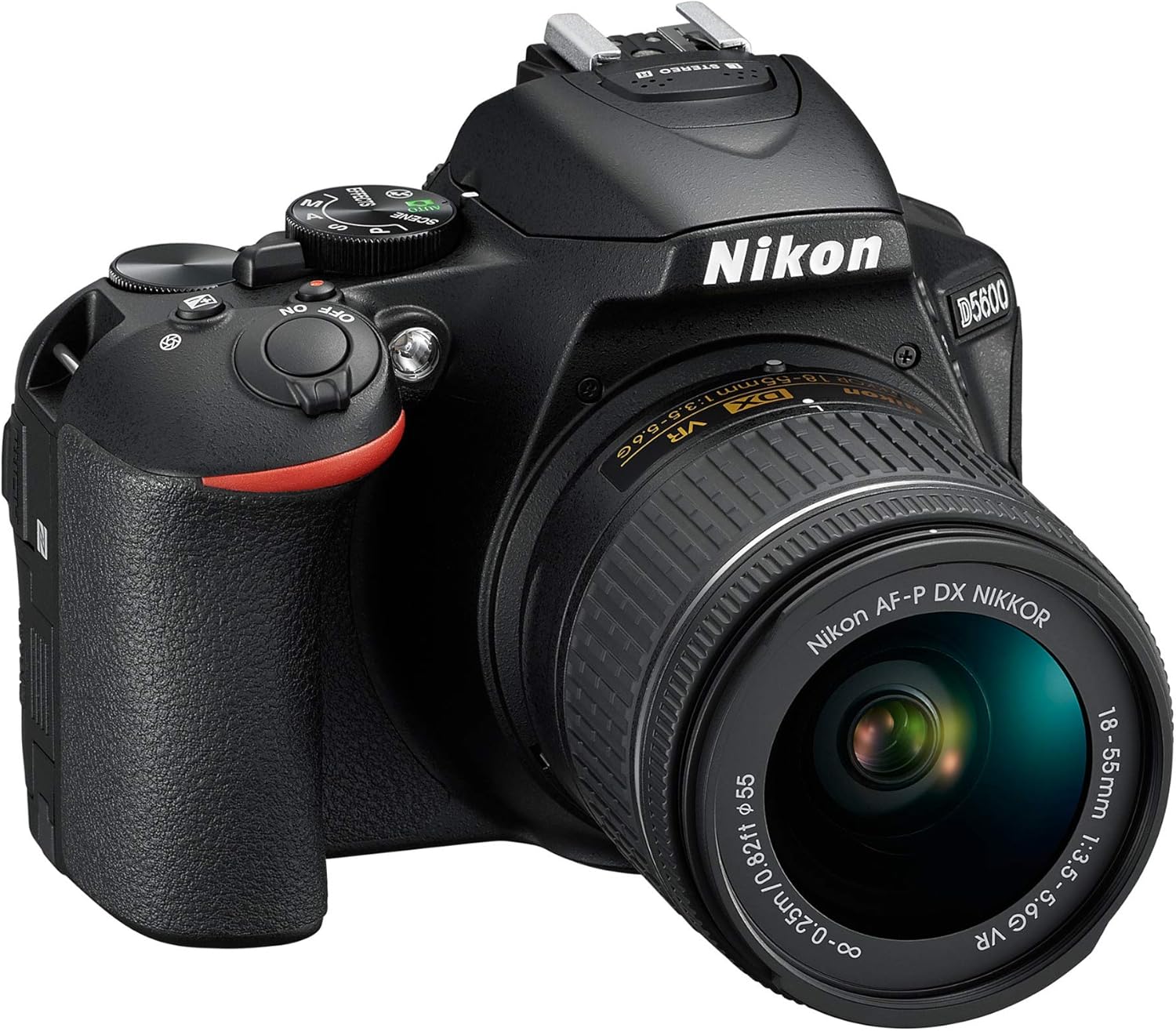
Figure 3: Top view of the Nikon D5600, illustrating the mode dial and other controls.

Figure 4: Rear view of the Nikon D5600, showing the LCD screen and navigation buttons.
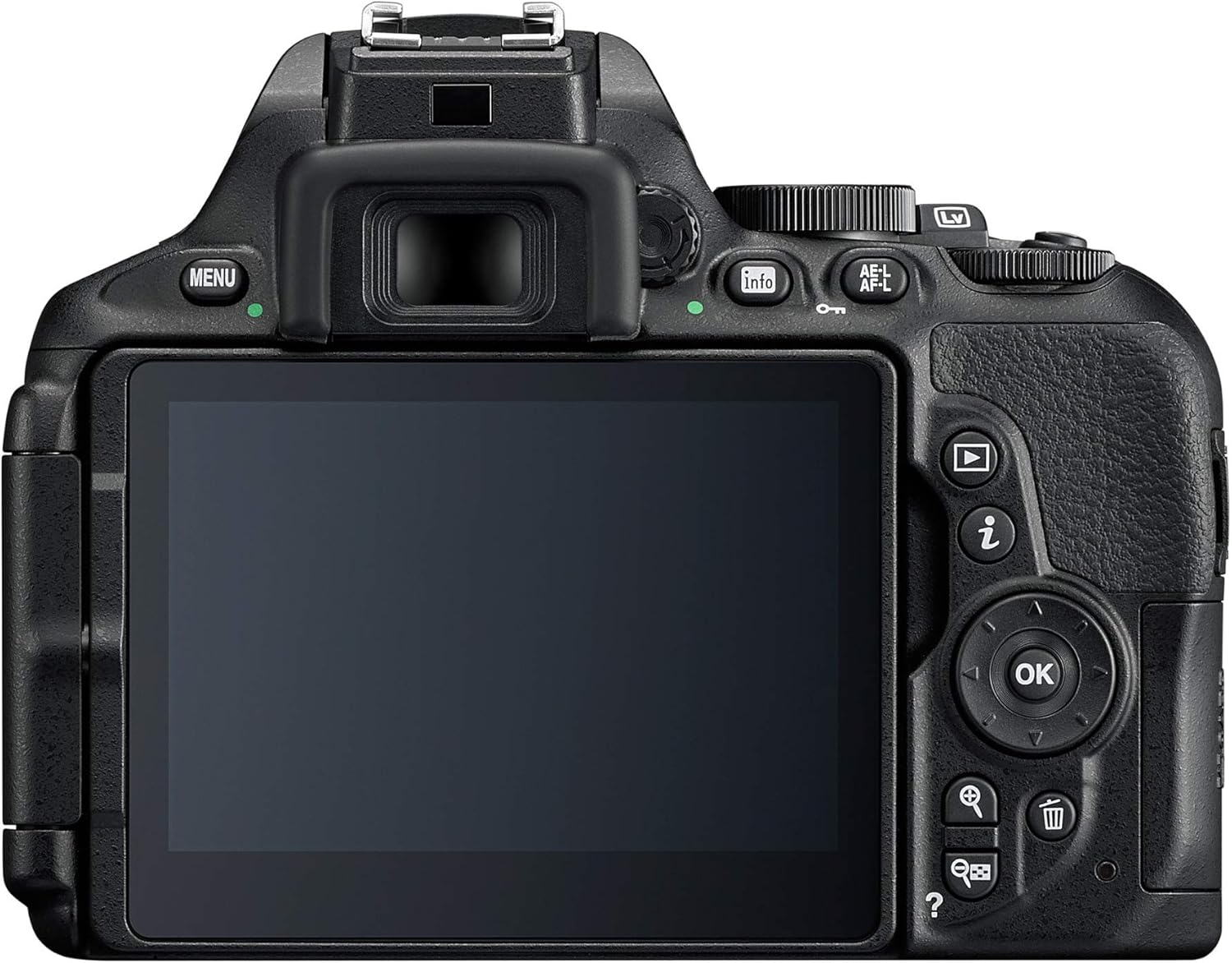
Figure 5: The vari-angle touchscreen of the Nikon D5600 extended for flexible shooting.

Figure 6: A sequence demonstrating the full range of motion for the vari-angle touchscreen.
Maintenance
Proper maintenance ensures the longevity and optimal performance of your Nikon D5600:
- Battery Care: Always use genuine Nikon batteries and chargers. Store batteries in a cool, dry place when not in use. Avoid fully discharging the battery frequently to prolong its life.
- Lens Care: Keep lens surfaces clean using a soft, lint-free cloth or a lens brush. For stubborn smudges, use a specialized lens cleaning solution. Always keep lens caps on when not shooting.
- Sensor Cleaning: If dust spots appear on your images, the camera's image sensor may need cleaning. Use the camera's built-in sensor cleaning function or consult a professional for deep cleaning.
- Body Cleaning: Wipe the camera body with a soft, dry cloth. Avoid using harsh chemicals or solvents.
Troubleshooting
Here are solutions to common issues you might encounter:
- Camera Not Turning On: Ensure the battery is fully charged and correctly inserted. Check if the battery contacts are clean.
- Images Are Blurry: Check your focus mode (AF-S for still subjects, AF-C for moving subjects). Ensure sufficient lighting. Consider using a tripod in low light.
- Memory Card Error: Reinsert the memory card. Try a different compatible memory card. Format the card (this will erase all data).
- SnapBridge Connectivity Issues: Ensure Bluetooth and Wi-Fi are enabled on both the camera and your smart device. Restart both devices. Refer to the SnapBridge app's troubleshooting guide.
For more detailed troubleshooting, please refer to the official user manual.
Specifications
| Feature | Specification |
|---|---|
| Model Name | Nikon D5600 |
| Effective Still Resolution | 24.2 MP |
| Photo Sensor Size | APS-C |
| Image Stabilization | Optical |
| Video Resolution | FHD 1080p |
| Max Video Frame Rate | 60 fps |
| Screen Size | 3.2 Inches |
| Display Type | Vari-Angle Touchscreen LCD |
| Connectivity Technology | Bluetooth, Wi-Fi, NFC, HDMI C (Mini), USB Micro-B (USB 2.0) |
| Item Weight | 1.6 Pounds |
| Battery Type | 1 x EN-EL14A Rechargeable Lithium-Ion |
Warranty and Support
Return Policy: This product is eligible for a refund/replacement within 30 days of purchase.
Protection Plans:
- 3-Year Protection Plan: $89.99
- 2-Year Protection Plan: $69.99
- Complete Protect: $16.99/month (renews monthly until cancelled)
For detailed information and support, please refer to the Official User Manual (PDF) or visit the Nikon Brand Store.
