Introduction
This manual provides detailed instructions for the proper use and maintenance of your Casio AEQ-200W-9A Analog-Digital watch. Please read this manual thoroughly to ensure optimal performance and longevity of your timepiece.
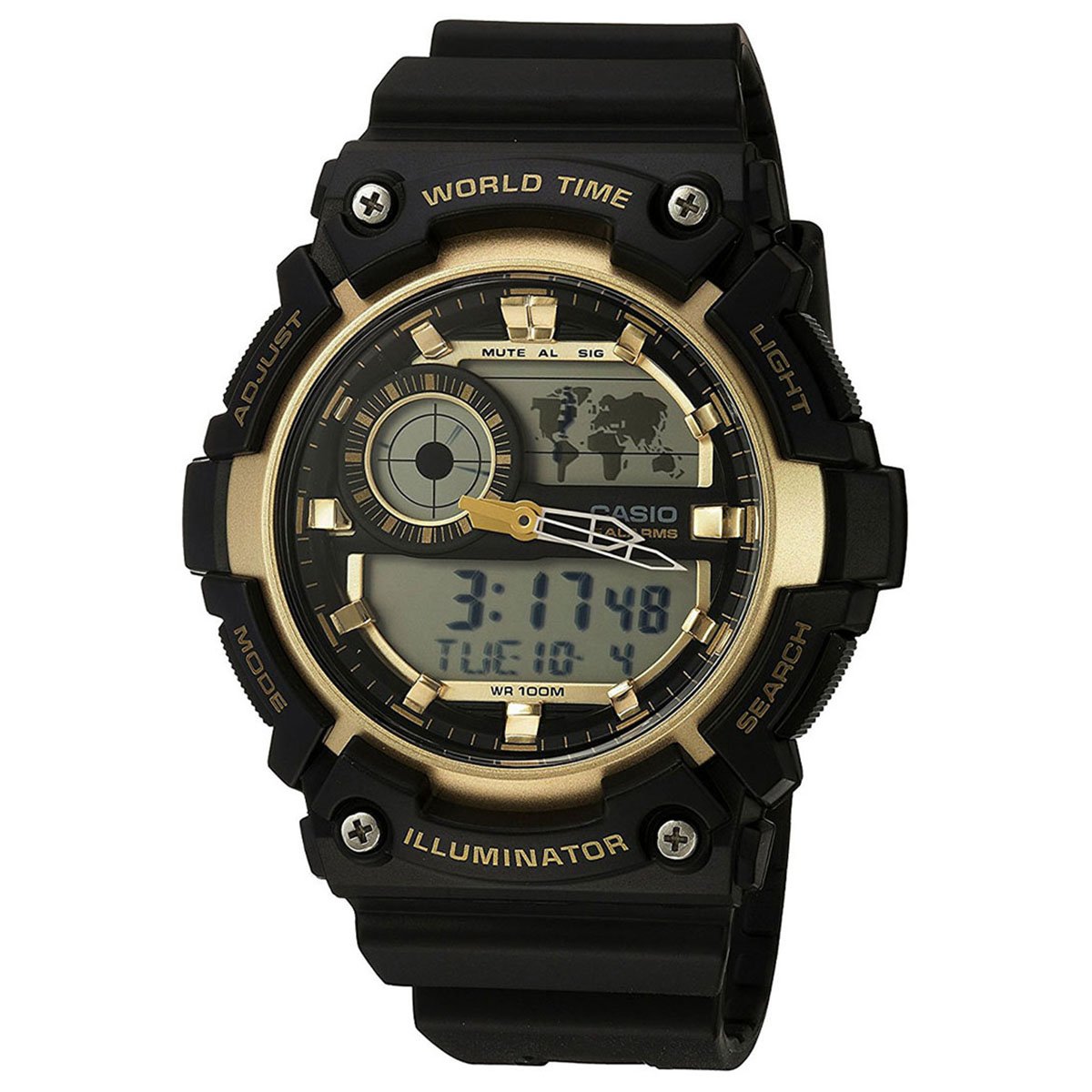
Image: Front view of the Casio AEQ-200W-9A Analog-Digital watch, showcasing its black resin band and gold-tone dial with both analog hands and digital displays.
Setup
Before using your watch, it is important to set the current time, date, and home city. Refer to the diagrams below for button identification.
Button Functions
- ADJUST (A): Used to enter and exit setting modes, and to confirm selections.
- MODE (B): Cycles through different watch modes (Timekeeping, World Time, Alarm, Stopwatch, Timer).
- LIGHT (C): Activates the backlight for illumination.
- SEARCH (D): Used to change settings or search in certain modes.
Setting the Time and Date
- In Timekeeping Mode, hold down the ADJUST (A) button until the city code starts to flash, indicating the setting mode.
- Use the SEARCH (D) button to select your desired city code (Home City).
- Press the MODE (B) button to cycle through the settings: DST (Daylight Saving Time) → 12/24-hour format → Seconds → Hour → Minute → Year → Month → Day.
- Use the SEARCH (D) button to change the flashing value.
- Once all settings are configured, press the ADJUST (A) button to exit the setting mode.
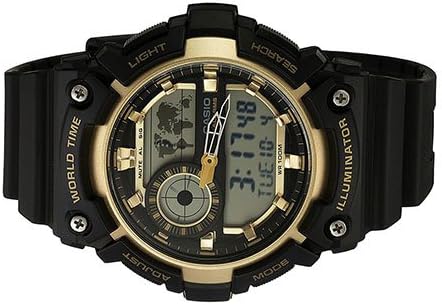
Image: Close-up of the Casio AEQ-200W-9A watch face, highlighting the four control buttons on the sides: ADJUST, MODE, LIGHT, and SEARCH.
Operating the Watch
Mode Navigation
Press the MODE (B) button to cycle through the watch's various functions:
- Timekeeping Mode: Displays the current time and date.
- World Time Mode: Displays the current time in various cities around the world.
- Alarm Mode: Set daily alarms.
- Stopwatch Mode: Measure elapsed time.
- Timer Mode: Countdown timer.
Using World Time
- From Timekeeping Mode, press MODE (B) until "WT" (World Time) appears on the digital display.
- Use the SEARCH (D) button to scroll through different city codes. The digital display will show the time for the selected city.
Setting an Alarm
- From Timekeeping Mode, press MODE (B) until "ALM" (Alarm) appears.
- Hold down the ADJUST (A) button until the alarm hour starts to flash.
- Use the SEARCH (D) button to set the hour. Press MODE (B) to move to the minute setting.
- Use the SEARCH (D) button to set the minute.
- Press ADJUST (A) to confirm and exit.
- To turn the alarm on/off, press SEARCH (D) in Alarm Mode (without holding ADJUST).
Using the Stopwatch
- From Timekeeping Mode, press MODE (B) until "STW" (Stopwatch) appears.
- Press SEARCH (D) to start the stopwatch.
- Press SEARCH (D) again to stop it.
- Press ADJUST (A) to reset the stopwatch to zero.
Maintenance
Proper care will ensure the longevity and accuracy of your Casio watch.
- Cleaning: Wipe the watch regularly with a soft, dry cloth. For resin bands, a mild soap solution and water can be used, followed by thorough rinsing and drying.
- Water Resistance: This watch is water resistant up to 100 meters (10 BAR). It is suitable for swimming and snorkeling, but not for scuba diving. Do not operate buttons while the watch is wet or submerged.
- Temperature: Avoid exposing the watch to extreme temperatures, both hot and cold, for extended periods.
- Chemicals: Keep the watch away from gasoline, cleaning solvents, aerosols, adhesives, paints, etc. These can cause discoloration or damage to the resin case and band.
- Battery Replacement: The watch uses a CR2025 battery. Battery life is approximately 10 years. When the display becomes dim or functions become erratic, it's time to replace the battery. It is recommended to have battery replacement performed by an authorized Casio service center to ensure proper water resistance sealing.
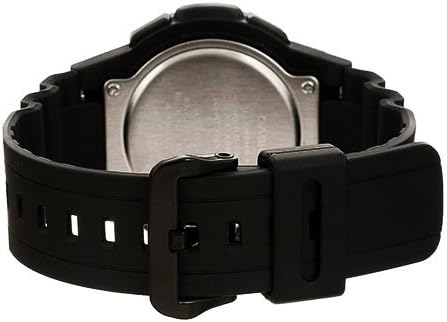
Image: Rear view of the Casio AEQ-200W-9A watch, showing the stainless steel case back and the attachment of the resin band.
Troubleshooting
| Problem | Solution |
|---|---|
| Digital display is blank or dim. | The battery may be low. Replace the battery (CR2025) at an authorized service center. |
| Analog hands do not match digital time. | Perform a hand alignment adjustment. Refer to the full module manual for specific steps, usually involving holding a button in Timekeeping mode to enter hand setting. |
| Buttons are unresponsive. | Ensure the watch is not wet. If dry, try resetting the watch by performing an AC reset (refer to full module manual). |
| Water appears inside the watch. | Immediately take the watch to an authorized service center. Do not attempt to open it yourself. |
Specifications
- Model Number: AEQ-200W-9A
- Case Dimensions: 51 (H) x 51 (W) x 16 mm (thickness)
- Dial Diameter: 39 mm
- Water Resistance: 100 meters (10 BAR)
- Battery Type: CR2025
- Battery Life: Approximately 10 years
- Accuracy: ±30 seconds per month
- Functions: Analog and Digital Timekeeping, World Time (31 time zones, 48 cities + UTC), Daylight Saving On/Off, 1/100-second Stopwatch (23:59'59.99'' max), Countdown Timer (24-hour max), 5 Daily Alarms, Hourly Time Signal, Full Auto-calendar (to year 2099), 12/24-hour format, LED light (Illuminator) with Afterglow.
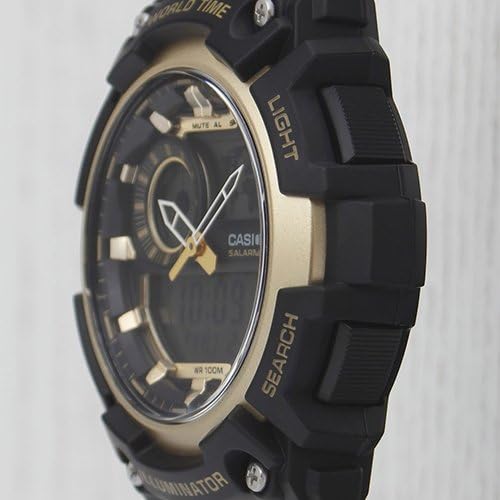
Image: Side profile of the Casio AEQ-200W-9A watch, showing the robust case design and the textured buttons for easy operation.
Warranty and Support
Your Casio AEQ-200W-9A watch is covered by a manufacturer's warranty. Please refer to the warranty card included with your purchase for specific terms and conditions, including warranty period and coverage details.
For technical support, service, or to locate an authorized service center, please visit the official Casio website or contact their customer service department. Keep your proof of purchase for warranty claims.
Casio Official Website: www.casio.com


