
Introduction
Thank you for choosing the HelloBaby HB2438 Video Baby Monitor. This device is designed to provide a secure and reliable way to monitor your baby without requiring a Wi-Fi connection. It features a 3.2-inch screen, two-way talk, automatic night vision, lullabies, temperature monitoring, and an ECO/VOX mode for power saving. Please read this manual thoroughly before use to ensure proper operation and safety.
What's in the Box
Upon unpacking, please ensure all items are present and in good condition. The package should contain:
- 1 x 3.2-inch Monitor Screen (Parent Unit)
- 1 x Plug-in Baby Camera (Baby Unit)
- 2 x USB Charging Cables (Note: Power adapters are not included)
- 1 x Wall Mounting Accessory Kit (for camera)
- 1 x User Manual
Video: Unboxing the HelloBaby HB2438 monitor and its contents, including the monitor unit, camera, USB cables, and mounting kit.
Product Overview
Parent Unit (Monitor Screen)
The parent unit features a 3.2-inch display, control buttons for navigation, volume, two-way talk, zoom, and menu access. It is powered by a rechargeable 1250 mAh battery for portability.
Baby Unit (Camera)
The baby unit includes the camera lens, infrared LEDs for night vision, a microphone, and a speaker. It must remain plugged into a power source during operation. The camera's angle can be adjusted manually.

Image: Overview of the HelloBaby HB2438 monitor and camera units, highlighting key features like two-way talk, temperature alarm, lullabies, zoom, night vision, 1000ft range, ECO mode, alarm setting, and 8 languages.
Setup
- Charge the Parent Unit: Connect one USB charging cable to the parent unit and a compatible 5V/1A or greater USB power adapter (not included). Charge until the battery indicator shows full.
- Power the Baby Unit: Connect the other USB charging cable to the baby unit and a compatible 5V/1A or greater USB power adapter (not included). The camera must remain plugged in during operation.
- Position the Baby Unit: Place the baby unit in a location that provides a clear view of your baby. Ensure it is at least 3 feet (0.9 meters) away from your baby to avoid strangulation hazards from the power cord. The camera can be placed on a desktop or wall-mounted using the provided accessory kit.
- Power On: Press and hold the power button on both the parent unit and baby unit until they turn on. The units are pre-paired and should connect automatically.
Video: Demonstrates the simple plug-and-play setup of the HelloBaby monitor, showing how to connect the USB charging cable to the camera unit.
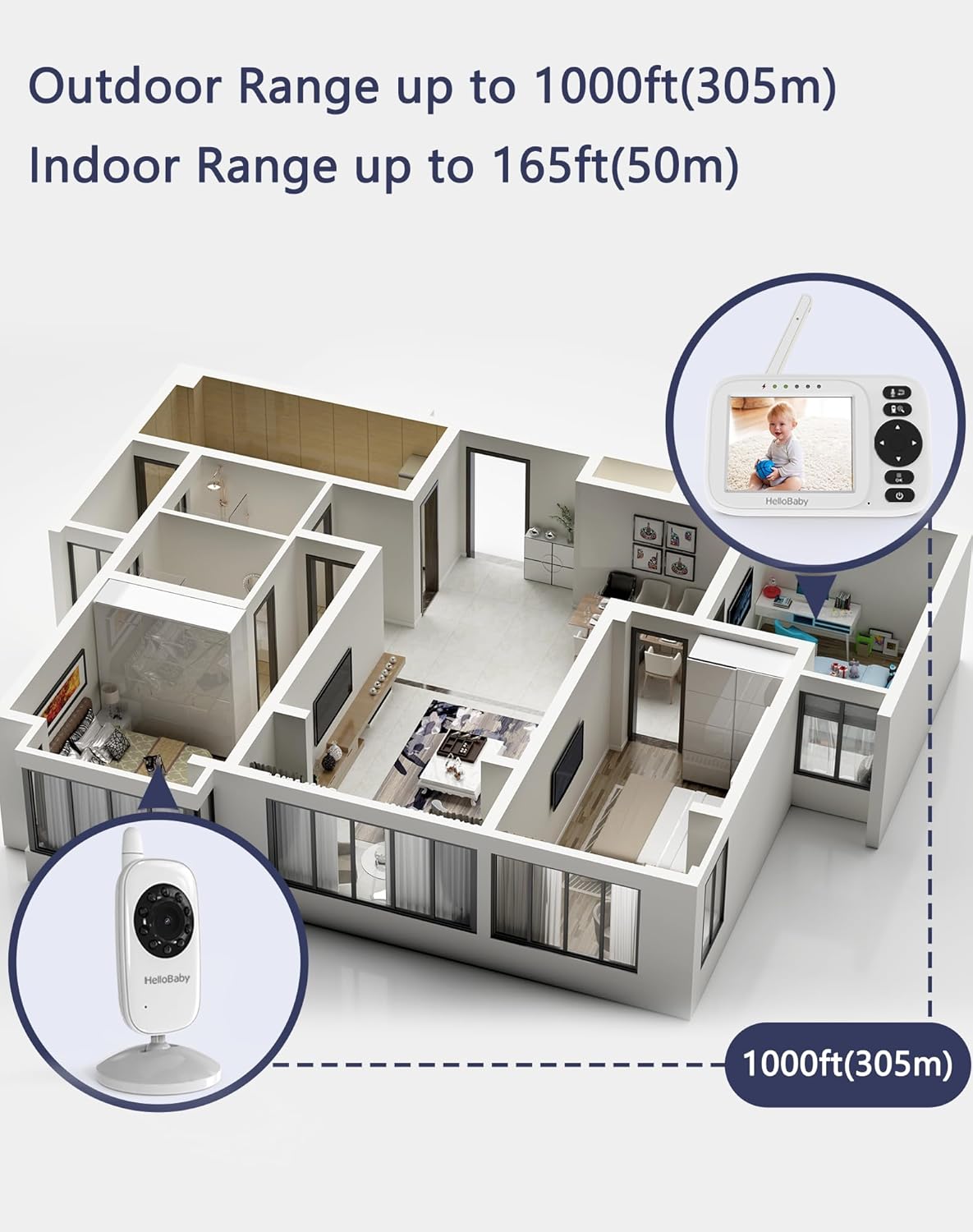
Image: Illustrates the monitor's range, showing up to 1000ft (305m) outdoor range and 165ft (50m) indoor range, suitable for various home layouts.
Operating Instructions
Manual Camera Adjustment
The baby unit's camera angle can be manually adjusted. It supports 360° rotation and 120° tilt to achieve the desired viewing angle.
Video: Demonstrates the manual 360-degree pan and 120-degree tilt adjustment capabilities of the camera unit.

Image: Close-up view of the camera unit illustrating its manual 360° rotation and 120° tilt for optimal positioning.
Two-Way Talk
Press and hold the microphone button on the parent unit to speak to your baby through the camera's speaker. Release the button to hear your baby.

Image: Visual representation of the two-way talk intercom feature, showing communication between the parent unit and the baby unit.
Automatic Night Vision
The baby unit is equipped with an intelligent automatic night vision system. In low-light conditions, the infrared lens will automatically activate, providing clear grayscale images of your baby without disturbing their sleep.
Video: Shows the automatic night vision feature activating in low light and deactivating when light is detected, ensuring clear visibility in darkness.
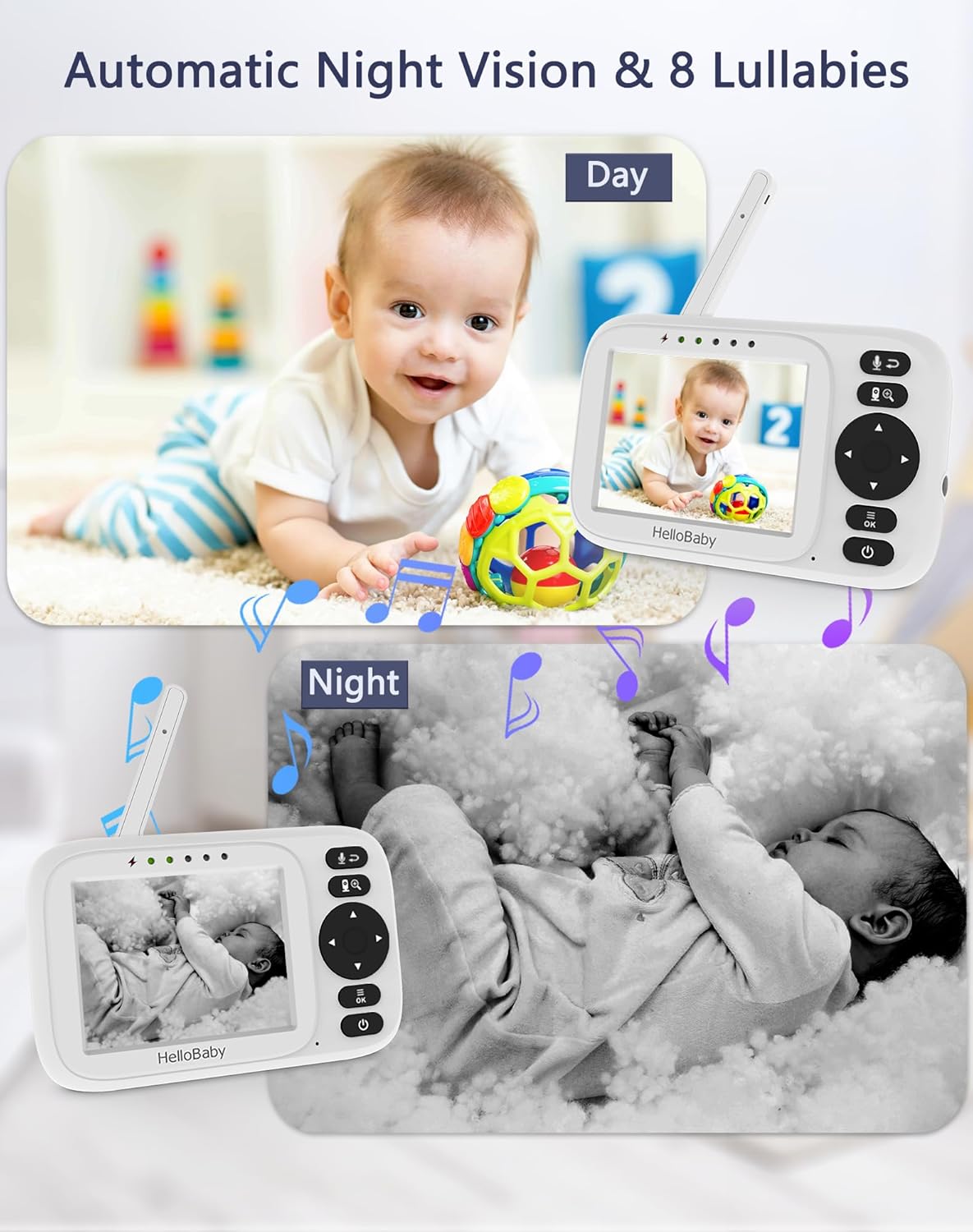
Image: Compares day and night vision views on the monitor, demonstrating the clarity of automatic night vision, alongside icons for lullabies.
ECO/VOX Mode (Sound-Activated Screen)
In ECO/VOX mode, the monitor screen turns off to conserve power. When your baby makes a sound (e.g., cries), the screen will automatically light up and alert you. You can adjust the sensitivity level (low, middle, high) for sound detection.
Video: Illustrates the 3-level ECO mode, where the screen turns off when no sound is detected and activates when sound is picked up, saving battery life.

Image: Depicts the Sound-Activated Screen (ECO Mode) feature, showing the monitor screen turning off when the baby is asleep and lighting up when sound is detected, with sensitivity levels indicated.
Lullabies
The monitor includes 8 gentle lullabies to help soothe your baby to sleep. Access this feature through the menu on the parent unit.
Temperature Monitoring
The parent unit displays the real-time temperature of your baby's room, ensuring a comfortable environment. An alarm can be set for temperature fluctuations.
Feeding Reminders
Set customizable feeding intervals (0.5-5 hours) on the parent unit. The monitor will sound an alert automatically when it's time for the next feeding.
Video: Demonstrates setting the feeding timer on the monitor, with options from 0.5 to 5 hours, and shows the alarm notification.
Digital Zoom
Use the zoom function on the parent unit to get a closer look at your baby. The HB2438 supports 2x digital zoom.

Image: Illustrates the 2x digital zoom feature on the monitor, allowing users to view their baby more closely.
Multi-Camera Support
The parent unit can connect to up to 4 cameras (additional cameras sold separately). This allows you to monitor multiple rooms or children. The monitor supports 10-second auto-switching between connected cameras.
Video: Demonstrates the multi-camera functionality, showing how to connect up to 4 cameras and the 10-second auto-switching feature between them.
Language Settings
The monitor supports 8 different languages for user interface customization.

Image: Displays the language settings menu on the monitor, showing flags for 8 supported languages including English, German, French, Italian, Spanish, Russian, Portuguese, and Dutch.
Maintenance
- Clean the units with a dry, soft cloth. Do not use abrasive cleaners or solvents.
- Ensure proper ventilation for both units.
- Store the monitor in a dry place away from direct sunlight and extreme temperatures.
- If the monitor is not used for an extended period, fully charge the parent unit battery before storing.
Troubleshooting
| Problem | Possible Cause | Solution |
|---|---|---|
| No image/sound on parent unit | Units are out of range, not powered on, or not paired. | Ensure both units are powered on and within range. Re-pair if necessary (refer to pairing instructions in the full manual). |
| Poor image quality | Low light, interference, or camera lens is dirty. | Ensure adequate lighting or check night vision. Move units away from other electronic devices. Clean the camera lens. |
| Parent unit battery drains quickly | ECO/VOX mode is off, or screen brightness is too high. | Activate ECO/VOX mode. Reduce screen brightness. |
| Monitor needs to be reset | System malfunction. | Use a small pin to press the reset button located on the back of the parent unit. |
Video: A quick guide on how to reset the HelloBaby monitor using a small tool to press the reset button on the back of the parent unit.
Specifications
- Model: HB2438
- Screen Size: 3.2 inches
- Connectivity: No WiFi 2.4GHz FHSS Technology (Secure, Hacking Proof)
- Parent Unit Battery: 1250 mAh rechargeable (approx. 14 hours in ECO mode)
- Camera Power: Corded Electric (USB cable, adapter not included)
- Video Capture Resolution: 480p
- Optical Zoom: 2x Digital Zoom
- Viewing Angle: 178 Degrees
- Night Vision Range: 5 Meters (Infrared)
- Two-Way Talk: Yes
- Lullabies: 8 built-in
- Temperature Monitoring: Yes
- ECO/VOX Mode: Yes (3-level sensitivity)
- Feeding Reminders: Customizable (0.5-5 hours)
- Multi-Camera Support: Up to 4 cameras (auto-switching)
- Dimensions: 4.92 x 3.54 x 5.67 inches (approximate)
Safety Information
- STRANGULATION HAZARD: Keep all cords out of reach of children (more than 3 feet / 0.9 meters away).
- Never place the camera or cords within the crib or playpen.
- This product is not a substitute for responsible adult supervision.
- Do not expose units to water or moisture.
- Use only the provided USB charging cables. Power adapters are not included; use a compatible 5V/1A or greater USB power adapter.
Warranty and Support
HelloBaby provides a one-year warranty from the date of purchase. For any issues or concerns, please contact our after-sales support team. You can find our email address on the back of the HelloBaby monitor screen. Our customer support team is available to assist you.
For further assistance, please visit the HelloBaby Store on Amazon.


