
1. Introduction
The Monster Firecracker is a rugged, water-resistant, high-definition Bluetooth speaker designed for portable audio playback and includes a built-in flashlight. This manual provides essential information for the safe and efficient operation of your device.

Figure 1: Monster Firecracker Bluetooth Speaker Overview
2. Package Contents
Ensure all items are present in the package:
- Monster Firecracker Bluetooth Speaker
- Charge Cable
- Carabiner Clip
- Wrist Strap
3. Safety Information
- Do not expose the speaker to extreme temperatures or direct sunlight for extended periods.
- Ensure the sealed port cover is securely closed when near water to maintain splash resistance (IPX-5).
- Do not attempt to disassemble or modify the speaker. This will void the warranty.
- Keep the speaker away from medical devices.
- Dispose of the battery according to local regulations.
4. Setup
4.1 Charging the Speaker
Before first use, fully charge the speaker. Connect the provided charge cable to the speaker's charging port and a USB power source. The charging indicator light will illuminate during charging and turn off when fully charged. A full charge provides over 25 hours of continuous play.
4.2 Power On/Off
- To power on: Press and hold the Power button for approximately 3 seconds. You will hear an audible prompt.
- To power off: Press and hold the Power button for approximately 3 seconds. You will hear an audible prompt.
4.3 Bluetooth Pairing
To connect your Monster Firecracker to a Bluetooth-enabled device:
- Ensure the speaker is powered on.
- The speaker will automatically enter pairing mode if no device is connected, indicated by a flashing LED. If a device is already connected, disconnect it or press and hold the Bluetooth button to enter pairing mode.
- On your device (smartphone, tablet, etc.), enable Bluetooth and search for available devices.
- Select "Monster Firecracker" from the list of devices.
- Once paired, the speaker will confirm with an audible prompt, and the LED indicator will become solid.
4.4 AUX Connection
For non-Bluetooth devices, use a 3.5mm audio cable (not included) to connect to the speaker's AUX-in port. The speaker will automatically switch to AUX mode when a cable is inserted.
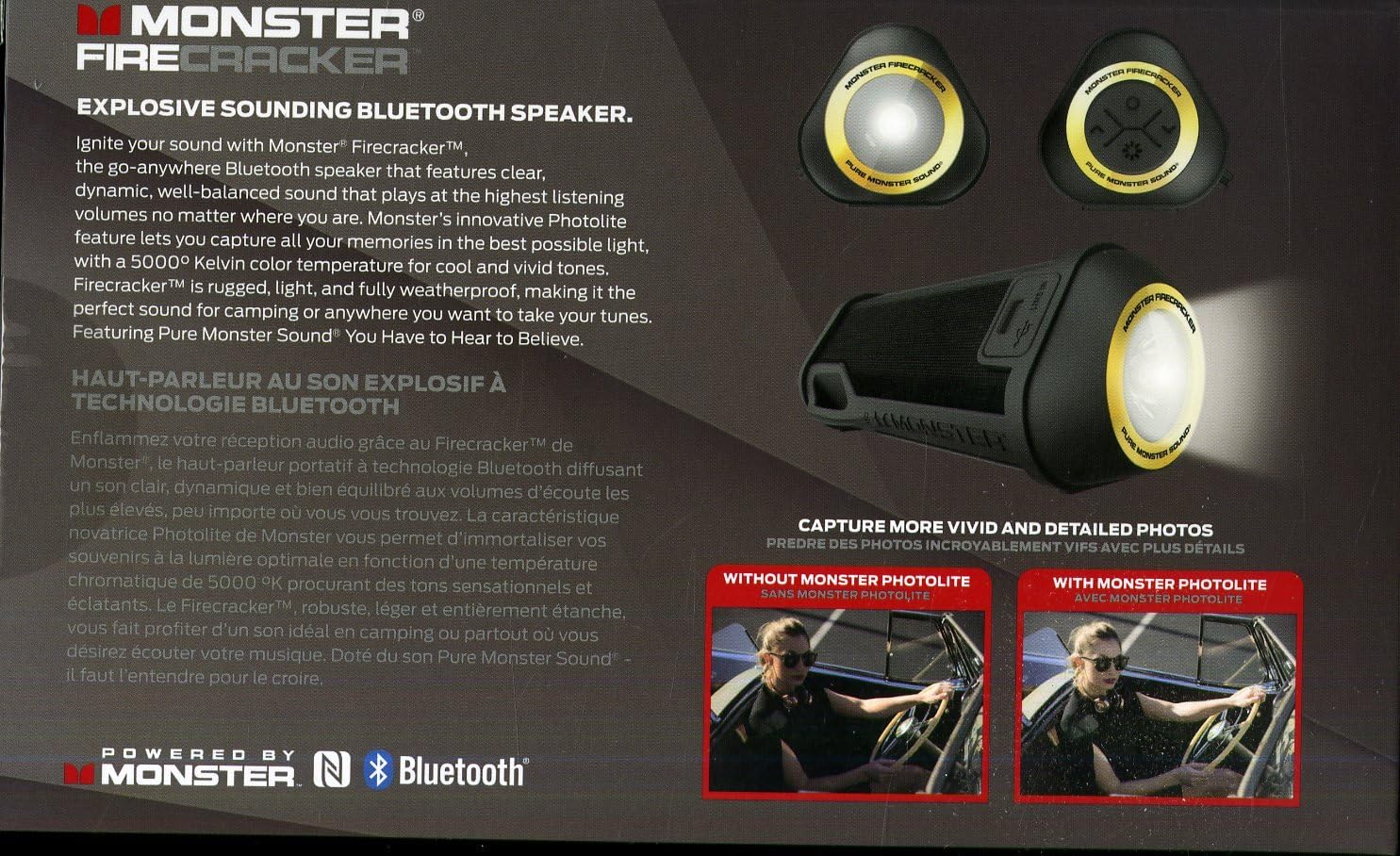
Figure 2: Speaker Rear View with Ports
5. Operating Instructions
5.1 Audio Playback
- Play/Pause: Press the Play/Pause button once.
- Volume Up: Press the Volume Up (+) button.
- Volume Down: Press the Volume Down (-) button.
- Next Track: Press and hold the Volume Up (+) button.
- Previous Track: Press and hold the Volume Down (-) button.

Figure 3: Speaker Control Panel
5.2 Flashlight Operation
The Monster Firecracker features a super-bright 500-lumen flashlight with a 5000K daylight color temperature.
- Turn On/Off: Press the Flashlight button once to turn the flashlight on or off.
- The flashlight can operate for up to 7 hours on a full charge.

Figure 4: Flashlight Illumination Comparison
5.3 Hands-Free Calling
When connected via Bluetooth, the speaker's built-in microphone allows for hands-free calls.
- Answer/End Call: Press the Play/Pause button once.
- Reject Call: Press and hold the Play/Pause button.
6. Maintenance
6.1 Cleaning
Wipe the speaker with a soft, damp cloth. Do not use abrasive cleaners or solvents. Ensure all ports are sealed before cleaning with moisture.
6.2 Storage
Store the speaker in a cool, dry place away from direct sunlight and extreme temperatures. If storing for an extended period, charge the battery periodically to maintain its lifespan.
7. Troubleshooting
| Problem | Possible Solution |
|---|---|
| Speaker does not power on. | Ensure the battery is charged. Connect to a power source and try again. |
| Cannot pair via Bluetooth. |
|
| No sound from speaker. |
|
| Flashlight not working. | Ensure the speaker is powered on and the battery has sufficient charge. |
8. Specifications
- Model Number: 129112-00
- Connectivity: Bluetooth
- Audio Output Mode: Stereo
- Speaker Maximum Output Power: 25 Watts
- Battery Type: 1 Lithium Polymer battery
- Battery Life: 25+ Hours (audio playback), 7 Hours (flashlight)
- Water Resistance: IPX-5 (Splash Resistant)
- Flashlight: 500 Lumens, 5000K Daylight
- Product Dimensions: 16.51 x 23.37 x 7.62 cm
- Item Weight: 0.4 Kilograms
- UPC: 050644758942
9. Warranty and Support
9.1 Warranty Information
The Monster Firecracker Bluetooth Speaker comes with a 1-year limited warranty from the date of purchase. This warranty covers manufacturing defects. It does not cover damage caused by misuse, accidents, unauthorized modifications, or normal wear and tear. Please retain your proof of purchase for warranty claims.
9.2 Customer Support
For technical assistance, warranty claims, or further inquiries, please contact Monster Canada customer support. Refer to the official Monster website for the most current contact information.


