
1. Product Overview
The Power Stop Z16 Evolution Ceramic Brake Pads are designed for rear axle applications in Lexus IS F models from 2008 to 2014. These ceramic pads are engineered to provide reliable stopping performance with reduced noise and dust compared to traditional brake pads. They feature a thermal scorched surface for a quick break-in period and are manufactured to OEM specifications, including chamfers and slots, to ensure compatibility and optimal function.
Key Features:
- Ceramic formula for low dust and clean wheels.
- Thermal scorched pad surfaces for fast break-in.
- Dual rubber-backed shims for noise reduction.
- Engineered to OEM specifications for precise fit and performance.
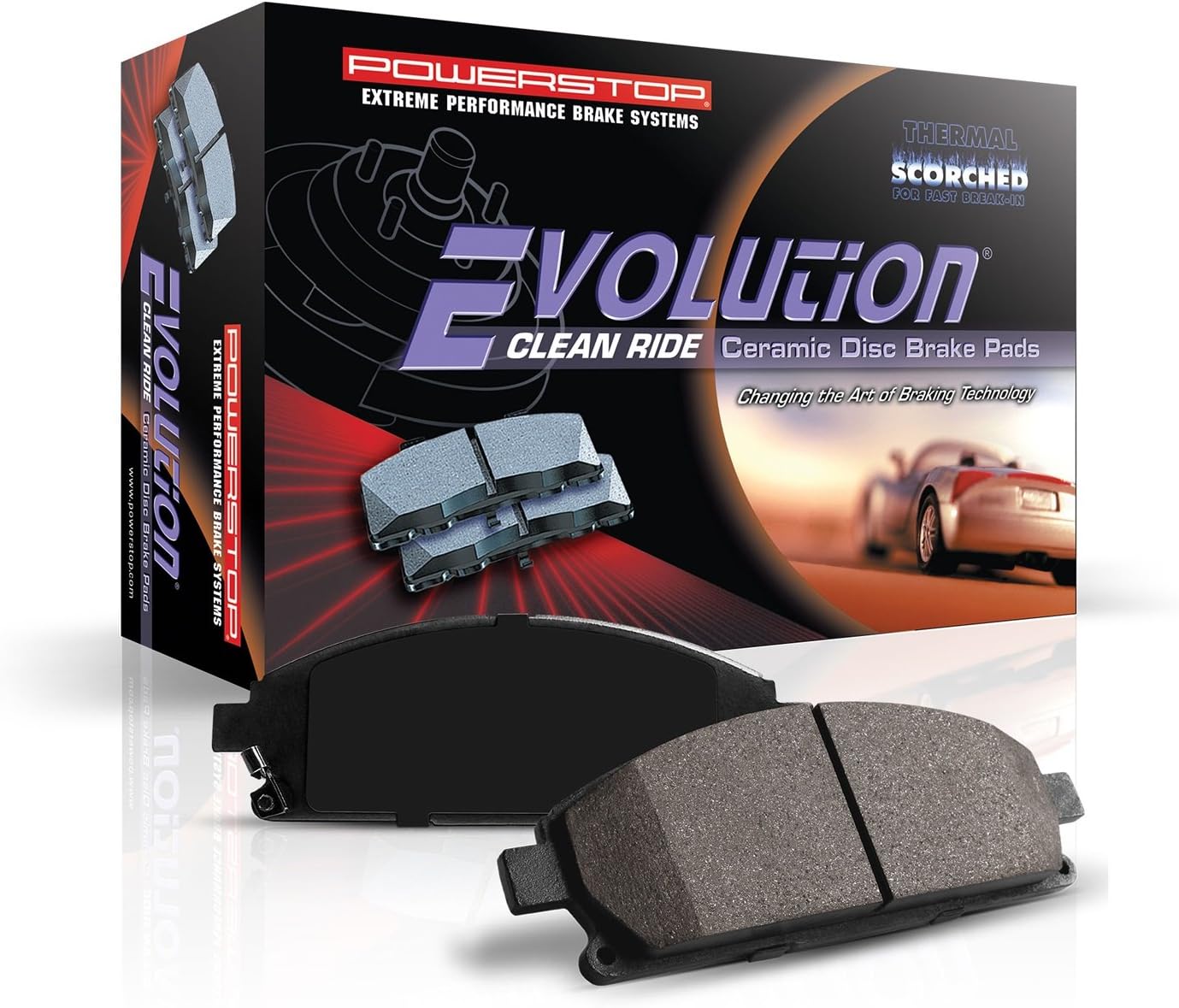
Image 1.1: Packaging and contents of the Power Stop Z16 Evolution Ceramic Brake Pads. The image displays the product box and two individual brake pads, highlighting the "Evolution Clean Ride Ceramic Disc Brake Pads" branding.
2. What's Included
Your package should contain the following items:
- Power Stop 16-1366 Z16 Evolution Rear Ceramic Brake Pads (set for rear axle).

Image 2.1: A set of four Power Stop Z16 Evolution Ceramic Brake Pads. Two pads are shown with the friction material facing up, and two are shown with the backing plate facing up, illustrating the complete set for one axle.
3. Installation Instructions
Important Safety Notice: Brake system work requires specialized knowledge and tools. If you are not confident in your ability to perform this installation safely and correctly, it is recommended to seek assistance from a qualified automotive technician. Always refer to your vehicle's service manual for specific procedures and torque specifications.
3.1. Preparation
- Park the vehicle on a level surface and engage the parking brake.
- Loosen the lug nuts on the rear wheels.
- Safely lift the rear of the vehicle using a jack and secure it with jack stands.
- Remove the lug nuts and the rear wheels.
- Locate the brake caliper and identify the caliper guide pins or bolts.
3.2. Brake Pad Replacement
- Carefully remove the caliper guide pins or bolts.
- Gently slide the brake caliper off the rotor and suspend it using a wire or bungee cord to avoid stressing the brake hose. Do not let the caliper hang by the brake hose.
- Remove the old brake pads from the caliper bracket. Note their orientation.
- Inspect the brake rotor for wear, scoring, or warping. Replace or resurface if necessary.
- Clean the caliper bracket and apply a thin layer of high-temperature brake lubricant to the contact points where the brake pads slide.
- Using a C-clamp or brake caliper piston tool, slowly compress the caliper piston(s) back into the caliper body. This creates space for the new, thicker pads.
- Install the new Power Stop Z16 Evolution Ceramic Brake Pads into the caliper bracket, ensuring they are correctly seated and oriented.
- Slide the brake caliper back over the new pads and rotor.
- Reinstall and tighten the caliper guide pins or bolts to the manufacturer's specified torque.
- Repeat the process for the other rear wheel.
3.3. Post-Installation
- Reinstall the wheels and tighten the lug nuts hand-tight.
- Lower the vehicle and torque the lug nuts to the manufacturer's specifications.
- Before driving, pump the brake pedal several times until a firm pedal feel is achieved. This will seat the caliper pistons against the new pads.
- Check the brake fluid reservoir level and top off if necessary.

Image 3.1: A close-up view of a hand installing a new brake pad into a caliper assembly, demonstrating a step in the brake pad replacement process.
4. Operating and Break-in Procedure
Proper break-in (also known as bedding-in) of new brake pads is crucial for optimal performance, longevity, and noise reduction. The thermal scorched surface of Power Stop Z16 pads aids in this process.
4.1. Break-in Steps
- Find a safe, open area with minimal traffic.
- Accelerate the vehicle to approximately 35 mph (56 km/h).
- Apply moderate braking pressure to slow down to about 10 mph (16 km/h). Do not come to a complete stop.
- Release the brakes and accelerate back to 35 mph (56 km/h).
- Repeat this process 8-10 times.
- After the last stop, drive for several minutes without applying the brakes to allow them to cool down. Avoid hard braking during this cooling period.
This procedure helps transfer a thin, even layer of friction material from the pads to the rotors, which is essential for consistent braking performance and reduced noise.
5. Maintenance
Regular inspection and maintenance of your brake system are vital for safety and performance.
- Periodic Inspection: Inspect brake pads, rotors, and calipers at least once a year or every 12,000 miles (20,000 km), or as recommended by your vehicle manufacturer.
- Brake Fluid: Check brake fluid level regularly. If the level is low, inspect for leaks and top up with the correct type of brake fluid. Brake fluid should be flushed and replaced according to your vehicle's maintenance schedule.
- Wheel Cleaning: The Z16 ceramic formula is designed for low dust. Regular washing will help maintain wheel cleanliness.
- Noise Check: If you notice unusual noises (squealing, grinding), have your brake system inspected immediately.

Image 5.1: A split image showing a vehicle wheel with significant brake dust accumulation on one side and a clean wheel on the other, illustrating the low-dust characteristic of ceramic brake pads.
6. Troubleshooting
This section addresses common issues that may arise with brake pads.
| Symptom | Possible Cause | Solution |
|---|---|---|
| Squealing Noise | Improper break-in, worn pads, missing shims, caliper issues, or foreign material. | Perform break-in procedure. Inspect pads for wear and shims for proper installation. Check caliper for proper function. |
| Grinding Noise | Severely worn pads (metal-on-metal contact), foreign object lodged in caliper. | Immediately inspect and replace worn pads. Remove any foreign objects. |
| Vibration/Pulsation | Warped rotors, uneven pad material transfer, loose caliper components. | Inspect rotors for runout; resurface or replace if warped. Re-perform break-in. Check all brake components for tightness. |
| Excessive Brake Dust | Not typical for ceramic pads; could indicate incorrect pad type or rotor wear. | Verify correct pad application. Inspect rotors for excessive wear. |
If troubleshooting steps do not resolve the issue, consult a qualified automotive technician.
7. Product Specifications
| Specification | Detail |
|---|---|
| Brand | Power Stop |
| Model Number | 16-1366 |
| Series | Z16 Evolution Ceramic Clean Ride Scorched Brake Pads |
| Material | Ceramic |
| Auto Part Position | Rear |
| Vehicle Service Type | Car (Lexus IS F 2008-2014) |
| Specification Met | OEM |
| Item Weight | 2.27 pounds (approximate) |
| Product Dimensions | 6.6 x 4.6 x 2 inches (approximate) |

Image 7.1: An internal diagram of a brake pad highlighting the dual-layer rubberized shims, which are designed to insulate noise for quiet braking.

Image 7.2: A detailed close-up of the ceramic friction material on a Power Stop brake pad, showing its texture and composition.
8. Warranty and Support
For warranty information, technical support, or further assistance, please contact Power Stop directly through their official website or customer service channels. Keep your purchase receipt as proof of purchase.
Manufacturer: Power Stop
Website: www.powerstop.com (Example link, actual link may vary)

