
Introduction
Thank you for choosing the Awei A860BL-BK Bluetooth In-Ear Earphones. This manual provides essential information for the proper setup, operation, and maintenance of your device. Please read it thoroughly before use to ensure optimal performance and longevity of your earphones.
Package Contents
Verify that all items listed below are present in your package:
- Awei A860BL-BK Bluetooth In-Ear Earphones
- USB Charging Cable
- Ear Tips (various sizes)
- User Manual

Product Overview
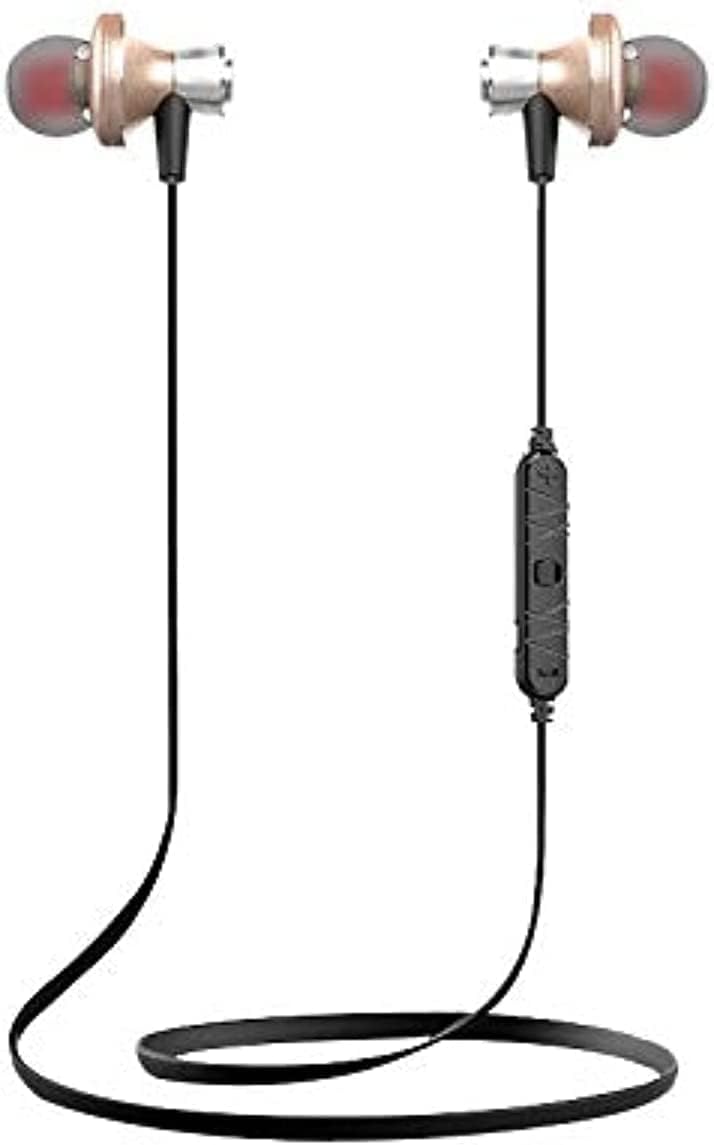
The Awei A860BL-BK earphones are designed for wireless audio playback and hands-free calling. They feature an in-ear design for comfortable fit and sound isolation.

Setup
1. Charging the Earphones
Before first use, fully charge the earphones. Connect the USB charging cable to the charging port on the earphones and to a compatible USB power source (e.g., computer, wall adapter). The charging indicator light will typically show red during charging and turn off or blue when fully charged.
- Charging Time: Approximately 1 to 2 hours.
2. Bluetooth Pairing
To connect your earphones to a Bluetooth-enabled device:
- Ensure the earphones are fully charged and turned off.
- Press and hold the multi-function button on the earphones until the indicator light flashes red and blue alternately, indicating pairing mode.
- On your device (smartphone, tablet, etc.), enable Bluetooth and search for available devices.
- Select "Awei A860BL-BK" from the list of found devices.
- Once connected, the indicator light on the earphones will typically flash blue slowly or turn off.
If pairing fails, turn off both devices, restart them, and repeat the pairing process.
Operating Instructions
Power On/Off
- Power On: Press and hold the multi-function button for approximately 3 seconds until the indicator light flashes blue.
- Power Off: Press and hold the multi-function button for approximately 3-5 seconds until the indicator light flashes red and then turns off.
Music Control
- Play/Pause: Short press the multi-function button.
- Next Track: Long press the Volume + button.
- Previous Track: Long press the Volume - button.
- Volume Up: Short press the Volume + button.
- Volume Down: Short press the Volume - button.
Call Control
- Answer/End Call: Short press the multi-function button.
- Reject Call: Long press the multi-function button.
- Redial Last Number: Double-press the multi-function button.
Voice Assistant
- Activate Voice Assistant: Triple-press the multi-function button (functionality depends on your connected device).
Maintenance
Proper maintenance ensures the longevity and performance of your earphones.
- Cleaning: Use a soft, dry cloth to clean the earphones. Do not use abrasive cleaners or solvents.
- Storage: Store the earphones in a cool, dry place away from direct sunlight and extreme temperatures.
- Water Resistance: These earphones are not water-resistant. Avoid exposure to liquids, moisture, and high humidity.
- Cable Care: Avoid pulling the cable excessively or bending it sharply to prevent damage.
Troubleshooting
If you encounter issues with your Awei A860BL-BK earphones, refer to the following common solutions:
| Problem | Possible Solution |
|---|---|
| Earphones do not power on. | Ensure the earphones are fully charged. Connect to a power source and charge for 1-2 hours. |
| Cannot pair with device. |
|
| No sound or low volume. |
|
| Call quality is poor. |
|
Specifications
Detailed technical specifications for the Awei A860BL-BK Bluetooth In-Ear Earphones:
- Brand: Awei
- Model: A860BL-BK
- Connectivity: Wireless (Bluetooth)
- Bluetooth Version: Not specified (assumed standard)
- Wireless Range: Up to 10 meters
- Microphone: Yes
- Music Support: Yes
- Color: Black
- Earphone Type: In-Ear
- Charging Time: 1-2 hours
- Music Playtime: Approximately 4 hours
- Talk Time: Approximately 6 hours
- Noise Control: No
- Control Type: Volume control, Touch
- Water Resistance: Not water resistant
- Included Components: Ear tips
Safety Information
Please observe the following safety guidelines:
- Do not disassemble, repair, or modify the earphones.
- Keep away from extreme temperatures, direct sunlight, and open flames.
- Avoid exposure to water or other liquids.
- Do not use the earphones at excessively high volumes for prolonged periods to prevent hearing damage.
- Keep out of reach of children and pets.
Warranty and Support
For warranty information or technical support, please refer to the documentation provided at the point of purchase or contact your retailer. Keep your proof of purchase for any warranty claims.


