
APC SRT3000XLA
APC Smart-UPS SRT 3000VA Uninterruptible Power Supply User Manual
Model: SRT3000XLA
1. Introduction
This user manual provides essential information for the safe and efficient operation of your APC Smart-UPS SRT 3000VA Uninterruptible Power Supply. This high-density, double-conversion online UPS is designed to provide reliable power protection for critical applications such as servers, voice/data networks, medical labs, and light industrial equipment. Please read this manual thoroughly before installation and use.
2. Safety Information
Adherence to these safety guidelines is crucial for preventing electric shock, fire, or injury. Always follow local and national electrical codes.
- Installation: Install the UPS indoors in a controlled environment, away from excessive moisture, heat, or conductive contaminants. Ensure proper ventilation.
- Electrical Connection: Connect the UPS to a properly grounded outlet. Do not remove the grounding prong.
- Battery Safety: Batteries can present a risk of electrical shock and burn from high short-circuit current. Observe all precautions when working with batteries. Replace batteries with the same type and number of batteries as originally installed.
- Servicing: Refer all servicing to qualified service personnel. There are no user-serviceable parts inside the UPS except for the battery modules.
- Weight: The UPS is heavy (approximately 69 pounds). Use proper lifting techniques or assistance during installation to prevent injury.
3. Product Overview
The APC Smart-UPS SRT 3000VA is a high-performance Uninterruptible Power Supply designed to protect your critical equipment from power disturbances. It delivers 2.7 KW / 3000VA of power with a 0.9 power factor.

Figure 3.1: Front angled view of the APC Smart-UPS SRT 3000VA UPS, showcasing its compact tower design and front LCD display.
Key Features:
- Double-Conversion Online Topology: Provides continuous, clean sine wave power, isolating connected equipment from utility power fluctuations.
- High Power Density: Delivers 2.7 KW / 3000VA of real power, suitable for demanding IT environments.
- Smart-Slot: Allows for the addition of a network management card (sold separately) for remote monitoring and management.
- Scalable Runtime: Supports optional external battery packs to extend backup runtime.
- Flexible Installation: The SRT series is rack/tower convertible, adapting to various deployment needs.
- Intuitive LCD Interface: Provides real-time status updates and easy navigation.
- Live Swappable Batteries: Enables battery replacement without interrupting power to protected equipment.
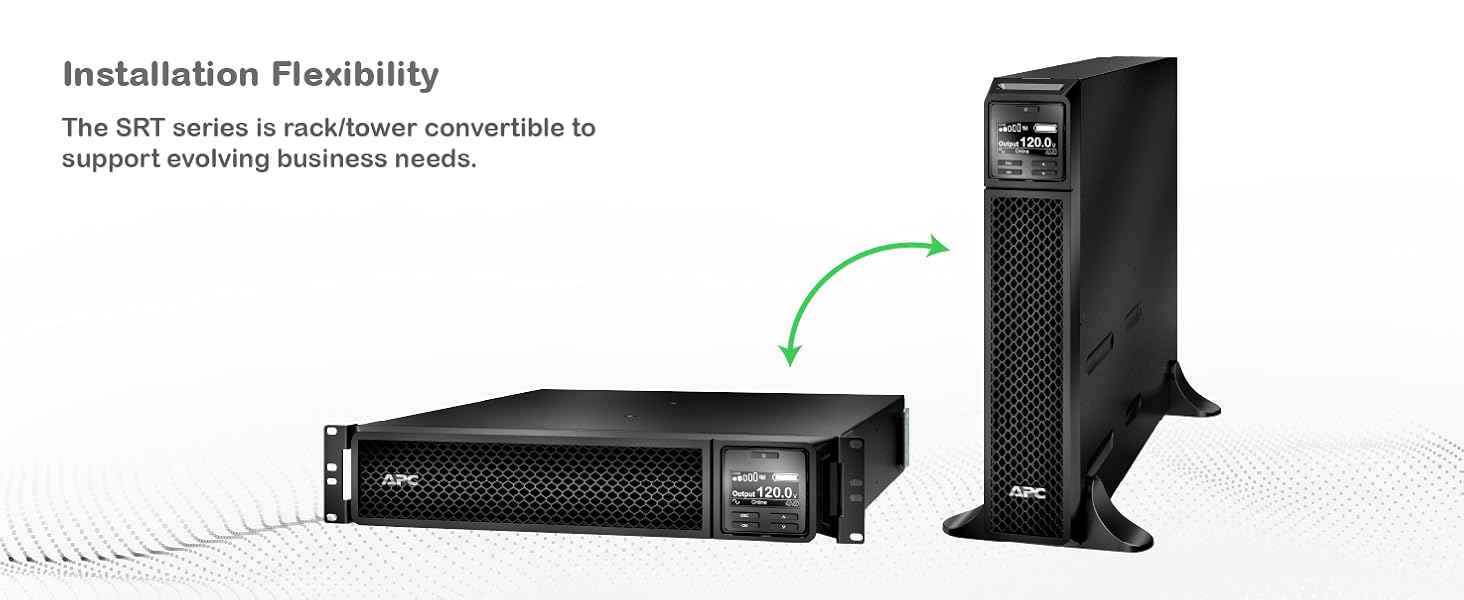
Figure 3.2: Illustration of the UPS's installation flexibility, demonstrating its ability to be configured as a floor-standing tower or a rack-mounted unit.

Figure 3.3: Rear panel view detailing the communication ports and power outlets, including SmartSlot, NEMA 5-20R, and NEMA L5-30R connections.
4. Setup
Proper setup ensures optimal performance and safety of your UPS.
4.1 Unpacking and Inspection
- Carefully unpack the UPS and its components from the packaging.
- Inspect the UPS for any shipping damage. If damage is found, notify the carrier and dealer.
- Retain the packaging for future use or recycling.
4.2 Site Selection
- Choose a location that is clean, dry, and free from excessive dust.
- Ensure adequate airflow around the UPS for proper cooling. Maintain at least 4 inches (10 cm) of clearance at the front and rear.
- Avoid direct sunlight, heat sources, and areas with high humidity.
- The UPS is designed for indoor use only.
4.3 Initial Connection
- Connect the UPS input power cord (NEMA 5-30p) to a dedicated, grounded electrical outlet.
- Connect your equipment to the UPS output receptacles. The UPS provides 8 NEMA 5-20R outlets and 1 NEMA L5-30R outlet for battery backup.
- Ensure all connections are secure.
5. Operating Instructions
This section details the basic operation of your Smart-UPS SRT 3000VA.
5.1 Powering On the UPS
- After connecting the input power and equipment, press the power button on the front panel.
- The UPS will perform a self-test and then switch to online mode, providing conditioned power to your connected devices.
5.2 LCD Display and Navigation
The intuitive LCD interface provides real-time status updates and allows for configuration adjustments.

Figure 5.1: Detailed view of the UPS LCD display, showing real-time output voltage and load status, along with navigation buttons.
- Use the navigation buttons (up, down, enter, escape) to browse menus and adjust settings.
- The display shows critical information such as input/output voltage, load percentage, battery charge, and operational status.
5.3 PowerChute Network Shutdown Software
For advanced power protection and graceful shutdown of connected IT equipment, utilize the PowerChute Network Shutdown Software. This software enables unattended, graceful shutdown and automated start-up for hyperconverged infrastructure, virtual machines, and hosts/cluster services.

Figure 5.2: Example interface of the PowerChute Network Shutdown Software, illustrating its capabilities for managing IT environments during power events.
A network management card (sold separately) is required to use PowerChute Network Shutdown.
6. Maintenance
Regular maintenance ensures the longevity and reliability of your UPS.
6.1 Battery Management
The Smart-UPS SRT features intelligent battery management and live swappable batteries.
- Live Swappable Batteries: Batteries can be replaced without powering down connected equipment, ensuring continuous operation.
- Intelligent Battery Management: The UPS provides battery replacement recommendations, temperature-compensated charging, periodic battery self-tests, and disconnect battery notifications.
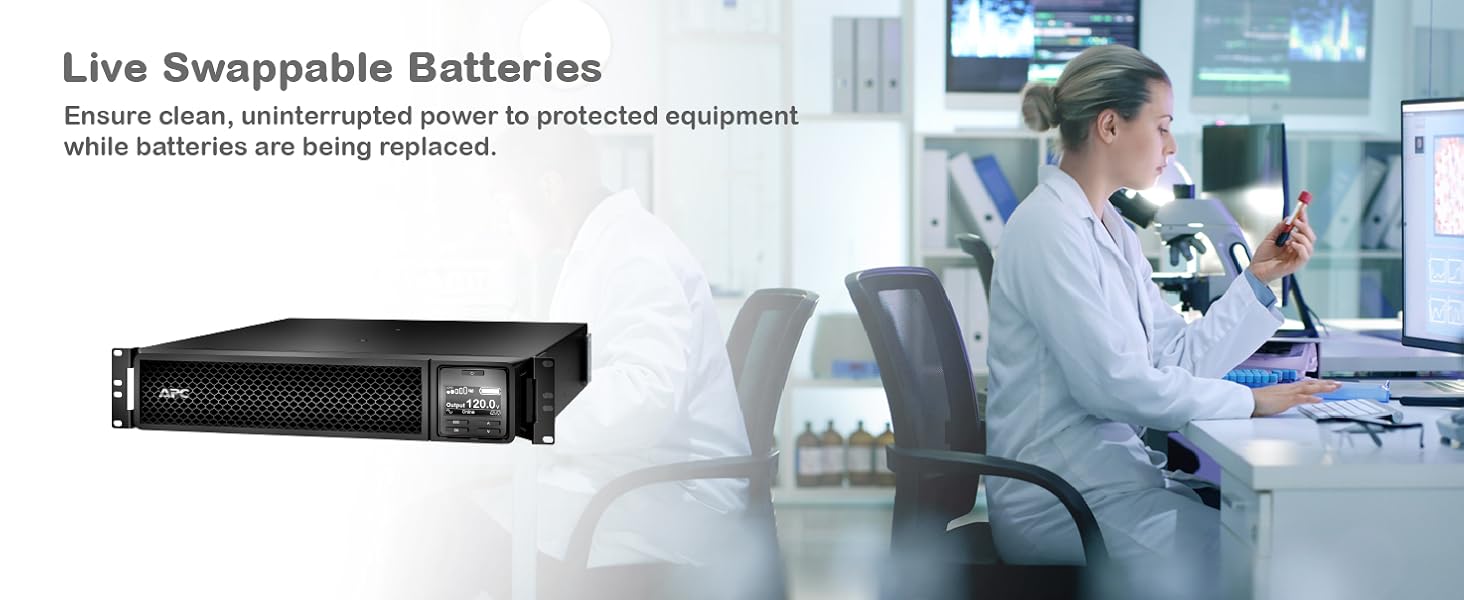
Figure 6.1: Illustration of live swappable batteries, demonstrating the ability to replace battery modules without interrupting power to critical loads.

Figure 6.2: Visual representation of intelligent battery management features, including recommendations, temperature compensation, self-tests, and notifications.
6.2 Cleaning
Keep the UPS clean and free of dust. Use a dry cloth to wipe down the exterior. Do not use liquid cleaners or solvents.
7. Troubleshooting
This section provides solutions to common issues. For more complex problems, contact APC technical support.
| Problem | Possible Cause | Solution |
|---|---|---|
| UPS does not turn on. | No input power or discharged battery. | Ensure the input power cord is securely connected to a live outlet. Allow the UPS to charge for several hours. |
| UPS beeps continuously. | UPS is on battery power due to utility power failure. | Save work and shut down connected equipment. The UPS will continue to provide power until the battery is depleted or utility power returns. |
| "Replace Battery" indicator is on. | Battery has reached end of life or is faulty. | Order and replace the battery module. Refer to the maintenance section for live swap instructions. |
| Overload alarm. | Too much equipment connected to the UPS. | Disconnect non-essential equipment from the UPS outlets until the overload alarm clears. |
8. Specifications
Detailed technical specifications for the APC Smart-UPS SRT 3000VA (SRT3000XLA).
| Attribute | Value |
|---|---|
| Model Number | SRT3000XLA |
| Product Dimensions | 3.35 x 25 x 17.01 inches (8.5 x 63.5 x 43.2 cm) |
| Item Weight | 69 pounds (31.3 kg) |
| Voltage | 120 Volts |
| Battery Cell Composition | Lithium Ion |
| Color | Black |
| Material | Plastic |
| Input Connection | NEMA 5-30p |
| Output Connections | 8 x NEMA 5-20R, 1 x NEMA L5-30R |
| Cord Length | 6 feet (1.83 meters) |
| Power Capacity | 3000VA / 2700W |
| Topology | Double Conversion Online |
9. Warranty and Support
For warranty information and technical support, please contact APC customer service or visit the official APC website. Keep your purchase receipt for warranty claims.
- Online Resources: Visit www.apc.com for product documentation, FAQs, and support tools.
- Technical Support: Contact APC technical support for assistance with installation, operation, or troubleshooting.
- Protection Plans: Extended protection plans may be available for purchase to cover your investment beyond the standard warranty.
Related documentsSRT3000XLA


Ask a question about this manual
Ask about setup, troubleshooting, compatibility, parts, safety, or missing instructions. Manuals+ will review the question and use this page’s manual context to help answer it.