
1. Product Overview
The TEKCOPLUS Portable CO2 Detector is a versatile digital meter designed for comprehensive indoor air quality (IAQ) diagnosis. It accurately measures Carbon Dioxide (CO2) levels, air temperature, humidity, dew point, and wet bulb temperature. Equipped with a high-precision NDIR CO2 sensor, this device provides reliable readings to help you monitor and maintain healthy indoor environments in various settings such as homes, offices, classrooms, factories, hospitals, and hotels.

Image: The TEKCOPLUS Portable CO2 Detector, a yellow handheld device, shown alongside its black hard carrying case. The device displays CO2, temperature, and humidity readings.
Video: An overview of the TEKCOPLUS Digital Indoor Air Quality Meter, demonstrating its features and applications in various indoor environments. This video highlights the meter's ability to measure CO2, air temperature, dew point, wet bulb temperature, and humidity.
2. Know the Parts
Familiarize yourself with the different components of your CO2 detector:

Image: A detailed diagram of the TEKCOPLUS CO2 Detector, showing the location and function of its various parts, including the sensor, LCD screen, power/setup button, mode/backlight button, calibration/exit button, DP/WBT/decrease button, hold button, MIN/MAX/STEL/TWA button, and battery compartment.
- Sensor: Located at the top, responsible for detecting CO2, temperature, and humidity.
- LCD Display: Large screen showing real-time readings.
- Power On/Off / Setup Button: Used to power the device on/off and access setup menus.
- Mode / Backlight / Increase Button: Cycles through display modes, activates backlight, and increases values in settings.
- CAL / Esc Button: Initiates calibration or exits current menu/setting.
- DP/WBT / Decrease Button: Toggles between Dew Point and Wet Bulb Temperature display, and decreases values in settings.
- HOLD Button: Freezes the current readings on the display.
- MIN/MAX/STEL/TWA Button: Displays minimum, maximum, Short-Term Exposure Limit (STEL), and Time-Weighted Average (TWA) values recorded since the device was powered on or reset.
- Battery Compartment: Located at the back, holds 4x AA batteries.
3. Setup and Power
The TEKCOPLUS CO2 Detector is powered by 4x AA batteries. Ensure batteries are inserted correctly before first use.
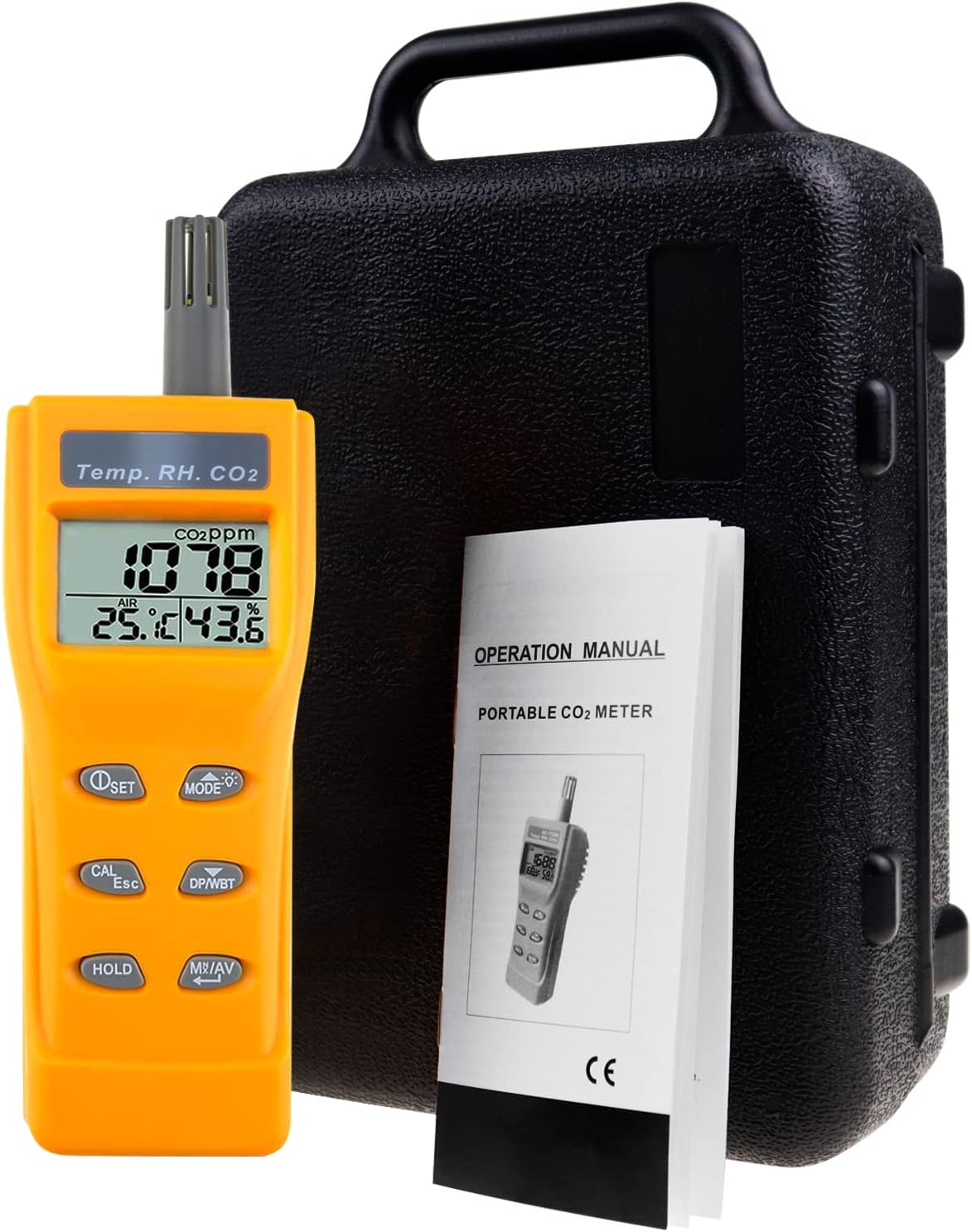
Image: The CO2 detector, its operation manual, and four AA batteries, indicating the power source and included items.
- Open the battery compartment cover on the back of the device.
- Insert 4 AA batteries, ensuring correct polarity (+/-).
- Close the battery compartment cover securely.
- Press the Power On/Off button to turn on the device.
4. Operating Instructions
4.1 Taking Measurements
Upon powering on, the device will automatically begin measuring CO2, temperature, and humidity. Allow approximately 30 seconds for the NDIR sensor to warm up and stabilize for accurate readings.

Image: A close-up of the CO2 detector's large LCD screen, clearly displaying real-time CO2 levels (1078 ppm), air temperature (25.1°C), and humidity (43.6%). The screen is backlit for improved visibility.
4.2 Display Modes and Functions
- Changing Display: Press the Mode button to cycle through different display options, such as CO2, temperature, and humidity.
- Backlight: Press and hold the Mode button to toggle the LCD backlight on or off.
- Data Hold: Press the HOLD button to freeze the current readings on the screen. Press again to release.
- Min/Max/STEL/TWA: Press the MIN/MAX/STEL/TWA button to view the minimum, maximum, Short-Term Exposure Limit (STEL), and Time-Weighted Average (TWA) values recorded since the device was powered on or reset.
- Dew Point (DP) / Wet Bulb Temperature (WBT): Press the DP/WBT button to switch between displaying Dew Point and Wet Bulb Temperature.

Image: The CO2 detector displaying readings, with an overlay graphic of a ringing bell, indicating its audible alarm function. This feature alerts users when CO2 levels exceed a preset threshold.
4.3 Alarm Function
The device features an audible and visual alarm that activates when CO2 levels exceed a user-defined threshold. This allows for immediate action to improve air quality.
- Refer to the full operation manual for detailed instructions on setting alarm thresholds.
5. Maintenance
5.1 Calibration
The CO2 detector is equipped with a stable NDIR sensor and can be calibrated for optimal accuracy.

Image: The CO2 detector's screen displaying "CAL" and a CO2 reading of 400 ppm, indicating it is in calibration mode. This image highlights the ease of manual calibration.
- To initiate calibration, press the CAL button. Follow the on-screen prompts.
- For best results, perform calibration in a well-ventilated outdoor area with known ambient CO2 levels (typically around 400 ppm).
5.2 Cleaning and Storage
- Clean the device with a soft, dry cloth. Do not use abrasive cleaners or solvents.
- Store the device in its hard carrying case when not in use to protect it from dust and physical damage.
- Remove batteries if storing for extended periods to prevent leakage.
6. Specifications
Detailed technical specifications for the TEKCOPLUS Portable CO2 Detector:

Image: The CO2 detector alongside a graphic detailing its measuring ranges for CO2 (0-9999ppm), Temperature (-10~60°C / 14~140°F), Humidity (0.1%~99.9%RH), Dew Point (-20.0~59.9°C), and Wet Bulb (-5.0~59.9°C).
| Parameter | Value |
|---|---|
| CO2 Range | 0~9999ppm |
| Temperature Range | -10~60°C (14~140°F) |
| Humidity Range | 0.1% ~ 99.9%RH |
| Dew Point Range | -20.0~59.9°C |
| Wet Bulb Range | -5.0~59.9°C |
| Resolution | 1ppm, 0.1°C/°F, 0.1%RH |
| CO2 Accuracy | 0-2000ppm (±50ppm or ±5% of reading); Above 2000ppm (±10% of reading) |
| Temperature Accuracy | ±0.6°C / ±0.9°F |
| Humidity Accuracy | ±3%RH (at 25°C, 10-90% RH); ±5%RH (at 25°C, others) |
| Warm-up time | 30 seconds |
| CO2 Response time | <30 seconds (90% step change) |
| Temp Response time | <2 mins (90% step change) |
| RH Response time | <10 mins (90% step change) |
| LCD Size | 26mm x 44mm |
| Operating Condition | 0~50°C, 0~95%RH (avoid condensation) |
| Storage Condition | -20~50°C, 0~95%RH (avoid condensation) |
| Power Supply | 4x AA batteries |
| Battery life | >24 hours |
7. Troubleshooting
If you encounter issues with your TEKCOPLUS CO2 Detector, refer to the following common problems and solutions:
| Problem | Possible Cause | Solution |
|---|---|---|
| Device does not turn on | Low or dead batteries; incorrect battery installation. | Replace batteries with new ones; ensure correct polarity. |
| Inaccurate CO2 readings | Needs calibration; sensor obstruction; rapid environmental changes. | Perform calibration in fresh air; ensure sensor is clear; allow time for readings to stabilize. |
| Display is dim or flickering | Low battery power. | Replace batteries. |
| Alarm sounds frequently | High CO2 levels in the environment; alarm threshold set too low. | Improve ventilation in the area; adjust alarm threshold if necessary (refer to full manual). |
8. Warranty and Support
TEKCOPLUS products are designed for reliability and performance. For warranty information, technical support, or service inquiries, please refer to the official TEKCOPLUS website or contact their customer service directly.
- Official TEKCOPLUS Store: Visit Store
- User Manual (PDF): Download PDF
