
Sun Joe SPX2500
Sun Joe SPX2500 Electric Pressure Washer
Instruction Manual
Model: SPX2500 | Brand: Sun Joe
Introduction
The Sun Joe SPX2500 Electric Pressure Washer is designed for light to medium-duty cleaning tasks around your home. This manual provides essential information for the safe and effective operation, assembly, maintenance, and troubleshooting of your pressure washer. Please read it thoroughly before first use and keep it for future reference.
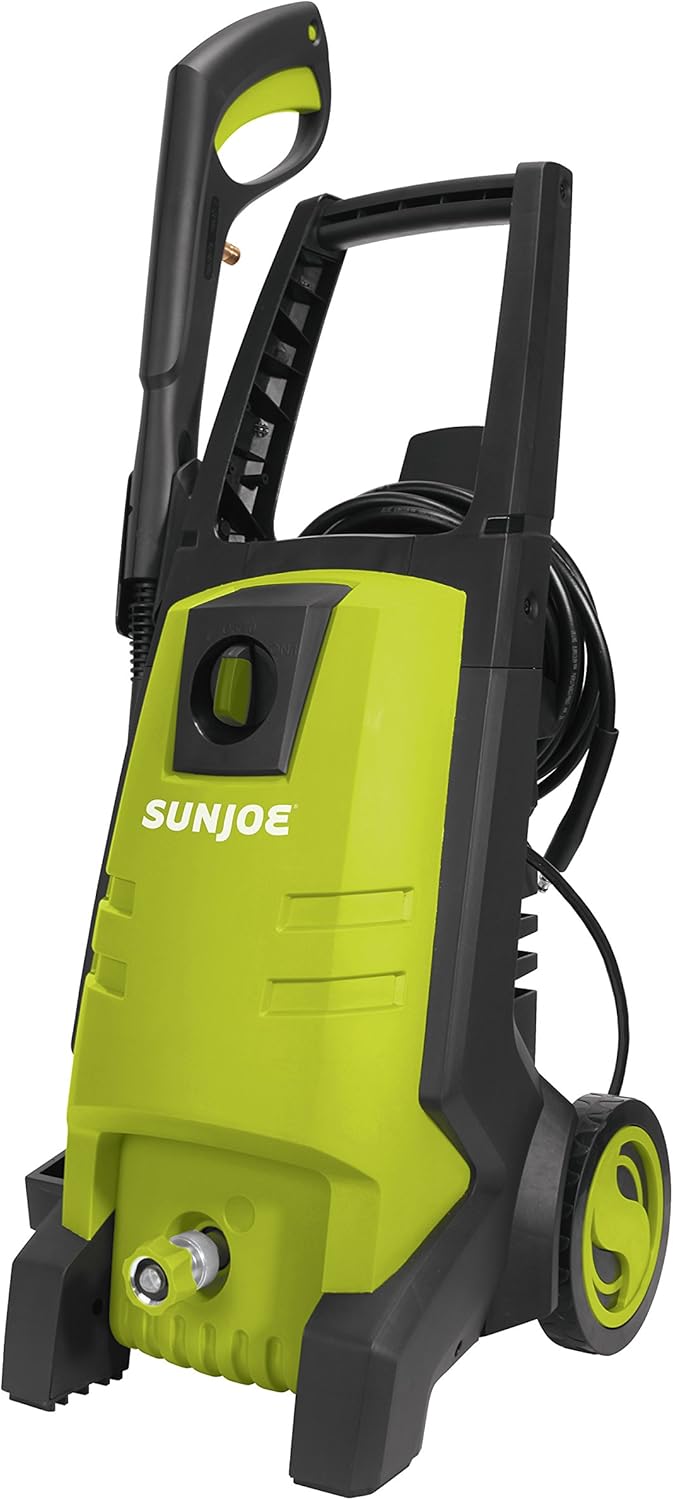
Figure 1: Front view of the Sun Joe SPX2500 Electric Pressure Washer.
Safety Information
Always follow basic safety precautions when using electrical appliances to reduce the risk of fire, electric shock, and personal injury. This pressure washer is equipped with a Ground Fault Circuit Interrupter (GFCI) for added safety. Do not operate the unit if the GFCI fails to reset.
- Always wear appropriate personal protective equipment, including safety glasses and closed-toe shoes.
- Ensure all connections are secure before operating.
- Do not direct the spray at people, pets, or electrical devices.
- Keep the operating area clear of obstructions and other individuals.
- Disconnect power before performing any maintenance or cleaning.
Product Overview
The Sun Joe SPX2500 is a compact and powerful electric pressure washer designed for various cleaning applications. Key features include:
- Powerful 13-amp motor for effective cleaning.
- Adjustable spray wand with twist nozzle for versatile pressure control.
- Total Stop System (TSS) that automatically shuts off the pump when the trigger is not engaged, saving energy and prolonging pump life.
- On-board removable detergent tank for easy application of cleaning solutions.
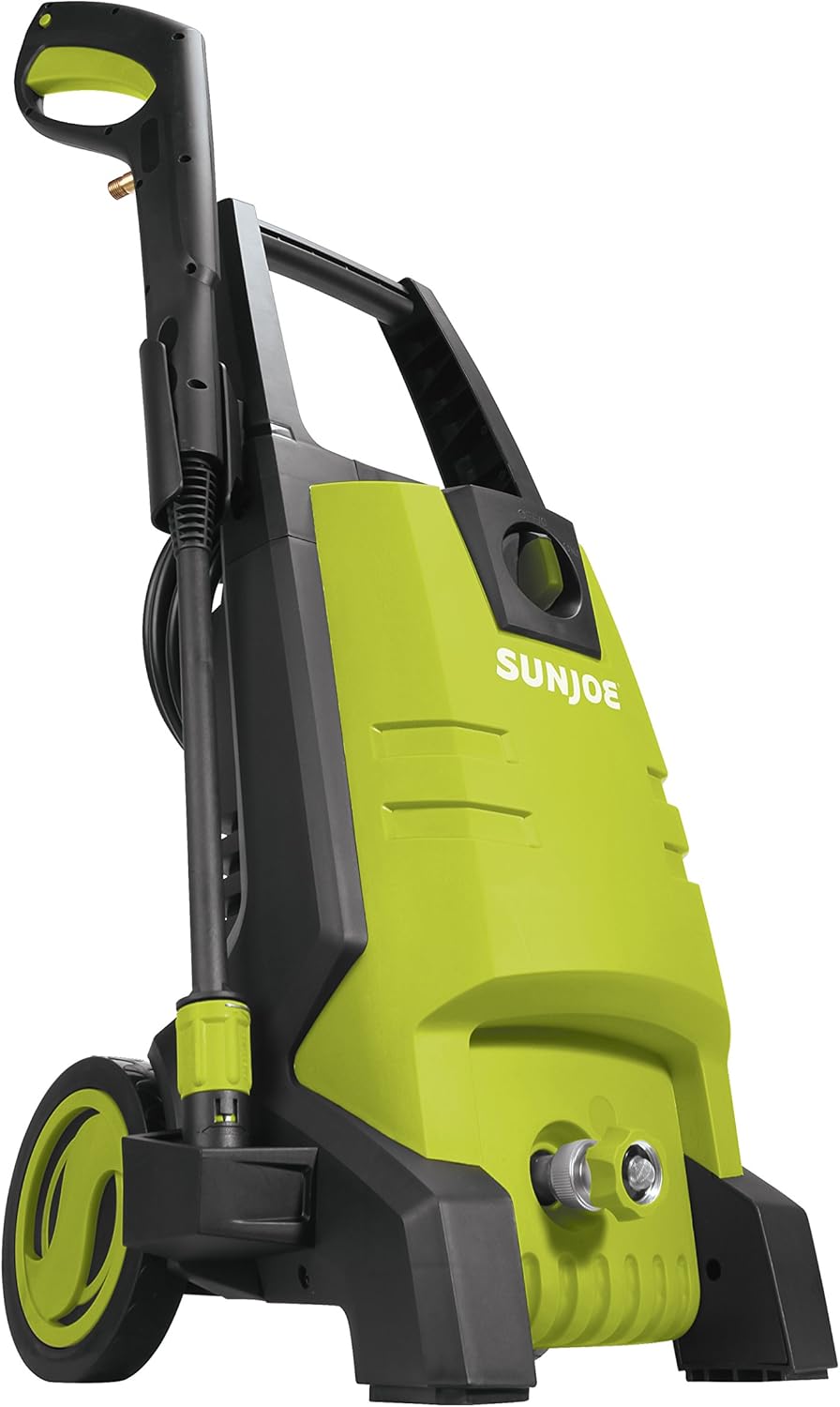
Figure 2: Side view highlighting the integrated wheels for easy portability.
Setup
1. Assembly
Follow the instructions provided in the quick start guide for initial assembly of the handle, wheels, and spray wand components. Ensure all parts click securely into place.
2. Connecting Water Supply
Connect a standard garden hose (not included) to the water inlet on the pressure washer. Ensure the connection is tight to prevent leaks. The water inlet features a filter to prevent debris from entering the pump.

Figure 3: Detail of the water inlet connection point.
3. Connecting Power
Plug the pressure washer into a grounded 120V AC electrical outlet. The unit features a GFCI plug for safety. Press the 'RESET' button on the GFCI plug before each use.
Operating Instructions
1. Starting the Unit
Before starting, ensure the water supply is turned on and the high-pressure hose is connected to the spray wand. Squeeze the trigger on the spray wand to purge air from the system until a steady stream of water emerges. Then, turn the power switch to the 'ON' position.
2. Adjusting Spray Pattern and Pressure
The adjustable nozzle allows you to easily switch between an intense jet and a gentle spray. Twist the nozzle at the end of the spray wand to achieve the desired spray pattern and pressure for your cleaning task.

Figure 4: Demonstrating the pressure washer cleaning a wooden bench.
3. Using the Detergent Tank
For enhanced cleaning, fill the on-board removable detergent tank with a pressure washer-safe cleaning solution. The detergent will be automatically mixed with the water when the nozzle is set to a low-pressure spray pattern. Always rinse the tank thoroughly after use.

Figure 5: Rear view showing the integrated detergent tank.
4. Total Stop System (TSS)
The TSS feature automatically shuts off the pump when the trigger is released, conserving energy and extending the life of the pump. The pump will restart automatically when the trigger is squeezed again.
Video 1: Official product video demonstrating the Sun Joe SPX2500's features and cleaning capabilities, including the Total Stop System.
Maintenance
1. Cleaning the Nozzle and Filter
Regularly inspect and clean the nozzle for any blockages. Use the included nozzle cleaning tool if necessary. Also, check the water inlet filter for debris and rinse it clean.
2. Winter Storage
If storing the pressure washer in an area where the temperature may drop below freezing, it is crucial to winterize the unit. Drain all water from the pump and hoses to prevent damage from freezing. Consider using a pump protector solution.
Troubleshooting
If you encounter issues with your Sun Joe SPX2500, refer to the following common problems and solutions. For more detailed troubleshooting, consult the full user manual (PDF link provided in the Warranty & Support section).
| Problem | Possible Cause | Solution |
|---|---|---|
| Motor stops suddenly | GFCI tripped / Overload | Reset GFCI / Reduce load |
| No water pressure | Air in pump / Clogged nozzle | Purge air / Clean nozzle |
| Water leaks | Loose connections / Damaged O-rings | Tighten connections / Replace O-rings |
Specifications
Detailed technical specifications for the Sun Joe SPX2500 Electric Pressure Washer:
| Specification | Value |
|---|---|
| Brand | Sun Joe |
| Model Number | SPX2500 |
| Power Source | Electric |
| Maximum Pressure | 1885 PSI |
| Maximum Flow Rate | 1.59 GPM |
| Item Weight | 23.8 Pounds |
| Hose Length | 20 Feet |
| Product Dimensions | 15.7"L x 14.1"W x 29.7"H |
| Certification | CSA |
| UPC | 810829025180 |

Figure 6: Product dimensions for the Sun Joe SPX2500.
Warranty & Support
The Sun Joe SPX2500 Electric Pressure Washer is backed by a full 2-year warranty, ensuring peace of mind regarding its performance and durability. For detailed warranty information, product support, or to download the complete user manual, please refer to the official Sun Joe resources.
Official User Manual (PDF): Download Here
For further assistance, visit the Sun Joe Store on Amazon.
Related documentsSPX2500


Ask a question about this manual
Ask about setup, troubleshooting, compatibility, parts, safety, or missing instructions. Manuals+ will review the question and use this page’s manual context to help answer it.