
Introduction
This manual provides essential instructions for the safe and efficient use of your Ryobi P108 One+ 18V 4.0AH Lithium Ion Battery and P117 One+ Dual Chemistry Charger. Please read all instructions carefully before operating the product.
Important Safety Information
WARNING: To reduce the risk of injury, always read and understand all instructions before using this product. Failure to follow all instructions listed below may result in electric shock, fire, and/or serious personal injury.
- Do not charge batteries in damp or wet locations.
- Use only Ryobi One+ 18V batteries with this charger.
- Do not expose the charger to rain or snow.
- Do not use the charger if the cord or plug is damaged.
- Do not operate the charger if it has received a sharp blow, been dropped, or otherwise damaged.
- Keep the charger and battery away from heat sources.
- Do not short-circuit the battery terminals.
- Do not incinerate the battery, even if it is severely damaged or completely dead.
Package Contents
- Ryobi P108 One+ 18V 4.0AH Lithium Ion Battery
- Ryobi P117 One+ Dual Chemistry Lithium Ion and NiCad Battery Charger
Product Overview
The Ryobi P108 battery is an 18V 4.0AH Lithium Ion battery designed for extended runtime with Ryobi One+ tools. The P117 charger is a dual chemistry charger compatible with both Lithium Ion and NiCad 18V Ryobi One+ batteries, featuring IntelliPort Technology for optimized charging and battery life.

Figure 1: Front view of the Ryobi P117 Dual Chemistry Charger, showing the charging port and indicator lights.
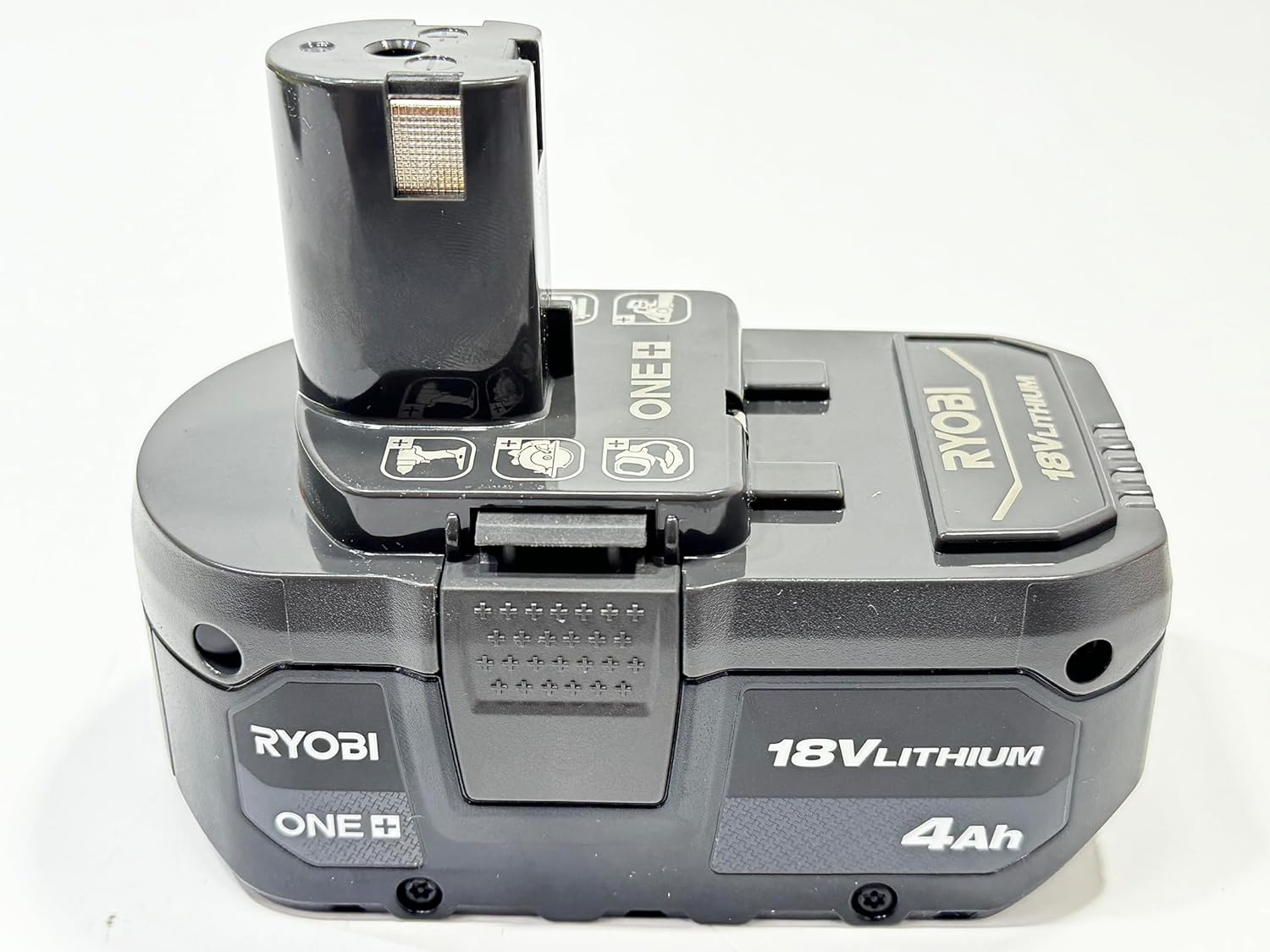
Figure 2: The Ryobi P108 18V 4.0AH Lithium Ion Battery, designed for use with Ryobi One+ tools.

Figure 3: The Ryobi P108 battery and P117 charger shown together, illustrating the complete combo set.
Setup
- Unpack: Carefully remove the battery and charger from their packaging. Inspect for any damage.
- Placement: Place the charger on a flat, stable surface in a well-ventilated area, away from direct sunlight and moisture.
- Power Connection: Plug the charger's power cord into a standard 120V AC electrical outlet. The "Power On" indicator light (red) on the charger should illuminate.
Operating Instructions: Charging the Battery
The P117 charger is designed to charge Ryobi One+ 18V Lithium Ion and NiCad batteries. The IntelliPort Technology optimizes charging for battery longevity.
- Insert Battery: Slide the Ryobi 18V battery into the charging port on the P117 charger. Ensure it clicks securely into place.
- Monitor Indicator Lights: The charger features several indicator lights to communicate the battery's status:
- Power On (Red): Indicates the charger is plugged in and receiving power.
- Temp Delay (Red Flashing): Battery temperature is too hot or too cold. Charging will begin automatically once the temperature is within an acceptable range.
- Testing (Green Flashing): The charger is analyzing the battery condition.
- Defective (Red Solid): The battery is defective and cannot be charged.
- Charging (Green Flashing): The battery is actively charging.
- Maintenance Charge (Green Solid): The battery is fully charged and the charger is maintaining its charge.
- Charged / Energy Save (Green Solid): The battery is fully charged and the charger has entered energy-saving mode.
- Charging Time: A fully depleted 4.0AH Lithium Ion battery (P108) typically charges in approximately 30 minutes. Actual charging time may vary based on battery condition and ambient temperature.
- Remove Battery: Once the "Charged / Energy Save" indicator light is solid green, the battery is fully charged. Press the release latches on the battery and slide it out of the charger.

Figure 4: A Ryobi P108 battery inserted into the P117 charger, ready for charging. Observe the indicator lights for status.
Maintenance
- Cleaning: Keep the charger and battery clean and free of debris. Use a dry cloth to wipe surfaces. Do not use water or chemical cleaners.
- Storage: Store the charger and batteries in a cool, dry place, away from direct sunlight and extreme temperatures. For long-term storage, ensure batteries are partially charged (not fully depleted or fully charged).
- Cord Inspection: Regularly inspect the charger cord for any signs of damage. If damaged, do not use the charger.
Troubleshooting
| Problem | Possible Cause | Solution |
|---|---|---|
| Charger not powering on (no lights) | Not plugged in; faulty outlet; damaged cord. | Ensure charger is securely plugged into a working outlet. Check for cord damage. |
| Temp Delay light flashing (Red) | Battery temperature is outside optimal range. | Move battery and charger to a location with moderate temperature (e.g., 60-80°F or 15-27°C). Charging will resume automatically. |
| Defective light solid (Red) | Battery is damaged or faulty. | Remove the battery. If the light remains solid, the battery is likely defective and should be replaced. |
| Battery not charging (no green lights) | Battery not properly seated; charger malfunction. | Re-insert the battery, ensuring a secure connection. If issues persist, contact customer support. |
Specifications
- Brand: RYOBI
- Battery Model: P108
- Battery Type: 18V 4.0AH Lithium Ion
- Charger Model: P117
- Charger Type: One+ Dual Chemistry (Lithium Ion & NiCad)
- Input Voltage: 120 Volts
- Output Voltage: 18 Volts
- Amperage: 4 Amps
- Approximate Charge Time (4.0AH Li-Ion): 30 minutes
- Item Weight: 3.59 Pounds (combined)
Warranty
This product is covered by a 30 Day Limited Warranty. For specific terms and conditions, please refer to the warranty card included with your purchase or contact Ryobi customer service.
Support
For technical assistance, replacement parts, or further information, please visit the official RYOBI website or contact their customer service department. Keep your purchase receipt and model numbers handy for faster service.


