
ProForm PFEX01215
ProForm Le Tour De France Upright Exercise Bike User Manual
Model: PFEX01215
1. Introduction
This manual provides essential information for the safe and effective use of your ProForm Le Tour De France Upright Exercise Bike, Model PFEX01215. Please read all instructions carefully before assembly and operation. Retain this manual for future reference.
Safety Information:
- Consult a physician before starting any exercise program.
- Keep children and pets away from the equipment.
- Place the exercise bike on a level surface.
- Ensure all parts are securely tightened before each use.
- Maximum user weight: 250 lbs (113.4 kg).
2. Setup and Assembly
Unpack all components and ensure all parts are present. Refer to the included assembly guide for detailed step-by-step instructions. Basic assembly typically involves attaching the stabilizers, pedals, seat, handlebars, and console.

Figure 2.1: Fully assembled ProForm Le Tour De France Upright Exercise Bike. This image shows the complete bike from a front-side angle, highlighting the console, handlebars, seat, pedals, and the distinctive "Le Tour De France" branding on the flywheel.
2.1 Stabilizer Installation
Attach the front and rear stabilizers to the main frame using the provided bolts and washers. Ensure they are firmly secured to prevent wobbling during use.
2.2 Pedal Attachment
The pedals are marked 'L' for left and 'R' for right. Attach the left pedal by turning it counter-clockwise and the right pedal by turning it clockwise into the crank arms. Tighten securely with a wrench.
2.3 Seat and Handlebar Adjustment
Adjust the seat height and handlebar position to ensure a comfortable and ergonomic riding posture. The seat features an adjustable post for vertical positioning, and the handlebars can be adjusted for angle.

Figure 2.2: A user adjusting the seat height of the exercise bike. This image illustrates the process of loosening and tightening the knob to set the seat to the desired vertical position.

Figure 2.3: A user adjusting the handlebar angle on the exercise bike. This image shows how to manipulate the adjustment mechanism to find a comfortable handlebar position.
3. Operating Instructions
3.1 Console Overview
The console displays key workout metrics such as time, distance, speed, calories, and resistance level. Familiarize yourself with the buttons and display functions.

Figure 3.1: Detailed view of the exercise bike's console. This image highlights the digital display, control buttons for incline, gears, and various workout modes, and the iFit branding.
3.2 Starting a Workout
- Sit on the bike and place your feet securely in the pedal straps.
- Press any button on the console to activate it.
- Select a workout program or begin in manual mode.
- Adjust resistance using the '+' and '-' buttons on the console.
3.3 Resistance System
The bike utilizes a magnetic resistance system for smooth and quiet operation. Resistance levels can be adjusted electronically via the console, simulating various terrains and inclines.

Figure 3.2: Close-up of the SMR (Silent Magnetic Resistance) system. This image focuses on the flywheel and the resistance mechanism, showing the "SMR" branding.
3.4 iFit Connectivity
This exercise bike is iFit compatible. Connect your device to access interactive workouts, global routes powered by Google Maps, and personalized training programs. Refer to the iFit manual or website for detailed setup instructions.
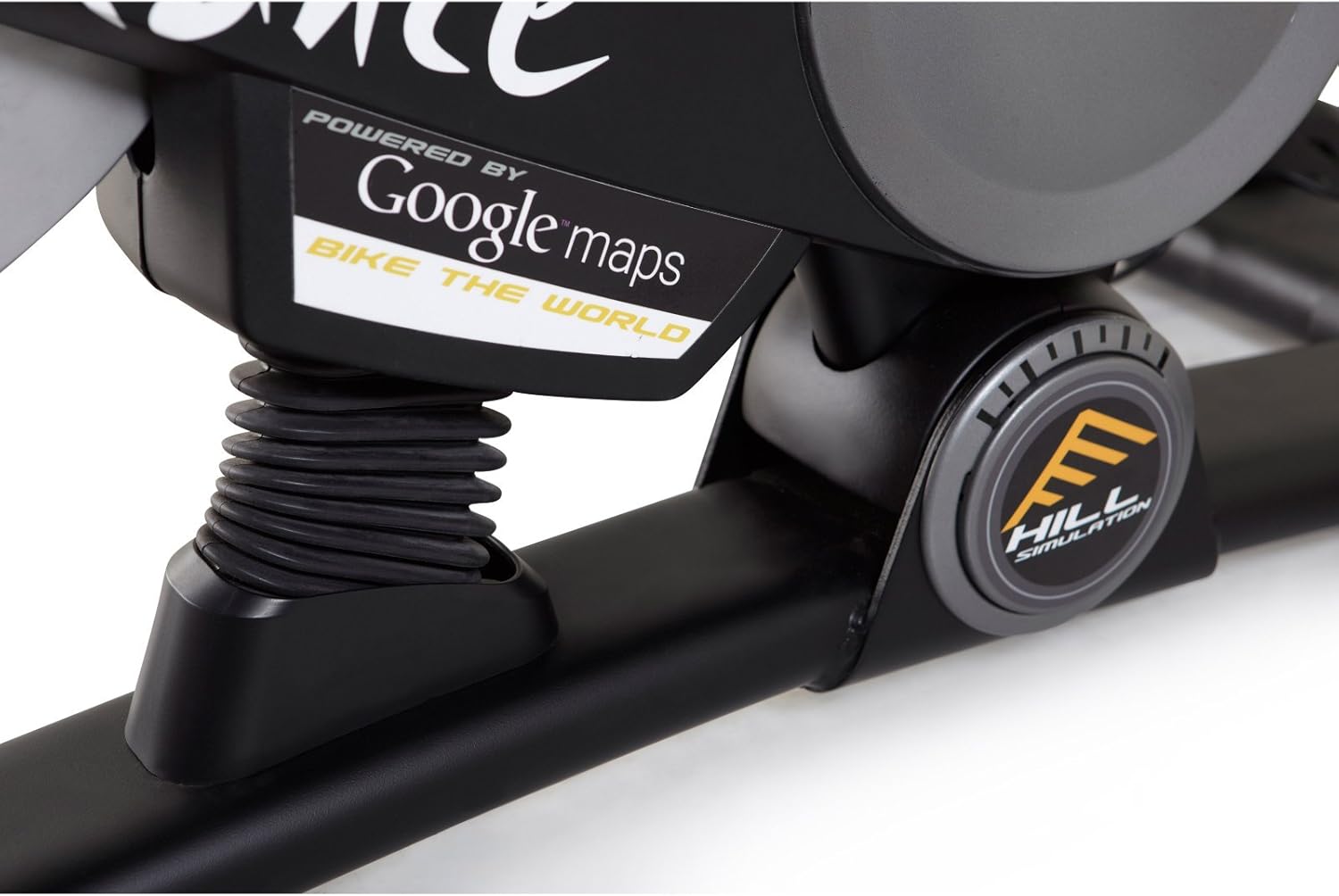
Figure 3.3: Branding indicating "Powered by Google Maps" on the exercise bike's frame. This highlights the bike's integration with iFit for virtual routes.
4. Maintenance
Regular maintenance ensures the longevity and optimal performance of your exercise bike.
- Cleaning: Wipe down the bike after each use with a damp cloth to remove sweat and dust. Avoid abrasive cleaners.
- Inspection: Periodically check all bolts and nuts for tightness. Tighten any loose fasteners.
- Lubrication: No lubrication is required for the magnetic resistance system.
- Storage: Store the bike in a dry, cool environment away from direct sunlight and moisture.
5. Troubleshooting
| Problem | Possible Cause | Solution |
|---|---|---|
| Console not powering on | Batteries are dead or incorrectly installed. | Replace batteries or ensure correct polarity. |
| Unstable during use | Stabilizer feet not adjusted or loose bolts. | Adjust the leveling feet on the stabilizers. Tighten all assembly bolts. |
| Resistance not changing | Console connection issue or internal fault. | Check console cables. If problem persists, contact customer support. |
| Pedals making noise | Loose pedals or crank arms. | Ensure pedals are tightly screwed into crank arms. |
6. Specifications
| Feature | Detail |
|---|---|
| Model Number | PFEX01215 |
| Dimensions (L x W x H) | 136.4 cm x 62.7 cm x 135.1 cm (53.7 in x 24.7 in x 53.2 in) |
| Assembled Product Weight | 54.4 kg (120 lbs) |
| Maximum User Weight | 113.4 kg (250 lbs) |
| Resistance Mechanism | Magnetic (SMR™ Silent Magnetic Resistance) |
| Display Type | LCD |
| Power Source | Battery Powered |
| Special Features | Adjustable Seat, iFit Compatible, Google Maps Integration |
7. Warranty Information
ProForm products are manufactured with high-quality materials and craftsmanship. For specific warranty details regarding your ProForm Le Tour De France Upright Exercise Bike, please refer to the warranty card included with your purchase or visit the official ProForm website. Keep your proof of purchase for warranty claims.
8. Customer Support
If you have questions, require assistance with assembly, or need to troubleshoot an issue not covered in this manual, please contact ProForm customer support.
- Online Support: Visit the official ProForm Support Website.
- Phone Support: Refer to your product registration card or the ProForm website for regional contact numbers.
Related documentsPFEX01215


Ask a question about this manual
Ask about setup, troubleshooting, compatibility, parts, safety, or missing instructions. Manuals+ will review the question and use this page’s manual context to help answer it.