
Thule 7601B
Thule AeroBlade Edge Flush Mount Rack User Manual
Model: 7601B
Brand: Thule
Introduction
Welcome to the user manual for your Thule AeroBlade Edge Flush Mount Rack. This manual provides essential information for the safe and effective installation, operation, and maintenance of your new roof rack system.
The Thule AeroBlade Edge is designed for vehicles with integrated fix points or flush mount rails, offering a sleek, low-profile, and aerodynamic solution for carrying gear.
Safety Information
Read all instructions carefully before installation and use. Failure to follow these instructions can result in property damage, serious injury, or death.
- Ensure all components are securely fastened before driving.
- Do not exceed the maximum load capacity of 165 pounds (75 kg) for the rack system or your vehicle's roof capacity, whichever is lower.
- Regularly check all mounting hardware for tightness, especially after the first few miles of driving and periodically thereafter.
- Be aware of increased vehicle height and width when the rack is installed, especially when entering garages or low-clearance areas.
- For vehicles with sunroofs: Due to the low fit of the rack, it may not be possible to open the sunroof when the racks are installed. Always check clearance before opening your sunroof.
- Always distribute load evenly and secure it properly to prevent shifting during transit.
Components
Your Thule AeroBlade Edge Flush Mount Rack (Small, Black) includes the following main components:
- One (1) Thule AeroBlade Edge Load Bar/Tower Set (Model 7601B)
- Integrated foot system
- Necessary installation tools
Note: A vehicle-specific fit kit and Thule One-Key locks are sold separately and are required for complete installation and security.
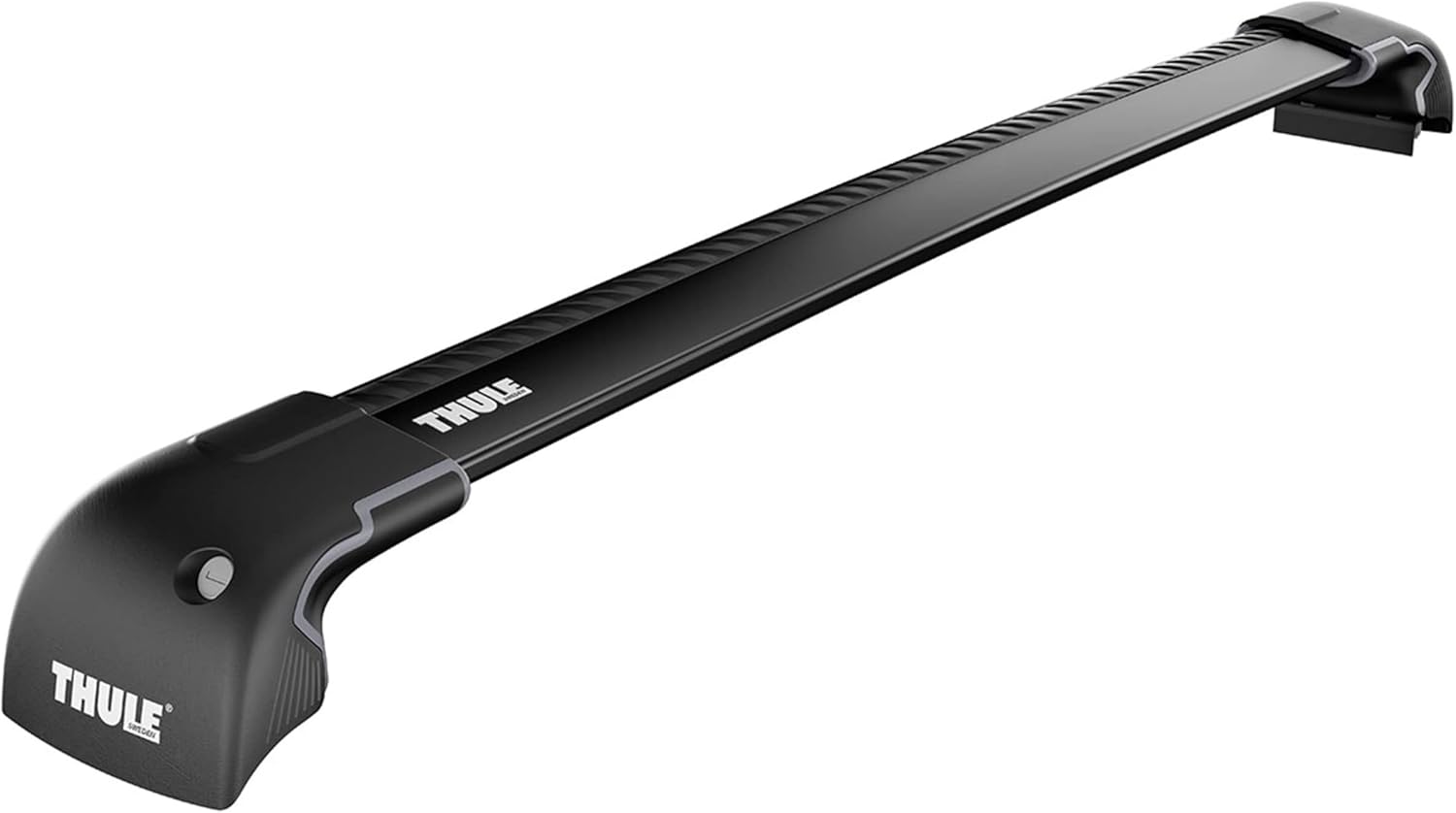
Figure 1: Thule AeroBlade Edge Flush Mount Rack (1 Bar) Black Small.
Setup and Installation
The Thule AeroBlade Edge system is pre-assembled for quick installation. However, a vehicle-specific fit kit is essential for proper mounting. Refer to the Thule Buyer's Guide for the correct fit kit for your vehicle.
Pre-Installation Checklist
- Verify you have the correct Thule AeroBlade Edge bar size (Small for this model).
- Ensure you have the appropriate vehicle-specific Thule Fit Kit.
- Gather all tools provided with the rack and fit kit.
- Clean the vehicle's roof and mounting points thoroughly.
Installation Steps
- Identify Mounting Points: Locate the integrated fix points or flush mount rails on your vehicle's roof. These are typically marked or have pre-drilled holes.
- Attach Fit Kit Components: Follow the specific instructions provided with your Thule Fit Kit to attach the vehicle-specific components (e.g., pads, clamps, brackets) to the rack feet and your vehicle.
- Position the Bar: Carefully place the pre-assembled AeroBlade Edge bar onto the designated mounting points on your vehicle's roof. Ensure the bar is oriented correctly (Thule logo facing forward).
- Secure the Bar: Using the provided tools, tighten the mounting bolts according to the torque specifications in your fit kit instructions. Ensure the bar is firmly secured and does not move.
- Install T-Track Accessories (Optional): The upper T-track allows for fast installation and removal of Thule accessories. Slide compatible accessories into the T-track. Note that some accessories may require cutting the rubber strip within the T-track for proper fitment.
- Install Thule One-Key Locks (Optional): For added security, install Thule One-Key locks (sold separately) into the integrated lock cylinders on the rack feet.
- Final Check: Double-check all connections and fasteners to ensure they are tight and secure. Gently pull on the installed rack to confirm stability.

Figure 2: Top view of the AeroBlade Edge bar, highlighting the T-track for accessory attachment.
Operating Instructions
Once installed, your Thule AeroBlade Edge rack is ready to transport your gear.
Loading and Securing Gear
- Load Distribution: Always distribute the weight of your cargo as evenly as possible across the load bar.
- Secure Cargo: Use appropriate tie-downs, straps, or Thule accessories (e.g., bike carriers, ski carriers, cargo boxes) to securely fasten your load to the rack. Ensure there is no movement of the cargo during transit.
- Check Clearance: Before driving, verify that your loaded cargo does not obstruct your view or interfere with any vehicle functions (e.g., trunk opening, antenna).
Aerodynamics and Noise
- The AeroBlade Edge features WindDiffuser technology and a TrailEdge design to minimize noise and drag, contributing to improved fuel economy.
- While designed for quiet operation, some minor wind noise may be noticeable, especially at higher speeds or in certain weather conditions.

Figure 3: Side profile of the AeroBlade Edge bar, showcasing its aerodynamic design.
Maintenance
Regular maintenance will ensure the longevity and safe operation of your Thule AeroBlade Edge rack.
- Regular Inspection: Periodically inspect all components for signs of wear, damage, or corrosion. Pay close attention to the mounting points, bolts, and the integrity of the bar itself.
- Tightness Check: Re-check the tightness of all mounting bolts and fasteners regularly, especially after long trips or driving on rough roads.
- Cleaning: Clean the rack with mild soap and water. Avoid harsh chemicals or abrasive cleaners that could damage the finish.
- Storage: If removing the rack for extended periods, store it in a clean, dry place away from direct sunlight and extreme temperatures.
Troubleshooting
This section addresses common issues you might encounter.
Wind Noise
- Issue: Excessive wind noise or whistling.
- Solution: Ensure all rubber strips in the T-track are properly seated and not missing. Verify that the bar is installed correctly and all end caps are securely in place. Check for any loose accessories.
Rack Movement
- Issue: The rack feels loose or moves after installation.
- Solution: Immediately re-tighten all mounting bolts according to the fit kit instructions. If movement persists, re-read the installation steps carefully and ensure the correct fit kit is being used for your specific vehicle.
Sunroof Interference
- Issue: Sunroof cannot open fully with the rack installed.
- Solution: This is a known characteristic due to the low-profile design. Always check clearance before opening your sunroof. If full sunroof operation is critical, consider alternative Thule rack systems.
Specifications
| Feature | Detail |
|---|---|
| Model Name | Thule AeroBlade Edge Flush Mount Rack (1 Bar) |
| Model Number | 7601B |
| Color | Black |
| Size | Small |
| Load Capacity | 165 Pounds (75 kg) |
| Mounting Type | Rack (Flush Mount / Integrated Fix Points) |
| Dimensions (L x W x H) | Approx. 48 x 6 x 4 inches (122 x 15 x 10 cm) |
| Included Components | Load Bar/Tower Set |
Warranty Information
Thule products are manufactured with high-quality materials and are tested for quality. Thule offers a Limited Warranty on this product. For detailed information regarding the terms and conditions of your warranty, please refer to the official Thule website or the warranty documentation included with your purchase.
Support
For further assistance, technical support, or to purchase additional accessories and fit kits, please visit the official Thule website or contact Thule customer service.
Official Thule Website: www.thule.com
User Guide (PDF): Download PDF User Guide
Thule Store on Amazon: Visit the Thule Store
Related documents7601B


Ask a question about this manual
Ask about setup, troubleshooting, compatibility, parts, safety, or missing instructions. Manuals+ will review the question and use this page’s manual context to help answer it.