
1. Introduction
This manual provides essential instructions for the safe and efficient use of your Baseus GaN2 Lite 65W Quick Charger. Please read this manual thoroughly before using the product and retain it for future reference.
2. Safety Instructions
- Do not expose the charger to moisture, extreme temperatures, or direct sunlight.
- Avoid dropping or subjecting the charger to strong impacts.
- Do not attempt to disassemble, repair, or modify the charger. This will void the warranty and may cause damage or injury.
- Keep out of reach of children.
- Ensure the charger is used with compatible devices and cables.
- Unplug the charger from the power outlet when not in use or during electrical storms.
3. Package Contents
- 1 x Baseus GaN2 Lite 65W Quick Charger (CCGAN2L-B02)
4. Product Overview
The Baseus GaN2 Lite 65W Quick Charger is a compact and powerful travel charger designed for fast charging of various electronic devices. It features GaN2 technology for efficient power delivery in a smaller form factor.
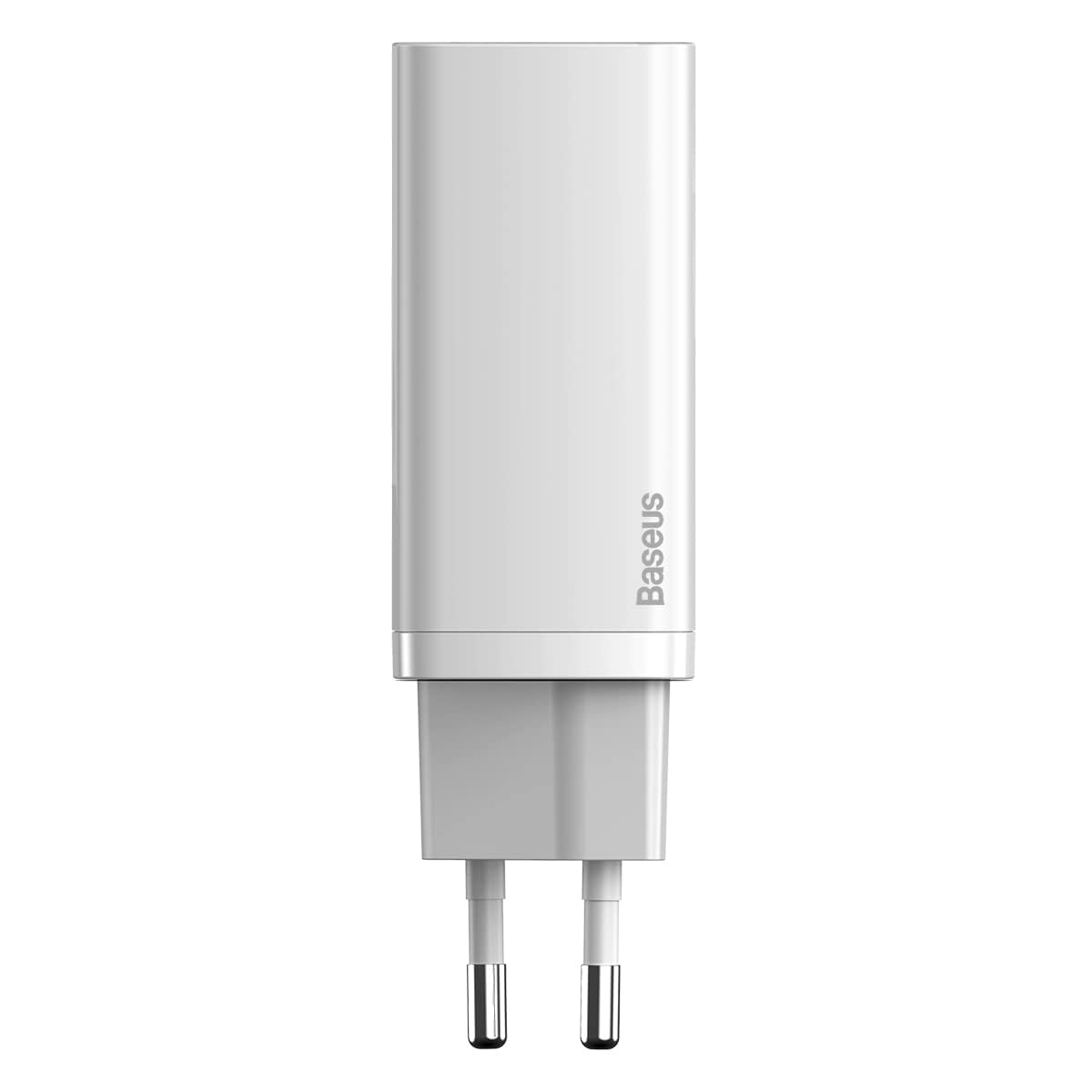
Image: Front view of the Baseus GaN2 Lite 65W Quick Charger in white, showing the compact body and the two European standard prongs.
Port Configuration:
- USB-C Port: Supports Power Delivery (PD 3.0) for high-speed charging of compatible devices.
- USB-A Port: Supports Quick Charge (QC 3.0) and other fast charging protocols.
5. Setup
- Connect to Power: Insert the charger's EU plug into a standard wall power outlet (240 Volts).
- Connect Device: Use a compatible charging cable (not included) to connect your device to either the USB-C or USB-A port on the charger.
- Begin Charging: Your device should automatically begin charging.
6. Operating Instructions
The charger intelligently distributes power based on the connected devices and ports in use.
- Single Port Usage:
- When only the USB-C port is used, it can deliver up to 65W of power.
- When only the USB-A port is used, it can deliver up to 45W of power.
- Dual Port Usage (Simultaneous Charging):
- When both the USB-C and USB-A ports are used simultaneously, the power distribution will be: USB-C at 45W and USB-A at 18W.
For optimal fast charging, ensure your device and charging cable support the respective fast charging protocols (PD 3.0 for USB-C, QC 3.0 for USB-A).
7. Maintenance
- Cleaning: Disconnect the charger from the power outlet before cleaning. Use a soft, dry cloth to wipe the surface. Do not use liquid cleaners or aerosols.
- Storage: Store the charger in a cool, dry place away from direct sunlight and moisture when not in use.
8. Troubleshooting
- Device not charging:
- Ensure the charger is securely plugged into a working wall outlet.
- Check if the charging cable is properly connected to both the charger and your device.
- Try using a different charging cable or port.
- Verify that your device is compatible with the charger.
- Slow charging:
- Ensure your device and cable support fast charging protocols (PD 3.0 or QC 3.0).
- If charging multiple devices, note the power distribution mentioned in Section 6. Simultaneous charging may result in lower power output per port.
- Close unnecessary applications on your device to reduce power consumption during charging.
9. Specifications
| Feature | Detail |
|---|---|
| Brand | Baseus |
| Model Number | CCGAN2L-B02 |
| Dimensions | 50 x 50 x 28 cm |
| Weight | 1 kg |
| Connector Type | USB Type-C, USB Type-A |
| Compatible Devices | Mobile phones with USB-C or Lightning ports |
| Special Feature | Travel-friendly design |
| Input Voltage | 240 Volts |
| Total USB Ports | 2 |
| Wattage | 65 Watts (Max) |
10. Warranty Information
Warranty terms and conditions for the Baseus GaN2 Lite 65W Quick Charger are subject to the policies of the retailer or the manufacturer at the time of purchase. Please refer to your purchase documentation or the official Baseus website for detailed warranty information.
11. Customer Support
For further assistance, technical support, or inquiries regarding your Baseus product, please visit the official Baseus website or contact their customer service department. Contact details can typically be found on the manufacturer's website or your product packaging.


