
Senso activbuds s-250
Senso Bluetooth Headphones User Manual
Model: activbuds s-250
Introduction
Thank you for purchasing the Senso Bluetooth Headphones. These wireless sports earbuds are designed to provide high-fidelity audio with deep bass and crystal clear treble, featuring Bluetooth 4.1 CSR technology and IPX7 waterproof rating. This manual will guide you through the setup, operation, and maintenance of your new headphones to ensure optimal performance and longevity.
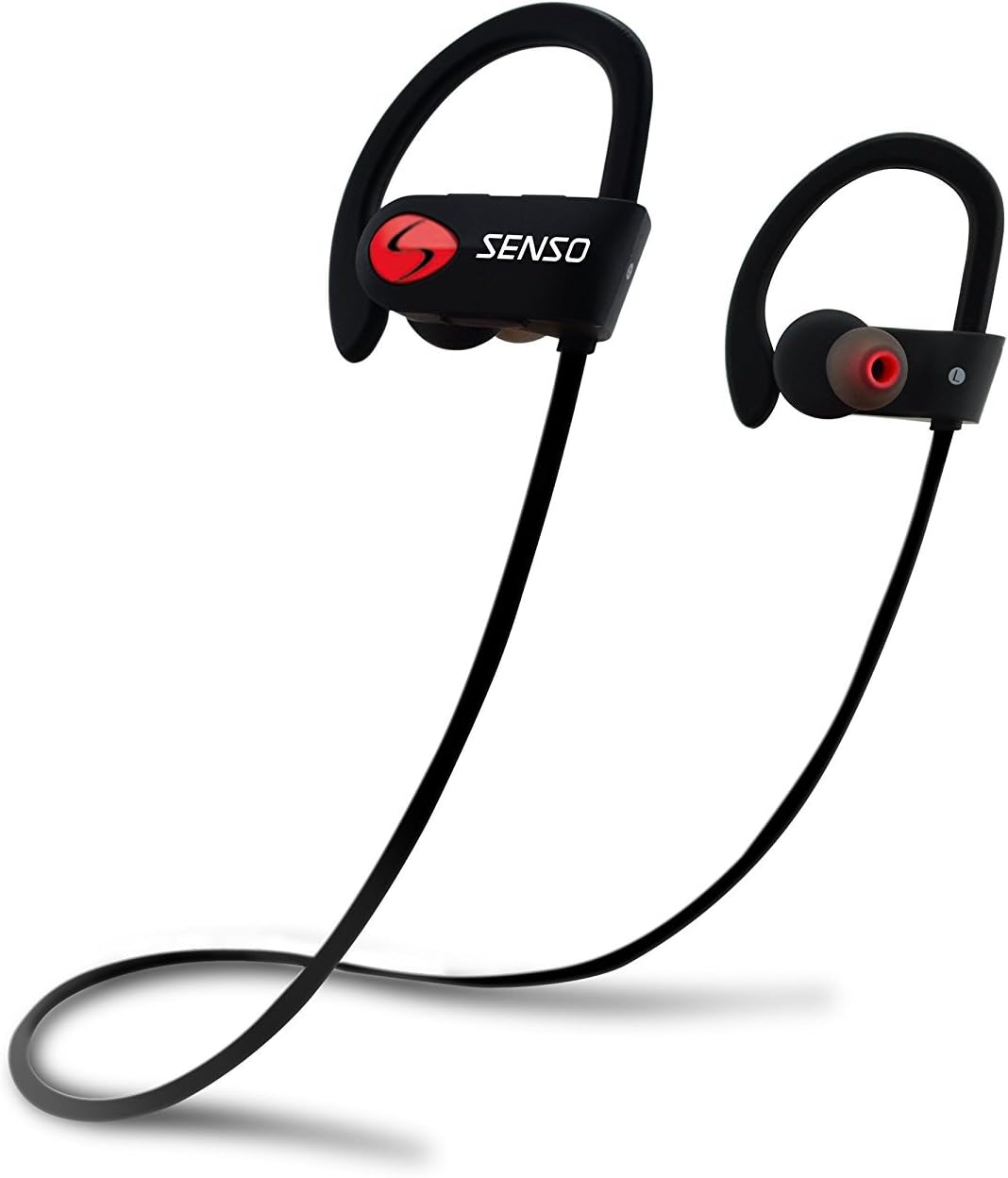
Image: Senso Bluetooth Headphones, showcasing their sleek black design with red accents and ear hooks.
What's in the Box
Please check the package contents to ensure all items are present:
- Senso Bluetooth Headphones (1 pair)
- Hard Carry Case (1)
- Short Charging Cable (Micro USB) (1)
- Long Charging Cable (Micro USB) (1)
- Dual Car Charger (1)
- Sets of Gel Flex Silicone Ear Tips (Small, Medium, Large)
- User Manual (this document)

Image: All included accessories for the Senso Bluetooth Headphones, including the headphones, charging cables, ear tips, and carrying case.
Product Overview
The Senso activbuds s-250 are designed for active lifestyles, offering a secure and comfortable fit with advanced audio technology.
- True HD High Fidelity Sound: Equipped with Bluetooth 4.1 CSR technology and acoustic components for deep bass and clear treble.
- IPX7 Waterproof Rating: Designed to withstand sweat and splashes, making them ideal for sports and workouts.
- Comfortable and Secure Fit: Ergonomically designed flexible ear hooks and gel Flex silicone earbuds ensure a stable and fatigue-free experience.
- Long Battery Life: Up to 8 hours of music playback and 240 hours of standby time on a single 1.5-hour charge.
- CVC 6.0 Noise Suppression: Reduces ambient noise for clearer calls and immersive music listening.
- Wireless Range: Connects seamlessly with Bluetooth-enabled devices up to 30 feet away.

Image: Diagram highlighting key features of the Senso Bluetooth Headphones, including IPX7 waterproof rating, HD sound, and comfortable fit.
Setup
1. Charging the Headphones
Before first use, fully charge your Senso Bluetooth Headphones. A full charge takes approximately 1.5 hours.
- Locate the Micro USB charging port on the right earbud, usually covered by a small rubber flap.
- Connect the provided USB charging cable to the headphones and the other end to a USB power source (e.g., computer USB port, wall adapter, or the included car charger).
- The LED indicator light will turn red during charging and turn blue or off when fully charged.
2. Pairing with Your Device
Follow these steps to pair your headphones with a Bluetooth-enabled device:
- Ensure the headphones are turned off.
- Press and hold the multi-function button on the right earbud for approximately 5-7 seconds until the LED indicator light flashes red and blue alternately. This indicates pairing mode.
- On your device (smartphone, tablet, computer), enable Bluetooth and search for new devices.
- Select "Senso activbuds s-250" (or similar name) from the list of available devices.
- Once connected, the LED indicator light on the headphones will flash blue slowly or turn solid blue, and you may hear a voice prompt confirming the connection.
Note: If prompted for a password, enter "0000". The headphones will automatically attempt to reconnect to the last paired device when turned on.
Operating Instructions
Controls Overview
All controls are located on the right earbud.
| Button/Action | Function |
|---|---|
| Multi-function Button (MFB) |
|
| Volume Up (+) |
|
| Volume Down (-) |
|
Wearing the Headphones
The Senso headphones feature flexible ear hooks for a secure fit. Gently place the earbuds into your ears and adjust the ear hooks over your ears until they feel comfortable and stable. Experiment with the different sizes of silicone ear tips to find the best seal for optimal sound quality and comfort.

Image: Close-up of the Senso Bluetooth Headphones, showing the ear hook design and ear tip for a secure fit.
Maintenance
Proper care will extend the life of your headphones:
- Cleaning: Wipe the headphones with a soft, damp cloth. Do not use harsh chemicals or abrasive cleaners. Remove ear tips and clean them separately with mild soap and water, then dry thoroughly before reattaching.
- Storage: When not in use, store the headphones in the provided hard carry case to protect them from dust, dirt, and physical damage.
- Water Exposure: While IPX7 rated, avoid prolonged submersion in water. Ensure the charging port cover is securely closed to maintain water resistance.
- Temperature: Avoid exposing the headphones to extreme temperatures (hot or cold) as this can affect battery life and overall performance.

Image: Senso Bluetooth Headphones alongside their sturdy carry case, emphasizing proper storage.
Troubleshooting
If you encounter issues with your headphones, try the following solutions:
| Problem | Solution |
|---|---|
| Headphones won't turn on | Ensure the headphones are fully charged. Connect to a power source and check the charging indicator. |
| Cannot pair with device |
|
| No sound or low volume |
|
| Sound cutting in/out |
|
Specifications
| Feature | Detail |
|---|---|
| Model Name | activbuds s-250 |
| Connectivity Technology | Bluetooth |
| Bluetooth Version | 4.1 |
| Bluetooth Range | Up to 30 Feet |
| Water Resistance Level | IPX7 Waterproof |
| Battery Life | 8 Hours (Music Playback) |
| Charging Time | 1.5 Hours |
| Noise Control | Active Noise Cancellation (CVC 6.0 Noise Suppression) |
| Frequency Response | 20 Hz - 22 kHz |
| Headphones Jack | Micro USB |
| Item Weight | 0.16 ounces (approx. 4.54 g) |
| Product Dimensions | 4.9 x 4.7 x 1.3 inches |
| Material | Silicone |
| Manufacturer | Senso |
Warranty and Support
Senso Bluetooth Headphones come with a 1-year Manufacturer's Warranty. This warranty covers defects in materials and workmanship under normal use.
Additionally, a 30-day no-questions-asked return policy is offered for your peace of mind.
For warranty claims, technical support, or any inquiries, please contact Senso customer service through the retailer where you purchased the product or visit the official Senso website for contact information.
Please retain your proof of purchase for warranty validation.
Related documentsactivbuds s-250


Ask a question about this manual
Ask about setup, troubleshooting, compatibility, parts, safety, or missing instructions. Manuals+ will review the question and use this page’s manual context to help answer it.