
1. Introduction
The Razer Naga Hex V2 is a high-performance MOBA gaming mouse designed for precision and comfort during intense gaming sessions. It features a 7-button mechanical thumb grid, a highly adjustable 16,000 DPI optical sensor, and customizable Razer Chroma lighting.

Figure 1: Razer Naga Hex V2 MOBA Gaming Mouse
2. Setup
2.1 Connecting the Mouse
- Connect the USB cable of the Razer Naga Hex V2 to an available USB port on your computer.
- The mouse will automatically be detected and basic drivers will install.
2.2 Software Installation (Razer Synapse)
For full customization and advanced features, install the Razer Synapse software:
- Download Razer Synapse from the official Razer website (www.razer.com/synapse).
- Follow the on-screen instructions to complete the installation.
- Once installed, launch Razer Synapse to configure your mouse settings.
3. Operating the Mouse
3.1 Ergonomic Design
The Razer Naga Hex V2 features a new ergonomic form factor designed for comfort during extended gaming sessions, accommodating various grip styles and hand sizes.
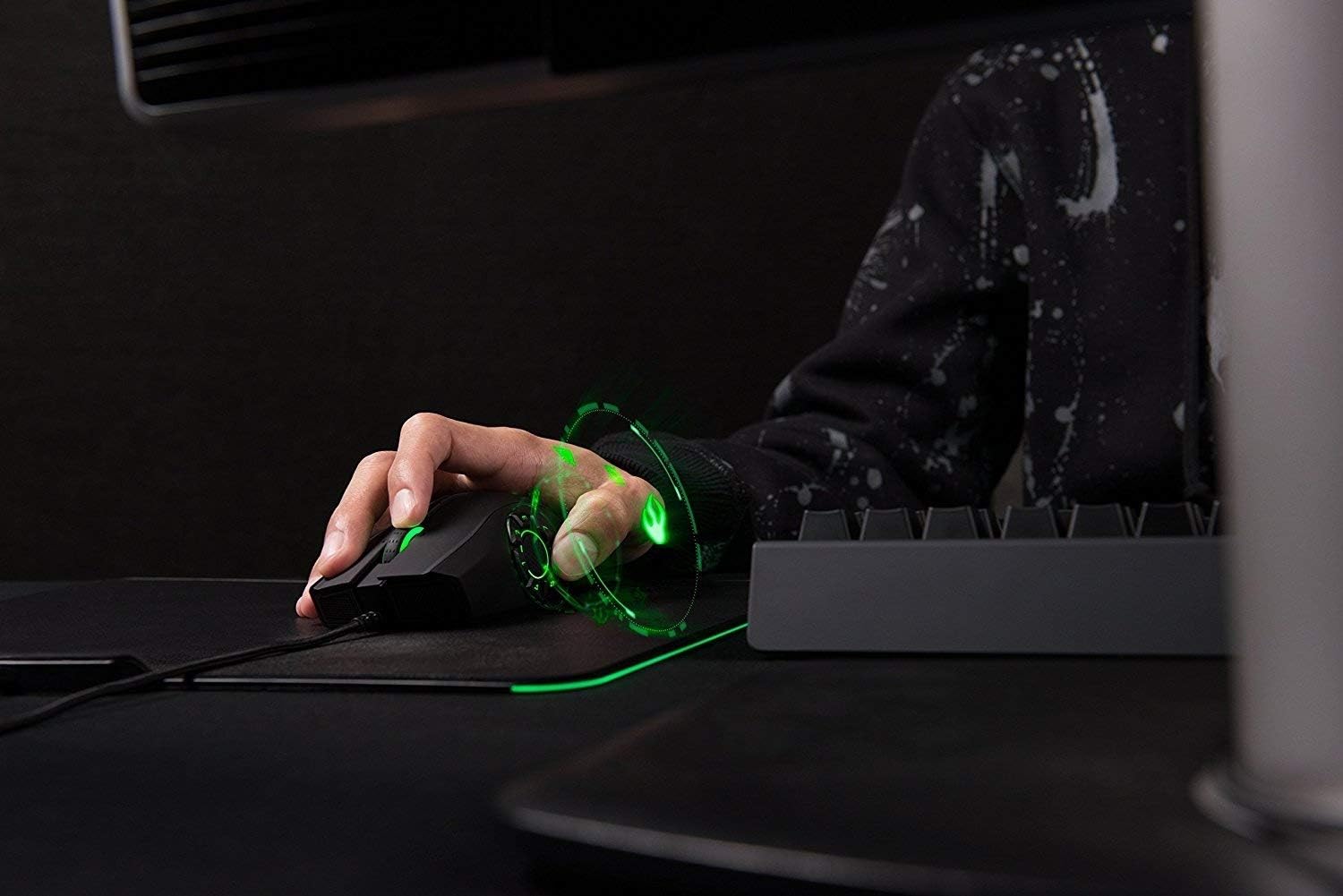
Figure 2: Ergonomic design for comfortable grip
3.2 7-Button Thumb Grid
The mouse is equipped with a 7-button mechanical thumb grid, specifically designed for MOBA games. These buttons are positioned to prevent misclicks and provide quick access to skills.

Figure 3: 7-Button Mechanical Thumb Grid
3.3 16,000 DPI Optical Sensor
Experience extreme precision with the 16,000 DPI optical sensor. DPI settings can be adjusted on-the-fly using dedicated buttons, allowing you to adapt to different in-game scenarios.

Figure 4: Top and side buttons for control
3.4 Razer Chroma Lighting
Personalize your mouse with Razer Chroma lighting, offering 16.8 million customizable color options and various lighting effects.
4. Customization with Razer Synapse
The Razer Synapse software unlocks the full potential of your Naga Hex V2, allowing for extensive customization.
4.1 Button Remapping
All 7 thumb grid buttons, as well as other mouse buttons, are programmable. You can assign macros, keyboard functions, or multimedia controls to any button.
4.2 DPI Settings
Within Razer Synapse, you can define multiple DPI stages and switch between them instantly. This allows for quick adjustments between high-speed movements and precise aiming.
4.3 Lighting Customization
Customize the Razer Chroma lighting zones on your mouse. Choose from preset effects or create your own unique lighting patterns and colors.
Video 1: Official Razer Naga Hex V2 product overview, demonstrating features like the 7-button thumb grid, 16,000 DPI sensor, and customizable Chroma lighting.
5. Maintenance
5.1 Cleaning
To maintain optimal performance, regularly clean your mouse. Use a soft, dry cloth to wipe down the surface. For the optical sensor, use a cotton swab lightly dampened with isopropyl alcohol.
5.2 Cable Care
Avoid sharp bends or kinks in the USB cable to prevent damage. Store the cable neatly when not in use.
6. Troubleshooting
6.1 Mouse Not Responding
- Ensure the USB cable is securely connected to your computer.
- Try connecting the mouse to a different USB port.
- Restart your computer.
6.2 Software Issues (Razer Synapse)
- Ensure Razer Synapse is updated to the latest version.
- Try reinstalling Razer Synapse.
- Check Razer's official support website for known issues and solutions.
7. Specifications
| Feature | Detail |
|---|---|
| Brand | Razer |
| Series | Razer Naga Hex V2 |
| Item Model Number | RZ01-01600100-R3U1 |
| Hardware Platform | PC |
| Item Weight | 7 ounces |
| Product Dimensions | 6.9 x 2.56 x 4.53 inches |
| Color | Black with Chroma Lighting |
| Power Source | Corded Electric |
| Movement Detection Technology | Laser |
| Special Feature | Ergonomic Design |
8. Warranty and Support
The Razer Naga Hex V2 comes with a limited manufacturer's warranty. For detailed warranty information, product support, or to contact customer service, please visit the official Razer support website or refer to the documentation included in your product packaging.