Product Overview
The Rowenta DW2171 Access Steam Iron is engineered for efficient and effortless ironing. This lightweight, ergonomically designed iron features an automatic thermostat that adjusts steam and temperature based on fabric type. Its Microsteam stainless-steel soleplate, equipped with 300 micro holes, ensures even steam distribution for optimal wrinkle removal. A precision tip allows access to difficult areas, and vertical steam function is available for hanging garments.
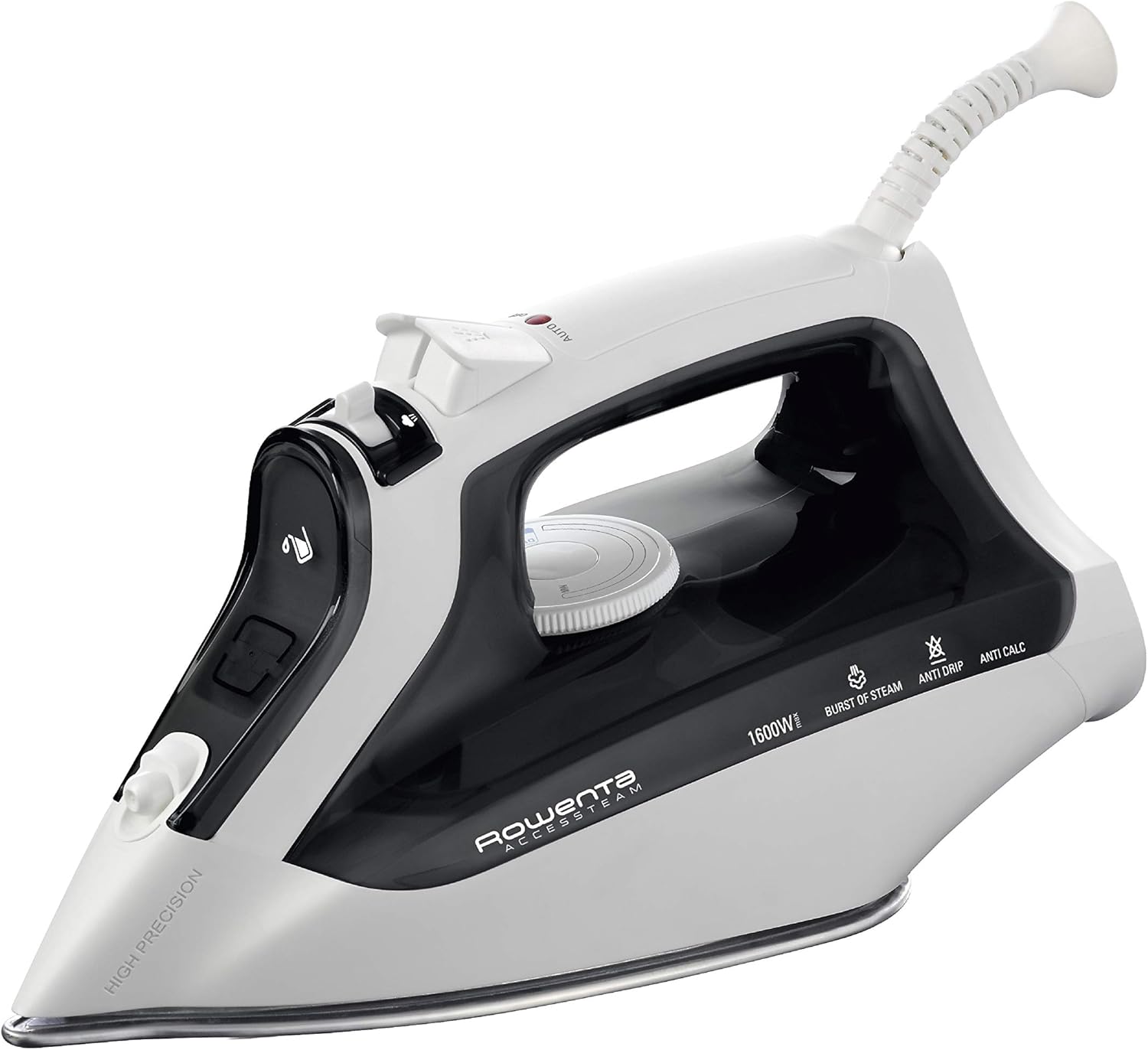
Image: Rowenta DW2171 Access Steam Iron in black with a pivoting cord.
Key Features
- Stainless-Steel Soleplate with 300 Microsteam Holes: Provides smooth gliding and thorough steam distribution.
- Precision Tip: Designed for reaching difficult areas like collars and around buttons.
- Auto-Steam Thermostat: Automatically sets the correct steam and temperature for various fabrics.
- 1600 Watts of Power: Ensures quick heat-up and powerful steam performance.
- 8.45 oz. Water Tank: Large capacity for extended ironing sessions.
- Anti-Drip System: Prevents water from spitting or leaking at low heat settings.
- Self-Clean System: Flushes out mineral deposits for long-lasting performance.
- 3-Way Smart Automatic Shut-Off: Enhances safety by turning off the iron after periods of inactivity.
- Vertical Steam: Convenient for removing wrinkles from hanging garments and drapes.
Setup
Filling the Water Tank
- Ensure the iron is unplugged from the power outlet.
- Set the steam control to the 'no steam' position (usually indicated by a crossed-out steam icon).
- Open the water tank inlet cover, typically located at the front of the iron's handle.
- Fill the water tank with tap water up to the 'MAX' indicator line. For areas with hard water, a 50/50 mixture of tap water and distilled water is recommended to prevent mineral buildup.
- Close the water tank inlet cover securely.
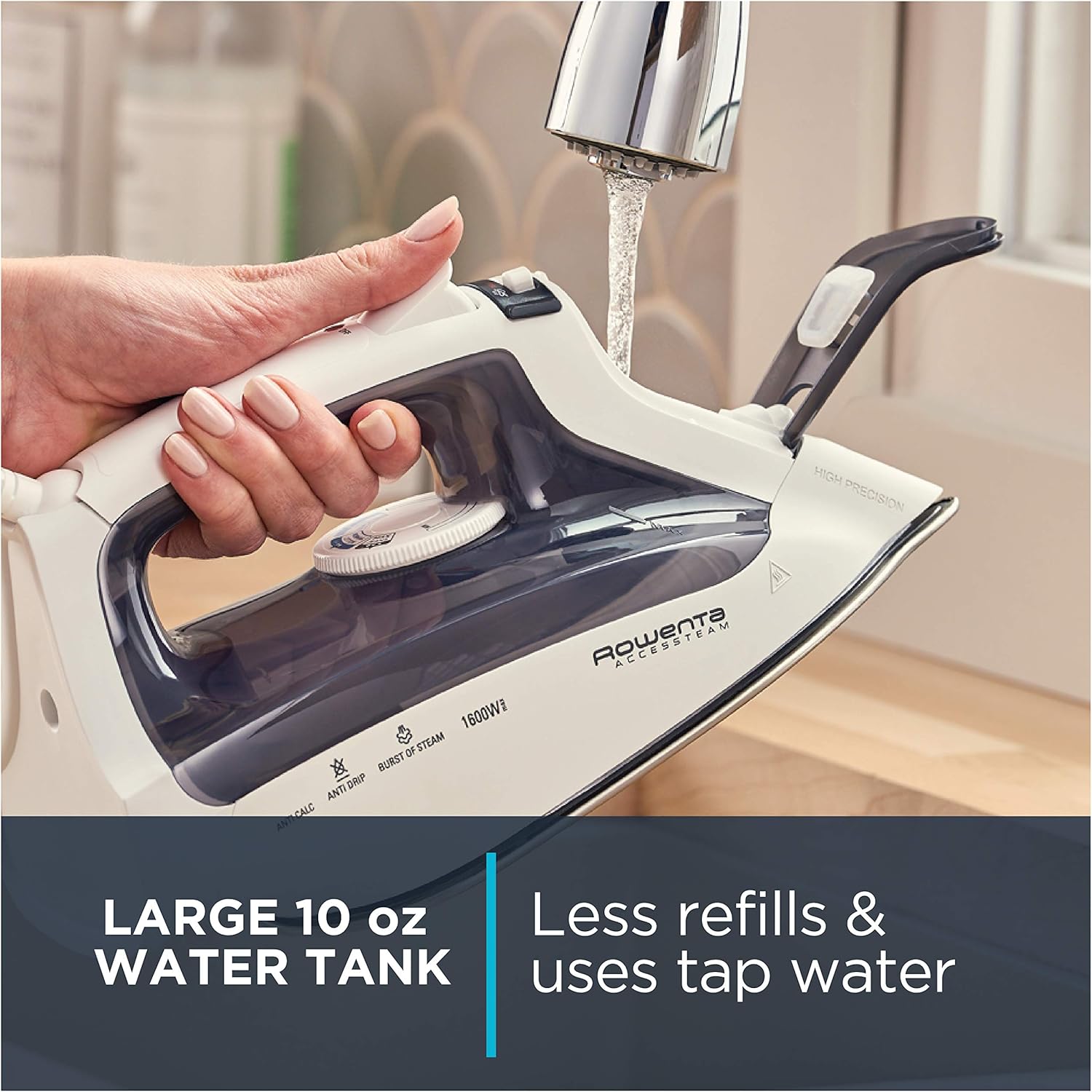
Image: A hand filling the iron's water tank under a faucet.
Operating Instructions
Temperature and Steam Control
- Plug the iron into a suitable power outlet. The indicator light will illuminate, signaling that the iron is heating up.
- Rotate the temperature dial to select the appropriate heat setting for your fabric (e.g., Silk, Wool, Cotton, Linen, Synthetics). Refer to your garment's care label for guidance.
- Wait for the indicator light to turn off, indicating that the desired temperature has been reached.
- For steam ironing, ensure the steam control is set to the desired steam level. The iron's auto-steam thermostat will adjust steam output based on the selected temperature.
- Use the spray button for a fine mist to dampen stubborn wrinkles.
- Press the burst of steam button for an extra powerful shot of steam, useful for heavy fabrics or vertical steaming.

Image: Labeled diagram of the Rowenta DW2171 iron's features, including controls and specifications.

Image: Close-up of the iron's stainless steel soleplate, emphasizing the 300 micro holes for steam distribution.
Important Safety Information
Automatic Shut-Off
For enhanced safety and energy saving, the Rowenta DW2171 Access Steam Iron is equipped with a 3-way automatic shut-off feature:
- The iron will turn off automatically if left unused for 8 minutes in the upright position.
- The iron will turn off automatically if left unused for 30 seconds when resting horizontally or tipped over.
Always unplug the iron when not in use and allow it to cool completely before storing.

Image: Graphic detailing the iron's automatic shut-off times based on its position.
Care and Maintenance
Self-Clean System
The iron features a self-clean system designed to flush out loose mineral deposits, ensuring long-lasting performance and clean steam. Consult your user manual for detailed instructions on how to activate and perform the self-clean cycle.
Anti-Calc System
The integrated anti-calc system helps to prevent limescale buildup, especially when using tap water. Regular use of the self-clean function complements this system for optimal iron longevity.
Troubleshooting
| Problem | Possible Cause | Solution |
|---|---|---|
| Iron does not heat up. | Not plugged in; power outlet issue; temperature dial set to OFF. | Check power connection; try a different outlet; turn temperature dial to desired setting. |
| No steam or insufficient steam. | Water tank empty; steam control set to 'no steam'; temperature too low for steam. | Fill water tank; adjust steam control; increase temperature setting. |
| Water leaks or spits from soleplate. | Temperature too low for steam; water tank overfilled; anti-drip system clogged. | Increase temperature; do not overfill; perform self-clean cycle. |
| White flakes or residue on garments. | Mineral deposits in water tank/steam chambers. | Perform self-clean cycle; use distilled water or a 50/50 mix in hard water areas. |
Technical Specifications
| Feature | Detail |
|---|---|
| Model Name | Rowenta DW2171 Access Steam |
| Power | 1600 Watts |
| Soleplate Material | Stainless Steel |
| Microsteam Holes | 300 |
| Water Tank Capacity | 8.45 oz. |
| Special Features | Auto Shutoff, Lightweight, Anti-Drip, Self-Clean, Anti-Calc, Vertical Steam, Precision Tip |
| Product Dimensions | 12.01 x 5.39 x 5.24 inches |
| Item Weight | 1 pounds |
| Manufacturer | Groupe SEB |
Warranty and Customer Support
For warranty information, product registration, or customer support, please refer to the official Rowenta website or contact their customer service department. Keep your purchase receipt as proof of purchase for any warranty claims.