
Introduction
Welcome to the Monopoly Ultimate Banking Edition. This modern version of the classic Monopoly game eliminates physical money, introducing an all-in-one Ultimate Banking unit with touch technology for fast and engaging gameplay. Players use bankcards to manage their fortunes, buy properties, and collect rent. The game also features Event cards and Location spaces, replacing traditional Chance and Community Chest cards, to introduce dynamic market changes and strategic movement options. This manual provides comprehensive instructions for setting up, playing, and maintaining your game.
Components
Before you begin, ensure all components are present:
- 1 Gameboard
- 1 Ultimate Banking Unit
- 4 Plastic Tokens
- 22 Houses
- 49 Cards (4 Bank Cards, 22 Title Deed Cards, 23 Event Cards)
- 2 Dice
- Game Guide (this manual)
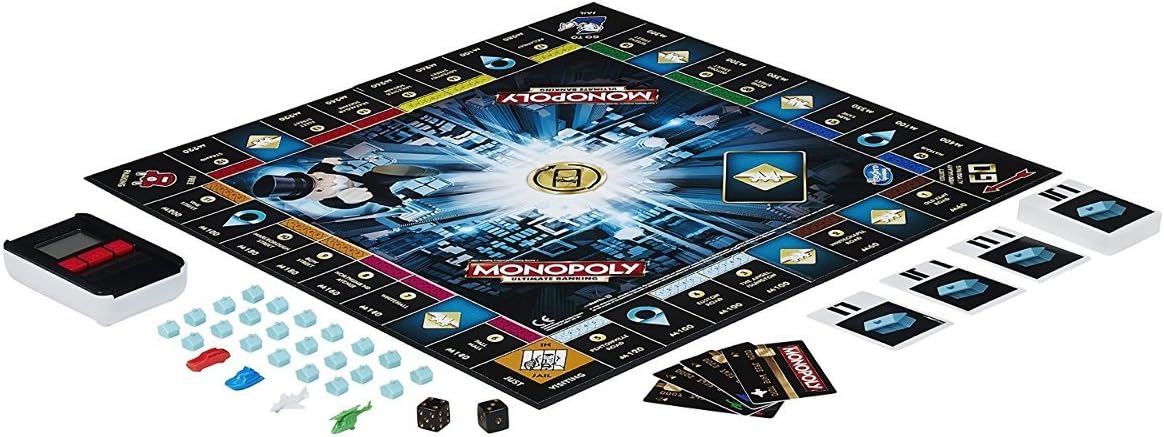
Image: All game components including the board, banking unit, tokens, houses, cards, and dice.
Setup
- Install Batteries: The Ultimate Banking Unit requires 3 x 1.5V "AAA" batteries (not included). Open the battery compartment on the back of the unit, insert the batteries with correct polarity, and close the compartment.
- Prepare the Gameboard: Unfold the gameboard and place it on a flat surface.
- Place Cards:
- Shuffle the 23 Event cards and place them face down on the designated "Event" space on the board.
- Place the 22 Title Deed cards next to their corresponding properties on the board.
- Distribute Bank Cards: Each player selects one of the 4 Bank cards. Insert your Bank card into the Ultimate Banking Unit to register your starting balance. The unit automatically tracks each player's funds.
- Choose Tokens: Each player selects one of the 4 plastic tokens and places it on the "GO" space.
- Houses: Place the 22 houses near the board, ready to be purchased and placed on properties.
- Dice: Keep the 2 dice ready for rolling.
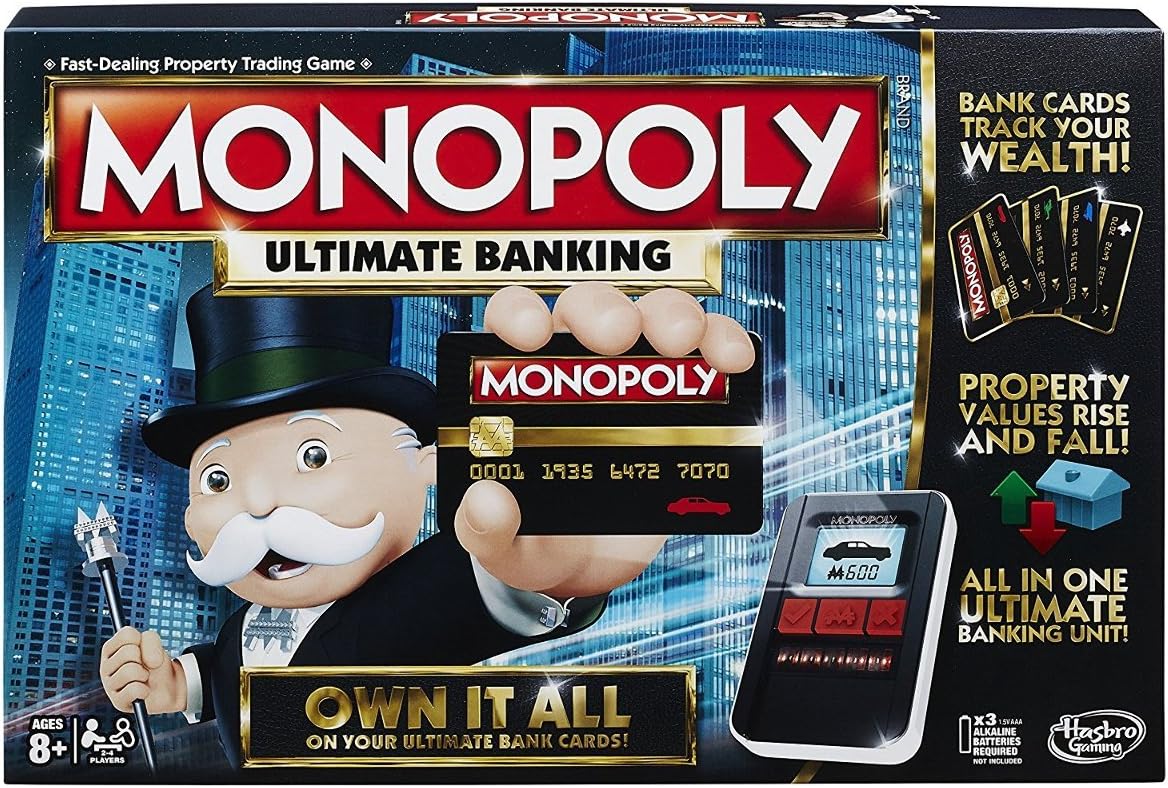
Image: The game box highlighting the Ultimate Banking unit and bank cards, central to the game's cashless transactions.
Operating Instructions (Gameplay)
The Monopoly Ultimate Banking Edition introduces several modern twists to the classic game. Refer to the included Game Guide for detailed rules and variations.
The Ultimate Banking Unit
This unit is the central hub for all financial transactions. It uses touch technology to instantly process payments, property purchases, rent collection, and other monetary actions. Each player's bank card is linked to their balance within the unit.
- Making Transactions: To buy a property, pay rent, or receive money, simply tap your bank card on the unit, then tap the relevant property card or follow the on-screen prompts.
- Scanning Cards: The unit scans property cards to register ownership and facilitate transactions. It can also boost or crash the market value of properties, adding a dynamic element to the game.
- Tracking Fortunes: The unit keeps a real-time record of each player's wealth, eliminating the need for physical money and speeding up gameplay.
Event Cards and Location Spaces
These replace the traditional Chance and Community Chest cards/spaces, adding new strategic elements:
- Event Spaces: Landing on an Event Space requires drawing an Event card. These cards can cause rents to be raised or lowered, players to gain or lose money, or even send a player to Jail.
- Location Spaces: Landing on a Location Space allows players to pay a fee and immediately move to any property space on the gameboard. This can be used strategically to acquire desired properties or avoid high-rent areas.
General Gameplay
The core objective remains to bankrupt opponents by buying, renting, and selling properties. Players roll dice to move around the board, acquiring properties, building houses, and collecting rent. The game ends when only one player remains solvent.
Maintenance
Proper care will ensure the longevity of your Monopoly Ultimate Banking game:
- Cleaning: Wipe the gameboard, plastic tokens, and banking unit with a soft, dry cloth. Avoid using abrasive cleaners or liquids directly on the electronic unit.
- Storage: Store all game components in their original box in a cool, dry place away from direct sunlight and extreme temperatures.
- Battery Care: Remove batteries from the Ultimate Banking Unit if the game will not be used for an extended period to prevent leakage.
- Card Handling: Handle cards carefully to prevent bending or tearing, as the banking unit relies on their integrity for scanning.
Troubleshooting
If you encounter issues with your Monopoly Ultimate Banking game, try the following solutions:
- Banking Unit Not Turning On:
- Ensure batteries are correctly installed with proper polarity.
- Replace old batteries with new 1.5V "AAA" alkaline batteries.
- Banking Unit Not Registering Cards:
- Ensure the card is placed flat and centered on the scanning area.
- Check for any damage or dirt on the card or the unit's scanning surface.
- Try restarting the banking unit by turning it off and on again.
- Incorrect Balances:
- Verify that each player is using their assigned bank card.
- Ensure all transactions are correctly processed by tapping cards firmly and waiting for confirmation.
If problems persist, contact Hasbro customer support for further assistance.
Specifications
| Feature | Detail |
|---|---|
| Model Number | B6677 |
| Brand | Monopoly (by Hasbro) |
| Players | 2 to 4 players |
| Recommended Age | 8 years and up |
| Batteries Required | Yes, 3 x 1.5V "AAA" (not included) |
| Material | Plastic |
| Product Dimensions | 15.75 x 1.97 x 10.51 cm; 1.07 kg |
| Release Date | June 1, 2016 |
Warranty and Support
For information regarding warranty, replacement parts, or further technical assistance, please contact Hasbro customer support. When contacting support, please provide the model number (B6677) and a detailed description of your issue.
Manufacturer: Hasbro
Place of Business: MISSISSAUGA, ON, L4W 5A4 CA
You can typically find contact information for Hasbro on their official website or on the product packaging.

