
Alpine CDE-150, CDE-151, CDE-152
Alpine CDE-150, CDE-151, CDE-152 OEM Genuine Wire Harness User Manual
Model Compatibility: CDE-150, CDE-151, CDE-152
Introduction
This manual provides essential information for the proper installation and use of your Alpine OEM Genuine Wire Harness, designed specifically for Alpine CDE-150, CDE-151, and CDE-152 car stereo head units. This harness ensures a secure and correct electrical connection between your vehicle's wiring system and the Alpine head unit, facilitating power, speaker output, and other essential functions.
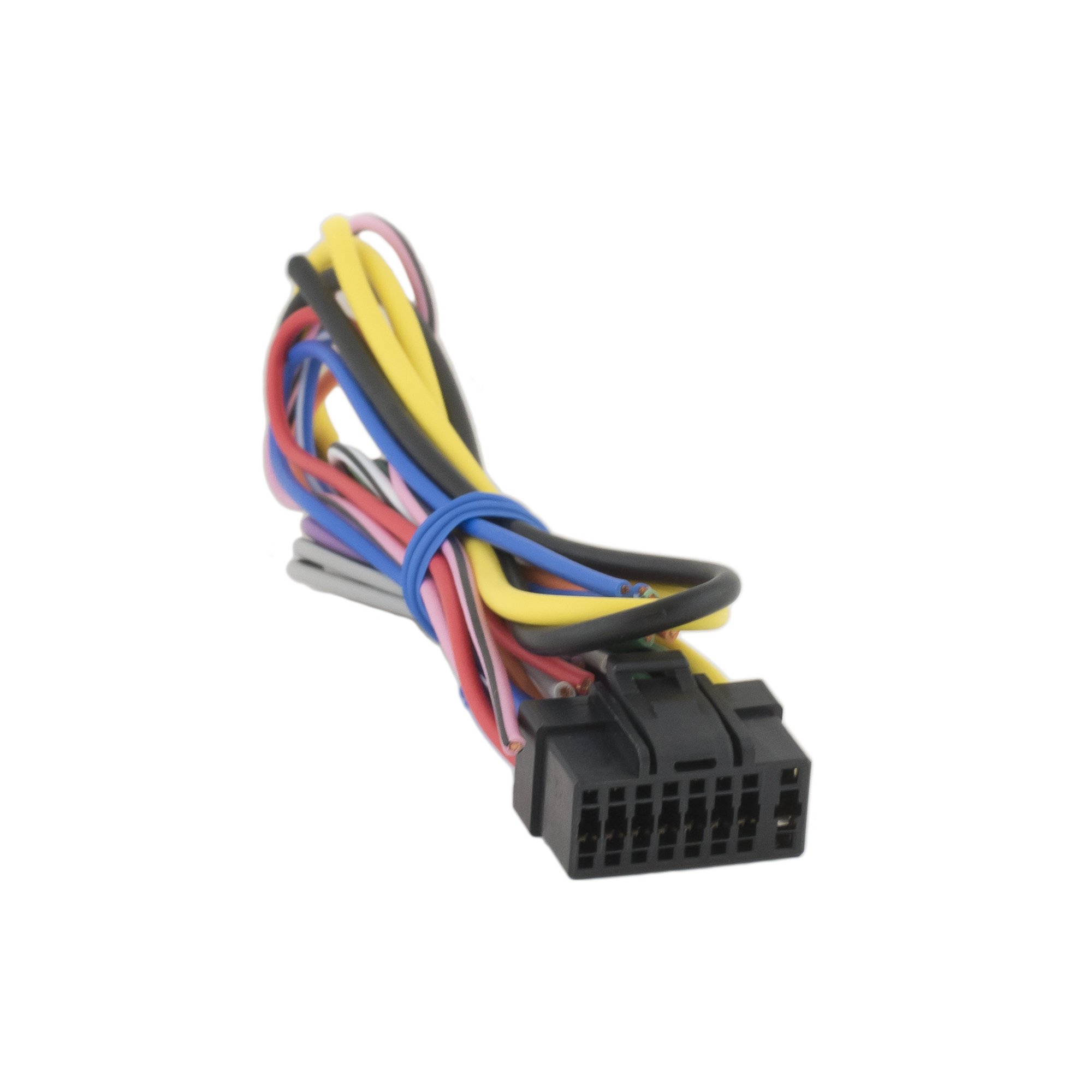
Image: The Alpine OEM Genuine Wire Harness, featuring a bundle of multi-colored wires terminating in a black multi-pin connector. This harness is designed for direct compatibility with specified Alpine head units.
Setup and Installation
Proper installation of the wire harness is crucial for the functionality and safety of your car audio system. It is recommended that installation be performed by a qualified professional.
Before You Begin:
- Disconnect Battery: Always disconnect the vehicle's negative battery terminal before beginning any electrical work to prevent short circuits and damage.
- Identify Wires: Refer to your vehicle's wiring diagram and the Alpine head unit's installation manual to correctly identify each wire's function (e.g., constant power, ignition power, ground, speaker wires).
- Tools Required: Wire strippers, crimping tool, electrical tape or heat shrink tubing, multimeter (optional, for verification).
Installation Steps:
- Match Wires: Carefully match the wires from the Alpine OEM Genuine Wire Harness to the corresponding wires from your vehicle's wiring harness. The color coding on the Alpine harness typically follows industry standards, but always verify with the head unit's manual.
- Secure Connections: Use appropriate connectors (crimp connectors, solder, or high-quality electrical tape) to create secure and insulated connections for each wire. Ensure no bare wires are exposed.
- Connect to Head Unit: Once all vehicle wires are connected to the Alpine harness, plug the multi-pin connector of the Alpine harness firmly into the back of your Alpine CDE-150, CDE-151, or CDE-152 head unit.
- Test Connections: Before fully reassembling the dashboard, reconnect the vehicle's negative battery terminal. Turn on the ignition and test the head unit's functions (power, radio, CD/USB playback, speaker output, dimmer, etc.).
- Secure Head Unit: If all functions are verified, carefully slide the head unit into its mounting sleeve and secure it.
- Reassemble Dashboard: Reinstall any removed dashboard panels or trim pieces.
Operating Principles
The Alpine OEM Genuine Wire Harness serves as the critical interface between your vehicle's electrical system and the Alpine CDE-series head unit. It does not have operational controls itself but facilitates the following:
- Power Supply: Delivers constant 12V power and ignition-switched power to the head unit.
- Ground Connection: Provides a stable ground for the head unit's electrical circuits.
- Speaker Output: Transmits audio signals from the head unit's amplifier to the vehicle's speakers.
- Accessory Control: May include wires for functions like power antenna, amplifier remote turn-on, or illumination.
Once correctly installed, the harness ensures that the head unit receives the necessary power and signal connections to function as designed. Refer to your Alpine CDE-150/151/152 head unit's specific user manual for detailed operating instructions of the stereo itself.
Maintenance
The Alpine OEM Genuine Wire Harness is designed for long-term reliability and typically requires minimal maintenance once installed correctly. However, periodic checks can help ensure continued performance:
- Connection Integrity: If you experience intermittent issues with your head unit, check the connections of the wire harness. Ensure all crimps or solders are secure and free from corrosion.
- Wire Insulation: Verify that all wire insulation is intact and not chafed or damaged, which could lead to short circuits.
- Environmental Factors: Ensure the harness is not exposed to excessive moisture, heat, or physical stress within the dashboard.
Avoid pulling on the wires directly when disconnecting the harness. Always grasp the connector housing.
Troubleshooting
If your Alpine head unit is not functioning correctly after installing the wire harness, consider the following common issues:
- No Power to Head Unit:
- Check the vehicle's fuse box for blown fuses related to the radio or accessory power.
- Verify the constant 12V (usually yellow wire) and ignition-switched 12V (usually red wire) connections are secure and receiving power with a multimeter.
- Ensure the ground wire (usually black) has a solid connection to the vehicle's chassis.
- No Sound from Speakers:
- Confirm all speaker wires (pairs of solid and striped colors) are correctly connected to the vehicle's speaker wires and are not shorted to ground or each other.
- Check the head unit's settings (e.g., fader, balance, mute function).
- Head Unit Not Turning Off with Ignition:
- Verify the ignition-switched 12V wire connection. It should only have power when the ignition is on.
- Intermittent Functionality:
- Inspect all connections for looseness or corrosion.
- Ensure wires are not pinched or damaged within the dashboard.
If issues persist, consult a professional car audio installer or contact Alpine customer support.
Specifications
| Feature | Detail |
|---|---|
| Brand | Alpine |
| Manufacturer | ALPINE |
| Model Compatibility | CDE-150, CDE-151, CDE-152 |
| Connector Type | Multi-pin OEM connector (specific to Alpine CDE-series) |
| Item Weight | 1.1 pounds |
| Package Dimensions | 4.88 x 2.05 x 1.42 inches |
| UPC | 761645310403 |
Support
For further assistance, technical support, or warranty inquiries regarding your Alpine product, please refer to the official Alpine website or contact their customer service department. Always provide your product model number (CDE-150, CDE-151, or CDE-152) and the wire harness details when seeking support.
Alpine Official Website: www.alpine-usa.com
Related documentsCDE-150, CDE-151, CDE-152


Ask a question about this manual
Ask about setup, troubleshooting, compatibility, parts, safety, or missing instructions. Manuals+ will review the question and use this page’s manual context to help answer it.