
1. Introduction
The OREI UHD-201MV is a 4K HDMI Multi Viewer Switcher designed to support two HDMI input sources to a single HD TV or display. It offers real-time, fast, and seamless switching up to 4K@60Hz and 2K@60Hz. This device also features optical audio and L/R audio outputs for enhanced audio management. Control is available via the front panel buttons, an IR remote, or RS-232 commands. Its compact design allows for easy and flexible installation.
2. Package Contents
- 1 x UHD-201MV HDMI Multi Viewer Switcher
- 1 x Power Adapter (12V DC)
- 1 x IR Remote Control
- 1 x RS-232 Phoenix connector
- 2 x Mounting Ears
- 4 x Machine screws
- 1 x User Manual
3. Product Features
- Supports 2 HDMI input sources to a single HD TV or display.
- Real-time fast seamless switching.
- Supports resolutions up to 4K@60Hz and 2K@60Hz.
- HDMI 2.0b and HDCP 2.2 compliant.
- Supports 18 Gbps bandwidth.
- Optical Audio Output and L/R Audio Output for audio extraction.
- Four display modes: Single, Picture-in-Picture (PIP), Picture-by-Picture 1 (PBP 1), and Picture-by-Picture 2 (PBP 2).
- Control via front panel buttons, IR remote, or RS-232 commands.
- Compact design for easy installation.
- Compatible with gaming consoles (PlayStation, Xbox, Nintendo), security cameras, media boxes (Roku, Amazon Fire TV), DVD/Blu-Ray players, and other HDMI devices.
- Audio supported: DTS digital, Dolby digital, LPCM, Dolby True HD, Master Audio (pass-through 2 channel). Does not support HBR audio.
4. Setup and Connections
4.1 Front Panel Overview
The front panel provides essential controls and indicators for the multi viewer.

Image: OREI UHD-201MV Front and Rear Panel View with Remote. This image displays the compact black unit with its front and rear ports, along with the included IR remote control.
- Power Button: Toggles the unit On/Off.
- Input Indicators (1, 2): LEDs light up to show which HDMI input is currently active or connected.
- IR Window: Receives signals from the IR remote control.
- Input Button: Cycles through the available HDMI inputs in single display mode.
- Mode Button: Cycles through the four display modes (Single, PIP, PBP 1, PBP 2).
- RES Button: Adjusts the output resolution.
4.2 Rear Panel Connections
The rear panel houses all the necessary input and output ports for connecting your devices.

Image: OREI UHD-201MV Rear Panel Ports. This image shows a detailed view of the rear panel, highlighting the RCA L/R, Optical, HDMI Output, HDMI Input 1/2, RS-232, IR EXT, and DC 12V ports.
- RCA L/R Audio Output: Connect to an analog audio receiver or amplifier for extracted stereo audio.
- Optical Audio Output: Connect to a digital audio receiver or soundbar for extracted digital audio.
- HDMI Output: Connect to your display (TV, monitor, projector).
- HDMI Input 1 & 2: Connect your HDMI source devices (e.g., gaming console, media player, PC).
- RS-232 Port: For PC control using RS-232 commands.
- IR EXT Port: Connect the included IR extender cable if the unit is placed out of direct line of sight for the remote control.
- DC 12V: Connect the included 12V DC power adapter.
4.3 Connection Diagram
Follow this diagram for typical setup:

Image: OREI UHD-201MV Connection Diagram. This diagram illustrates how to connect two HDMI input devices (like a DVD/Blu-ray player and an Apple TV) to the multi viewer, and then connect the multi viewer's HDMI output to a TV, with optional audio output to external speakers.
- Connect your HDMI source devices (e.g., PS4, PC, DVD player) to the HDMI Input 1 and HDMI Input 2 ports on the multi viewer.
- Connect the HDMI Output port of the multi viewer to the HDMI input of your display device (TV, monitor).
- For audio extraction, connect the Optical Audio Output or RCA L/R Audio Output to your audio receiver, soundbar, or amplifier.
- If using the IR remote out of line of sight, connect the IR Extender to the IR EXT port and position the receiver appropriately.
- Connect the 12V DC power adapter to the DC 12V port on the multi viewer and plug it into a power outlet.
5. Operating Instructions
5.1 Power On/Off
Press the Power Button on the front panel or the power button on the IR remote to turn the unit on or off. Upon powering on, the unit performs an internal self-test and adjusts resolution for optimal display.
5.2 Switching Inputs (Single Display Mode)
In single display mode, press the Input Button on the front panel or the corresponding input button (e.g., HD1, HD2) on the IR remote to switch between HDMI Input 1 and HDMI Input 2.
5.3 Display Modes (Multi-View)
The multi viewer supports four display modes. Press the Mode Button on the front panel or the corresponding button on the IR remote to cycle through them:

Image: OREI UHD-201MV Four Display Modes. This image illustrates the four available display modes: Single (full screen), Picture-in-Picture (PIP), Picture-by-Picture 1 (PBP 1 - side-by-side equal size), and Picture-by-Picture 2 (PBP 2 - one large, one small side-by-side).
- Single: Displays one HDMI input source in full screen.
- PIP (Picture-in-Picture): Displays one main input with a smaller window of the second input overlaid.
- PBP 1 (Picture-by-Picture 1): Displays both HDMI inputs side-by-side with equal size.
- PBP 2 (Picture-by-Picture 2): Displays both HDMI inputs side-by-side with one larger and one smaller window.
5.4 Resolution Adjustment
Press the RES Button on the front panel or the IR remote to cycle through available output resolutions to match your display's capabilities and media content.
5.5 Audio Extraction
The unit automatically extracts audio from the selected HDMI input. Connect your audio system to the RCA L/R or Optical ports on the rear panel to enjoy enhanced audio quality.
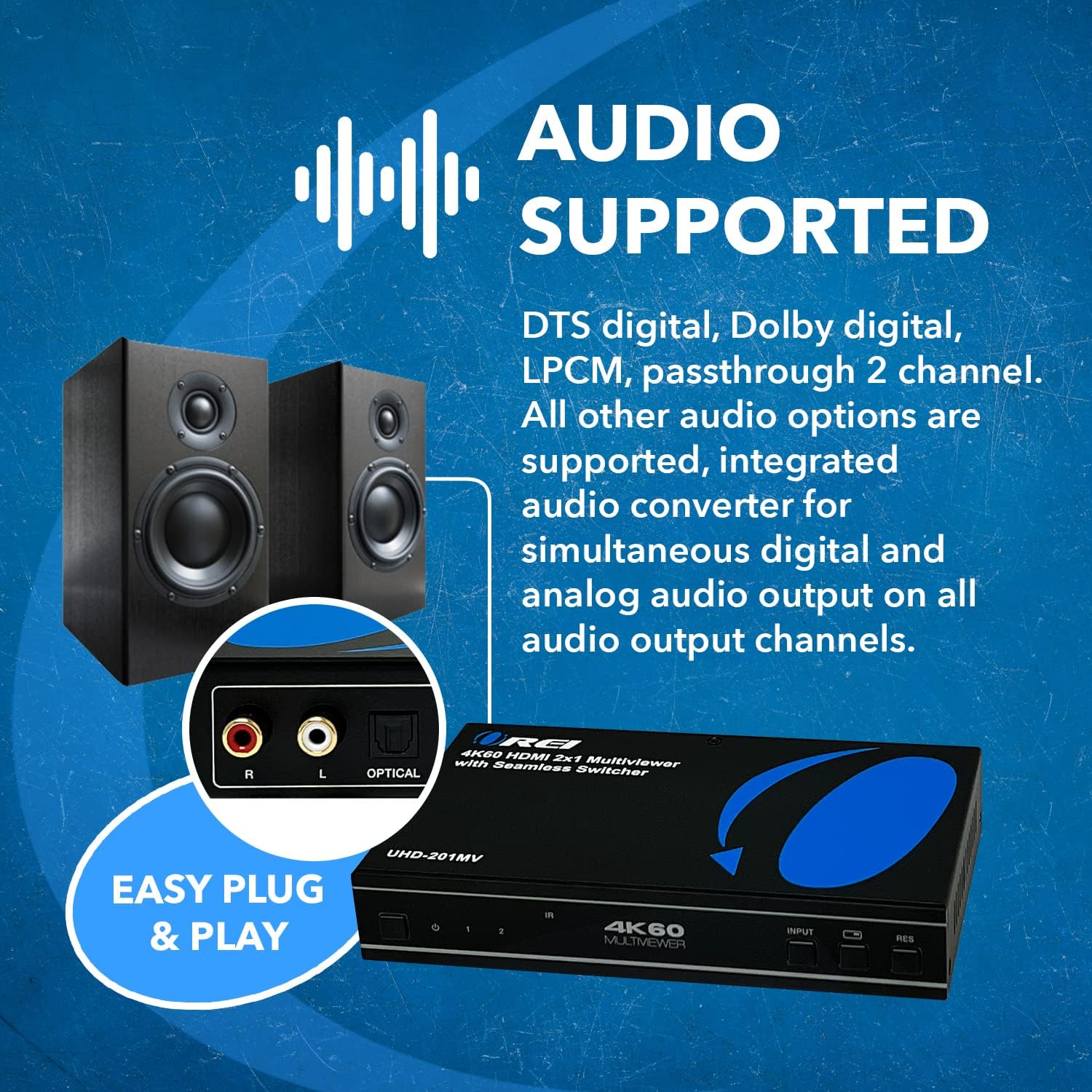
Image: OREI UHD-201MV Audio Supported. This image highlights the audio output capabilities, showing the RCA L/R and Optical ports on the rear panel, indicating support for various audio formats.
5.6 Remote Control
The included IR remote control provides full functionality for switching inputs, changing display modes, and adjusting resolution from a distance.

Image: OREI UHD-201MV Seamless IR Remote. This image displays the IR remote control with clearly labeled buttons for main settings, resolution, and EDID functions.
5.7 Official Product Video Overview
Watch this official video for a comprehensive unboxing and overview of the OREI UHD-201MV.
Video: 2x1 4K MultiViewer by OREI Direct. This video provides a detailed unboxing, feature explanation, and demonstration of the OREI UHD-201MV 2x1 4K Multi Viewer Switcher.
6. Specifications
| Product Dimensions | 2.75 x 5.5 x 1 inches |
| Item Weight | 1 pounds |
| Item Model Number | HD-201P (also known as UHD-201MV) |
| Brand | OREI |
| Color | Black |
| Connector Type | HDMI |
| Compatible Devices | Camera, DVD Player, Gaming Console, Television |
| Cable Type | HDMI |
| HDMI Version | 2.0b |
| HDCP Version | 1.x and 2.2 Compliant |
| Max Resolution | 4K@60Hz |
| Bandwidth | 18 Gbps |
7. Troubleshooting
If you encounter issues with your OREI UHD-201MV, please refer to the following common troubleshooting steps:
- No Signal/Black Screen: Ensure all HDMI cables are securely connected. Verify that the power adapter is properly connected and the unit is powered on. Try cycling through inputs using the front panel or remote. Check if the input source is active and outputting a signal.
- Incorrect Resolution/Picture Distortion: Press the RES Button to cycle through different output resolutions to find one compatible with your display. Ensure your HDMI cables are high-speed and support 4K resolution if applicable.
- No Audio/Audio Distortion: Verify that your audio system is correctly connected to the RCA L/R or Optical output ports. Check the audio settings on your display and source devices. Ensure the audio format is supported by the multi viewer (HBR audio is not supported).
- Remote Control Not Working: Ensure there are no obstructions between the remote and the IR window on the unit. Replace the remote control batteries if necessary. If the unit is in a cabinet, use the IR extender cable.
- Intermittent Signal: Check all cable connections for looseness. Try using different HDMI cables to rule out cable issues. Ensure the power supply is stable.
8. Maintenance
To ensure the longevity and optimal performance of your OREI UHD-201MV, follow these maintenance guidelines:
- Keep the unit in a cool, dry place away from direct sunlight, heat sources, and moisture.
- Clean the unit with a soft, dry cloth. Do not use liquid or aerosol cleaners.
- Ensure proper ventilation by not blocking the side vents.
- Avoid dropping or subjecting the unit to strong impacts.
9. Warranty and Support
The OREI UHD-201MV comes with a 1-Year Manufacturer’s Warranty. For technical support, troubleshooting assistance, or warranty claims, please contact OREI customer service. Refer to the included User Manual for contact details or visit the official OREI website.


