
Introduction
Thank you for choosing the Seiko QHE143JLH Bedside Analog Alarm Clock. This manual provides detailed instructions for the setup, operation, and maintenance of your new clock. Please read this manual thoroughly before use to ensure proper function and longevity of your device.
Safety Precautions
- Do not expose the clock to extreme temperatures, direct sunlight, or high humidity.
- Avoid dropping the clock or subjecting it to strong impacts.
- Do not attempt to disassemble or repair the clock yourself. Refer to qualified service personnel.
- Keep batteries out of reach of children. If swallowed, seek immediate medical attention.
- Dispose of used batteries according to local regulations.
Package Contents
Verify that all items are present in your package:
- Seiko QHE143JLH Bedside Analog Alarm Clock
- 3 x AA Batteries (pre-installed or included separately)
- User Manual (this document)
Parts Identification
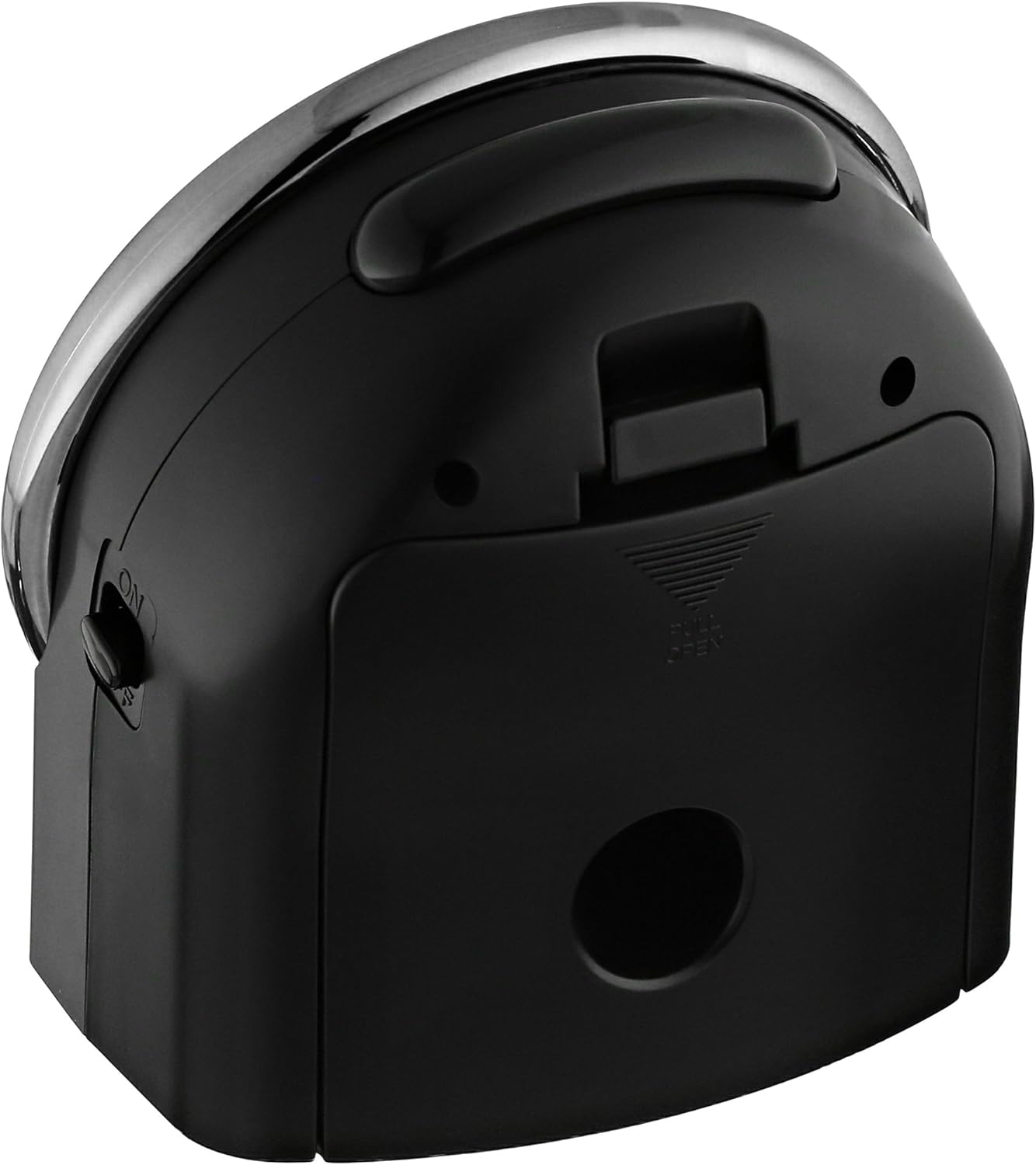
Figure 1: Front View. This image displays the front of the Seiko QHE143JLH alarm clock, featuring the analog clock face with clear hour, minute, and second hands, and numerical hour markers. The clock face is white with black numbers, encased in a silver-colored bezel.

Figure 2: Back View. This image shows the rear of the Seiko QHE143JLH alarm clock. Visible features include the battery compartment cover, the time setting knob, the alarm setting knob, and the alarm ON/OFF switch. A chrome-colored handle is also visible at the top.
- Time Setting Knob: Located on the back, used to adjust the current time.
- Alarm Setting Knob: Located on the back, used to set the desired alarm time.
- Alarm ON/OFF Switch: Located on the side/back, slides to activate or deactivate the alarm.
- Snooze/Light Button: Located on the top, activates snooze function when alarm sounds, or illuminates the dial for a few seconds.
- Battery Compartment: Located on the back, holds the AA batteries.
- Alarm Reminder Light: An indicator light (green/yellow) that shows the alarm status.
Setup
1. Battery Installation
- Open the battery compartment cover located on the back of the clock (refer to Figure 2).
- Insert 3 AA batteries, ensuring the correct polarity (+ and -) as indicated inside the compartment.
- Close the battery compartment cover securely.
2. Setting the Time
- Locate the Time Setting Knob on the back of the clock.
- Rotate the knob clockwise or counter-clockwise to move the hour and minute hands to the current time.
- Ensure the time is set accurately, especially for AM/PM if applicable (though this is an analog clock, consider the 12-hour cycle for alarm setting).
3. Setting the Alarm
- Locate the Alarm Setting Knob on the back of the clock.
- Rotate this knob to move the small alarm hand to your desired wake-up time.
- Be precise when setting the alarm hand to ensure it triggers at the correct time.
Operating Instructions
1. Activating/Deactivating the Alarm
- To activate the alarm, slide the Alarm ON/OFF Switch to the "ON" position. The alarm reminder light will illuminate green.
- To deactivate the alarm, slide the Alarm ON/OFF Switch to the "OFF" position. The alarm reminder light will illuminate yellow/amber.
2. Snooze Function
- When the alarm sounds, press the large Snooze/Light Button on the top of the clock.
- The alarm will temporarily stop and sound again after approximately 5 minutes.
- To completely turn off the alarm, slide the Alarm ON/OFF Switch to the "OFF" position.
3. Night Light Function
- To illuminate the clock face in the dark, press the Snooze/Light Button on the top of the clock.
- The light will stay on for a few seconds, allowing you to read the time.
Maintenance
1. Cleaning
- Wipe the clock with a soft, dry cloth.
- Do not use abrasive cleaners, solvents, or chemical sprays, as these may damage the finish.
2. Battery Replacement
- When the clock starts to lose time or the alarm becomes weak, it is time to replace the batteries.
- Follow the battery installation steps outlined in the "Setup" section.
- Always replace all 3 AA batteries at the same time with new ones.
Troubleshooting
| Problem | Possible Cause | Solution |
|---|---|---|
| Clock not running or losing time. | Dead or weak batteries; incorrect battery installation. | Replace batteries with new ones, ensuring correct polarity. |
| Alarm does not sound. | Alarm switch is OFF; alarm time not set correctly; weak batteries. | Slide alarm switch to ON; re-set alarm time; replace batteries. |
| Night light not working. | Weak batteries. | Replace batteries. |
| Alarm is too quiet. | This model has a fixed alarm volume. | Ensure the clock is placed in an optimal position for audibility. |
Specifications
- Brand: SEIKO
- Model Number: QHE143JLH
- Display Type: Analog
- Color: Black
- Material: Resin (Plastic Frame)
- Product Dimensions: 3.85"W x 3.85"H
- Item Weight: 0.66 Pounds
- Power Source: Battery Powered (3 AA batteries required, included)
- Features: Quiet sweep second hand, Alarm reminder light, Snooze function, Night light
- Mounting Type: Tabletop
Warranty and Support
Seiko products are manufactured to high-quality standards. For specific warranty information, please refer to the warranty card included with your purchase or visit the official Seiko website. If you encounter any issues not covered in this manual, please contact Seiko customer support for assistance.
For further support, you may visit the SEIKO Store on Amazon.


