1. Introduction
Thank you for choosing the Melitta Enjoy Top Filter Coffee Maker. This manual provides essential information for the safe and efficient operation, maintenance, and troubleshooting of your appliance. Please read these instructions carefully before first use and retain them for future reference.
2. Safety Instructions
- Read all instructions before operating the appliance.
- Do not immerse the appliance, cord, or plug in water or other liquids.
- Close supervision is necessary when the appliance is used by or near children.
- Unplug from outlet when not in use and before cleaning. Allow to cool before putting on or taking off parts, and before cleaning the appliance.
- Do not operate any appliance with a damaged cord or plug, or after the appliance malfunctions or has been damaged in any manner.
- The use of accessory attachments not recommended by the appliance manufacturer may result in fire, electric shock, or injury to persons.
- Do not use outdoors.
- Do not let the cord hang over the edge of a table or counter, or touch hot surfaces.
- Do not place on or near a hot gas or electric burner, or in a heated oven.
- Always attach plug to appliance first, then plug cord into the wall outlet. To disconnect, turn any control to 'off', then remove plug from wall outlet.
- Do not use the appliance for other than intended use.
- The glass jug is designed for use with this appliance only. It must never be used on a range top.
- Do not place a hot jug on a cold or wet surface.
- Do not use a cracked jug or a jug having a loose or weakened handle.
- Do not clean the jug with cleansers, steel wool pads, or other abrasive materials.
3. Product Overview
The Melitta Enjoy Top Filter Coffee Maker is designed for ease of use and consistent coffee quality. Familiarize yourself with its components before operation.

Figure 1: Melitta Enjoy Top Filter Coffee Maker. This image shows the complete coffee maker with its glass jug, water tank, filter holder, and control panel.
Components:
- Water Tank: Transparent reservoir with dual graduation for 10 large cups (125ml) or 15 small cups (85ml).
- Lid: Covers the water tank and filter holder.
- Swivel Filter Holder: Removable and dishwasher-safe, compatible with 1x4 filters. Features stainless steel elements.
- Aroma Selector: Dial to adjust coffee intensity.
- Glass Jug: Borosilicate glass jug with a comfortable handle.
- Hot Plate: Keeps coffee warm for 30 minutes after brewing.
- On/Off Button: Illuminated button to start and stop the brewing process.
- Anti-Drip System: Prevents dripping when the jug is removed during brewing.
4. Setup
- Unpacking: Remove all packaging materials and ensure all components are present and undamaged.
- First Cleaning: Before first use, clean the glass jug and removable filter holder with warm soapy water. Rinse thoroughly.
- Positioning: Place the coffee maker on a stable, flat, heat-resistant surface, away from water sources and direct heat. Ensure adequate ventilation.
- Initial Rinse Cycle: Fill the water tank to the maximum level with cold water. Do not add coffee. Place the empty glass jug on the hot plate. Press the On/Off button to run a full brewing cycle. Discard the water. This cleans the internal components.
5. Operating Instructions
- Fill Water Tank: Open the lid and fill the water tank with fresh, cold water up to the desired level, using the cup markings on the side. The dual graduation allows for 10 large cups (125ml) or 15 small cups (85ml).
- Insert Filter: Swivel out the filter holder. Insert a Melitta 1x4 paper filter into the filter holder.
- Add Ground Coffee: Add the desired amount of ground coffee into the paper filter. A general guideline is one level tablespoon of coffee per cup, but adjust to your personal taste.
- Close Filter Holder: Swivel the filter holder back into position until it clicks securely. Close the lid.
- Place Glass Jug: Ensure the glass jug is correctly placed on the hot plate.
- Select Aroma Intensity: Use the Aroma Selector dial on the top of the appliance to choose your preferred coffee intensity. Turn the dial towards the 'mild' icon for a softer taste or towards the 'intense' icon for a stronger, richer flavor.
- Start Brewing: Press the illuminated On/Off button. The light will illuminate, indicating that the brewing process has started.
- Serving: Once brewing is complete, the coffee maker will automatically switch to the keep-warm function. The hot plate will keep the coffee warm for approximately 30 minutes before automatically shutting off.
- Automatic Shut-off: The appliance features an automatic shut-off function for safety and energy saving.
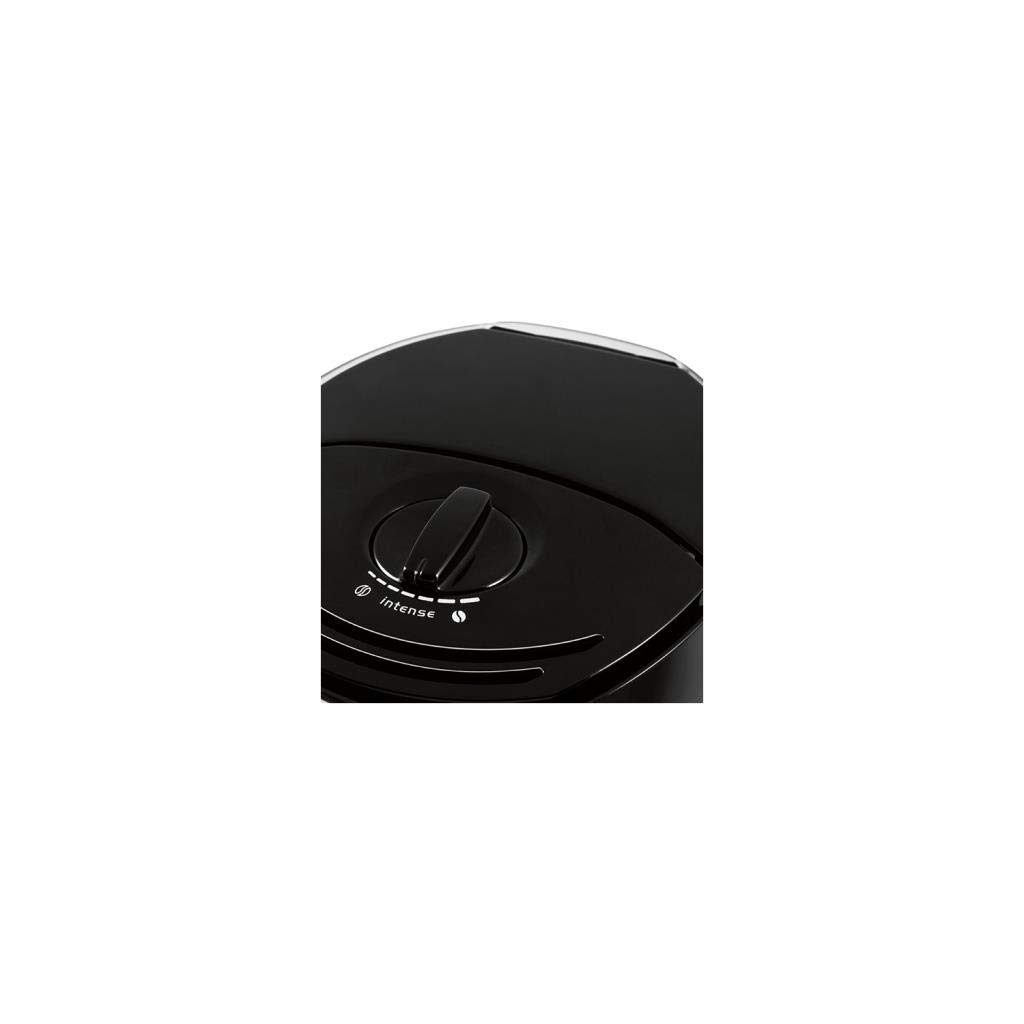
Figure 2: Close-up of the Aroma Selector dial. This dial allows users to adjust the coffee strength from mild to intense.
6. Cleaning and Maintenance
Regular cleaning ensures optimal performance and extends the lifespan of your coffee maker.
Daily Cleaning:
- Always unplug the appliance and allow it to cool completely before cleaning.
- Remove the used paper filter and discard the coffee grounds.
- The swivel filter holder and glass jug are removable and dishwasher-safe. Alternatively, wash them with warm soapy water and rinse thoroughly.
- Wipe the exterior of the coffee maker with a soft, damp cloth. Do not use abrasive cleaners or immerse the main unit in water.
Descaling:
Over time, mineral deposits (limescale) can build up, affecting performance and coffee taste. Descale your coffee maker regularly, depending on water hardness and frequency of use.
- Use a commercially available descaling solution suitable for coffee makers, following the manufacturer's instructions.
- Alternatively, a solution of white vinegar and water (1:2 ratio) can be used.
- Run a brewing cycle with the descaling solution.
- After descaling, run at least two full cycles with fresh, clean water to rinse out any residual descaling agent.
7. Troubleshooting
If you encounter issues with your coffee maker, refer to the following common problems and solutions:
| Problem | Possible Cause | Solution |
|---|---|---|
| Coffee does not brew. | Appliance not plugged in; On/Off button not pressed; No water in tank. | Ensure plug is securely in outlet; Press On/Off button; Fill water tank. |
| Coffee is too weak or too strong. | Incorrect coffee-to-water ratio; Aroma Selector setting. | Adjust coffee amount; Adjust Aroma Selector dial. |
| Water overflows from filter holder. | Too much coffee; Filter not correctly placed; Clogged filter holder; Appliance needs descaling. | Reduce coffee amount; Ensure filter is seated correctly; Clean filter holder; Descale the appliance. |
| Coffee tastes bad. | Old coffee grounds; Appliance needs cleaning/descaling; Poor water quality. | Use fresh coffee; Clean and descale the appliance; Use filtered water. |
If the problem persists after attempting these solutions, please contact Melitta customer support.
8. Specifications
Detailed technical specifications for the Melitta Enjoy Top Filter Coffee Maker 1017-04.

Figure 3: Technical drawing showing the dimensions of the Melitta Enjoy Top Coffee Maker: 188 mm (depth), 230 mm (width), and 318 mm (height).
- Model Number: 1017-04
- Brand: Melitta
- Color: Black/Brushed Steel
- Dimensions (L x W x H): 18.8 x 23 x 31.8 cm (7.4 x 9.1 x 12.5 inches)
- Weight: 1.63 kg (3.59 lbs)
- Capacity: 1.2 Liters (approx. 10 large cups / 15 small cups)
- Power: 1000 Watts
- Voltage: 220-240 Volts (AC)
- Material: Stainless Steel, Plastic, Borosilicate Glass (jug)
- Special Features: Anti-drip system, Aroma Selector, Automatic shut-off, Illuminated On/Off switch, Dishwasher-safe removable parts.
- Filter Type: Compatible with 1x4 paper filters.
9. Warranty and Support
Specific warranty details are not provided within this manual. For information regarding warranty coverage, technical support, or spare parts, please refer to the official Melitta website or contact your local Melitta customer service representative. Please have your model number (1017-04) and proof of purchase available when contacting support.


