
1. Introduction
The Donner DMX512 Wireless DMX Controller and Receiver System provides a reliable and efficient solution for controlling stage lighting without the need for extensive cabling. This system utilizes 2.4G wireless technology to transmit DMX512 signals, offering flexibility and ease of setup for various lighting applications. Designed for professional stage, disco, party, and bar lighting, it ensures stable and real-time data transmission.
2. Safety Information
- Read all instructions carefully before use.
- Keep the device away from water, moisture, and extreme temperatures.
- Do not attempt to disassemble or modify the device. Refer all servicing to qualified personnel.
- Ensure proper ventilation to prevent overheating.
- Use only the provided power adapters.
3. Package Contents
Verify that all items are present in your package:
- DMX512 Wireless Transmitter x 1
- DMX512 Wireless Receiver x 7
- Power Adapters x 8
4. Product Overview
The system consists of one transmitter and multiple receivers, designed for seamless wireless communication.
4.1. Transmitter
The transmitter features an adjustable antenna for optimal signal direction and a DMX512 input for connection to your DMX controller. It requires external power and does not have a built-in battery.
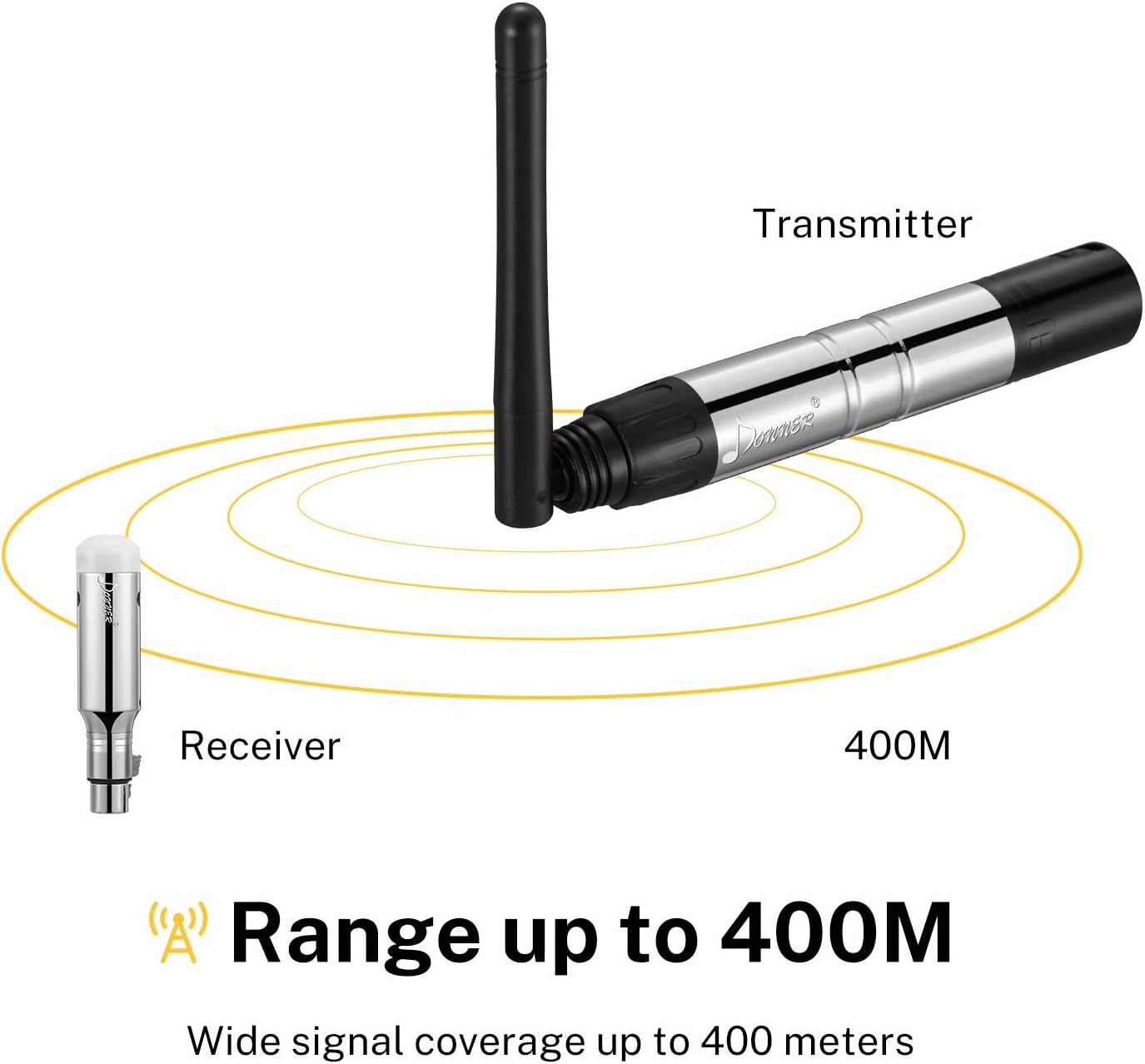
Image: The Donner DMX512 Wireless Transmitter (right) and Receiver (left) are shown, illustrating their compact design and the transmitter's adjustable antenna.
4.2. Receiver
Each receiver is equipped with a DMX512 output for connecting to individual lighting fixtures. Receivers include a built-in rechargeable battery for enhanced portability and reduced cable clutter. Tricolor LED indicators display the working status and ID group.
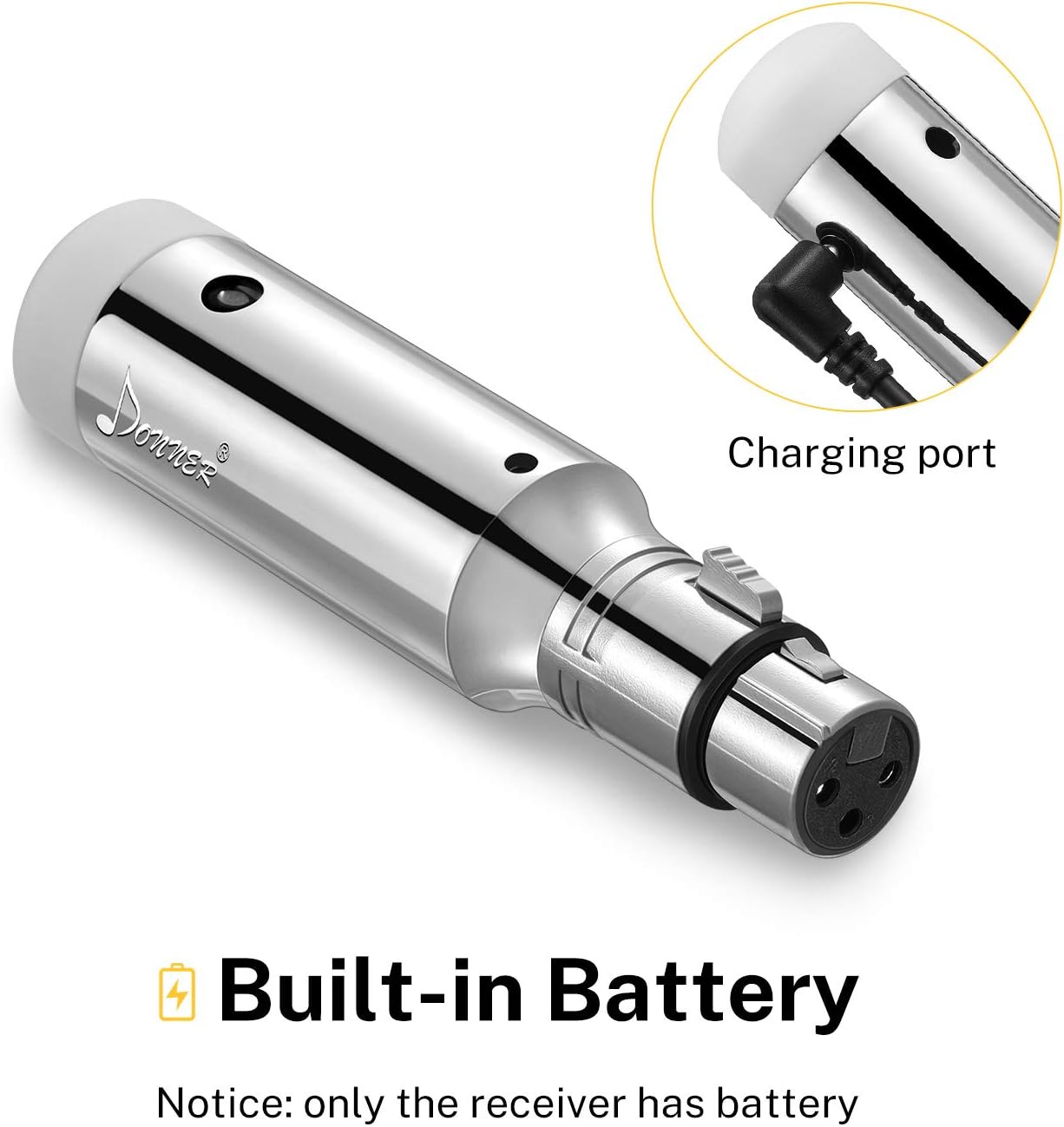
Image: A close-up of the Donner DMX512 Wireless Receiver, highlighting its built-in battery and charging port for convenient, wire-free operation.
5. Setup
5.1. Powering On and Charging
- Transmitter: Connect the provided power adapter to the transmitter and plug it into a standard power outlet.
- Receivers: Ensure receivers are fully charged before use. Connect the provided power adapters to the receivers for charging. The built-in battery allows for portable use, reducing the need for multiple power outlets during events.
5.2. Connecting to DMX Devices
The system is designed for easy plug-and-play functionality.
- Transmitter Connection: Plug the DMX512 Wireless Transmitter directly into the DMX output port of your DMX controller.
- Receiver Connection: Plug each DMX512 Wireless Receiver directly into the DMX input port of your stage lighting fixtures.
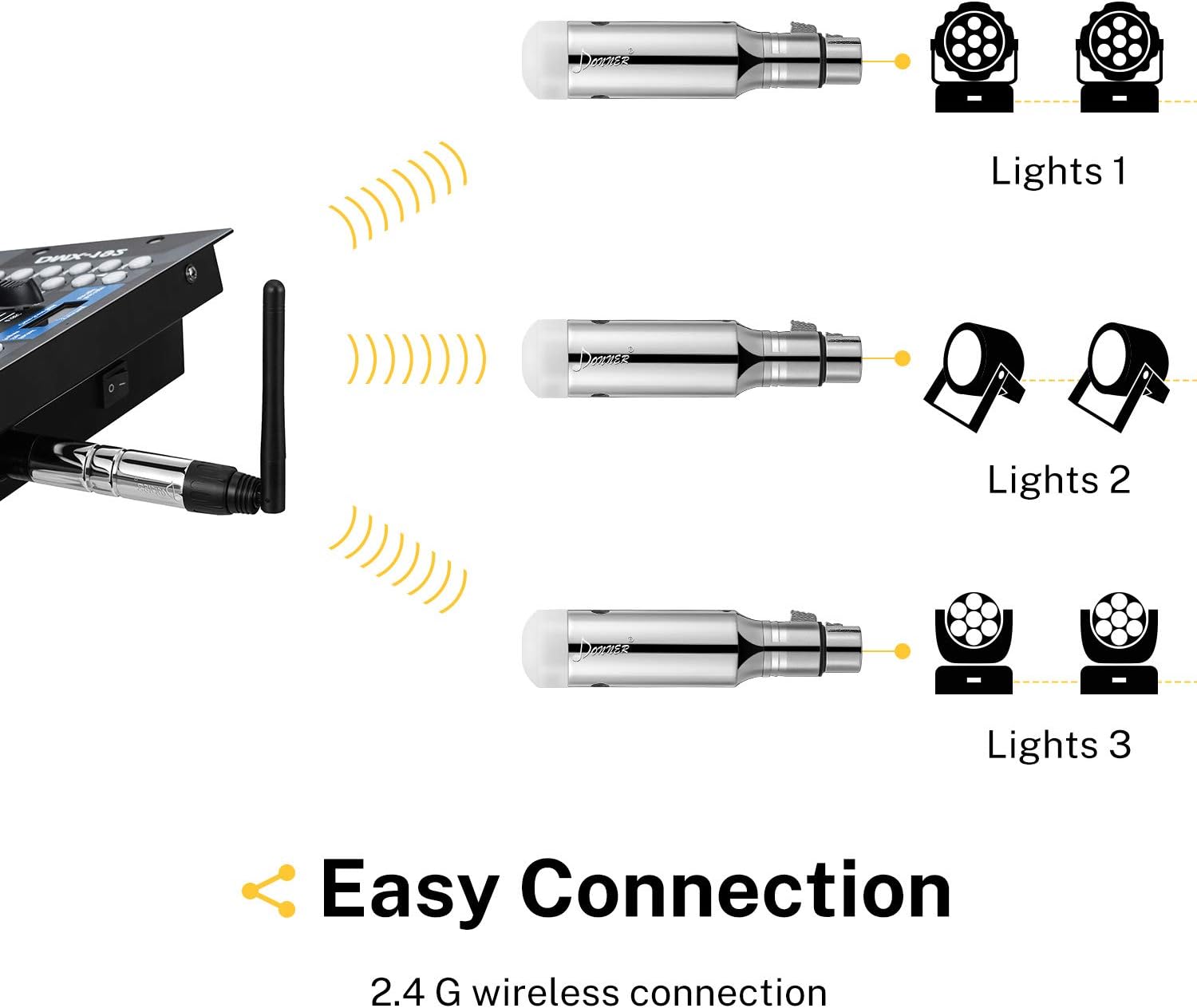
Image: Diagram illustrating how the DMX512 Wireless Transmitter connects to a DMX controller and wirelessly sends signals to multiple receivers plugged into various stage lights.
5.3. Pairing Devices (ID Code Setting)
The system supports 7 groups of ID codes, allowing multiple wireless networks to operate simultaneously without interference. To pair devices:
- Power on the transmitter and all receivers.
- Press the 'ID' button on the transmitter to select an ID group (indicated by a tricolor LED).
- Press the 'ID' button on each receiver to match the ID group selected on the transmitter.
- Once the ID codes match, the devices will automatically pair, and the LED indicators will show a stable connection.
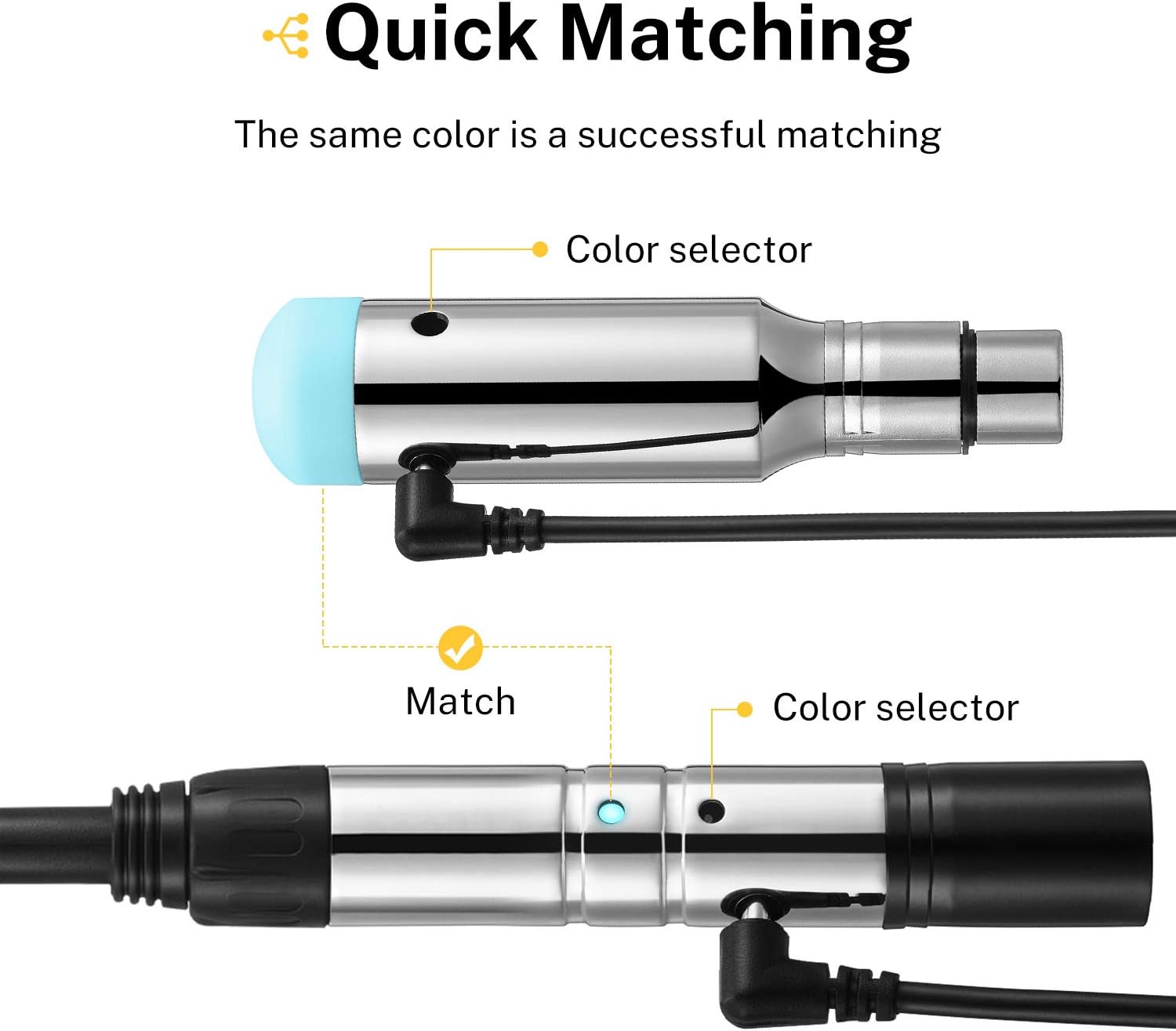
Image: Close-up showing the 'Color selector' button on both the transmitter and receiver, indicating that matching the LED color (ID code) establishes a successful wireless connection.
6. Operating Instructions
6.1. Wireless Signal Transmission
The system operates on a 2.4G frequency band with 126 channels, automatically jumping frequencies to ensure high anti-jamming capability. Data transmission is in real-time with no noticeable delay, providing responsive control over your lighting setup.
6.2. Communication Distance
The effective communication distance is up to 500 meters (visible distance), offering extensive coverage for various event sizes.
Image: An illustration depicting the Donner DMX512 Wireless Transmitter and Receiver, showing a wireless signal extending up to 400 meters, indicating wide signal coverage.
6.3. Adjustable Antenna
The transmitter features an adjustable antenna. Position the antenna for optimal signal reception and transmission, especially in environments with potential obstructions.
7. Maintenance
- Clean the devices regularly with a soft, dry cloth. Do not use harsh chemicals or abrasive cleaners.
- Store the system in a cool, dry place when not in use.
- Periodically check cables and connections for any signs of wear or damage.
8. Troubleshooting
8.1. No Signal or Intermittent Connection
- Check Power: Ensure both the transmitter and receivers are powered on and receiving adequate power.
- Match ID Codes: Verify that the ID codes on the transmitter and all receivers are correctly matched. Refer to Section 5.3.
- Change ID Group: If experiencing interference, try switching to a different ID group. The system's 7 groups allow for operation without interference in the same location.
- Antenna Position: Adjust the transmitter's antenna for better signal reception.
- Distance/Obstructions: Ensure devices are within the 500M communication range and minimize physical obstructions between the transmitter and receivers.
8.2. Receiver Battery Life
- Recharge: If receivers are not holding a charge or dying quickly, ensure they are fully recharged before each use.
- Storage: For optimal battery longevity, avoid storing receivers in extreme temperatures.
9. Specifications
| Feature | Specification |
|---|---|
| Item Weight | 2.81 pounds |
| Package Dimensions | 7.17 x 5.31 x 4.13 inches |
| ASIN | B0192Y5YXM |
| Item model number | EC757+EC858x7 |
| Date First Available | December 8, 2015 |
| Color Name | Silver |
| Material Type | Metal |
| Size | 7 PCS |
10. Product Videos
FENIXFIT Wireless DMX Transmitter Receiver Rechargeable
Video: This video demonstrates the FENIXFIT Wireless DMX Transmitter Receiver, highlighting its rechargeable feature and ease of use for stage lighting setups.
FENIXFIT Wireless DMX Transmitter Receiver
Video: A detailed look at the FENIXFIT Wireless DMX Transmitter Receiver, showcasing its functionality and how it integrates into a DMX lighting system.
FENIXFIT Wireless DMX Transmitter Receiver Work Cool
Video: This video demonstrates the FENIXFIT Wireless DMX Transmitter Receiver in action, highlighting its performance and reliability in a dynamic lighting environment.
11. Warranty and Support
For warranty information, technical support, or service inquiries, please refer to the official Donner website or contact their customer service department. Keep your purchase receipt for warranty claims.