
Introduction
The Kasa Smart WiFi Plug with Energy Monitoring (Model HS110) by TP-Link allows you to control lighting and other appliances remotely using your smartphone. This smart plug integrates seamlessly with voice assistants like Alexa, Google Assistant, and Microsoft Cortana, providing a hands-free experience. It also features energy monitoring capabilities, enabling you to track power consumption and set schedules to optimize energy usage.
This manual provides essential information for setting up, operating, maintaining, and troubleshooting your HS110 Smart Plug.
Product Overview

Figure 1: Kasa Smart WiFi Plug HS110 with its retail packaging.
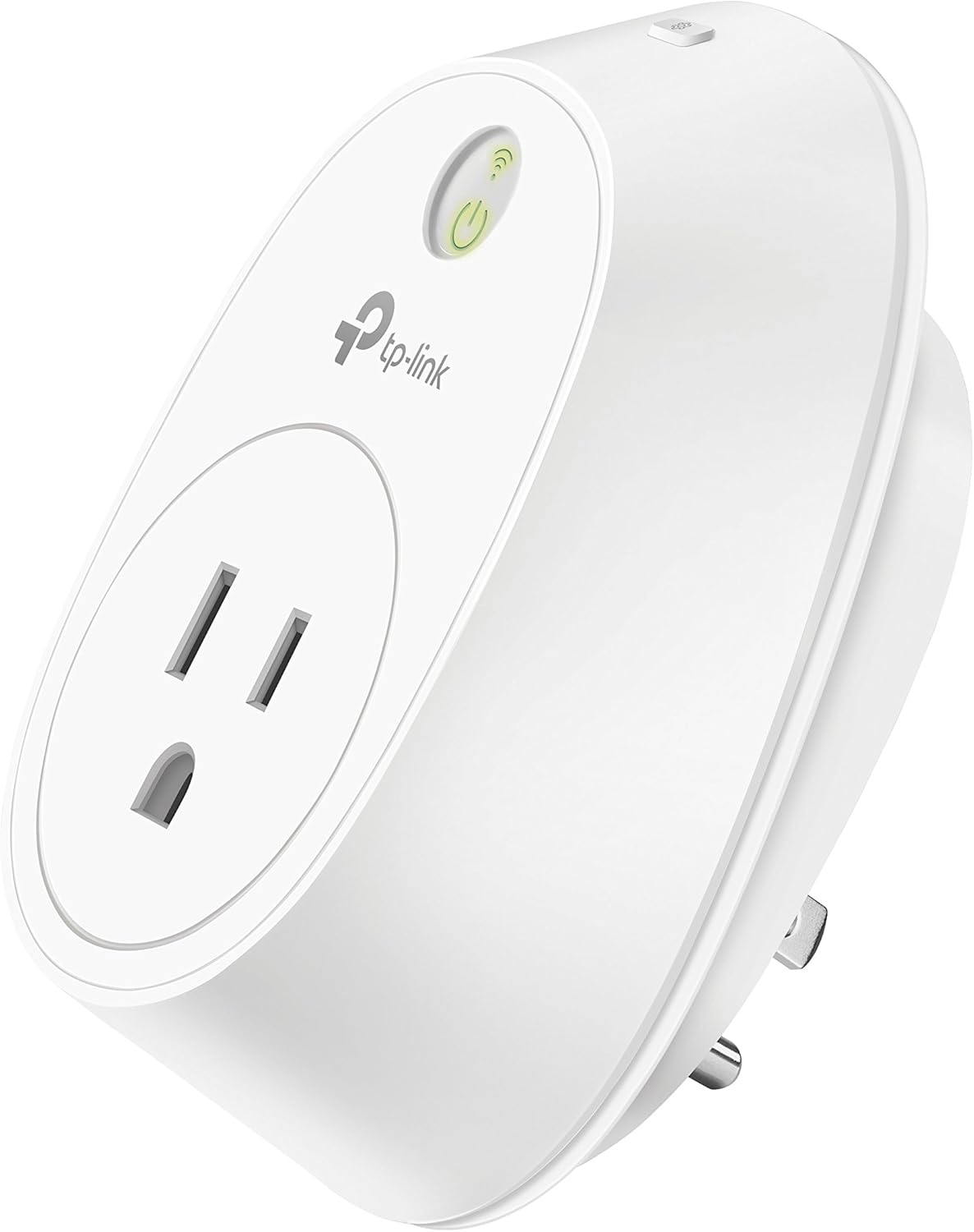
Figure 2: Detailed view of the Kasa Smart WiFi Plug HS110, highlighting its compact design.
Setup
To set up your Kasa Smart WiFi Plug HS110, follow these steps:
- Download the Kasa App: Search for "Kasa Smart" in your smartphone's app store (compatible with Android & iOS) and download the application.
- Plug In the Device: Insert the Kasa Smart Plug into a standard electrical outlet.
- Follow In-App Instructions: Open the Kasa app and follow the on-screen instructions to connect the smart plug to your secured 2.4 GHz Wi-Fi network. A 2.4 GHz Wi-Fi network connection is required for proper operation.
- Name Your Device: Assign a recognizable name to your smart plug within the app (e.g., "Living Room Lamp," "Coffee Machine").

Figure 3: Kasa app interface displaying a list of connected smart plugs, allowing for easy management.
For detailed setup instructions, please refer to the official User Manual (PDF) available here.
Operating the Smart Plug
The Kasa Smart WiFi Plug offers multiple ways to control your connected devices:
1. Control from Anywhere via Kasa App
Use the Kasa app on your smartphone to turn connected electronics on or off from any location with an internet connection. This feature allows for remote management of your devices, enhancing convenience and security.
2. Voice Control
The HS110 is compatible with popular voice assistants, providing a hands-free control experience:
- Alexa: Integrate with Amazon Echo devices. Simply say, "Alexa, turn on [device name]."
- Google Assistant: Connect with Google Home devices. Use commands like, "Hey Google, turn off [device name]."
- Microsoft Cortana: Compatible with Cortana-enabled devices.

Figure 4: The Kasa Smart Plug controlling a coffee machine, demonstrating voice control via Amazon Alexa.
3. Energy Monitoring
Monitor the energy consumption of your plug-in devices directly through the Kasa app. This feature helps you understand and manage your electricity usage, allowing you to identify energy-hungry appliances and set times and schedules to avoid unnecessary waste.

Figure 5: Kasa app displaying detailed energy usage statistics for a connected device.
4. Kasa Scenes & Schedules
Automate your devices by setting schedules and creating scenes:
- Schedules: Program the Smart Plug to automatically switch on or off at specific times, such as turning lights on when you arrive home or off when you go to sleep.
- Scenes: Control multiple devices with a single tap or voice command by grouping them into custom scenes. For example, a "Good Morning" scene could turn on your coffee machine and kitchen lights simultaneously.
- Away Mode: Simulate occupancy by randomly turning lights on and off, enhancing home security when you are away.

Figure 6: Kasa app interface for setting up schedules and automation for smart plugs.
5. Manual Control
For immediate control, you can manually turn the smart plug on or off by pressing the physical button located on the device itself.

Figure 7: The Kasa Smart Plug connected to a fan, demonstrating its use in a typical home setting.
Maintenance
The Kasa Smart WiFi Plug HS110 requires minimal maintenance. To ensure optimal performance and longevity:
- Keep the device clean and free from dust. Use a dry, soft cloth for cleaning.
- Avoid exposing the device to excessive moisture or extreme temperatures.
- Do not attempt to disassemble or repair the device yourself. Refer to qualified service personnel if issues arise.
- Ensure the connected appliance's power consumption does not exceed the smart plug's maximum load capacity (refer to specifications).
Troubleshooting
If you encounter issues with your Kasa Smart WiFi Plug HS110, consider the following common solutions:
- Device Not Connecting to Wi-Fi:
- Ensure your Wi-Fi network is a secured 2.4 GHz network. The HS110 does not support 5 GHz networks.
- Verify that the smart plug is within range of your Wi-Fi router.
- Restart your router and the smart plug.
- Check if your Wi-Fi password was entered correctly in the Kasa app.
- Voice Control Not Working:
- Confirm that your Kasa account is correctly linked to your Alexa, Google Assistant, or Microsoft Cortana app.
- Ensure the device name used in your voice command matches the name set in the Kasa app.
- Check your internet connection.
- Power Outage Behavior:
In the event of a power outage, the Kasa Smart Plug is designed to remember its previous state. When power is restored, the plug will revert to its last known on or off status. For example, if a connected refrigerator was on before the outage, it will turn back on automatically once power returns.
- Plug Blocking Adjacent Outlets:
Due to its physical size, the HS110 may block access to an adjacent outlet when plugged into a standard duplex receptacle. Consider using a power strip or an alternative outlet if this is an issue.
Specifications
| Feature | Detail |
|---|---|
| Manufacturer | TP-LINK USA |
| Part Number | HS110 |
| Item Weight | 5.3 ounces |
| Product Dimensions | 2.6 x 2.5 x 3.9 inches |
| Item Model Number | HS110 |
| Size | 1-Pack |
| Color | White |
| Style | Kasa Smart Plug, Energy Monitoring |
| Material | PC |
| Voltage | 120 Volts |
| Item Package Quantity | 1 |
| Certification | UL approved |
| Special Features | WPS |
| Included Components | Smart Plug HS110, Quick Start Guide |
| Batteries Included? | No |
| Batteries Required? | No |
| Date First Available | November 23, 2015 |
Warranty Information
The Kasa Smart WiFi Plug HS110 comes with a 2-Year Warranty. For specific terms and conditions, please refer to the warranty documentation included with your product or visit the official TP-Link support website.
Support
For further assistance, technical support, or to access the latest resources for your Kasa Smart WiFi Plug HS110, please visit the official TP-Link support website or utilize the help section within the Kasa Smart app.
You can also refer to the comprehensive User Manual (PDF) for detailed instructions and troubleshooting guides: Download User Manual


