
1. Introduction
This manual provides detailed instructions for the installation, operation, and maintenance of your INNOTALK Wireless Headset, Model EHSPA-W779. This headset system is specifically designed for seamless integration with Panasonic KX-NT 553, KX-NT 556, KX-DT 543, KX-DT 546, and KX-HDV 230 series desk phones, featuring a Remote Hook Switch (EHS) device for enhanced functionality.
The INNOTALK Wireless Headset utilizes DECT 6.0 technology, offering a wireless range of up to 300 feet and a talk time of up to 12 hours. It incorporates a Digital Signal Processing (DSP) noise-canceling microphone for clear communication.

The INNOTALK wireless headset resting on its charging base, ready for use.
2. Package Contents
Verify that all items are present in your package:
- Wireless Headset
- Charging Dock
- Power Adapter
- Remote Answering Cord (EHS cable) for specific Panasonic Phone Models
- Earhook attachment
- Changeable Headset Covers (Black/Wine color)
- Quick Setup Guide and Manual
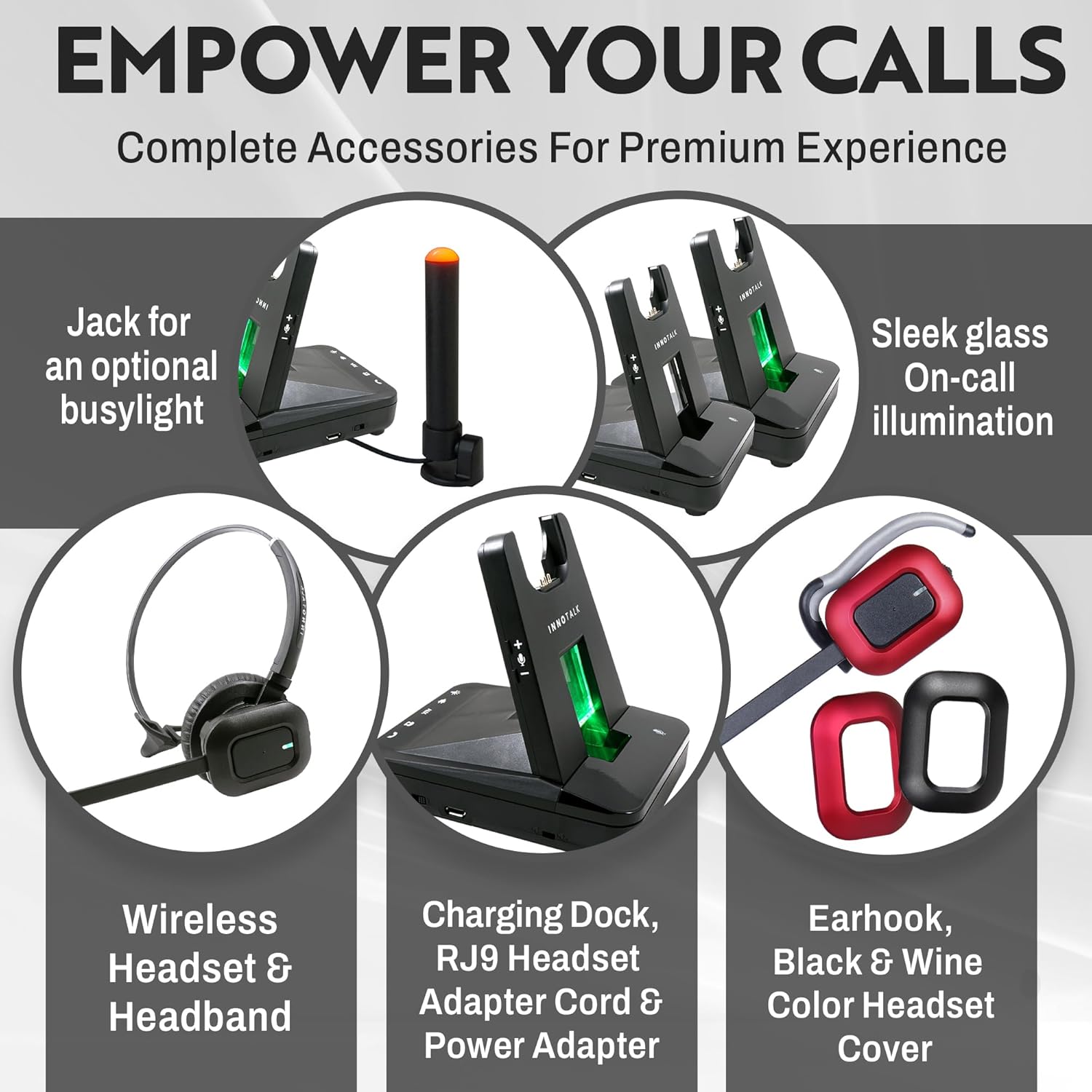
A visual representation of the complete accessory set, including the wireless headset, charging dock, power adapter, RJ9 headset adapter cord, earhook, and changeable black/wine color headset covers.
3. Setup Instructions
3.1 Charging the Headset
- Connect the Power Adapter to the Charging Dock and plug it into a power outlet.
- Place the headset onto the charging dock. The indicator light on the headset or dock will show charging status.
- Allow the headset to fully charge before first use (approximately 2-3 hours).
3.2 Connecting to Panasonic Phones (with EHS Cable)
This headset system includes a Remote Answering EHS (Electronic Hook Switch) cable for specific Panasonic phone models, enabling remote call control.
- Compatible Panasonic Models: KX-NT 553, KX-NT 556, KX-DT 543, KX-DT 546, KX-HDV 230.
- Locate the EHS port on your Panasonic desk phone. Refer to your phone's manual if unsure.
- Connect one end of the provided Remote Answering Cord (EHS cable) to the EHS port on your Panasonic phone.
- Connect the other end of the EHS cable to the AUX port on the INNOTALK Charging Dock.
- Ensure the headset is properly seated in the charging dock. The system should automatically establish a connection.

An illustration demonstrating the connection of the INNOTALK wireless headset system to a Panasonic desk phone via the Remote Answering EHS cable, highlighting 300 feet wireless range and 12-hour talk time.

This image confirms the headset's compatibility with specific Panasonic phone models: KX-NT 553, KX-NT 556, KX-DT 543, KX-DT 546, and KX-HDV 230, emphasizing the included Panasonic EHS cable for remote answering.

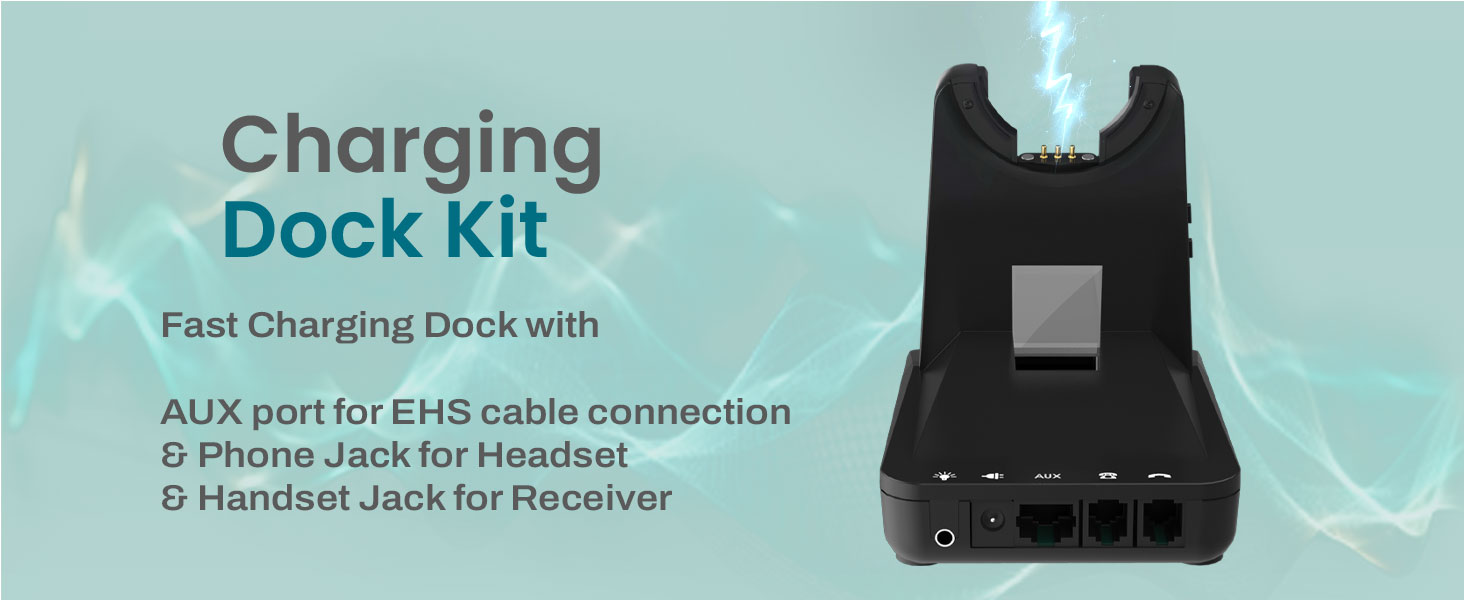
A detailed view of the charging dock, showing the AUX port for EHS cable connection, the Phone Jack for the headset, and the Handset Jack for the receiver, illustrating its various connectivity options.
3.3 Connecting to Other Desk Phones (without EHS)
For desk phone models not listed above, the headset can be connected via the phone's handset port or dedicated headset port.
- Disconnect the coiled handset cord from your desk phone.
- Connect the provided RJ9 headset adapter cord (if applicable) to the handset port on your desk phone.
- Connect your desk phone's handset to the corresponding port on the RJ9 adapter cord or charging dock.
- Alternatively, if your phone has a dedicated RJ9 headset port, connect the headset directly to this port using the appropriate cable.

This diagram illustrates flexible setup options, including connecting to listed desk phones using the Remote Answering Cable, or connecting to a desk phone's handset port or headset port for other models.
4. Operating Instructions
4.1 Wearing the Headset
The headset is designed for comfort and flexibility. It features an adjustable headband and a 180-degree rotatable speaker. An earhook attachment is also included for alternative wearing styles.
- Adjust the headband for a secure yet comfortable fit.
- Position the microphone approximately 1 inch from your mouth for optimal voice pickup.
- The ear cushion is made of soft memory foam for extended wear comfort.
A detailed diagram showcasing the ergonomic design of the headset, including its ultra-lightweight headband, 180-degree rotatable speaker, 2.4-inch soft memory foam ear cushion, and DSP noise-canceling microphone.
4.2 Call Control (with EHS Cable)
When connected via the EHS cable to a compatible Panasonic phone, you can manage calls directly from your headset:
- Answering a Call: Press the Call Control button on the headset.
- Ending a Call: Press the Call Control button on the headset again.
- This allows you to roam up to 300 feet from your desk while maintaining call control.
4.3 Volume Control
Use the volume buttons located on the headset to adjust the listening volume during a call.
4.4 Mute Function
Press the Mute button on the headset to temporarily disable your microphone. Press it again to unmute.
4.5 Digital Signal Processing (DSP) Microphone
The integrated DSP noise-canceling microphone actively filters out ambient background noise, ensuring your voice is transmitted clearly to the other party.
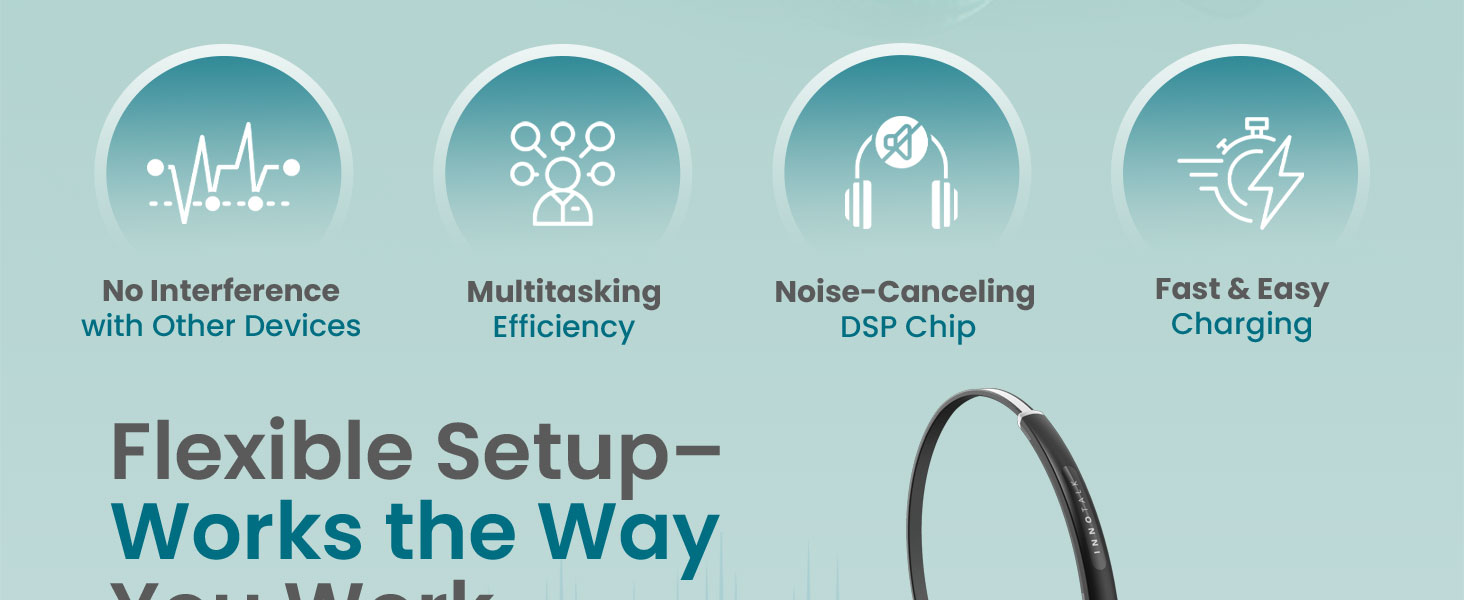
An illustration explaining how the Digital Signal Processing (DSP) noise-canceling microphone filters out background noise for clear voice pickup.
5. Maintenance
5.1 Cleaning
- Wipe the headset and charging dock with a soft, dry, anti-static cloth.
- Do not use harsh chemicals, cleaning solvents, or strong detergents.
- Avoid moisture in openings.
5.2 Battery Care
- To maximize battery life, fully charge the headset before first use.
- Avoid completely discharging the battery frequently.
- Store the headset in a cool, dry place when not in use for extended periods.
6. Troubleshooting
If you encounter issues with your INNOTALK Wireless Headset, refer to the following common problems and solutions:
| Problem | Possible Cause | Solution |
|---|---|---|
| No audio in headset | Headset not powered on; Not properly seated in dock; Incorrect phone connection; Phone settings. | Ensure headset is charged and powered on. Verify EHS cable or RJ9 connection. Check phone's headset/audio settings. |
| Cannot answer/end calls remotely | EHS cable not connected or faulty; Incompatible phone model; Phone settings. | Confirm EHS cable is securely connected to both phone and dock. Ensure your Panasonic phone model is listed as compatible. Check phone's EHS settings. |
| Short battery life (less than expected) | Battery not fully charged; Aging battery; High volume usage. | Ensure headset is fully charged. Reduce volume if possible. If battery life significantly degrades over time, contact support. |
| Interference or poor audio quality | Out of range; Obstructions; Other DECT devices nearby. | Move closer to the charging dock. Remove obstructions. Ensure no other DECT 6.0 devices are operating on the same frequency if possible. |
| Headset not charging | Power adapter not connected; Faulty power outlet; Headset not seated correctly. | Verify power adapter connection and outlet functionality. Ensure headset makes proper contact with charging pins on the dock. |
7. Specifications
| Feature | Specification |
|---|---|
| Model Number | EHSPA-W779 |
| Brand | INNOTALK |
| Connectivity Technology | DECT 6.0 Wireless, Remote Answering Electronic Hook Switch (EHS) |
| Wireless Range | Up to 300 feet (approx. 100 meters) |
| Frequency Response | 1.9 GHz |
| Noise Control | Active Noise Cancellation (Microphone) |
| Microphone | DSP Noise Canceling Microphone |
| Speaker | WideBand HQ Sound Speaker with Acoustic Shock Protection, 180° Rotatable |
| Ear Cushion | 2.4 inch Soft Memory Foam |
| Battery Life (Talk Time) | Up to 12 hours (Max), 8 hours (Typical) |
| Battery Life (Standby Time) | Up to 50 hours |
| Charging Time | Approx. 2-3 hours for full charge |
| Compatible Devices | Panasonic KX-NT553, KX-NT556, KX-DT543, KX-DT546, KX-HDV230 |
| Item Weight | 1.2 Pounds |
| Product Dimensions | 5.75 x 4 x 6.75 inches |
| Material | Plastic |
| Included Components | Headset, Power Adapter, Remote Answering Cord, Earhook, Quick Setup Guide |
8. Warranty Information
The INNOTALK Wireless Headset EHSPA-W779 comes with a Two-Year Warranty from the date of purchase. This warranty covers manufacturing defects and ensures the product performs as intended under normal use. Please retain your proof of purchase for warranty claims. The warranty does not cover damage caused by misuse, accidents, unauthorized modifications, or normal wear and tear.
9. Support
For further assistance, technical support, or warranty inquiries, please contact INNOTALK customer service. Refer to the contact information provided in your Quick Setup Guide or visit the official INNOTALK website.