
Introduction
The Trimble Nomad 900LE is a rugged handheld computer designed for demanding field applications. It features a numeric keypad, an 806MHz processor, 128MB RAM, 1GB Flash storage, and a 5200mAh Lithium-ion battery, ensuring reliable performance and extended operation in various environments. This manual provides essential information for setting up, operating, and maintaining your device.
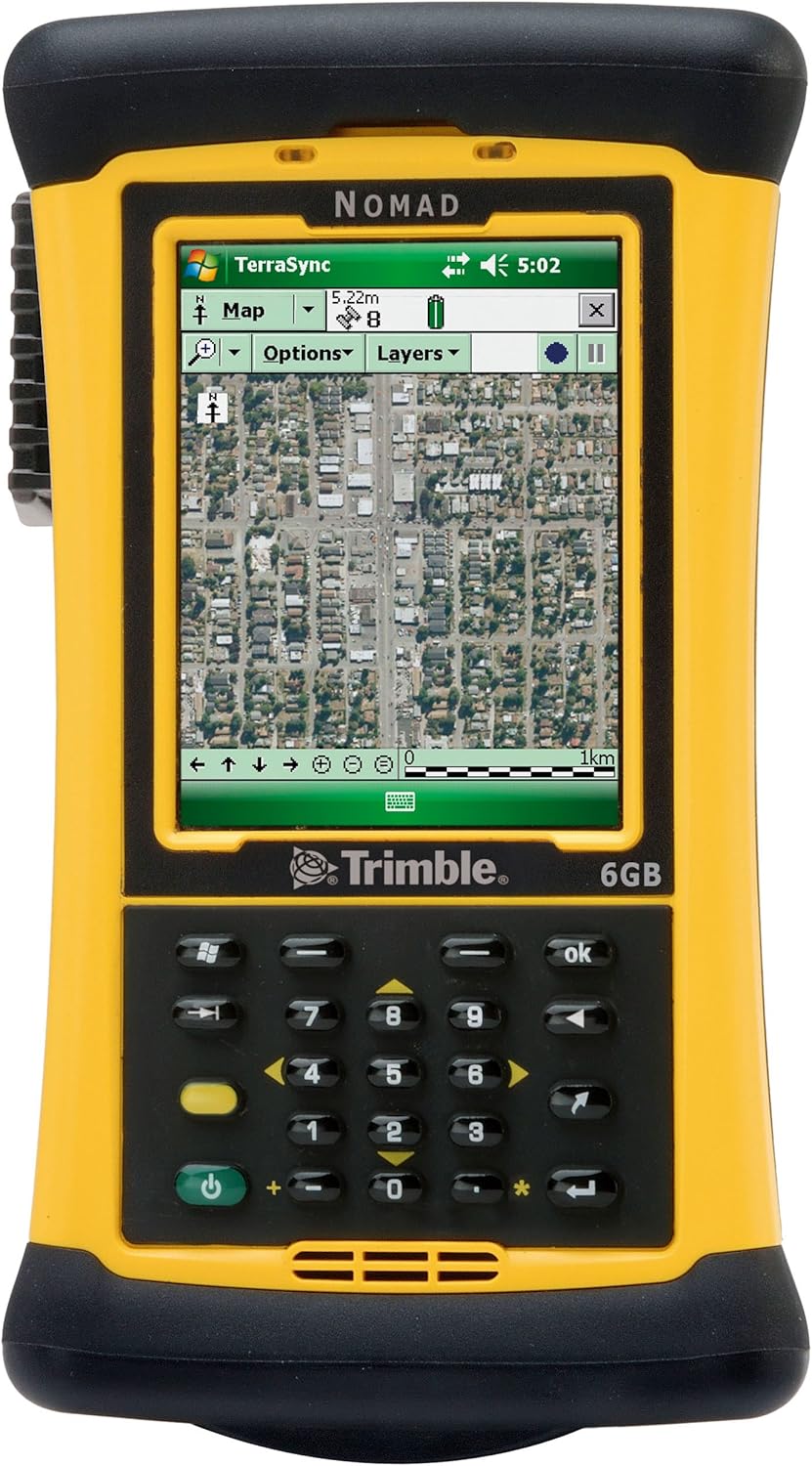
Figure 1: Front view of the Trimble Nomad 900LE handheld computer. The device is yellow and black, featuring a color display showing a topographic map, and a numeric keypad below it. The screen displays "NOMAD" at the top, "TerraSync" application, and "Trimble" logo at the bottom. The keypad includes numeric keys, navigation arrows, and function buttons.
Package Contents
Before proceeding with setup, ensure all components are present in the package:
- Trimble Nomad 900LE Handheld Computer
- Lithium-ion Battery (5200mAh)
- GPS Module
- Sensor
- Power Adapter (not explicitly listed but implied for charging)
- USB Cable (not explicitly listed but implied for data transfer)
Setup
1. Battery Installation and Charging
- Locate the battery compartment on the rear of the Nomad 900LE.
- Insert the 5200mAh Lithium-ion battery, ensuring proper alignment of the contacts.
- Secure the battery compartment cover.
- Connect the power adapter to the device's charging port and plug it into a power outlet. Allow the device to charge fully before first use. The battery indicator on the screen will show charging status.
2. Initial Power On
- Press and hold the power button (typically green) on the keypad until the screen illuminates.
- Follow the on-screen prompts for initial setup, which may include language selection, date/time settings, and calibration.
3. Operating System (Windows)
The Nomad 900LE runs on a Windows operating system. Familiarize yourself with the basic navigation and file management within this environment.
Operating Instructions
Keypad Navigation
The numeric keypad allows for precise data entry and navigation. Use the arrow keys for directional movement and the 'OK' button for selection. The dedicated Windows key provides quick access to the Start menu.
GPS Functionality
- Ensure the GPS module is active for location services.
- The device supports topographic map types, ideal for outdoor navigation and data collection.
- Applications like TerraSync (visible on the device screen) are used for advanced GPS data management and mapping.
Connectivity (Bluetooth)
The Nomad 900LE supports Bluetooth connectivity for wireless data transfer and peripheral connections. Refer to the device's Bluetooth settings for pairing instructions.
Rugged Design Considerations
This device is built with a rugged design for durability in harsh environments. While robust, avoid unnecessary impacts and exposure to extreme conditions beyond its specified operating limits.
Maintenance
Cleaning
- Use a soft, damp cloth to clean the exterior of the device.
- For the screen, use a screen-specific cleaner and a microfiber cloth to avoid scratches.
- Do not use abrasive cleaners or solvents.
Battery Care
- To maximize battery life, avoid fully discharging the Lithium-ion battery frequently.
- Store the device in a cool, dry place when not in use for extended periods.
Software Updates
Regularly check for and install operating system and application updates to ensure optimal performance and security. Refer to the device's system settings for update options.
Troubleshooting
Device Not Powering On
- Ensure the battery is properly installed and fully charged.
- Connect the device to the power adapter and attempt to power on while charging.
GPS Signal Issues
- Ensure you have a clear view of the sky, away from tall buildings or dense foliage.
- Verify that the GPS module is enabled in the device settings.
- Restart the device to refresh GPS connections.
Screen Unresponsive
- Perform a soft reset by pressing and holding the power button until the device restarts.
- If issues persist, a hard reset may be necessary (consult advanced user guides for this procedure, as it may erase data).
Specifications
| Feature | Detail |
|---|---|
| Model Name | Nomad 900LE |
| Brand | Diginex |
| Manufacturer | Trimble Navigation |
| Processor | 806MHz |
| RAM | 128MB |
| Flash Storage | 1GB |
| Battery | 5200mAh Lithium-ion |
| Operating System | Windows |
| Display Size | 4.2 Inches |
| Keypad | Numeric Keypad |
| Connectivity | Bluetooth |
| Special Feature | Rugged Design |
| Map Type Supported | Topographic |
| Included Components | GPS, Sensor |
| Item Weight | 1 Pounds |
| Mounting Type | Dashboard Mount, Panel Mount |
| Vehicle Service Type | Boat, Car, RV, SUV, Truck |
Warranty and Support
Specific warranty details for the Trimble Nomad 900LE are typically provided at the point of purchase or within separate documentation included with the product. For detailed warranty information, service, or technical support, please refer to the official Diginex or Trimble Navigation support channels.
- Manufacturer: Trimble Navigation
- Brand: Diginex
- Contact Information: Please visit the official Diginex or Trimble Navigation website for the most current support contact details, including phone numbers, email, and online resources.