
Introduction
The boAt Rugby wireless portable stereo speaker is designed to deliver an incomparable music experience with extra bass and clear vocal clarity. This rugged and portable audio companion is built to withstand outdoor conditions while providing powerful sound. Featuring state-of-the-art boAt technology and a built-in microphone, it's perfect for capturing sound and is convenient to carry for any occasion.

Image: Top view of the boAt Rugby Bluetooth Speaker, showcasing its oval shape and blue casing with black speaker grilles.
What's in the Box
Your boAt Rugby speaker package includes the following items:
- boAt Rugby Speaker
- Charging Cable (Micro USB)
- AUX Cable
- User Manual
- Warranty Card
Product Features
The boAt Rugby speaker offers a range of features designed for an enhanced audio experience:
- 10W RMS Stereo Output: Delivers powerful and clear audio.
- Bluetooth v2.1 with 10m range: Provides stable wireless connectivity up to 10 meters.
- Audio Input via AUX: Allows wired connection for non-Bluetooth devices.
- Battery Capacity of 1800mAh: Offers up to 8 hours of playback time (at 70% volume).
- Built-in Microphone: Enables hands-free calling.
- Stylish Portable Design: Easy to carry and visually appealing.

Image: The boAt Rugby speaker positioned on a grass field, emphasizing its robust and dynamic industrial design suitable for outdoor use.
Setup
Initial Charging
Before first use, it is recommended to fully charge your boAt Rugby speaker. Connect the provided Micro USB charging cable to the speaker's charging port and the other end to a USB power adapter (not included) or a computer's USB port. The charging indicator light will illuminate during charging and turn off when fully charged. A full charge takes approximately 2.5 hours.
Powering On/Off
- To power on, press and hold the power button until you hear an audible prompt or see the LED indicator light up.
- To power off, press and hold the power button again until the speaker shuts down.
Operating Instructions
Bluetooth Pairing
- Ensure the speaker is powered on and in Bluetooth pairing mode (indicated by a blinking blue LED).
- On your smartphone, tablet, or other Bluetooth-enabled device, navigate to the Bluetooth settings.
- Search for available devices and select "boAt Rugby" from the list.
- Once paired, the speaker will provide an audible confirmation, and the LED will turn solid blue.
- The speaker will automatically connect to the last paired device when powered on, if within range.

Image: Side view of the boAt Rugby speaker, emphasizing its wireless Bluetooth connectivity and portable design with an attached rope.
AUX Connection
For devices without Bluetooth, use the provided AUX cable. Insert one end into the speaker's 3.5mm AUX input port and the other end into your device's audio output. The speaker will automatically switch to AUX mode.

Image: Rear view of the boAt Rugby speaker, highlighting the 3.5mm AUX input and charging port, along with text indicating its 8-hour battery life and AUX compatibility.
Controls
The boAt Rugby speaker features integrated controls for easy management of your audio and calls:
- Power Button: Press and hold to power on/off.
- Volume Up (+): Short press to increase volume.
- Volume Down (-): Short press to decrease volume.
- Play/Pause Button: Short press to play or pause music.
- Call Button: Short press to answer/end calls. Press and hold to reject calls.

Image: Top view of the boAt Rugby speaker, displaying its integrated control panel with buttons for power, volume adjustment, play/pause, and call handling, emphasizing the built-in microphone.
Audio Performance
Experience rich and dynamic sound with the boAt Rugby speaker's advanced audio features:
- 10 Watts Amplification: Two 5-watt drivers provide a loud and clear sound experience.
- 2.1 Channel Audio System: Adds stereo and dynamic depth to your audio.
- Passive Radiator: Enhances bass for a deeper, more impactful sound.
- Echo and Noise Cancelling: Superior boAt Sound technology reduces echo and cancels ambient noise for clearer audio.
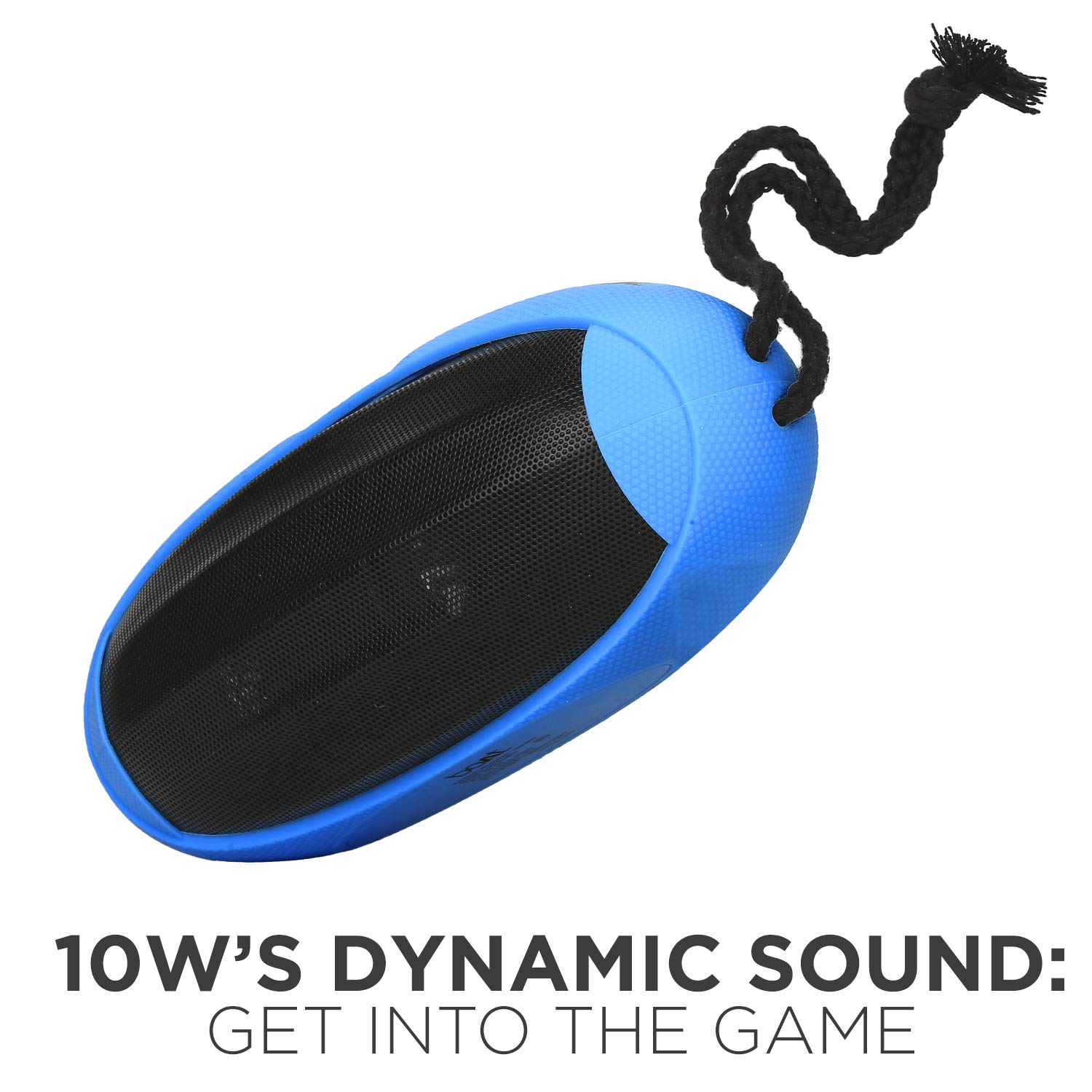
Image: Side view of the boAt Rugby speaker, highlighting its 10W dynamic sound output for an immersive audio experience.

Image: Top view of the boAt Rugby speaker, emphasizing its passive bass radiator for enhanced low-frequency sound.
Battery and Charging
The boAt Rugby speaker is equipped with an 1800 mAh lithium-ion polymer rechargeable battery, providing extended playback time.
- Playback Time: Up to 8 hours on a single charge (at 70% volume).
- Charging Time: Approximately 2.5 hours for a full charge.
- Charging Indicator: A small red LED indicator on the side panel blinks when charging and turns solid when fully charged. It also blinks when the battery is low.
Troubleshooting
| Problem | Possible Cause | Solution |
|---|---|---|
| Speaker does not power on. | Low battery; Power button not pressed correctly. | Charge the speaker fully. Press and hold the power button for a few seconds. |
| Cannot pair via Bluetooth. | Speaker not in pairing mode; Device Bluetooth off; Too far from speaker. | Ensure speaker is blinking blue. Turn device Bluetooth on/off. Move device closer (within 10m). Forget previous pairings on device. |
| No sound from speaker. | Volume too low; Incorrect input mode; Device not playing audio. | Increase speaker and device volume. Ensure correct mode (Bluetooth/AUX). Check audio playback on device. |
| Distorted sound. | Volume too high; Weak Bluetooth signal. | Reduce volume on speaker and device. Move device closer to speaker. |
Specifications
| Feature | Detail |
|---|---|
| Model Name | Rugby |
| Speaker Type | Outdoor |
| Special Feature | Built-in Microphone |
| Compatible Devices | Tablet, Mobile |
| Surround Sound Channel Configuration | 2.1 |
| Colour | Blue |
| Battery Life | 8 Hours |
| Battery Capacity | 1800 mAh |
| Product Dimensions | 8.1D x 19W x 8.1H Centimeters |
| Item Weight | 480 Grams |
| Is Waterproof | TRUE |
| RMS Power Range - Amplifiers | 10 Watts |
| Connectivity Technology | Bluetooth |
| Audio Output Mode | Stereo |
Warranty and Support
The boAt Rugby speaker comes with a 1-year warranty from the date of purchase, covering technical issues. Physical damage is not covered under warranty.
For any product-related issues, warranty claims, or support, please refer to the official boAt support channels. You can find information on service centers or initiate a door-to-door replacement process through their customer support portal.
Product Overview Video
Video: An overview of the boAt Rugby Bluetooth Speaker, detailing its features and benefits.
Warranty and Replacement Process
Video: A guide on the boAt product replacement process, including how to register a complaint and track its status.


