
Introduction
This manual provides detailed instructions for the setup, operation, and maintenance of your Casio DQD-805J-2JF Digital Alarm Clock. Please read this manual thoroughly to ensure proper use and to fully utilize all features of your device.

Figure 1: Front view of the Casio DQD-805J-2JF digital alarm clock. The display shows time, date, temperature, and humidity. Buttons for alarm, monitor, wave reception, set, reset, and snooze/light are visible below the display.
Product Features
- Digital Display: Clear and easy-to-read time, date, temperature, and humidity.
- Radio-Controlled Timekeeping (Wave Ceptor): Automatically synchronizes with atomic time signals for accurate time.
- Alarm Function: Daily alarm with adjustable settings.
- Snooze Function: Temporarily pauses the alarm for additional rest.
- Backlight: Illuminates the display for visibility in low-light conditions.
- Temperature and Humidity Monitor: Displays current indoor temperature and humidity levels.
- Compact Design: Portable and suitable for various indoor environments.

Figure 2: The Casio DQD-805J-2JF clock is equipped with a temperature and humidity meter, making it suitable for creating a comfortable environment in bedrooms and desk areas. Its compact size also allows for easy portability.
Component Identification
Familiarize yourself with the various parts and controls of your alarm clock.
Front Panel Controls:
- Alarm Button: Activates or deactivates the alarm.
- Alarm Monitor Button: Previews the alarm sound.
- Wave Reception Button: Initiates manual radio wave time synchronization.
- Set Button: Enters setting mode for time, date, and alarm.
- Reset Button: Resets the clock to factory defaults (requires a pointed object).
- Snooze/Light Button: Activates snooze during an alarm or illuminates the display.
- +/- Buttons: Adjusts values during setting mode.
- Snooze ON/OFF Slider: Enables or disables the snooze function.
Display Indicators:
- Time Display: Shows current hour, minute, and second.
- Date Display: Shows month and day.
- Temperature Display: Shows current ambient temperature in Celsius.
- Humidity Display: Shows current ambient humidity percentage.
- Wave Reception Indicator: Shows status of radio signal reception.
- Alarm ON Indicator: Appears when the alarm is active.
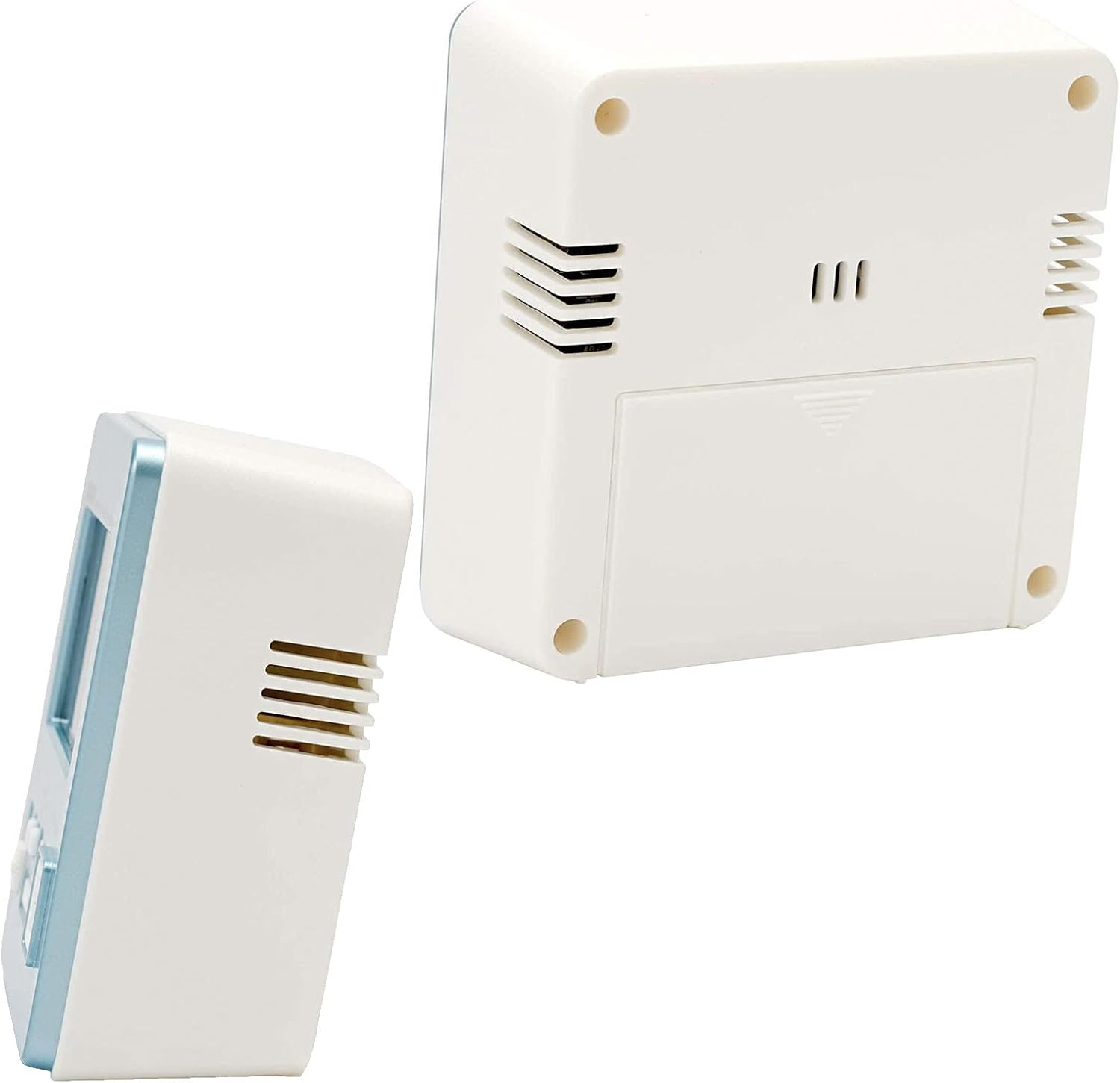
Figure 3: Rear and side view of the alarm clock, showing the battery compartment and ventilation slots.
Setup
1. Battery Installation
- Open the battery compartment cover located on the back of the clock.
- Insert the required batteries (typically AA or AAA, refer to the battery compartment label) ensuring correct polarity (+/-).
- Close the battery compartment cover securely.
2. Initial Power On and Radio Wave Reception
Upon battery installation, the clock will attempt to receive the time calibration signal automatically. This process may take several minutes.
- Place the clock near a window for optimal signal reception.
- The wave reception indicator on the display will show the signal strength.
- Once successful, the clock will display the correct time and date automatically.

Figure 4: The Casio Wave Ceptor technology ensures accurate time display through radio signal reception.
3. Manual Time and Date Setting (if automatic reception fails)
- Press and hold the Set button until the time digits begin to flash.
- Use the +/- buttons to adjust the hour, then press Set to confirm and move to minutes.
- Repeat this process for minutes, year, month, and day.
- Press Set again to exit the setting mode.
4. Setting the Alarm
- Press the Alarm button to enter alarm setting mode. The alarm time will flash.
- Use the +/- buttons to set the desired alarm hour, then press Alarm to confirm and move to minutes.
- Use the +/- buttons to set the desired alarm minutes.
- Press Alarm again to exit alarm setting mode. The alarm ON indicator will appear on the display.
Operating Instructions
1. Viewing Time, Date, Temperature, and Humidity
The clock continuously displays the current time, date, temperature, and humidity. No specific action is required to view these.
2. Activating/Deactivating the Alarm
Press the Alarm button once to toggle the alarm ON or OFF. The alarm ON indicator will show its status.
3. Using the Snooze Function
- Slide the Snooze ON/OFF switch to the ON position to enable snooze.
- When the alarm sounds, press the large Snooze/Light button to activate snooze. The alarm will pause and sound again after a few minutes (typically 5 minutes).
- To stop the alarm completely, slide the Snooze ON/OFF switch to OFF or press any other button except Snooze/Light.
4. Using the Backlight
Press the large Snooze/Light button to illuminate the display for a few seconds.
5. Manual Radio Wave Reception
If you wish to manually attempt time synchronization, press the Wave Reception button. The clock will begin searching for the signal. Ensure the clock is in an area with good reception.
Maintenance
1. Cleaning
- Wipe the clock with a soft, dry cloth.
- Do not use abrasive cleaners, solvents, or chemical sprays, as these can damage the casing or display.
2. Battery Replacement
When the display becomes dim or the clock functions erratically, it is time to replace the batteries. Follow the battery installation steps in the Setup section.
3. Storage
If storing the clock for an extended period, remove the batteries to prevent leakage and damage.
Troubleshooting
| Problem | Possible Cause | Solution |
|---|---|---|
| Display is blank or dim. | Low or dead batteries. | Replace batteries with new ones. |
| Alarm does not sound. | Alarm is deactivated. | Press the Alarm button to activate the alarm (alarm ON indicator should appear). |
| Incorrect time displayed. | Poor radio signal reception; manual time not set. | Move the clock to a location with better reception or perform manual time setting. |
| Radio wave reception fails. | Interference; clock too far from transmitter; environmental factors. | Place the clock near a window, away from electronic devices. Try manual reception. |
Specifications
- Brand: Casio
- Model Number: DQD-805J-2JF
- Colour: Light Blue
- Product Dimensions: 7.8 x 3.81 x 8.2 cm (approximately 3.07 x 1.5 x 3.23 inches)
- Item Weight: 135 g (approximately 4.76 ounces)
- Display Type: Digital
- Power Source: Battery (Mechanical/Kinetic listed in product data, but typically battery for digital clocks)
- Indoor/Outdoor Usage: Indoor

Figure 5: Dimensions of the Casio DQD-805J-2JF alarm clock: 7.8 cm width, 4.9 cm depth, and 8.2 cm height. Weight is approximately 135g.
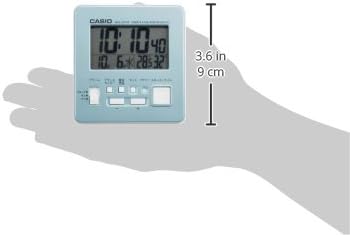
Figure 6: A hand holding the clock, illustrating its compact and portable design, with a height of approximately 9 cm (3.6 inches).
Warranty Information
For specific warranty details, please refer to the warranty card included with your product or visit the official Casio website. Casio typically offers a limited warranty covering manufacturing defects from the date of purchase.
Support
If you encounter issues not covered in this manual or require further assistance, please contact Casio customer support through their official website or the contact information provided in your product packaging.
You can visit the official Casio store for more information: Casio Store on Amazon