
Introduction
Thank you for purchasing the ieGeek Smartphone Car Holder. This manual provides essential information for the proper setup, operation, and maintenance of your device. Please read these instructions carefully before use and retain them for future reference.
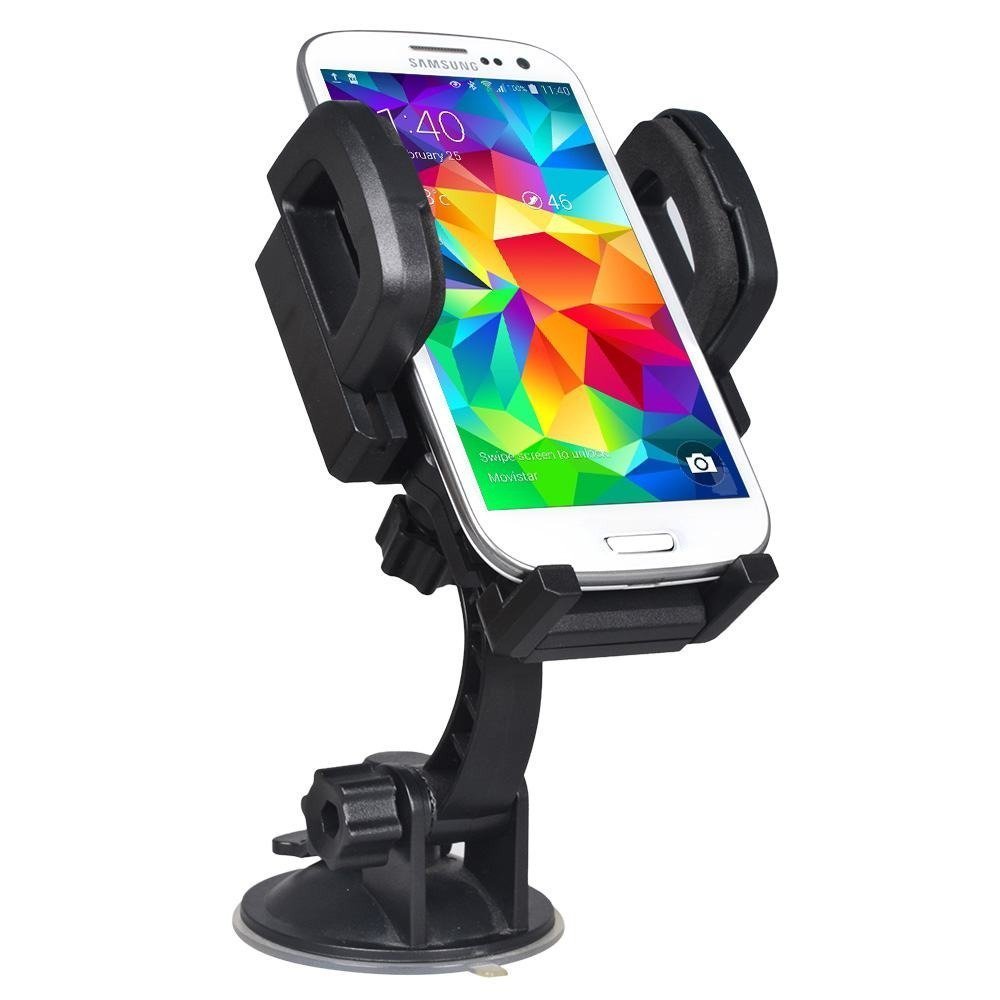
Image: The ieGeek Smartphone Car Holder, featuring a suction cup base and an adjustable phone cradle.
Product Overview
The ieGeek Smartphone Car Holder is designed to securely hold your smartphone in your vehicle, offering 360-degree rotation for optimal viewing angles. It consists of the following main components:
- Suction Cup Base: For attaching the holder to a smooth, flat surface.
- Adjustable Arm: Connects the suction cup base to the phone cradle, allowing for angle adjustments.
- Phone Cradle: Holds the smartphone securely with adjustable side grips and a bottom support.

Image: Side view of the car holder, showing the suction cup, adjustable arm, and phone cradle.

Image: The phone cradle showing its adjustable width (up to 92mm) and the release button.
Setup
- Choose a Mounting Location: Select a smooth, flat surface in your vehicle, such as the windshield or a smooth part of the dashboard. For optimal adhesion, a glass surface (windshield) is recommended.
- Clean the Surface: Ensure the chosen surface is clean and free of dust, grease, or moisture. Use a clean cloth to wipe the area.
- Attach the Suction Cup: Press the suction cup firmly against the cleaned surface. While pressing, push down the lever on the suction cup base to create a vacuum seal.
- Adjust the Arm: Loosen the adjustment knob on the arm to position the phone cradle at your desired height and angle. Tighten the knob to secure the arm in place.
- Insert Your Smartphone: Press the release button on the side of the phone cradle to expand the grips. Place your smartphone into the cradle and gently squeeze the grips until it is held securely.

Image: The car holder securely mounted on a vehicle's windshield.

Image: The car holder mounted on a vehicle's dashboard.
Operating Instructions
Once the holder is securely mounted and your smartphone is in place, you can adjust its position for optimal viewing.
- Adjusting Viewing Angle: The phone cradle can be rotated 360 degrees. Gently rotate the cradle to switch between portrait and landscape orientations or to adjust the viewing angle as needed.
- Inserting/Removing Smartphone: To insert, press the release button on the side of the cradle to open the grips, place your phone, and then gently push the grips inward until the phone is secure. To remove, press the release button to widen the grips and lift your phone out.

Image: Illustration of the 360-degree rotation capability of the phone cradle, allowing for both portrait and landscape viewing.
Maintenance
Proper maintenance will extend the life of your car holder.
- Cleaning the Suction Cup: If the suction cup loses its stickiness, rinse it with warm water and let it air dry completely. Do not use harsh chemicals or abrasive materials.
- Cleaning the Holder: Wipe the main body of the holder with a soft, damp cloth. Avoid submerging the entire unit in water.
- Storage: When not in use for extended periods, store the holder in a cool, dry place away from direct sunlight and extreme temperatures.
Troubleshooting
| Problem | Solution |
|---|---|
| Suction cup does not stick to the surface. |
1. Ensure the mounting surface is clean, smooth, and dry. Dust or grease can prevent proper adhesion. 2. For best results, mount the holder on a smooth glass surface like the windshield. The suction cup may not adhere effectively to textured or porous dashboard surfaces. 3. Rinse the suction cup with warm water and let it air dry to restore stickiness. |
| Phone holder grips are loose or not securing the phone. |
1. Ensure the release button is not stuck or partially pressed. 2. Verify that your smartphone's width is within the adjustable range of the holder (approximately 50mm to 92mm). 3. Check for any obstructions in the gripping mechanism. |
| The holder falls off during driving. |
1. Re-attach the suction cup following the setup instructions, ensuring a strong vacuum seal. 2. Avoid mounting on surfaces exposed to extreme temperature fluctuations, which can affect suction cup performance. 3. Consider mounting on the windshield for a more secure hold compared to some dashboard materials. |
Specifications
| Feature | Detail |
|---|---|
| Brand | ieGeek |
| Model Number | B010B13WP2 |
| GTIN / UPC | 889328046934 |
| Mounting Type | Suction Cup (Dashboard/Windshield) |
| Compatible Devices | Smartphones (e.g., iPhone 5C, iPhone 5S, iPhone 6S) |
| Features | 360-degree Rotatable |
| Product Exterior Material | Rubber (suction cup), Plastic (body) |
| Adjustable Cradle Width | Approx. 50mm - 92mm |
| Arm Length | Approx. 107mm |
| Total Height | Approx. 107mm |

Image: Detailed dimensions of the ieGeek Smartphone Car Holder.
Warranty and Support
Specific warranty information and direct support contact details are not available in this manual. Please refer to the product packaging or the retailer's website for warranty terms and customer support options.
For general inquiries or assistance, you may visit the ieGeek official website or contact the seller directly through your purchase platform.