
Introduction
The Superior Electronics Freedom 2in1 is a universal programmable remote control designed to operate up to two different audio/video devices. This manual provides comprehensive instructions for setup, operation, maintenance, and troubleshooting to ensure optimal performance and longevity of your device.
Safety Information
- Do not expose the remote control to direct sunlight, heat sources, or extreme temperatures.
- Avoid dropping the remote control or subjecting it to strong impacts.
- Do not immerse the remote control in water or any other liquid.
- Keep batteries out of reach of children. If swallowed, seek immediate medical attention.
- Dispose of used batteries according to local regulations.
Package Contents
Please verify that all items are present in the package:
- Superior Electronics Freedom 2in1 Universal Remote Control
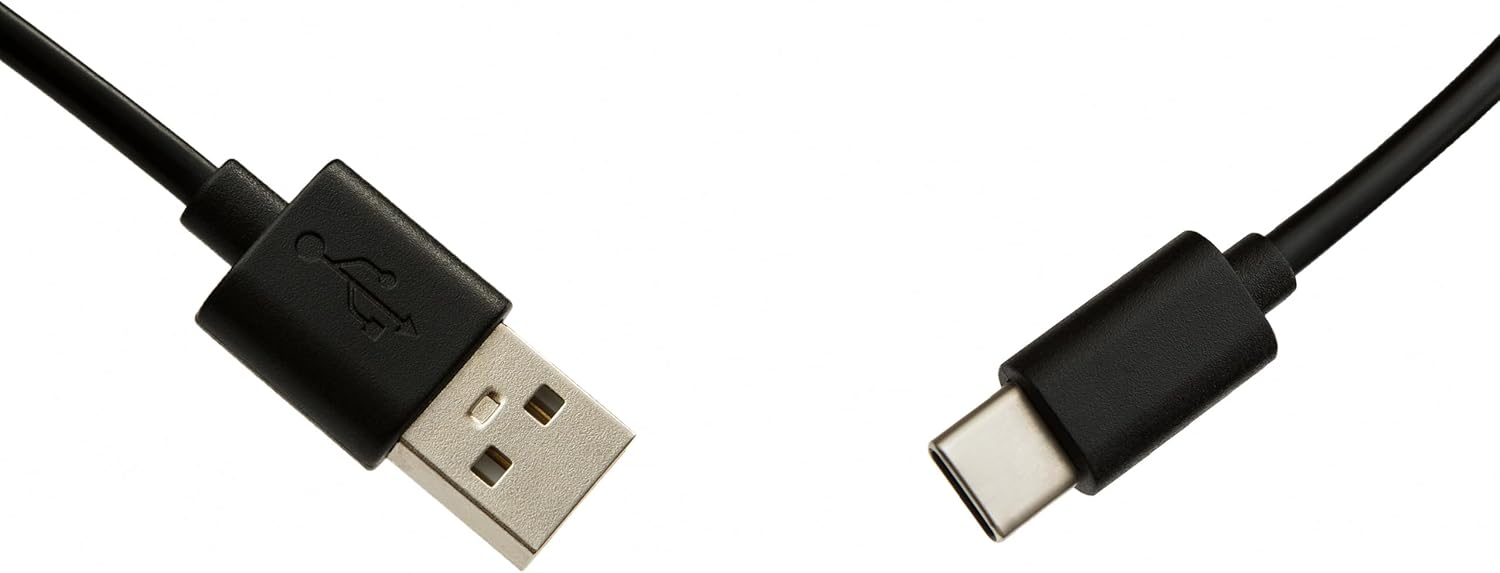
- USB-C Cable for programming
- User Manual (this document)
Setup
1. Battery Installation
The remote control requires two AAA batteries (not included). To install:
- Open the battery compartment cover on the back of the remote control.
- Insert two AAA batteries, ensuring correct polarity (+ and -).
- Close the battery compartment cover securely.
2. Programming Your Remote Control
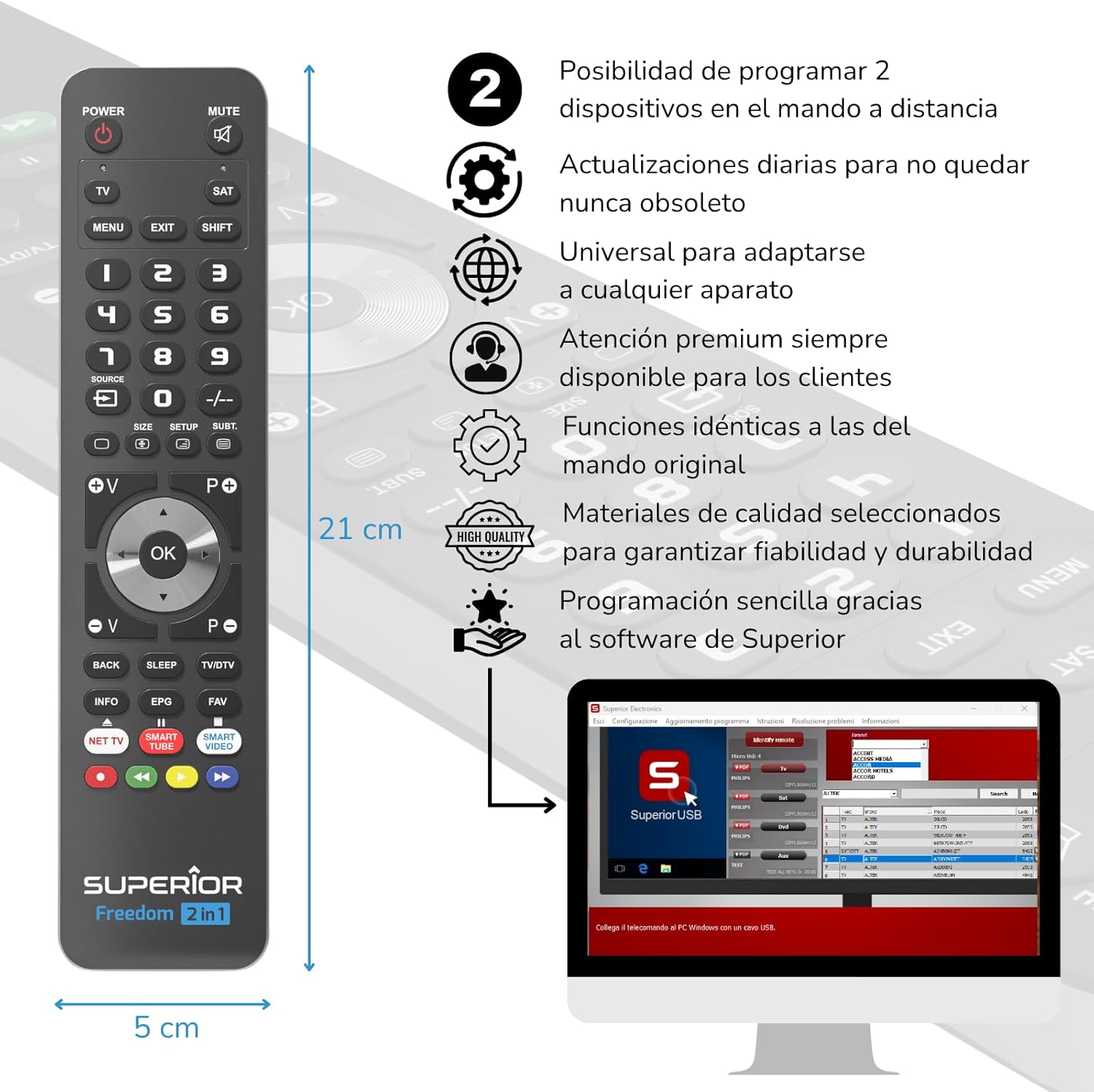
The Superior Electronics Freedom 2in1 remote control is programmable via a computer using the included USB-C cable and Superior's dedicated software. This allows for quick and accurate setup for a wide range of devices.
- Download Software: Visit the official Superior Electronics website to download the latest programming software for your Freedom 2in1 remote.
- Connect Remote: Connect the remote control to your computer using the provided USB-C cable.
- Launch Software: Open the Superior programming software on your computer.
- Select Device: Follow the on-screen instructions to select the brand and model of the device you wish to control (e.g., TV, SAT, DVD, Soundbar). The software utilizes a leading European database with over 260,000 compatible devices.
- Program: Initiate the programming process. Programming is typically completed in less than one minute by double-clicking the desired brand and model within the software.
- MAP Function: The dedicated MAP function allows you to recover the original remote control functions on the Superior Freedom keypad, ensuring all original functionalities are available.

Operating Instructions
Once programmed, your Superior Electronics Freedom 2in1 remote control is ready for use. It can control up to two devices, such as TVs, Smart TVs, decoders, DVD players, projectors, and soundbars.

Button Functions Overview:
- POWER: Turns the selected device on or off.
- MUTE: Mutes or unmutes the audio.
- TV / SAT: Selects the device to be controlled (e.g., TV or Satellite receiver).
- MENU / EXIT: Accesses or exits the device's menu.
- SHIFT: Activates secondary functions of certain buttons.
- 0-9: Number buttons for direct channel input.
- SOURCE: Changes the input source on your TV.
- +/-: Adjusts channel up/down or navigates through menus.
- SIZE / SETUP / SUBT.: Specific functions depending on the device.
- Volume (V+/-) / Channel (P+/-): Adjusts volume and changes channels.
- Navigation (Up, Down, Left, Right, OK): Navigates through menus and confirms selections.
- BACK / SLEEP / TV/DTV: Returns to previous screen, sets sleep timer, or switches between TV/Digital TV modes.
- INFO / EPG / FAV: Displays information, Electronic Program Guide, or Favorite channels.
- NET TV / SMART TUBE / SMART VIDEO: Dedicated buttons for smart TV applications.
- Color Buttons (Red, Green, Yellow, Blue): Used for specific functions within menus or smart TV apps.
The maximum operating range of the remote control is 10 meters.
Maintenance
Cleaning
To clean the remote control, use a soft, dry cloth. Do not use abrasive cleaners, solvents, or chemical agents, as these may damage the surface or internal components.
Battery Replacement
When the remote control's performance diminishes or it stops responding, it is likely time to replace the batteries. Follow the battery installation steps outlined in the Setup section.
Troubleshooting
- Remote not responding: Ensure batteries are correctly inserted and not depleted. Replace batteries if necessary.
- Device not controlling: Verify that the remote is pointed directly at the device's IR receiver. Ensure there are no obstructions between the remote and the device.
- Incorrect functions: The remote may not be programmed correctly for your specific device model. Re-program the remote using the Superior Electronics software and ensure you select the correct brand and model.
- Limited functionality: If some functions are missing, use the MAP function in the programming software to ensure all original remote functions are mapped to the Freedom 2in1.
If issues persist after following these steps, please contact Superior Electronics customer support.
Specifications
| Model Number | SUPTUB002 |
| Brand | Superior Electronics |
| Dimensions | 23 x 5 x 1.5 cm |
| Weight | 80 g |
| Batteries Required | 2 x AAA (not included) |
| Connectivity | USB-C (for programming) |
| Maximum Devices Supported | 2 |
| Maximum Range | 10 Meters |
| Compatible Devices | TVs, Smart TVs, Decoders, DVD players, Projectors, Soundbars, Hi-Fi systems |
Warranty and Support
Superior Electronics is committed to providing high-quality products and excellent customer service.
- Software Updates: Enjoy free and constant updates for your remote control's programming database, ensuring compatibility with new devices.
- Customer Assistance: Premium customer assistance is available 7 days a week to address any questions or issues you may encounter.
For further assistance, please visit the official Superior Electronics website or contact their customer support directly.


