
1. Introduction
The AUTOOL BT-460 Battery Tester is a professional diagnostic tool designed for testing 12V and 24V lead-acid, AGM, GEL, and EFB batteries. It provides comprehensive analysis of battery health, cranking system performance, charging system efficiency, and maximum load capacity. This manual provides detailed instructions for the proper use and maintenance of your BT-460 device.
2. Product Overview
2.1. Components
The AUTOOL BT-460 consists of the main testing unit with a 4-inch TFT colorful display and integrated test clamps for connection to the battery.

Image 2.1: AUTOOL BT-460 Battery Tester with labeled components and dimensions. Key parts include the LCD screen, COM connecting line, clamps, ESC button, and OK button.
2.2. Key Features
- Battery & Cranking & Charging & Max Load Test: Performs comprehensive tests on the battery, starter, charging system, and under maximum load.
- Professional & Safety: Supports various global battery standards (CCA, IEC, EN, DIN, JIS, SAE) and features polarity reverse protection to prevent damage to the device and battery.
- HD Color Screen: Equipped with a 4-inch TFT colorful display for clear readability.
- Multi-Language Support: Offers 12 language options including English, Spanish, German, French, Russian, Portuguese, Chinese, Turkish, Japanese, Thai, and Korean.
- High Accuracy: Provides precise testing reports within milliseconds.
- Data Integrity: Displays basic battery parameters such as voltage, internal resistance, cold cranking amp (CCA), AH capacity, battery health, and charge status, along with professional advice.
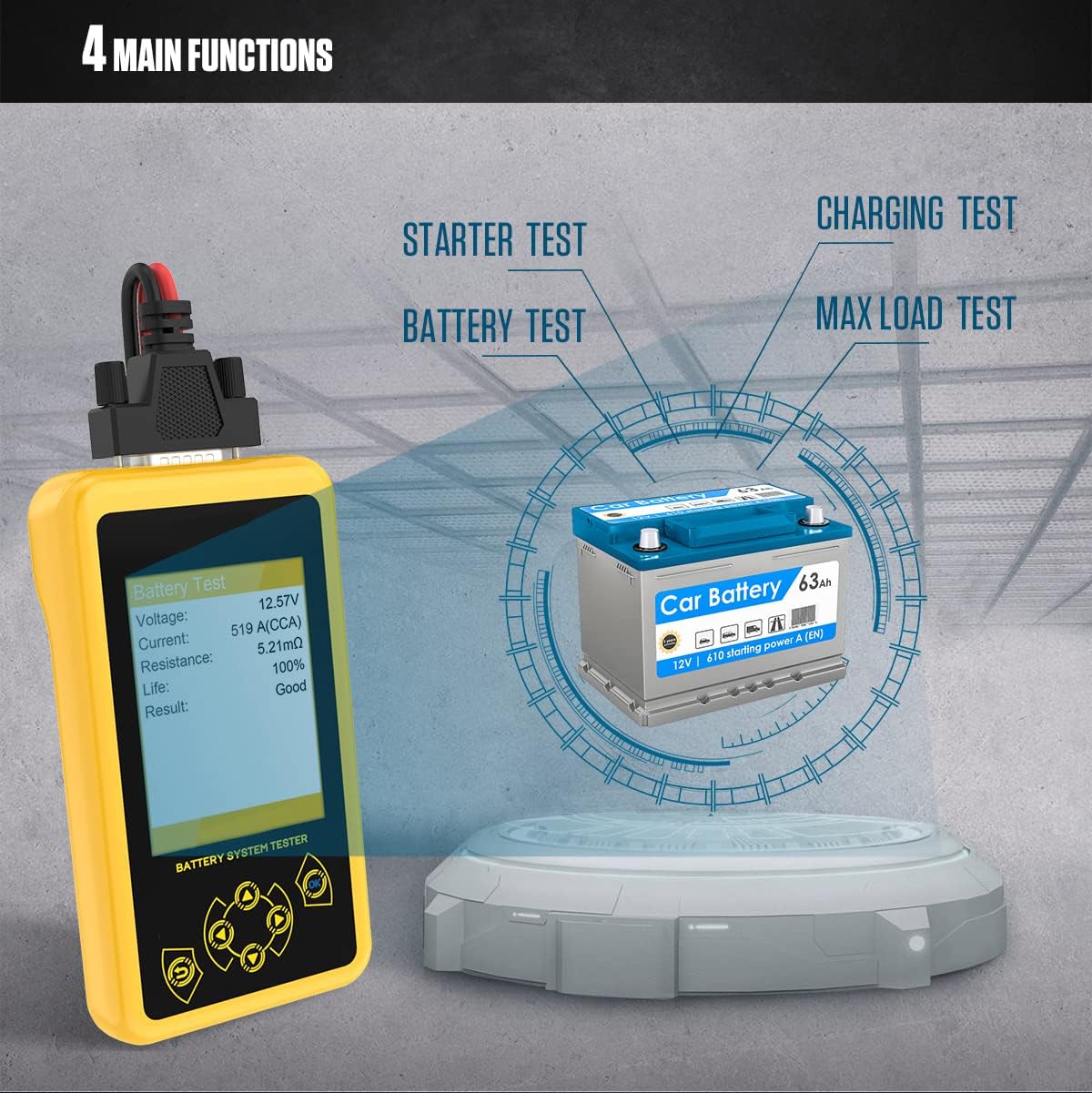
Image 2.2: Visual representation of the four main functional tests: Battery Test, Starter Test, Charging Test, and Max Load Test.
3. Setup and Initial Use
3.1. Connecting the Tester
- Ensure the vehicle engine is off and the ignition is in the OFF position.
- Connect the black clamp of the BT-460 to the negative (-) terminal of the vehicle battery.
- Connect the red clamp of the BT-460 to the positive (+) terminal of the vehicle battery.
- The tester will power on automatically once connected.

Image 3.1: Correct connection of the BT-460 clamps to a car battery, highlighting polarity reverse protection.
3.2. Language Selection
Upon initial power-on or when navigating to the 'Language Selection' option from the main menu, you can choose your preferred operating language. Use the navigation buttons to scroll through the available languages and press the 'OK' button to confirm your selection.

Image 3.2: The BT-460 display showing various language options for user interface.
4. Operating Instructions
The BT-460 offers several testing modes to diagnose different aspects of your vehicle's battery system. Navigate through the main menu using the arrow buttons and press 'OK' to select a test.
4.1. Battery Test
This test evaluates the overall health of the battery.
- From the main menu, select "1. Battery Test" and press 'OK'.
- Select the appropriate battery standard (e.g., CCA, IEC, EN, DIN, JIS, SAE) and input the rated CCA value of your battery.
- The tester will display the battery's voltage, current (CCA), internal resistance, life percentage, and overall result (e.g., Good, Charge, Replace).
4.2. Cranking System Test
This test assesses the performance of the vehicle's starter motor.
- From the main menu, select "2. Starter System Test" and press 'OK'.
- Follow the on-screen prompts to start the vehicle engine.
- The tester will measure the cranking voltage and display the current voltage, minimum starting voltage, and a pass/fail indication based on predefined thresholds.
4.3. Charging System Test
This test checks the alternator and charging circuit for proper operation.
- From the main menu, select "3. Charging System Test" and press 'OK'.
- Follow the on-screen prompts, which may include increasing engine RPM to approximately 2500 for a few seconds.
- The tester will display the maximum voltage, current voltage, minimum voltage, and indicate if the charging system is normal or requires attention.
4.4. Max Load Test
This test evaluates the battery's ability to maintain voltage under a significant electrical load.
- From the main menu, select "4. Max Load Test" and press 'OK'.
- Follow the on-screen prompts, which typically involve turning on high-beam headlights or other high-current accessories for a short period.
- The tester will display the current voltage, minimum voltage under load, and a comparison against a minimum acceptable value.

Image 4.1: Examples of test results displayed on the BT-460 screen for various diagnostic functions.
5. Specifications
- Model: AUTOOL BT-460
- Voltage Range: 12V & 24V
- Supported Battery Types: Lead-acid, AGM Flat Plate, AGM Spiral, GEL, EFB
- Measurement Standards: CCA, IEC, EN, DIN, JIS, SAE
- Test Ranges:
- CCA: 30-1700
- DIN: 30-1000
- IEC: 30-1000
- EN: 30-1700
- SAE: 30-1700
- JIS: 26A17-245H52
- Display: 4-inch TFT Colorful Display
- Dimensions (L x W x H): 10.2 x 5.8 x 2 inches
- Item Weight: 10.4 Ounces
- Upper Temperature Rating: 85 Degrees Celsius
- Power Source: Battery Powered (from vehicle battery)

Image 5.1: Detailed table of supported battery types, measurement standards, and their respective test ranges.
6. Maintenance
To ensure the longevity and accurate performance of your AUTOOL BT-460 Battery Tester, follow these maintenance guidelines:
- Cleaning: Wipe the device with a soft, dry cloth. Do not use abrasive cleaners or solvents.
- Storage: Store the tester in a cool, dry place away from direct sunlight and extreme temperatures.
- Cable Care: Inspect the test cables and clamps regularly for any signs of damage, fraying, or corrosion. Replace if necessary.
- Avoid Dropping: Protect the device from physical impact, as this can damage internal components or the display.
7. Troubleshooting
If you encounter issues with your BT-460, refer to the following common problems and solutions:
- Tester does not power on:
- Ensure the clamps are securely connected to the correct battery terminals (red to positive, black to negative).
- Verify the vehicle battery has sufficient voltage (above 8V) to power the tester.
- Check for any damage to the connecting cables or clamps.
- Inaccurate test results:
- Ensure the battery terminals are clean and free of corrosion.
- Confirm that the correct battery type and CCA rating are entered into the tester.
- Make sure the battery is fully charged before performing a battery health test for most accurate results.
- Screen freezes or unresponsive:
- Disconnect the tester from the battery and reconnect it to perform a soft reset.
- Ensure the operating temperature is within the specified range.
If problems persist, please contact customer support.
8. Warranty and Support
The AUTOOL BT-460 Battery Tester comes with a 3-year warranty for damages caused by non-human factors. During this period, parts will be replaced free of charge.
For any technical assistance, warranty claims, or further inquiries, please contact AUTOOL customer support. Contact details can typically be found on the manufacturer's official website or through your point of purchase.


