
1. Product Overview
The ResMed AirFit P10 Nasal Pillow Cushion, model 62932, is a replacement component designed for use with the ResMed AirFit P10 and AirFit P10 for Her CPAP masks. This medium-sized cushion is engineered to provide a comfortable and effective seal for continuous positive airway pressure (CPAP) therapy. Its lightweight and small design aims to enhance user comfort during sleep.

Image: Exploded view of the ResMed AirFit P10 mask, showing the nasal pillow cushion as a separate, easily replaceable component. The cushion is marked with 'L' and 'R' for left and right nostrils, and 'M' for medium size.
Key Features:
- Dual-Wall Nasal Pillow Technology: Designed to provide stability and maintain a secure seal, preventing mask movement during sleep.
- QuietAir™ Vents: Engineered to reduce noise levels to approximately 21 decibels, ensuring a quieter sleep environment for both the user and their partner.
- Lightweight and Minimalist Design: Contributes to overall mask comfort and ease of use.

Image: A man wearing the ResMed AirFit P10 mask, demonstrating how the dual-wall nasal pillow cushion sits comfortably and securely in the nostrils, providing stability during use.

Image: A couple sleeping peacefully, both wearing ResMed AirFit P10 masks. The image emphasizes the quiet operation of the mask, attributed to its QuietAir vents, which reduce sound to 21 decibels.
2. Setup Instructions
Follow these steps to correctly attach the nasal pillow cushion to your ResMed AirFit P10 mask frame.
- Prepare the Mask Frame: Ensure your AirFit P10 mask frame is clean and free from any debris.
- Orient the Cushion: Identify the 'L' (Left) and 'R' (Right) markings on the nasal pillow cushion. These correspond to your left and right nostrils.
- Attach the Cushion: Gently push the nasal pillow cushion onto the mask frame until it clicks securely into place. Ensure the 'L' and 'R' sides align correctly with the corresponding openings on the frame.
- Verify Connection: Lightly tug on the cushion to confirm it is firmly attached and will not detach during use.
For detailed visual guidance, refer to the full mask user guide.
3. Operating Instructions
Proper placement and adjustment of your AirFit P10 mask with the nasal pillow cushion are crucial for effective therapy and comfort.
- Position the Cushion: Place the nasal pillows into your nostrils, ensuring a comfortable fit. The 'L' and 'R' markings should align with your left and right nostrils.
- Secure the Headgear: Pull the headgear over your head. The straps should sit comfortably around the back of your head, above your ears.
- Adjust for Seal: Gently adjust the headgear straps to achieve a secure but not overly tight seal. The cushion should feel snug in your nostrils without causing discomfort or pressure points. Avoid overtightening, as this can lead to leaks and irritation.
- Check for Leaks: Turn on your CPAP device. Lie down and breathe normally. Feel around the nasal pillows for any air leaks. If leaks occur, gently reposition the mask or adjust the headgear until the leaks are minimized.
- Comfort Check: Ensure the mask is comfortable and does not obstruct your vision or cause any skin irritation.
4. Maintenance and Cleaning
Regular cleaning and timely replacement of your nasal pillow cushion are essential for hygiene, optimal performance, and longevity.
Daily Cleaning:
- Disassemble: Separate the nasal pillow cushion from the mask frame.
- Soak: Soak the cushion in warm water (approximately 30°C / 86°F) with a mild liquid detergent for about 10 minutes.
- Brush: Gently brush the elbow and around the vent holes to remove any residue.
- Rinse: Rinse all components thoroughly under running water until all detergent residue is removed.
- Air Dry: Leave the cushion to air dry completely out of direct sunlight before reassembling.

Image: A visual guide outlining the steps for caring for your AirFit P10 cushion, including replacement, disassembly, soaking, brushing, and rinsing.
Cushion Replacement:
It is recommended to replace your mask cushion monthly, or at the first signs of deterioration. Replacing the cushion regularly helps maintain an effective seal and optimal therapy.
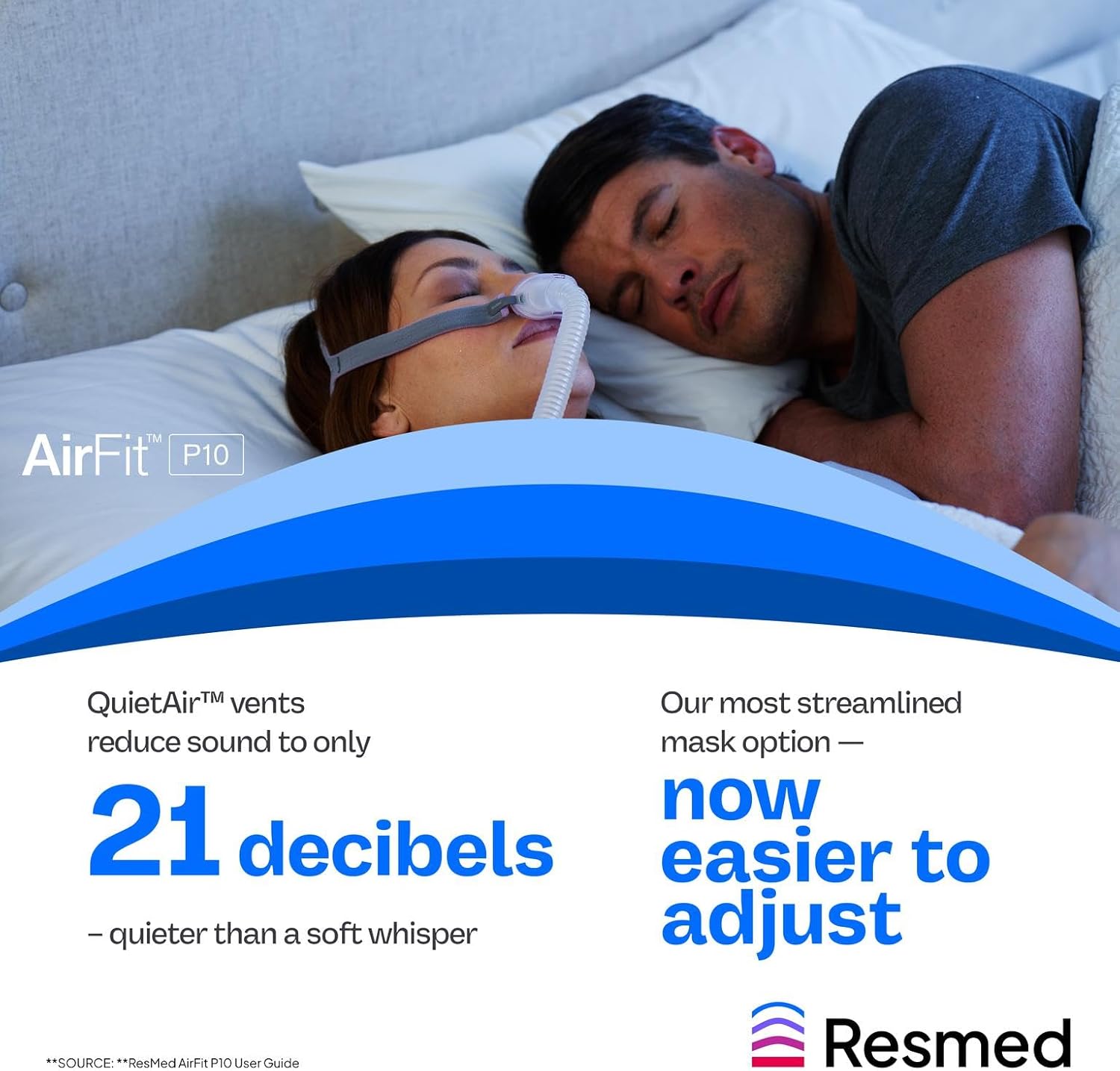
Image: A close-up of the ResMed AirFit P10 nasal pillow cushion, accompanied by a 'Replacement tip' recommending monthly replacement and listing signs of wear.
Signs it is time to replace your cushion:
- You frequently need to tighten the headgear straps to maintain a seal.
- The mask has lost its original spring or elasticity.
- Your sleep therapy feels less effective than usual.
- The cushion remains slippery or sticky even after thorough cleaning.
5. Troubleshooting
| Problem | Possible Cause | Solution |
|---|---|---|
| Air leaks around nasal pillows | Improper fit, worn-out cushion, incorrect size, headgear too loose/tight. | Reposition mask, adjust headgear, replace cushion if worn, ensure correct cushion size. |
| Discomfort or skin irritation | Mask overtightened, incorrect cushion size, allergic reaction to material, dirty cushion. | Loosen headgear, try a different cushion size, clean cushion thoroughly, consult healthcare provider if irritation persists. |
| Mask feels unstable or moves during sleep | Headgear too loose, cushion not properly seated, worn-out cushion. | Adjust headgear for a snug fit, ensure cushion is securely attached to frame, replace cushion if it has lost its elasticity. |
| Reduced therapy effectiveness | Significant air leaks, worn-out cushion. | Address air leaks as above, replace cushion monthly or as needed. Consult your healthcare provider if issues persist. |
6. Product Specifications
- Model Number: 62932
- Product Name: AirFit P10 Nasal Pillow Cushion
- Brand: ResMed
- Size: Medium
- Material: Silicone (as described in product reviews)
- Product Dimensions: 2.5 x 2.5 x 2 inches
- Item Weight: 0.32 ounces (0.02 Pounds)
- Noise Level (QuietAir™ vents): 21 decibels
- Recommended Replacement: Monthly or as needed
7. Warranty and Support
For specific warranty information regarding your ResMed AirFit P10 Nasal Pillow Cushion, please refer to the documentation provided with your complete ResMed AirFit P10 mask system or contact ResMed customer support directly.
If you require further assistance with setup, operation, maintenance, or troubleshooting that is not covered in this manual, please visit the official ResMed website or contact their customer service department. Always consult your healthcare provider for medical advice related to your CPAP therapy.
ResMed Official Website: www.resmed.com