
1. Product Overview
The AIRCARE CM330DWHT Companion Evaporative Humidifier is designed to add essential moisture to your indoor environment, improving air quality and comfort. This compact unit features digital controls and Trapmax Filter Technology for efficient operation.

Figure 1: Overview of the AIRCARE CM330DWHT Companion Evaporative Humidifier highlighting its compact design and key features.
2. Setup and Filling
Proper setup ensures optimal performance of your humidifier. Follow these steps to prepare your unit for use.
- Unpacking: Carefully remove all packaging materials and ensure all components are present.
- Placement: Place the humidifier on a flat, water-resistant surface in the area where humidification is desired. Ensure adequate space around the unit for air circulation.
- Filling the Reservoir:
- Remove the top section of the humidifier.
- Pour water directly into the reservoir. The unit features an easy-to-use pour-in-fill design.
- Fill until the water refill indicator shows full. The capacity is approximately 1.6 gallons.
- Optionally, add a humidifier bacteriostatic treatment to help keep the filter clean.
- Replace the top section securely.
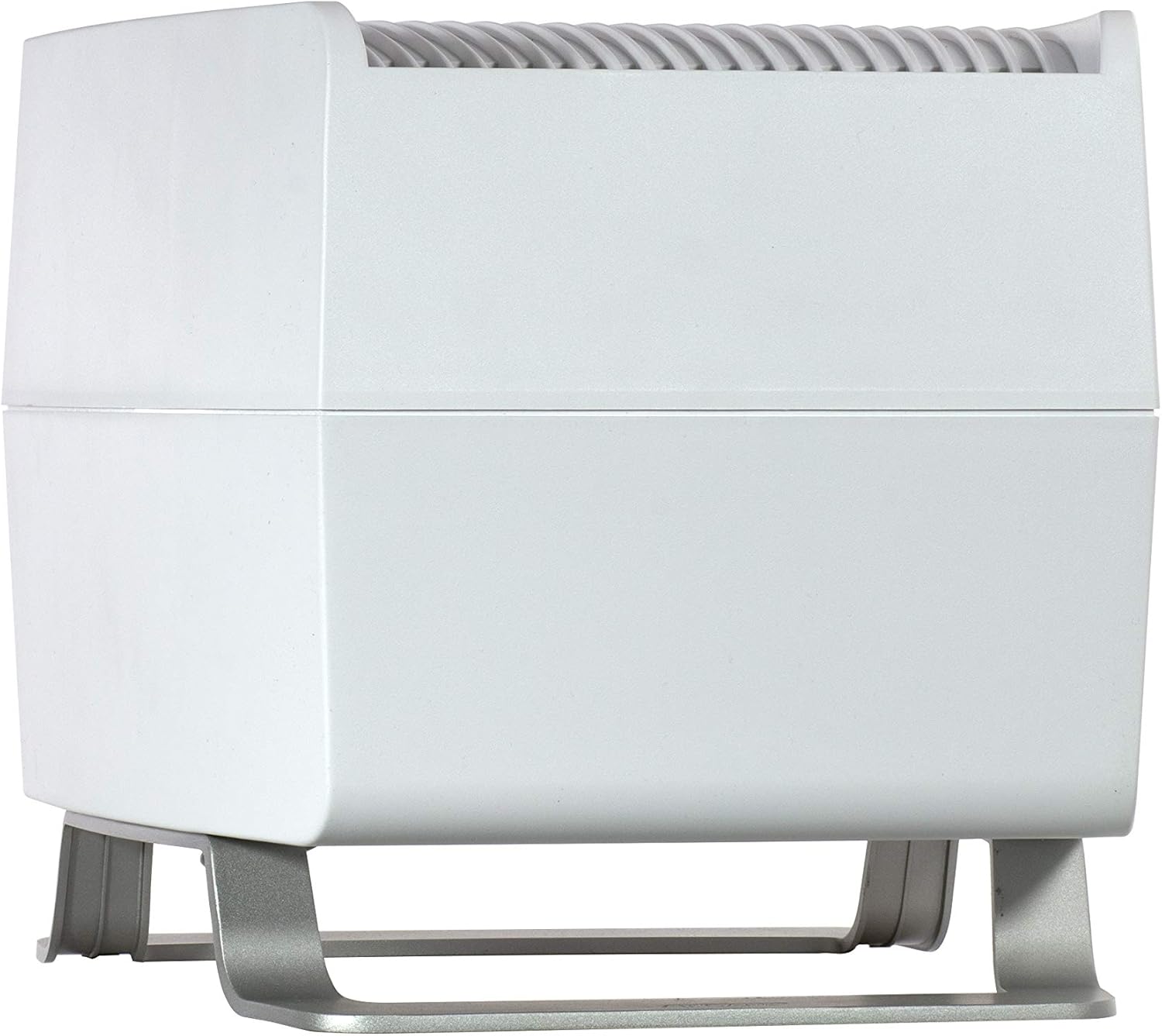
Figure 2: Front view of the AIRCARE CM330DWHT Humidifier. The top section can be removed for easy filling.
Video 1: An animated explanation of how evaporative humidifiers work, demonstrating the process of water absorption by the wick filter and air circulation.
3. Operating Instructions
Your humidifier features digital controls for easy adjustment of humidity levels and fan speeds.
- Power On/Off: Press the power button to turn the unit on or off.
- Adjusting Fan Speed: The unit has 3 fan speeds. Press the fan speed button to cycle through the available settings (Low, Medium, High).
- Setting Humidity Level (Auto Humidistat): Use the humidity adjustment buttons to set your desired humidity level. The auto humidistat will automatically maintain this level. The unit will shut off when the desired humidity is reached or when the reservoir is empty.
- Indicators: The humidifier includes indicators for checking the filter and water refill status.

Figure 3: Detailed view of the digital control panel, showing the power, fan speed, and humidity adjustment buttons.
Video 2: A short product video showcasing the AIRCARE CM330DWHT Companion Evaporative Humidifier in white, demonstrating its features and ease of use.
4. Maintenance
Regular maintenance ensures the longevity and efficiency of your humidifier.
- Filter Replacement: The humidifier uses Trapmax Filter Technology. Replace the 1040 Super Wick filter regularly as indicated by the 'Check Filter' light or approximately every 1-3 months, depending on usage and water quality.
- Cleaning: Periodically clean the water reservoir and other accessible parts to prevent mineral buildup and maintain hygiene. Refer to the full user manual for detailed cleaning instructions.

Figure 4: Icon illustrating the Trapmax Filter Technology, which helps capture impurities and protect the unit.
5. Specifications
| Feature | Detail |
|---|---|
| Brand | AIRCARE |
| Model Name | CM330DWHT Companion Evaporative Humidifier, White |
| Operation Mode | Evaporative |
| Floor Area Coverage | Up to 1000 Square Feet |
| Water Capacity | 1.6 Gallons |
| Run Time | Up to 48 Hours |
| Fan Speeds | 3 |
| Special Feature | Quiet, Digital Controls with Auto Humidistat, Automatically Shuts Off, Check Filter and Water Refill Indicators, Easy to Use Pour-in-Fill |
| Product Dimensions | 14.12"D x 12"W x 12"H |
| Item Weight | 7.3 Pounds |
| Included Components | 1040 Super Wick |

Figure 5: Visual representation of the humidifier's dimensions.
6. Warranty and Support
For customer service or support regarding your AIRCARE CM330DWHT Companion Evaporative Humidifier, please call 1-800-547-3888.

Figure 6: The product label on the back of the humidifier includes the customer service contact number.


