
Introduction
Thank you for purchasing the Nutek BT109M6 Mini Portable Bluetooth Wireless Speaker. This manual provides important information regarding the setup, operation, maintenance, and troubleshooting of your device. Please read this manual thoroughly before using the speaker to ensure proper function and to maximize your listening experience.
Package Contents
Please verify that all items are present in your package:
- Nutek BT109M6 Mini Portable Bluetooth Wireless Speaker
- USB Charging Cable (typically included for charging)
- 3.5mm Audio Cable (for Aux-In connection)
- User Manual
Product Overview
The Nutek BT109M6 is a compact and portable wireless speaker designed for high-quality audio on the go. Key features include:
- 3W Audio Output
- Bluetooth Wireless Connectivity (33ft range)
- 3.5mm Aux-In Port
- Built-in Microphone for Hands-Free Calling
- Rechargeable Li-ion Battery
- Auto Pairing Functionality
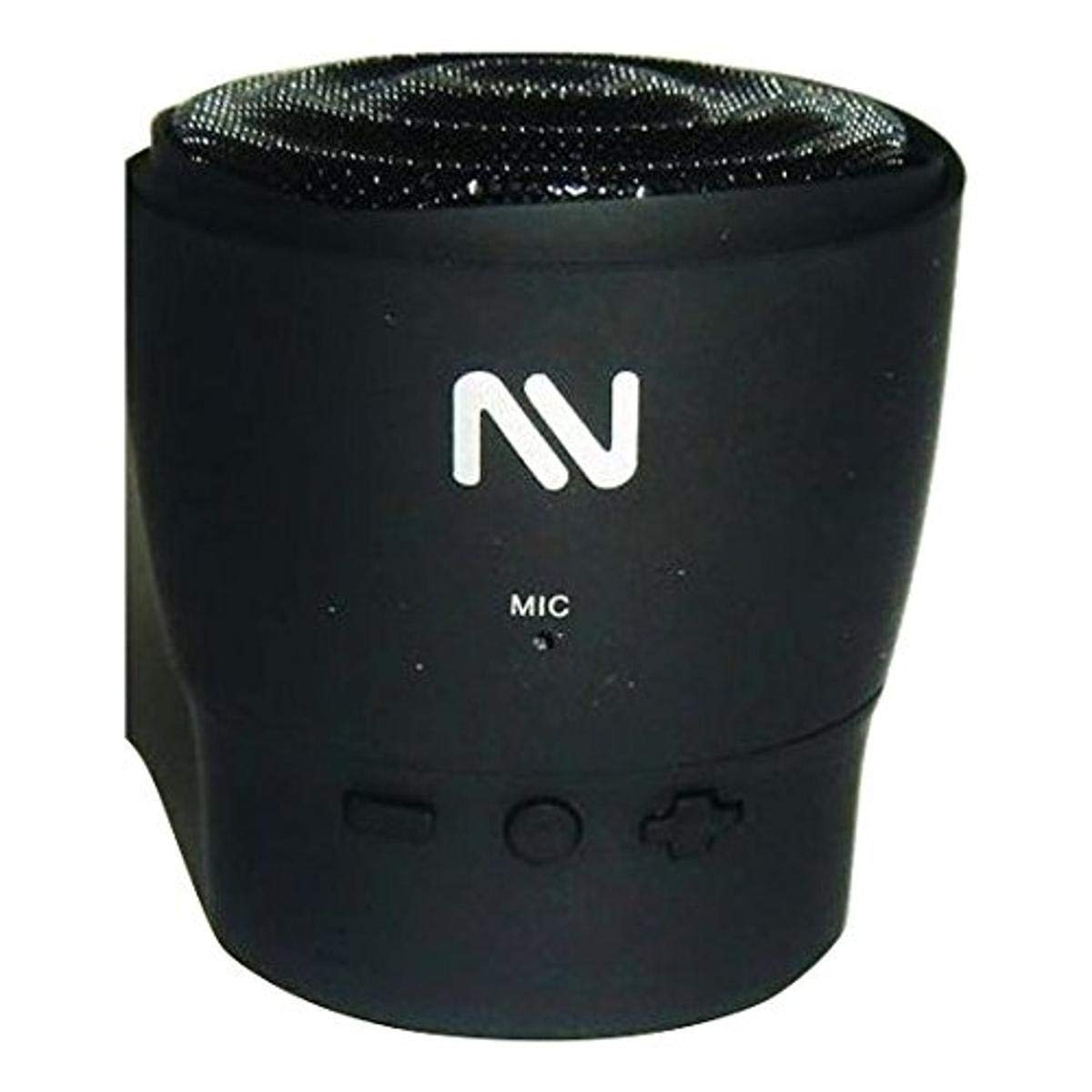
Image of the Nutek BT109M6 Mini Portable Bluetooth Wireless Speaker, showcasing its compact design.
Controls and Ports
The speaker features touch controls for operation. Specific control functions typically include:
- Power On/Off: Usually a long press on a designated area.
- Volume Adjustment: Tapping or swiping specific areas.
- Play/Pause: A single tap during audio playback.
- Answer/End Call: A single tap during an incoming or active call.
- Microphone: Integrated for hands-free communication.
- Charging Port: For connecting the USB charging cable.
- 3.5mm Aux-In Port: For connecting non-Bluetooth audio sources.
Refer to the markings on your specific device for exact control locations and functions.
Setup
1. Charging the Speaker
- Connect the small end of the USB charging cable to the charging port on the speaker.
- Connect the larger end of the USB charging cable to a USB power adapter (not included) or a computer's USB port.
- The charging indicator light will illuminate (color may vary) to show that the speaker is charging.
- Once fully charged, the indicator light will change or turn off. Disconnect the charging cable.
Note: For optimal battery life, fully charge the speaker before first use.
2. Powering On/Off
- To Power On: Press and hold the Power button (or designated touch area) for approximately 3 seconds. You will hear an audible prompt or see an indicator light.
- To Power Off: Press and hold the Power button (or designated touch area) for approximately 3 seconds. You will hear an audible prompt or see the indicator light turn off.
3. Bluetooth Pairing
- Ensure the speaker is fully charged and powered on. It will automatically enter pairing mode, indicated by a flashing LED light (e.g., blue).
- On your Bluetooth-enabled device (smartphone, tablet, computer), go to the Bluetooth settings.
- Search for available devices. You should see "Nutek BT109M6" or a similar name in the list.
- Select "Nutek BT109M6" to connect. Once paired, the LED indicator will stop flashing and remain solid, and you may hear a confirmation tone.
- The speaker features auto-pairing and will automatically connect to the last paired device when powered on, if that device's Bluetooth is active and within range.
Note: The effective Bluetooth range is approximately 33 feet (10 meters) without obstacles.
4. Aux-In Connection
- Connect one end of the 3.5mm audio cable to the Aux-In port on the speaker.
- Connect the other end of the 3.5mm audio cable to the headphone jack or audio output port of your non-Bluetooth device (e.g., MP3 player, laptop).
- The speaker will automatically switch to Aux-In mode, or you may need to press a mode button (if available).
- Adjust the volume on both your connected device and the speaker.
Operating Instructions
Playing Audio (Bluetooth Mode)
- Ensure the speaker is paired with your Bluetooth device.
- Start playing music or audio on your connected device.
- Use the speaker's touch controls or your device's controls to adjust volume, play/pause, or skip tracks.
Hands-Free Calling
When the speaker is connected to your smartphone via Bluetooth, you can use it as a speakerphone.
- Answering a Call: When an incoming call rings, tap the Play/Pause button (or designated call answer area) once to answer.
- Ending a Call: During a call, tap the Play/Pause button (or designated call end area) once to end the call.
- Rejecting a Call: Press and hold the Play/Pause button (or designated area) for approximately 2 seconds to reject an incoming call.
- Redialing Last Number: Double-tap the Play/Pause button (or designated area) to redial the last number called.
Note: Microphone performance may vary based on environmental noise.
Maintenance
- Keep the speaker away from water, moisture, and extreme temperatures. The speaker is not waterproof.
- Clean the speaker with a soft, dry cloth. Do not use abrasive cleaners or solvents.
- Avoid dropping the speaker or subjecting it to strong impacts.
- When not in use for extended periods, store the speaker in a cool, dry place and recharge it periodically to maintain battery health.
Troubleshooting
| Problem | Possible Cause | Solution |
|---|---|---|
| Speaker does not turn on. | Low battery. | Charge the speaker fully. |
| No Bluetooth connection. | Speaker not in pairing mode; device Bluetooth off; too far from device. | Ensure speaker is on and in pairing mode. Turn on Bluetooth on your device. Move speaker closer to device (within 33ft). Forget device on your phone and re-pair. |
| No sound from speaker. | Volume too low; incorrect input mode; device not playing audio. | Increase volume on both speaker and connected device. Ensure correct mode (Bluetooth or Aux-In) is selected. Verify audio is playing on the source device. |
| Poor audio quality. | Interference; low battery; source audio quality. | Move speaker away from other wireless devices. Charge the speaker. Try a different audio source or file. |
| Hands-free calling not working. | Speaker not connected to phone; phone settings. | Ensure speaker is paired and connected to your phone. Check your phone's Bluetooth settings to ensure call audio is routed to the speaker. |
Specifications
| Model Number | BT109M6 |
| Brand | Nutek |
| Speaker Output Power | 3W |
| Connectivity | Bluetooth, 3.5mm Aux-In |
| Bluetooth Range | Up to 33 feet (10 meters) |
| Battery Type | Rechargeable Li-ion Battery |
| Built-in Microphone | Yes |
| Control Method | Touch |
| Dimensions (D x W x H) | 2.48" x 2.59" x 2.08" |
| Water Resistance | Not Water Resistant |
Warranty and Support
The Nutek BT109M6 Mini Portable Bluetooth Wireless Speaker comes with a limited warranty.
- Warranty Period: 90 days from the date of purchase.
- This warranty covers manufacturing defects. It does not cover damage caused by misuse, accidents, unauthorized modifications, or normal wear and tear.
- For warranty claims or technical support, please contact Nutek customer service. Refer to your purchase documentation for contact information or visit the official Nutek website.
Note: Keep your proof of purchase for warranty validation.