
Introduction
Thank you for choosing the BLACK+DECKER SVFV3250L 2-in-1 Cordless Stick Vacuum Cleaner. This versatile appliance is designed for efficient cleaning of various surfaces, offering the convenience of both a powerful stick vacuum and a detachable handheld unit. Featuring a 32.4V Lithium-Ion battery, cyclonic filtration, and a turbo brush, this vacuum provides thorough cleaning with sustained suction power.

The BLACK+DECKER SVFV3250L 2-in-1 Cordless Stick Vacuum Cleaner, shown in its full upright configuration, ready for floor cleaning.
Safety Information
- Read all instructions before using the appliance.
- Do not use the appliance outdoors or on wet surfaces.
- Do not allow to be used as a toy. Close attention is necessary when used by or near children.
- Use only as described in this manual. Use only manufacturer’s recommended attachments.
- Do not use with damaged cord or plug. If appliance is not working as it should, has been dropped, damaged, left outdoors, or dropped into water, return it to a service center.
- Do not pull or carry by cord, use cord as a handle, close a door on cord, or pull cord around sharp edges or corners. Do not run appliance over cord. Keep cord away from heated surfaces.
- Do not unplug by pulling on cord. To unplug, grasp the plug, not the cord.
- Do not handle plug or appliance with wet hands.
- Do not put any object into openings. Do not use with any opening blocked; keep free of dust, lint, hair, and anything that may reduce airflow.
- Keep hair, loose clothing, fingers, and all parts of body away from openings and moving parts.
- Do not pick up anything that is burning or smoking, such as cigarettes, matches, or hot ashes.
- Use extra care when cleaning on stairs.
- Do not use to pick up flammable or combustible liquids, such as gasoline, or use in areas where they may be present.
- Prevent unintentional starting. Ensure the switch is in the off-position before connecting to battery pack, picking up or carrying the appliance.
Product Overview
The SVFV3250L is a versatile 2-in-1 vacuum cleaner designed for comprehensive home cleaning. It functions as a powerful stick vacuum for floors and easily converts into a portable handheld unit for detailed cleaning.
Key Features:
- 2-in-1 Design: Easily switch between stick vacuum and detachable handheld vacuum.
- 32.4V Lithium-Ion Battery: Provides strong suction and extended runtime.
- 12-Cyclone Filtration System: Separates dust and dirt from the airflow, preventing filter clogging and maintaining suction power.
- Motorized Turbo Brush: Effectively cleans carpets and hard floors, with pedal-adjustable settings.
- Extendable Flexible Hose: Reaches tight and high areas with ease.
- Transparent Dust Container: Allows easy monitoring of dirt level and hygienic one-button emptying.

A detailed view of the handheld vacuum unit, highlighting its compact design and controls.

The motorized turbo brush head, designed for effective cleaning on various floor types, including carpets and hard floors.
Setup
- Unpacking: Carefully remove all components from the packaging. Ensure all parts listed in the packing contents are present.
- Handle Assembly: Attach the handle to the main body of the vacuum cleaner. Secure it firmly, typically with a screw (screwdriver may be required, not always included).
- Charging Stand Placement: Place the intelligent wall charging unit in a convenient location, ensuring it is near a power outlet. The unit is designed for floor standing.
Charging the Battery
The SVFV3250L is powered by a Lithium-Ion battery. For optimal performance, fully charge the vacuum before first use.
- Place the vacuum cleaner onto the charging stand. Ensure it clicks into place.
- Connect the charging stand to a power outlet.
- The LED indicator lights on the vacuum will illuminate to show the charging status. Each segment typically represents 25% of the battery charge.
- Charging takes approximately 4 hours for a full charge. The intelligent charging unit automatically stops charging when the battery is full, preventing overcharge.
- The vacuum can be stored on the charging unit, ensuring it is always ready for use.

The vacuum cleaner securely placed on its charging stand, indicating it is ready for charging or storage.
Operating Instructions
1. Stick Vacuum Mode (Floor Cleaning)
- Ensure the handheld unit is securely attached to the stick body.
- Press the power button on the handle to turn on the vacuum.
- For enhanced cleaning on carpets or stubborn dirt, activate the turbo brush by pressing the dedicated button. The turbo brush can be adjusted via a pedal for different floor types.
- Guide the vacuum across the floor surface. The swivel steering allows for easy maneuverability around furniture and obstacles.
- The low-profile design enables cleaning under furniture.

Illustrates the vacuum in stick mode, effectively cleaning debris from a tiled floor surface.
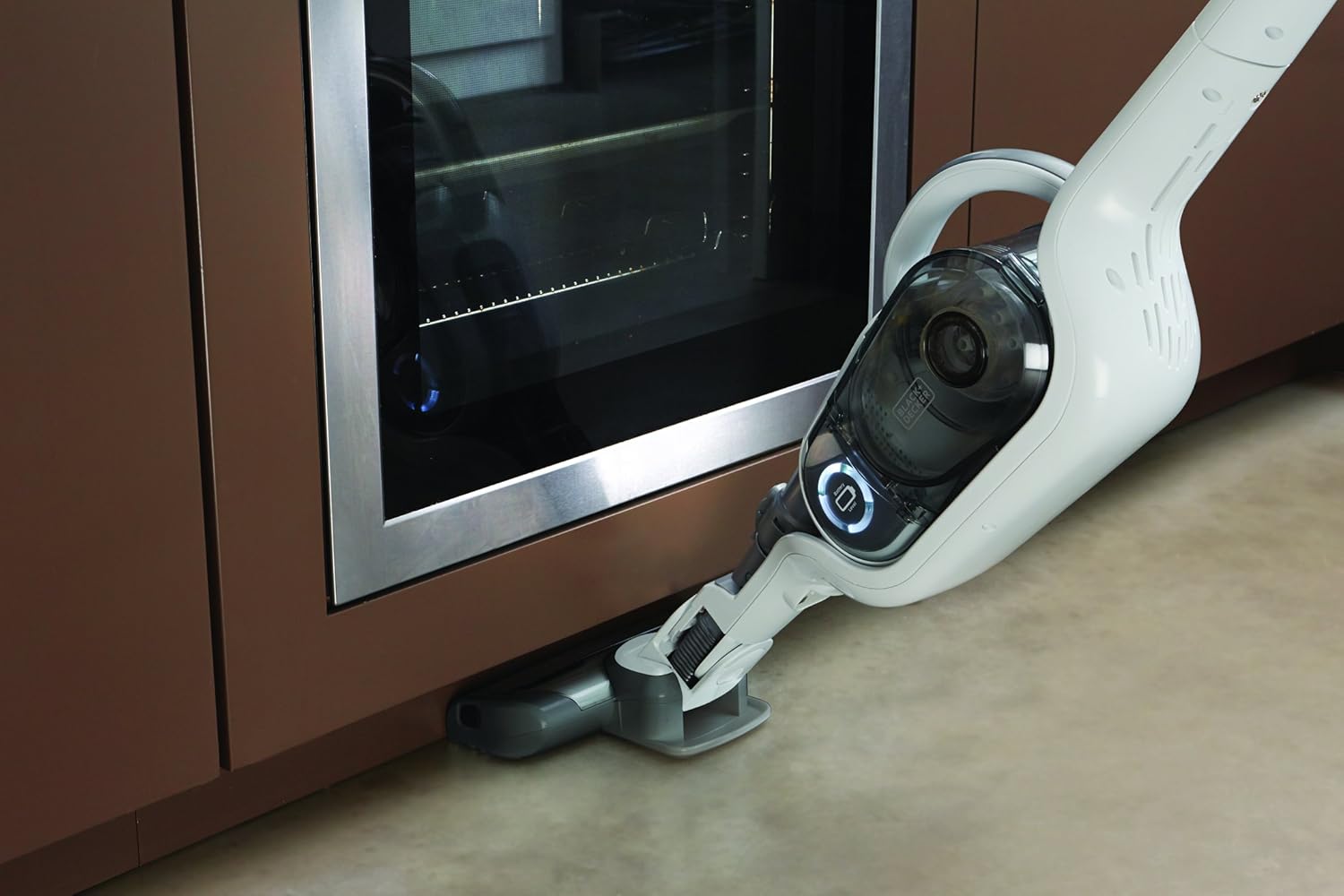
The flexible design of the vacuum allows it to reach under furniture and low obstacles for thorough cleaning.
2. Handheld Vacuum Mode (Detail Cleaning)
- To detach the handheld unit, press the release button and lift the unit from the stick body.
- The handheld unit can be used with its integrated nozzle for quick spot cleaning.
- For extended reach, attach the 80cm flexible hose. This is ideal for cleaning shelves, car interiors, or tight spaces.
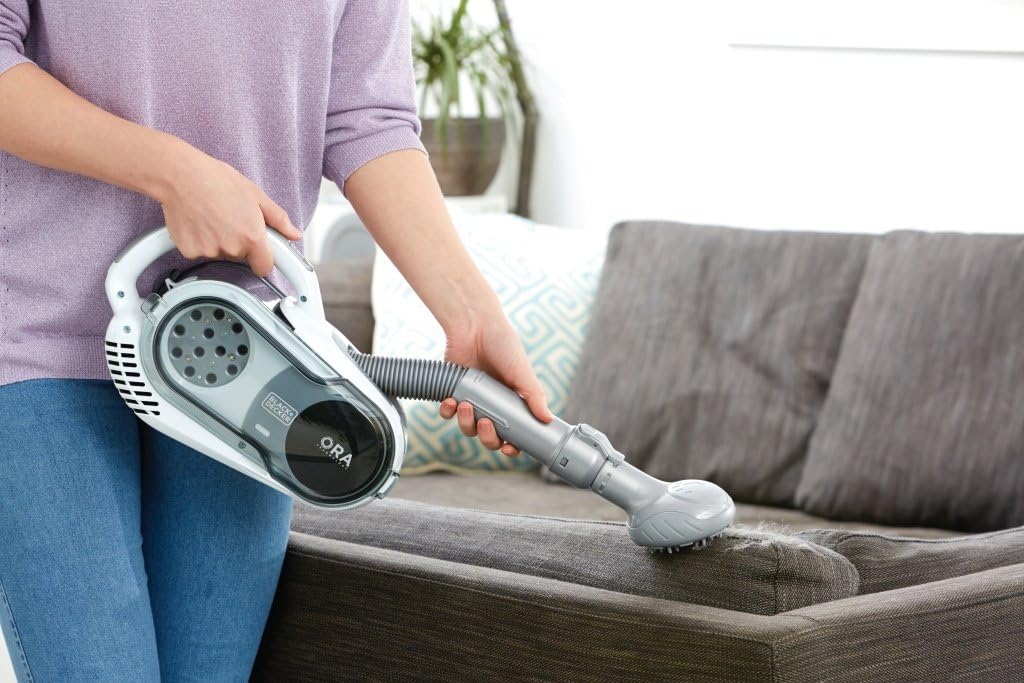
- Utilize the integrated and rotating upholstery brush for cleaning fabric surfaces and removing pet hair.

Demonstrates the easy detachment mechanism to convert the stick vacuum into a portable handheld unit.

The handheld unit is ideal for quick clean-ups on elevated surfaces like tables and countertops.

The extendable flexible hose allows for easy cleaning of hard-to-reach areas, such as high shelves or tight corners.

The rotating upholstery brush attachment is effective for cleaning fabric surfaces and removing pet hair from furniture.
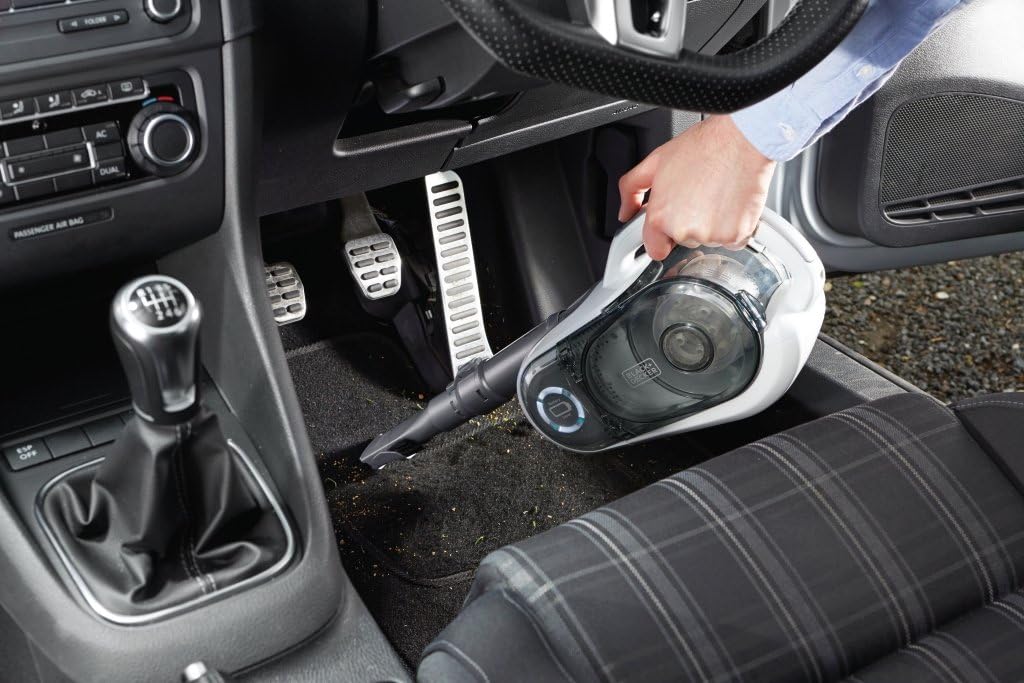
The compact handheld design and various attachments make it suitable for cleaning vehicle interiors.
Product Demonstration Video
Watch this video to see the BLACK+DECKER SVFV3250L in action, showcasing its versatility as both a stick and handheld vacuum, its powerful suction, and ease of use for various cleaning tasks.
Maintenance
Regular maintenance ensures optimal performance and extends the life of your vacuum cleaner.
1. Emptying the Dust Collection Container
- Ensure the vacuum is turned off.
- Press the release button to detach the dust collection container from the handheld unit.
- Position the container over a waste bin.
- Press the one-button emptying mechanism to release the dirt without touching it.
- Reattach the dust container securely until it clicks into place.
The transparent dustbin allows you to see when it needs emptying. It detaches easily for hygienic disposal of dirt.
2. Cleaning the Filters
The 12-cyclone filtration system includes washable filters. Clean them regularly to maintain suction power.
- After emptying the dust container, remove the filters.
- Tap the filters gently to dislodge loose dirt.
- Rinse the filters under running water until the water runs clear.
- Allow the filters to air dry completely for at least 24 hours before reinserting them into the vacuum. Do not use a dryer or heat source.
- A third filter on the back of the unit should also be checked and cleaned as needed.

The cyclonic filtration system includes washable filters, ensuring sustained suction power and easy maintenance.
3. Cleaning the Turbo Brush Bar
- Ensure the vacuum is off and disconnected from the charger.
- Locate the release mechanism for the brush bar on the floor head.
- Remove the brush bar and clear any tangled hair, threads, or debris.
- Reinsert the clean brush bar until it locks into place.
Troubleshooting
| Problem | Possible Cause | Solution |
|---|---|---|
| Vacuum does not turn on. | Battery is not charged. | Place the vacuum on the charging stand and allow it to charge fully. Check the charging indicator lights. |
| Loss of suction power. | Dust container is full. Filters are clogged. Brush bar is blocked. | Empty the dust container. Clean or replace the filters. Remove any blockages from the brush bar or nozzle. |
| Vacuum turns off during use. | Battery is low. Overheating due to blockage. | Recharge the battery. Check for and clear any blockages in the nozzle, hose, or brush bar. Allow the unit to cool down. |
| Brush bar not rotating. | Brush bar is jammed. Turbo brush function is not activated. | Clear any debris from the brush bar. Ensure the turbo brush button is pressed to activate the rotation. |
Specifications
| Feature | Detail |
|---|---|
| Brand | BLACK+DECKER |
| Model Name | SVFV3250L |
| Voltage | 32.4 Volts |
| Power Source | Battery Powered |
| Battery Type | Lithium-Ion |
| Capacity | 0.45 Liters |
| Filter Type | Cartridge |
| Form Factor | Stick (2-in-1) |
| Product Dimensions | 10.63 x 8.27 x 45.28 inches |
| Item Weight | 13.64 pounds |
| Included Components | Charger |
| Surface Recommendation | Flooring |
Warranty and Support
For warranty information, technical support, or service inquiries, please refer to the warranty card included with your product or visit the official BLACK+DECKER website. Keep your proof of purchase for any warranty claims.