Introduction
This manual provides comprehensive instructions for the setup, operation, maintenance, and troubleshooting of the Pentax K-S2 DSLR camera. The Pentax K-S2 features a 20-megapixel, AA Filter-less CMOS sensor, Wi-Fi connectivity, and a weather-sealed, dustproof, and cold-proof design. This guide will help you understand and utilize all functions of your camera.
Key Features
- 20 MP AA filter-less APS-C CMOS Sensor with ISO Speeds up to 51200
- In-camera Wi-Fi with dedicated Wi-Fi connect button and "selfie" mode
- Large High-Resolution 3-inch variable angle swing-out LCD Monitor (921K Dots)
- Fully Weather-sealed, Dustproof, Cold-proof Design with in-body shake reduction
- 4K interval movie capture & 1080P h.264 HD video recording
Setup
1. Battery Installation
Insert the supplied Lithium-Ion battery into the battery compartment located at the bottom of the camera. Ensure the battery is oriented correctly according to the markings inside the compartment. Close the battery cover securely.
2. Memory Card Insertion
Open the memory card slot cover, typically on the side of the camera. Insert an SD, SDHC, or SDXC memory card with the label facing the front of the camera until it clicks into place. Close the cover firmly.
3. Attaching a Lens (if applicable)
Align the red dot on the lens with the red dot on the camera body. Mount the lens by rotating it clockwise until it locks into place. To remove, press the lens release button and rotate counter-clockwise.
4. Initial Power On and Settings
Turn the camera on using the power switch. The first time you power on, you may be prompted to set the date, time, and language. Follow the on-screen instructions using the directional buttons and OK button.
Operating the Camera
1. Basic Photography Modes
Rotate the mode dial on the top of the camera to select your desired shooting mode:
- Auto (Green Mode): Camera automatically sets optimal exposure and other settings.
- P (Program AE): Camera sets aperture and shutter speed, but allows user control over other settings.
- Av (Aperture-Priority AE): User sets aperture, camera sets shutter speed.
- Tv (Shutter-Priority AE): User sets shutter speed, camera sets aperture.
- M (Manual): User sets both aperture and shutter speed.
- Scene Modes: Pre-set modes for specific situations (e.g., Portrait, Landscape, Macro).
Use the front and rear e-dials to adjust settings like aperture, shutter speed, and exposure compensation depending on the selected mode.
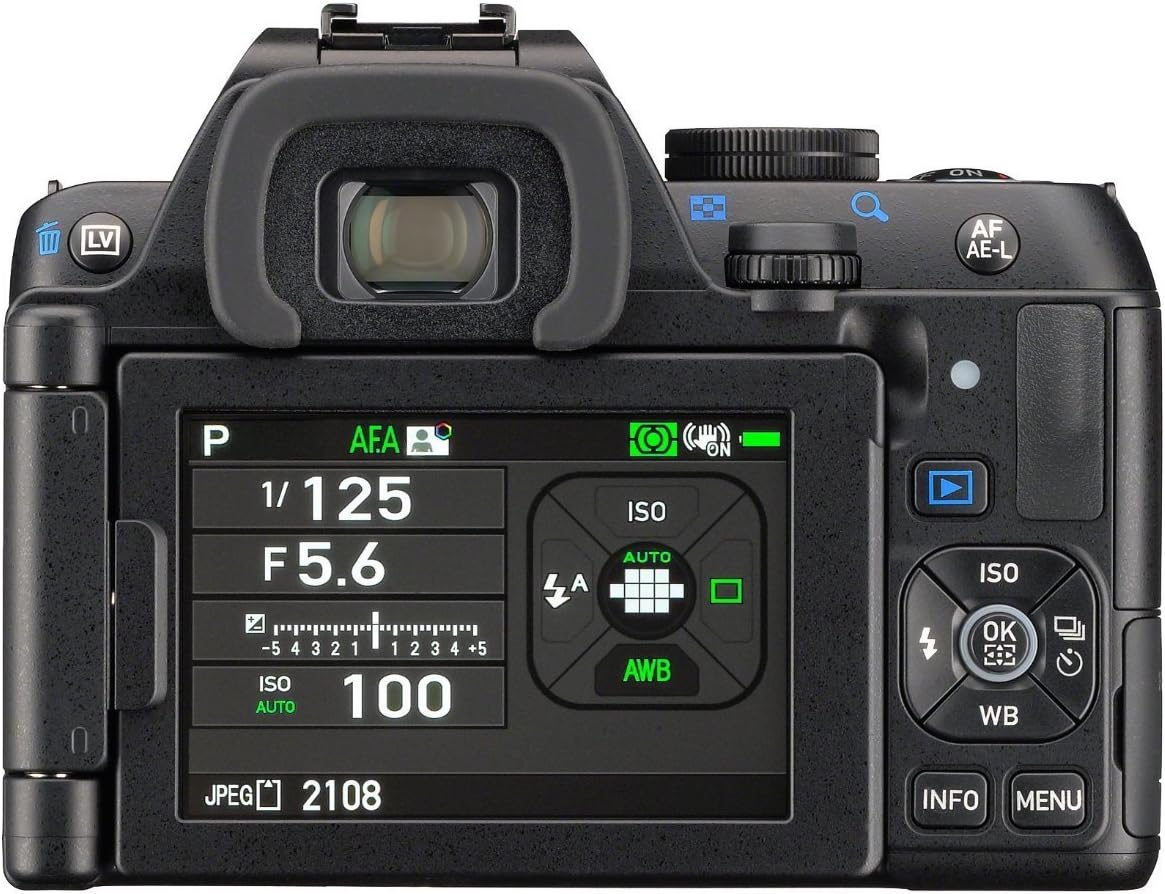
Figure 1: Rear view of the Pentax K-S2 DSLR camera, showing the LCD screen, control buttons, and mode dial. The LCD displays current shooting settings including aperture (F5.6), shutter speed (1/125), and ISO (100).
2. Focusing
The K-S2 features phase detection autofocus. Half-press the shutter button to activate autofocus. The camera will focus on the subject within the selected AF points. You can also switch to manual focus (MF) using the switch on the lens or camera body.
3. Wi-Fi Connectivity
To connect your camera to a smartphone or tablet, press the dedicated Wi-Fi button. Download the "Image Sync" application from your device's app store. Follow the instructions in the app to establish a connection, allowing for remote control and image transfer.
4. Video Recording
To record video, rotate the power switch to the video icon. Press the red movie record button to start and stop recording. The K-S2 supports 1080P h.264 HD video and 4K interval movie capture.
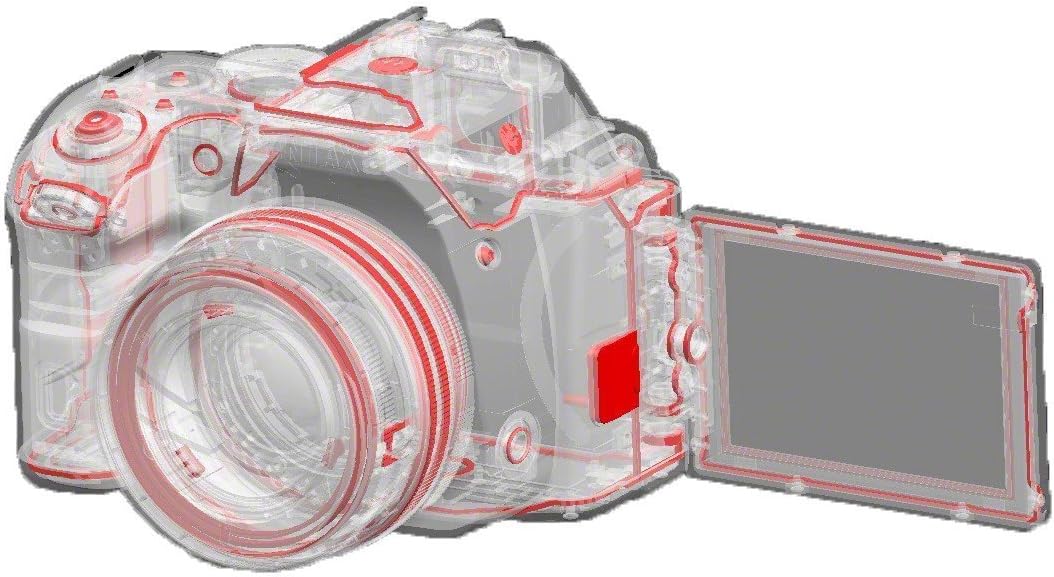
Figure 2: Diagram showing the internal components and the articulated LCD screen of the Pentax K-S2 DSLR camera. This feature allows for flexible shooting angles.
Maintenance
1. Cleaning the Camera
- Body: Use a soft, dry cloth to wipe the camera body. For stubborn dirt, slightly dampen the cloth with water. Avoid using organic solvents.
- Lens: Use a lens blower brush to remove dust. For smudges, use a specialized lens cleaning solution and a microfiber cloth.
- Sensor: Sensor cleaning should be performed by authorized service personnel or with extreme caution using appropriate tools. The K-S2 has a sensor cleaning function in the menu.
- LCD Screen: Gently wipe with a soft, dry cloth. Avoid pressing too hard.
2. Storage
When not in use for extended periods, store the camera in a cool, dry place away from direct sunlight and high humidity. Remove the battery to prevent leakage. Use desiccant packets if storing in humid environments.
Troubleshooting
| Problem | Possible Cause / Solution |
|---|---|
| Camera does not power on. | Check if the battery is charged and correctly inserted. Ensure the battery cover is closed. |
| Images are blurry. | Check focus mode (AF/MF). Ensure shutter speed is fast enough for the subject. Use image stabilization if available. Clean the lens. |
| Wi-Fi connection fails. | Ensure the "Image Sync" app is installed and updated. Restart both camera and smart device. Check camera Wi-Fi settings. |
| Memory card error. | Reinsert the memory card. Try a different, compatible memory card. Format the card (this will erase all data). |
| LCD screen is blank. | Check if the display is turned off or if the camera is in viewfinder-only mode. Press the INFO button to cycle display options. |
If problems persist, consult the official Pentax support resources or contact customer service.
Specifications
| Feature | Detail |
|---|---|
| Model Name | K-S2 |
| Brand | Pentax |
| Effective Still Resolution | 20 MP |
| Photo Sensor Size | APS-C |
| Image Stabilization | Sensor-shift, Optical |
| Display Type | Articulating LCD |
| Screen Size | 3 Inches |
| Connectivity Technology | Wi-Fi |
| Supported File Format | JPEG, RAW |
| Video Resolution | 1080p (Full HD), 4K interval movie capture |
| Expanded ISO Range | 100 - 51200 |
| Autofocus Points | 11 |
| Minimum Shutter Speed | 0.02 seconds |
| Item Weight | 1.5 Pounds |
| Battery Type | Lithium Ion |
Warranty Information
The Pentax K-S2 camera comes with a 1-year parts and labor warranty from the date of purchase. This warranty covers defects in materials and workmanship under normal use. Please retain your proof of purchase for warranty claims. For full terms and conditions, refer to the warranty card included with your product or visit the official Pentax website.
Support
For further assistance, technical support, or service inquiries, please visit the official Pentax support website or contact their customer service department. You can often find FAQs, driver downloads, and additional resources online.
Pentax Official Website: www.ricoh-imaging.co.jp/english/products/k-s2/ (Example link, actual link may vary)


