
1. Introduction
This manual provides important information regarding the installation, operation, and maintenance of your Kidde P3010K-CO Photoelectric Smoke and Carbon Monoxide Alarm. Please read thoroughly and retain for future reference to ensure proper functioning and safety.

Image 1: Front view of the Kidde P3010K-CO combination smoke and carbon monoxide alarm, highlighting its 10-year sealed battery feature.
2. Key Features
- Sealed-in 10-year lithium battery
- Combination smoke and carbon monoxide alarm
- Photoelectric Sensor for smoke detection
- Electrochemical Sensor for carbon monoxide detection
- Automatically activates when attached to mounting bracket
- End-of-life warning signal
- Test/Reset button for weekly testing and silencing nuisance alarms
3. Installation
3.1 Choosing a Location
Install the alarm on a ceiling or wall. For optimal protection, install at least one alarm on every level of your home, including basements and in every sleeping area. For kitchen installation, place the alarm at least 20 feet (6 meters) from cooking appliances to minimize nuisance alarms, but close enough to detect potential CO sources.

Image 2: A Kidde P3010K-CO alarm mounted on a kitchen ceiling, demonstrating a typical installation location.
3.2 Mounting the Alarm
- Remove the mounting bracket from the back of the alarm by twisting it counter-clockwise.
- Position the bracket on the ceiling or wall and mark the screw holes.
- Drill holes and insert wall anchors if necessary.
- Secure the bracket with the provided screws.
- Align the alarm with the mounting bracket and twist clockwise until it locks into place. The alarm will automatically activate upon attachment.
4. Operating Instructions
4.1 Normal Operation
During normal operation, the green LED will flash once every 10 minutes to indicate power. The alarm is always on due to its sealed 10-year battery.
4.2 Alarm Patterns
- Smoke Alarm: 3 long beeps, 1-second pause, repeating. The red LED will flash rapidly.
- CO Alarm: 4 quick beeps, 1-second pause, repeating. The red LED will flash rapidly.
- Fault Mode: Alarm will chirp and flash the LED every 30 seconds.
- Low Battery: Alarm will chirp every 60 seconds, LED blinks every 30 seconds.
4.3 Test/Reset Button
Press the large "PUSH TO TEST WEEKLY" button to test the alarm's circuitry and horn. The alarm will sound if functioning correctly. To silence a nuisance alarm (e.g., from cooking smoke), press the Test/Reset button. This activates the Hush Mode, silencing the alarm for approximately 10 minutes. The LED will blink every 10 seconds during Hush Mode.
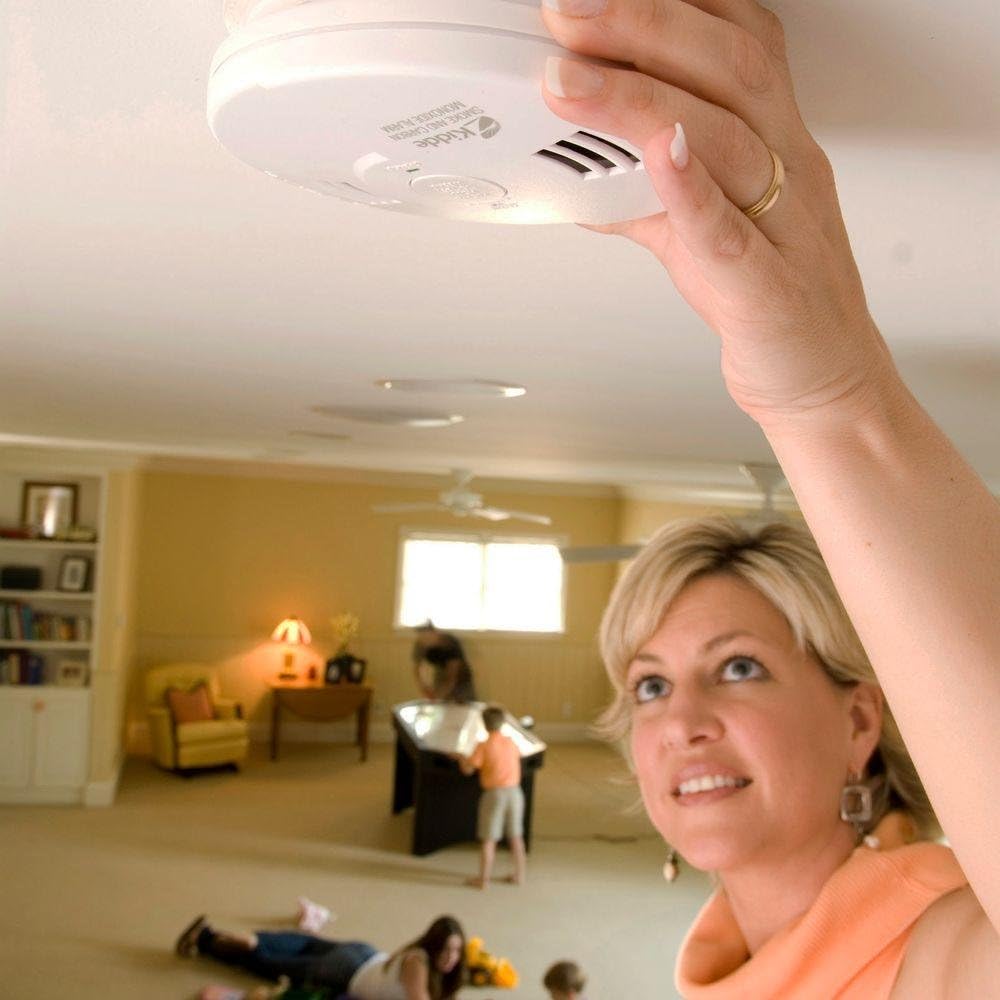
Image 3: A person pressing the central test/reset button on the Kidde P3010K-CO alarm, demonstrating the weekly testing procedure.
5. Maintenance
5.1 Cleaning Your Alarm
Clean the alarm regularly to prevent dust and debris from interfering with its operation. Use a soft brush attachment on your vacuum cleaner to gently remove dust from the alarm openings. Do not paint the alarm or use cleaning solvents.
5.2 End-of-Life Signal
After approximately 10 years of operation, the alarm will emit an end-of-life signal (two chirps every 30 seconds) to indicate it needs replacement. Pressing the Test/Hush button will silence this signal for 3 days. Replace the alarm immediately when this signal occurs.

Image 4: The back of the Kidde P3010K-CO alarm, showing the "Turn Off Alarm Here" mechanism and end-of-life instructions.
6. Troubleshooting
| Problem | Possible Cause | Solution |
|---|---|---|
| Alarm chirps every 60 seconds (LED blinks every 30 seconds) | Low battery | The battery is sealed and cannot be replaced. The alarm is nearing its end of life. Replace the entire unit. |
| Alarm chirps every 30 seconds (LED flashes every 30 seconds) | Fault mode | The alarm has detected an internal malfunction. Replace the unit immediately. |
| Nuisance alarm (e.g., from cooking) | Smoke from cooking, steam, or high humidity | Press the Test/Reset button to activate Hush Mode for 10 minutes. Ensure proper ventilation in cooking areas. Relocate the alarm if nuisance alarms persist. |
| Alarm sounds continuously (Smoke or CO pattern) | Presence of smoke or carbon monoxide | Follow emergency procedures: evacuate premises, call emergency services (Fire Dept. or 911). Do not re-enter until cleared by authorities. |
7. Specifications
| Feature | Detail |
|---|---|
| Model Number | P3010K-CO |
| Power Source | Sealed 10-Year Lithium Battery (included) |
| Sensor Type | Photoelectric (Smoke), Electrochemical (CO) |
| Alarm Loudness | 85dB at 10 feet |
| Operating Temperature | 40°F (4.4°C) to 100°F (37.8°C) |
| Operating Humidity | 10-95% non-condensing |
| Dimensions | 5.22 x 5.22 x 1.6 inches |
| Weight | 8 ounces |
| Certifications | UL Listed |
8. Important Safety Information
8.1 Carbon Monoxide (CO) Warning
WARNING: Carbon monoxide cannot be seen or smelled but can kill you.
If the CO alarm sounds:
- Operate the Test/Hush button.
- Call your emergency services (Fire Department or 911).
- Immediately move to fresh air, outdoors or by an open window or outside door.

Image 5: A diagram illustrating common household sources of carbon monoxide, such as gas appliances, generators, and vehicle exhaust.
8.2 State and Local Requirements
Always comply with all local and state building codes and regulations regarding smoke and carbon monoxide alarm installation.

Image 6: A map of the United States indicating state-specific requirements for carbon monoxide and smoke alarms, highlighting the importance of local regulations.
9. Warranty and Support
9.1 Limited Warranty
This Kidde P3010K-CO alarm comes with a 10-year limited warranty from the date of purchase. This warranty covers defects in materials and workmanship under normal use and service. For full warranty details, please refer to the documentation included with your product or visit the official Kidde website.
9.2 Customer Support
For technical assistance or questions regarding your alarm, please contact Kidde Customer Support. Contact information can typically be found on the product packaging or the official Kidde website.


