
Intermatic 8422-3103-08
Intermatic Timer LV371T Low Voltage Transformer User Manual
Model: 8422-3103-08 | Brand: Intermatic
1. Introduction and Overview
This manual provides essential information for the safe and efficient operation of your Intermatic Timer LV371T Low Voltage Transformer. Designed for use with LV100 Series lighting systems, this transformer is capable of handling up to 121 watts maximum, providing reliable power for your outdoor low-voltage lighting needs. Please read this manual thoroughly before installation and use.
2. Safety Information
Always adhere to the following safety precautions to prevent injury or damage to the unit:
- CAUTION: FOR OUTDOOR USE ONLY. This transformer is designed for outdoor applications and should not be used indoors.
- DO NOT SUBMERGE LIGHTING UNITS. Ensure that all connected lighting units are not submerged in water.
- DO NOT OPERATE ON OR OFF OVER A SHORT DURATION. Rapid cycling of the power can cause damage to the unit or connected lighting.
- Refer to wiring circuits for proper installation and connection.
- Always disconnect power before performing any installation, maintenance, or troubleshooting.
- Ensure the transformer is installed on a stable, level surface, or mounted securely as per instructions.
3. Setup and Installation
The Intermatic LV371T transformer is designed for floor mount installation. Follow these steps for proper setup:
- Unpacking: Carefully remove the transformer from its packaging. Inspect for any signs of damage.
- Placement: Choose a suitable outdoor location for the transformer. Ensure it is on a stable surface or securely mounted. The unit is designed for floor mounting.
- Power Connection: Connect the transformer's power cord to a grounded 120V AC outdoor electrical outlet.
- Low Voltage Output: Connect your LV100 Series low-voltage lighting system wires to the transformer's low-voltage output terminals. Ensure all connections are secure and properly insulated.
- Initial Check: Once all connections are made, you may plug in the transformer. Do not operate the timer until it is set.

Figure 3.1: Front view of the Intermatic LV371T Low Voltage Transformer, showing its compact black casing and power cord.

Figure 3.2: Back view of the transformer, highlighting its design for secure mounting and heat dissipation.
4. Operating Instructions
The LV371T features an integrated mechanical timer for automated control of your lighting system.
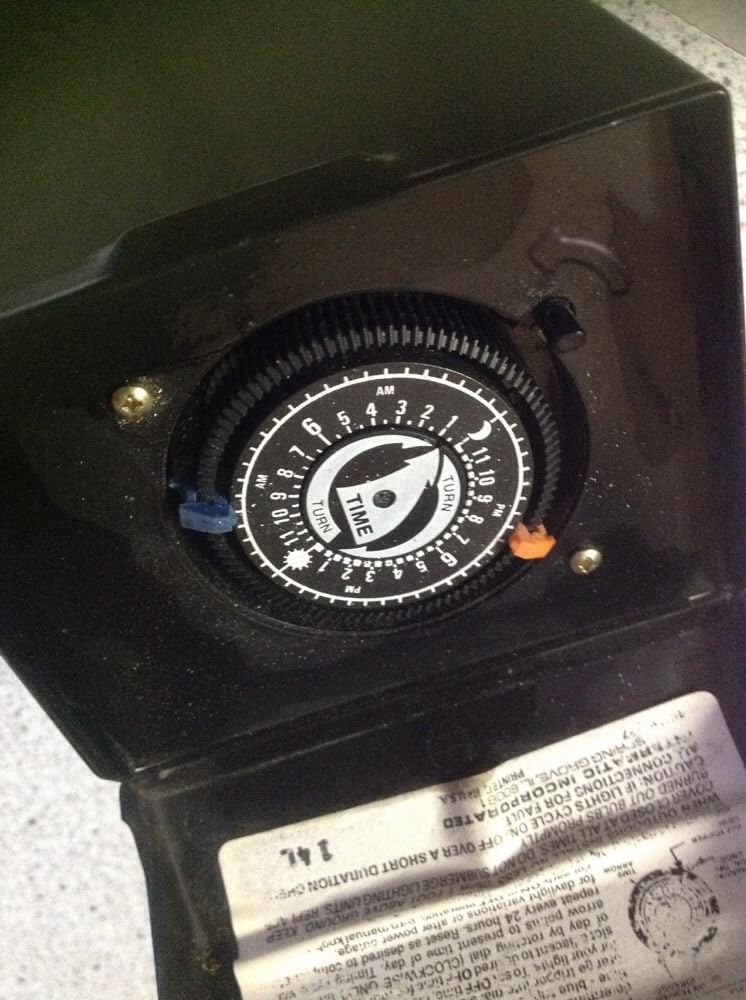
Figure 4.1: Internal view of the timer dial, showing the mechanism for setting ON/OFF times.
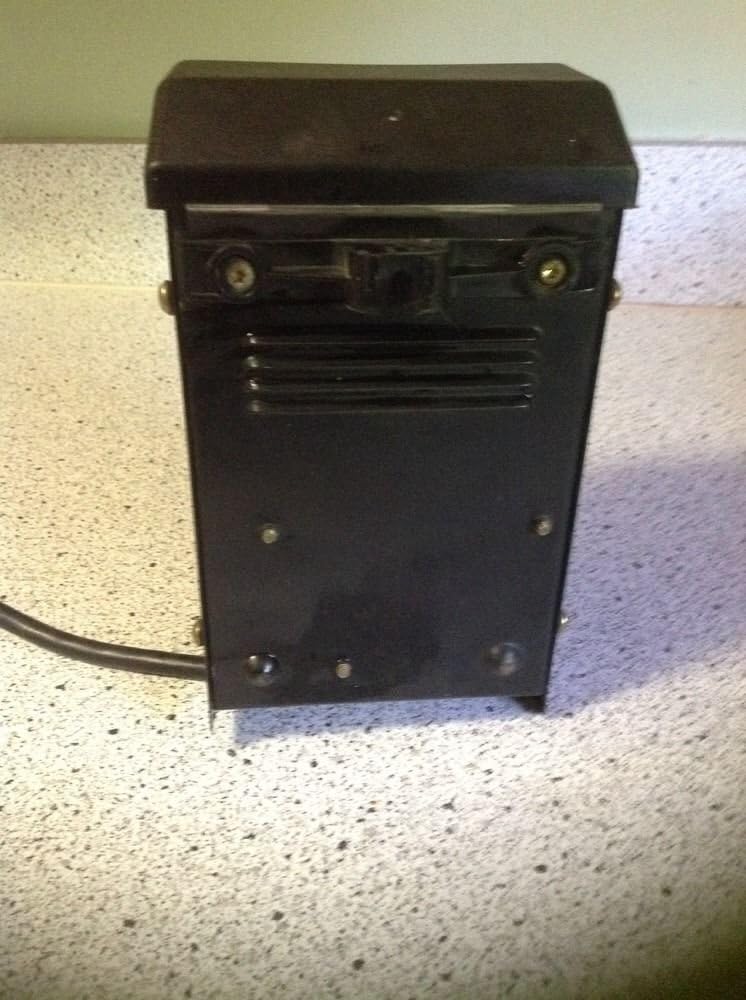
Figure 4.2: The timer dial with visible instruction label, detailing how to set the timer.
Setting the Timer:
The timer uses ON (blue) and OFF (red) trippers to control the lighting schedule. These trippers are inserted into the slots around the dial.
- Set ON Time: Insert a blue tripper into the dial at the desired time you want your lights to turn ON.
- Set OFF Time: Insert a red tripper into the dial at the desired time you want your lights to turn OFF.
- Set Current Time: The dial rotates counter-clockwise. To advance the clock, turn the dial clockwise until the present time is aligned with the arrow indicator.
- Adjust for Daylight/Power Outage: Periodically check the time and adjust as needed to account for daylight saving changes or after any power outages.
5. Maintenance
The Intermatic LV371T transformer requires minimal maintenance to ensure long-lasting performance:
- Cleaning: Periodically wipe the exterior of the transformer with a damp cloth to remove dirt and debris. Ensure the unit is unplugged before cleaning.
- Connection Check: Annually inspect all electrical connections for tightness and signs of corrosion.
- Ventilation: Ensure that the ventilation slots (if present) are clear of obstructions to allow for proper heat dissipation.
6. Troubleshooting
If your lighting system is not operating as expected, consider the following troubleshooting steps:
- Lights Not Operating:
- Check All Connections for Fault: Ensure the transformer is securely plugged into the outlet and all low-voltage lighting connections are tight and correct.
- Verify that the circuit breaker or GFCI outlet supplying power to the transformer has not tripped.
- Confirm that the ON tripper is correctly placed on the timer dial and the current time is accurately set.
- Lights Staying On/Off Continuously:
- Check the placement of both ON and OFF trippers on the timer dial. Ensure they are firmly seated in their respective slots.
- Verify that the current time on the dial is correctly aligned with the arrow indicator.
- Timer Not Advancing:
- Ensure the transformer is receiving continuous power.
- Inspect the timer mechanism for any obstructions or debris.
If issues persist after performing these checks, contact Intermatic customer support for further assistance.
7. Specifications
| Feature | Specification |
|---|---|
| Model Number | 8422-3103-08 |
| Part Number | LV371T |
| Brand | Intermatic |
| Manufacturer | Malibu |
| Power Source | Corded Electric |
| Input Voltage | 120V AC |
| Output Wattage | Up to 121 watts MAX |
| Current Rating | 1.5 Amps |
| Frequency | 60 Hz (Minimum and Maximum) |
| Mounting Type | Floor Mount |
| Item Weight | 5.12 pounds |
| Package Dimensions | 10.08 x 8.35 x 5.35 inches |
| Safety Certification | UL Listed |
| UPC | 072945705432 |
8. Warranty and Support
Specific warranty details are not provided in the product information. For warranty claims, technical support, or further inquiries regarding your Intermatic Timer LV371T Low Voltage Transformer, please contact Intermatic customer service directly. Refer to the official Intermatic website or product packaging for the most current contact information.
You can visit the Intermatic Store on Amazon for more information: Intermatic Store
Ask a question about this manual
Ask about setup, troubleshooting, compatibility, parts, safety, or missing instructions. Manuals+ will review the question and use this page’s manual context to help answer it.