
1. Introduction
This manual provides comprehensive instructions for the safe and effective use of your AgraTronix MT-Pro Portable Grain Moisture Tester, Model 08125. This device is designed for accurate measurement of moisture content in various grain types, offering a digital readout for convenience.
The MT-Pro features a backlit display for visibility in low-light conditions, a built-in calibration function, and multi-language support. Please read this manual thoroughly before operating the device to ensure optimal performance and longevity.
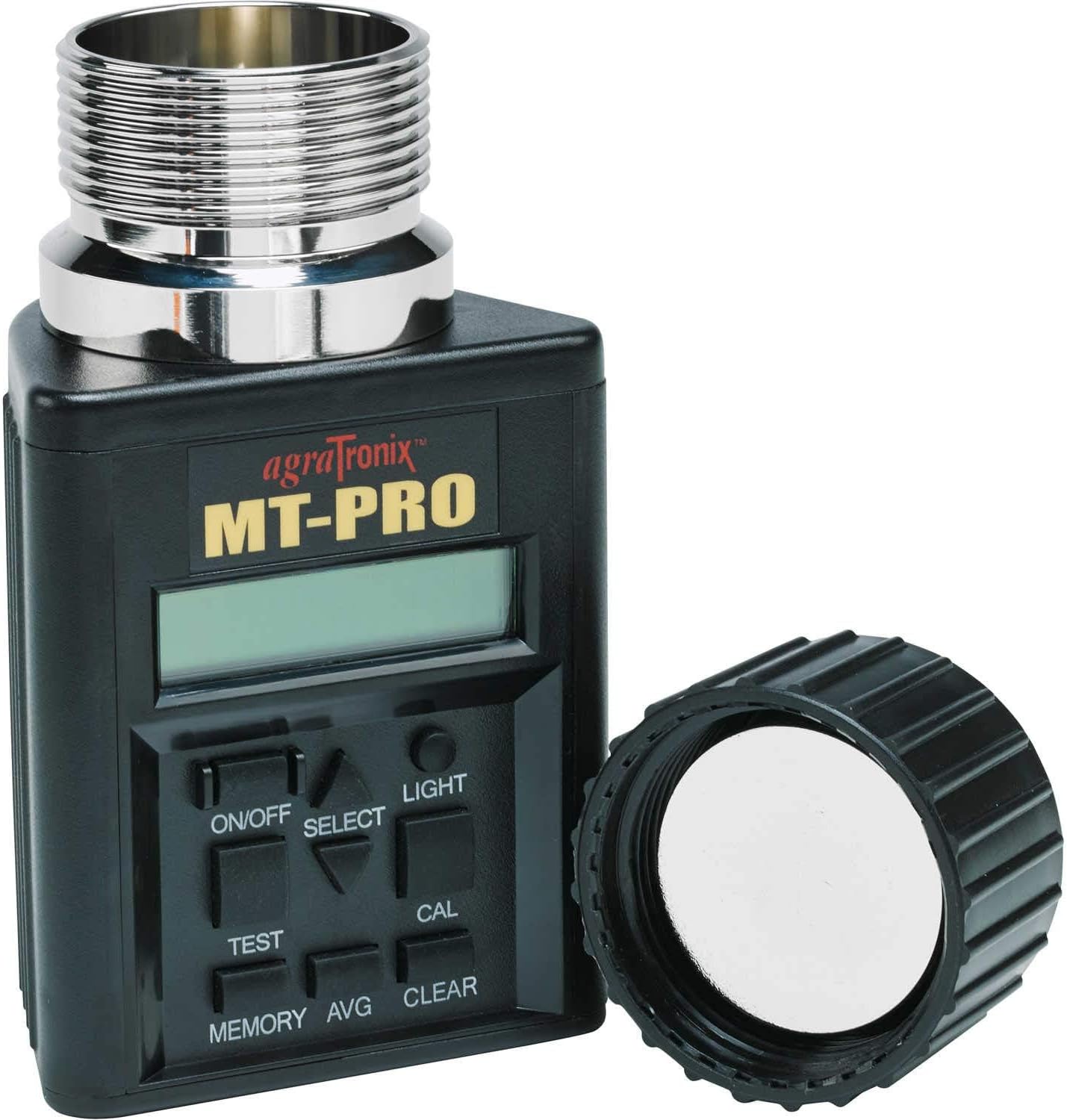
Figure 1: AgraTronix MT-Pro Portable Grain Moisture Tester. The image displays the black main unit with a digital screen, control buttons (ON/OFF, SELECT, TEST, MEMORY, AVG, CLEAR, LIGHT, CAL), and a silver threaded sensor at the top. The black cap is shown separately to the right.
2. Safety Information
Observe the following safety precautions to prevent damage to the device or personal injury:
- Do not immerse the device in water or any other liquid.
- Avoid dropping the device or subjecting it to severe impacts.
- Keep the device away from extreme temperatures and direct sunlight.
- Use only the specified battery type (9V) and ensure correct polarity during installation.
- Do not attempt to open or repair the device yourself. Refer to qualified service personnel.
- Store the device in its protective carrying case when not in use to prevent damage.
3. Setup
3.1 Unpacking and Inspection
Carefully remove the MT-Pro tester and its accessories from the packaging. Inspect all components for any signs of damage. If any damage is found, contact your supplier immediately.

Figure 2: The MT-Pro tester as it appears in its original packaging, alongside its instruction card.
3.2 Battery Installation
- Locate the battery compartment cover on the back of the unit.
- Remove the cover.
- Insert two 9V batteries, observing the correct polarity (+/-) as indicated inside the compartment.
- Replace the battery compartment cover securely.
The device is battery-powered and requires two 9V batteries for operation. Batteries are typically included, but it is recommended to have spares.
3.3 Initial Power On
Press the ON/OFF button to power on the device. The display should illuminate and show the current settings or a welcome message. If the display does not light up, check battery installation or replace batteries.
4. Operating Instructions
4.1 Grain Selection
The MT-Pro offers direct readout for 40 different grain scales. To select the appropriate grain type:
- Power on the device.
- Press the SELECT button repeatedly to cycle through the available grain types.
- Stop when the desired grain type is displayed on the screen.

Figure 3: The digital display of the MT-Pro, showing a moisture reading of 14.3% and temperature in both Celsius and Fahrenheit.
4.2 Taking a Moisture Reading
- Ensure the correct grain type is selected.
- Fill the threaded sensor chamber at the top of the device with the grain sample. Ensure the chamber is full and level.
- Screw the cap onto the sensor chamber until it is snug. Do not overtighten.
- Press the TEST button. The device will process the sample.
- The moisture percentage will be displayed on the screen.
For best results, take multiple readings from different parts of your grain sample and use the average function.
4.3 Using the Backlight
To activate the display backlight for use in dim conditions, press the LIGHT button.
4.4 Memory and Average Functions
- MEMORY: Press this button to save the current test result.
- AVG: After saving multiple readings, press this button to display the average of the saved test results.
- CLEAR: Press this button to clear all saved test results from memory.
4.5 Calibration
The MT-Pro features a built-in calibration button for single-point or precision multi-point calibration to match local elevator readings. Consult your local elevator for their specific calibration standards.
- Take a reading of a known grain sample.
- If the reading differs from the known value, press the CAL button.
- Follow the on-screen prompts to adjust the calibration. Refer to the detailed instructions in the full product manual for advanced calibration procedures.
5. Maintenance
5.1 Cleaning
To ensure accurate readings and prolong the life of your device:
- After each use, empty the grain chamber and gently brush away any residual grain or dust.
- Wipe the exterior of the device with a soft, dry cloth.
- Do not use abrasive cleaners or solvents.
5.2 Storage
When not in use, store the MT-Pro in its protective carrying case in a cool, dry place, away from direct sunlight and extreme temperatures. Remove batteries if storing for extended periods to prevent leakage.

Figure 4: The MT-Pro tester displayed next to its black protective carrying case with a shoulder strap.
6. Troubleshooting
| Problem | Possible Cause | Solution |
|---|---|---|
| Device does not power on. | Dead or incorrectly installed batteries. | Check battery polarity; replace with fresh 9V batteries. |
| Inaccurate readings. | Incorrect grain type selected; sensor chamber not properly filled; calibration needed. | Verify grain selection; ensure chamber is full and cap is snug; perform calibration. |
| Display is dim or unreadable. | Low battery power; backlight not activated. | Replace batteries; press the LIGHT button. |
| Error message on display. | Sensor issue; internal malfunction. | Power off and on again. If the error persists, contact customer support. |
7. Specifications
The following are the technical specifications for the AgraTronix MT-Pro Portable Grain Moisture Tester:
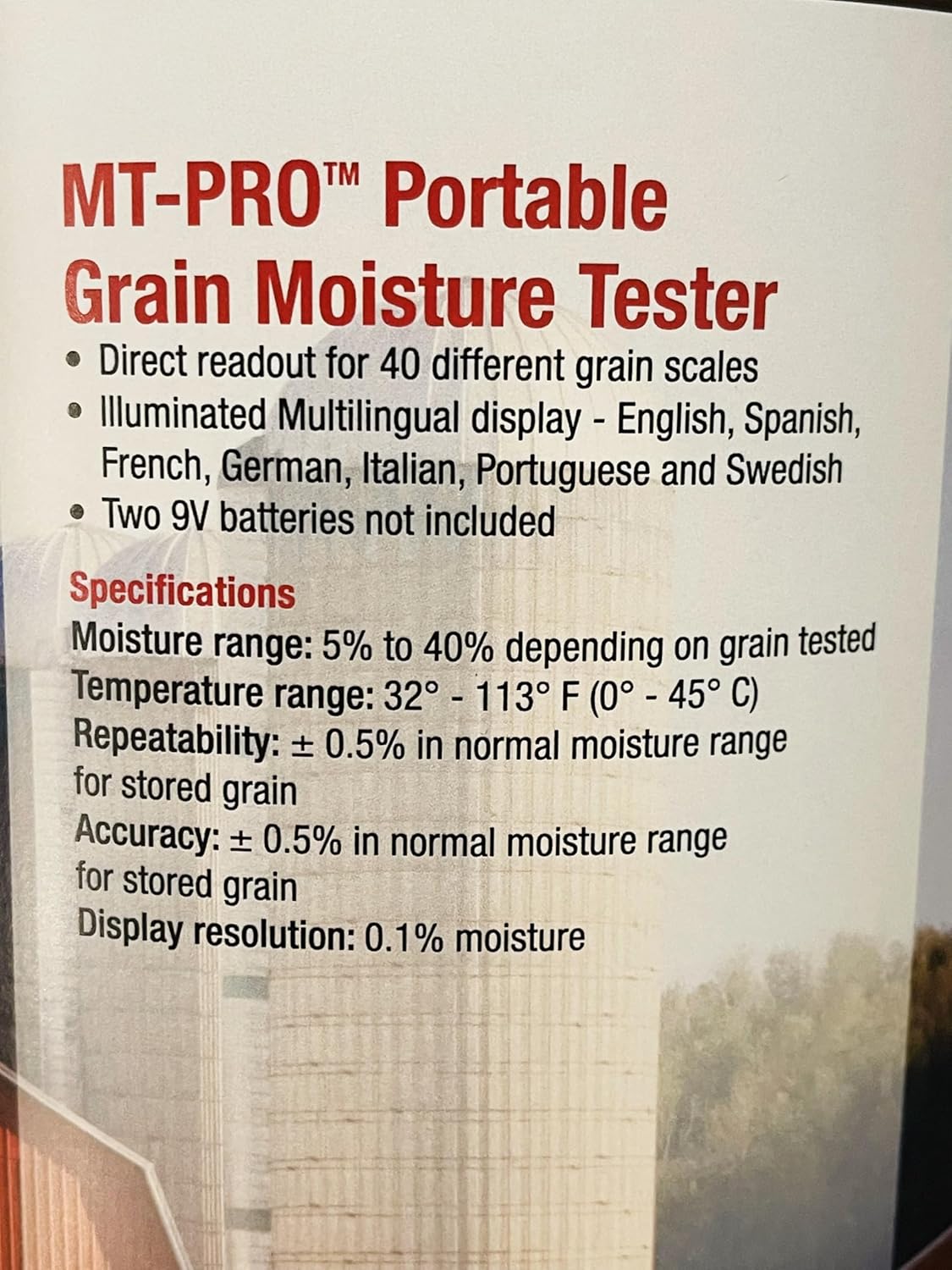
Figure 5: A detailed view of the MT-Pro specifications as printed on a product card.
| Feature | Detail |
|---|---|
| Model | 08125 |
| Moisture Range | 5% to 40% (depending on grain tested) |
| Temperature Range | 32° to 113°F (0° to 45°C) |
| Repeatability & Accuracy | ± 0.5% in normal moisture range for stored grain |
| Display Resolution | 0.1% moisture |
| Display Type | LED, Backlit |
| Grain Scales | Direct readout for 40 different grain scales |
| Languages | English, Spanish, French, German, Italian, Portuguese, Swedish |
| Power Source | 2 x 9V Batteries |
| Item Weight | 1.94 pounds |
| Product Dimensions | 12 x 10 x 5 inches |
| Material | Plastic |
| Included Accessories | Protective carrying case with shoulder strap |
Supported Grains:
Barley, Beet, Buckwheat, Canary, Clover: Purple, Clover: White, Corn: High Moisture, Corn: Low Moisture, Dactyl, Fescue, Flax (Linseed), Lentils, Lupins: Yellow Millet, Mustard, Navy Beans, Oats, Peanuts: Spanish, Peas: Fodder, Peas: Green, Peas: Yellow, Phleum, Popcorn: White, Popcorn: Yellow, Rapeseed (Canola), Rice: Long, Rice: Medium, Rye, Rye Grass, Safflower, Sorghum (Milo), Soybeans, Sunflower, Sunflower: Stripe, Triticale, Wheat: Durum, Wheat: Hard Red Spring, Wheat: Hard Red Winter, Wheat: Soft Red Winter, Wheat: White.
8. Warranty & Support
For warranty information and technical support, please refer to the documentation included with your product or visit the official AgraTronix website. Keep your purchase receipt as proof of purchase for warranty claims.
If you encounter issues not covered in this manual, please contact AgraTronix customer service for assistance.


