
1. Product Overview
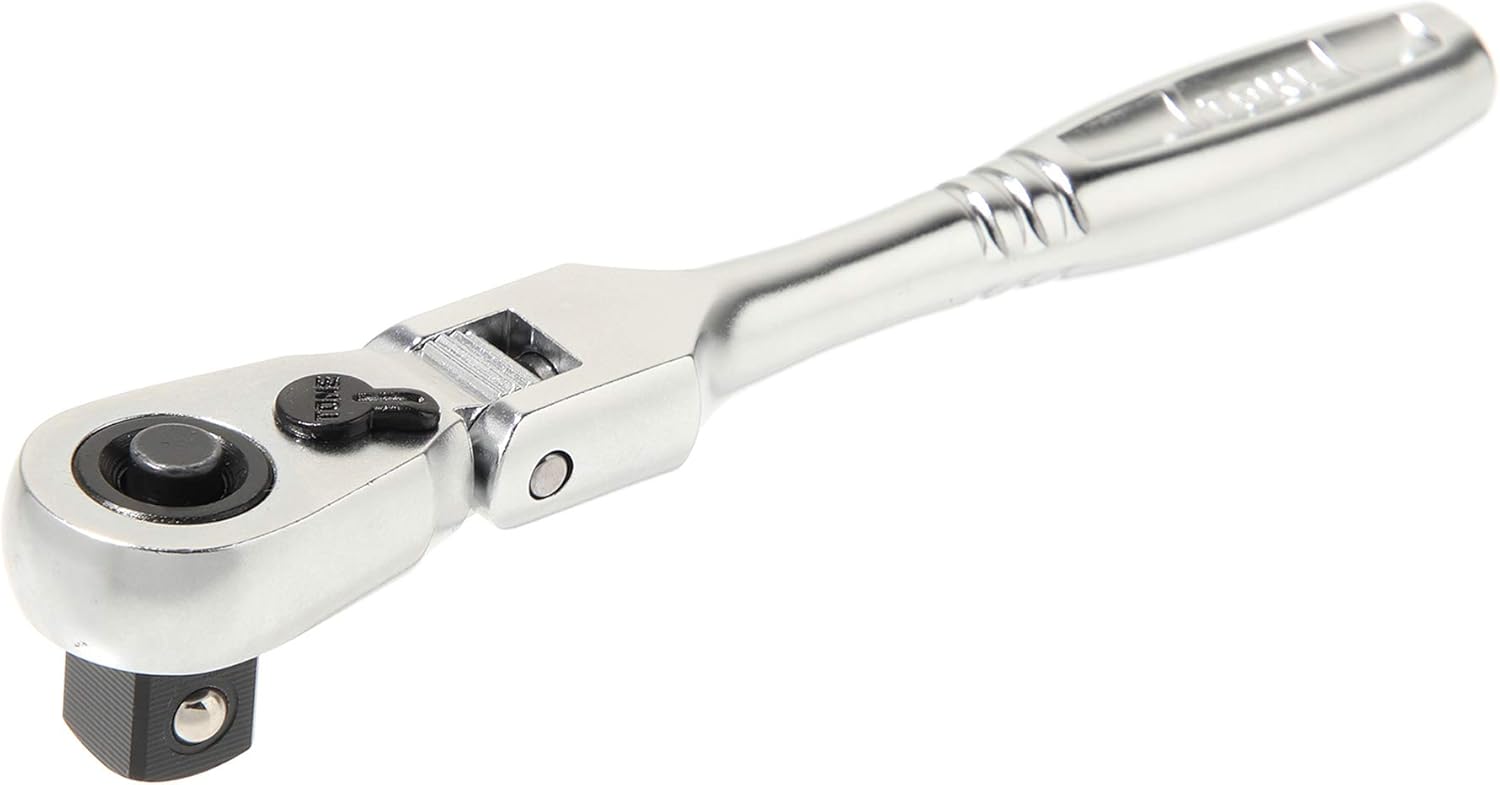
The TONE RH3FCH is a compact flex head ratchet handle designed for efficient and precise fastening tasks. It features a unique wedge-type mechanism with 72 gear and cam teeth, ensuring smooth operation and high dimensional maneuverability. Its lightweight and compact design, combined with a comfortable grip, makes it suitable for working in narrow or confined spaces.
Key Features:
- Flex Head Ratchet for adjustable angles.
- 3/8" Drive for compatibility with standard sockets.
- 72 Teeth mechanism for fine ratcheting action.
- Compact and lightweight design for improved maneuverability.
- Ergonomic "smooth curved design" handle for comfortable grip.
- Durable metal construction with a polished pearly finish.
2. Setup
Attaching Sockets:
- Ensure the ratchet head is clean and free of debris.
- Align the square drive of your 3/8" socket with the drive on the ratchet head.
- Press the socket firmly onto the drive until it clicks into place. The socket hold mechanism ensures a secure connection.
- To release the socket, press the quick-release button located on the center of the ratchet head and pull the socket off.

3. Operating Instructions
Direction Control:
The ratchet features a lever on the head to switch the direction of rotation (clockwise or counter-clockwise). Move the lever to the desired position before applying torque. Ensure the lever is fully engaged in one direction to prevent damage to the mechanism.
Flex Head Adjustment:
The flex head allows you to adjust the angle of the ratchet head relative to the handle. This is particularly useful in tight spaces or for reaching fasteners at awkward angles. The head can be adjusted at 15-degree increments for precise positioning. Simply pivot the head to the desired angle. Ensure the head is stable before applying significant force.
4. Maintenance
Cleaning:
After each use, wipe down the ratchet handle with a clean, dry cloth to remove dirt, grease, and debris. For stubborn grime, use a mild degreaser and a soft brush, then wipe thoroughly dry. Avoid using harsh chemicals or abrasive materials that could damage the finish.
Lubrication:
Periodically, apply a small amount of light machine oil to the ratchet mechanism and the flex head pivot points. This helps maintain smooth operation and prevents corrosion. Do not over-lubricate, as excessive oil can attract dirt.
Storage:
Store the ratchet in a clean, dry environment, away from excessive moisture or extreme temperatures. Keeping it in a tool chest or drawer will protect it from physical damage and environmental elements.
5. Troubleshooting
- Ratchet mechanism feels sticky or rough: This may indicate a need for cleaning and lubrication. Follow the maintenance steps in Section 4. If the issue persists, the internal mechanism may be worn or damaged.
- Socket does not attach securely: Ensure the quick-release button is not stuck and the drive square is free of debris. Verify that you are using a compatible 3/8" drive socket.
- Flex head is difficult to adjust: Apply a small amount of lubricant to the pivot points of the flex head. If it remains stiff, check for any obstructions or damage.
- Ratchet slips under load: This often indicates a worn internal mechanism. Discontinue use and consider professional repair or replacement.
6. Specifications
| Specification | Value |
|---|---|
| Brand | TONE |
| Model Number | RH3FCH |
| Drive Size | 3/8 inch |
| Head Style | Flex |
| Number of Teeth | 72 |
| Material | Metal |
| Item Length | 122 Millimeters |
| Item Weight | 83 Grams (2.93 ounces) |
| Maximum Torque | 50 Newton Meters |
| Finish Type | Powder Coated |

7. Warranty and Support
For specific warranty information regarding your TONE RH3FCH ratchet handle, please refer to the documentation provided at the time of purchase or visit the official TONE website. TONE products are manufactured to high-quality standards, and any claims should be directed to the authorized dealer or manufacturer's customer service.
For technical support or inquiries, please contact TONE customer service through their official channels. Keep your purchase receipt or proof of purchase handy when contacting support.