
Introduction
This manual provides essential information for the proper installation, operation, maintenance, and troubleshooting of the Groen 123127 Panel Front Overlay, specifically designed for the HY-5E series of foodservice equipment. This overlay serves as a protective and aesthetic cover for the control panel, enhancing durability and providing clear labeling for the unit's functions.
The Groen 123127 is a genuine OEM replacement part, ensuring compatibility and maintaining the safety, reliability, and performance standards of your Groen equipment.
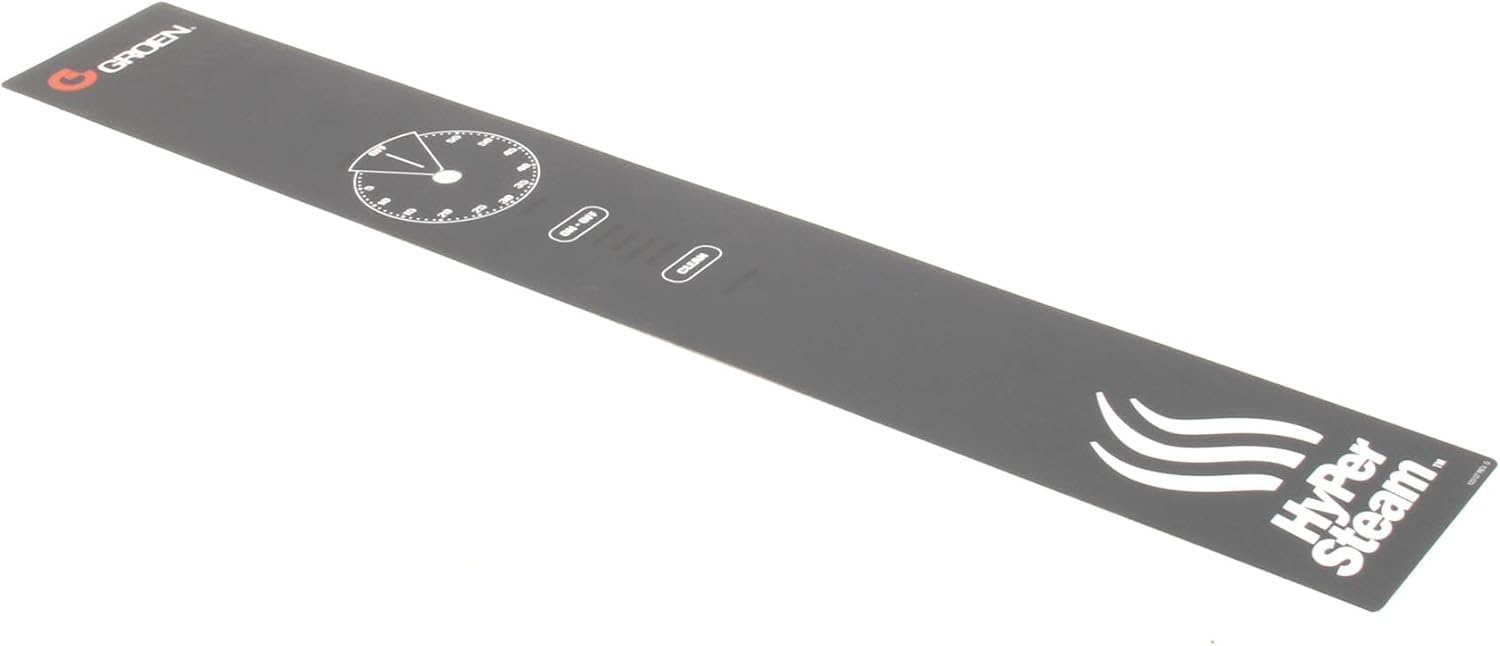
Figure 1: Top-down view of the Groen 123127 Panel Front Overlay, showing the timer dial, ON/OFF, and CLEAN buttons.
Setup and Installation
Proper installation of the panel front overlay is crucial for its functionality and longevity. Always ensure the HY-5E unit is powered off and disconnected from its power source before beginning any installation procedures.
Safety Precautions:
- Disconnect power to the HY-5E unit before installation.
- Wear appropriate personal protective equipment (PPE) if necessary.
- Handle the overlay carefully to prevent damage to its adhesive backing or surface.
Tools Required:
- Cleaning cloth
- Mild cleaning solution (e.g., isopropyl alcohol)
Installation Steps:
- Prepare the Surface: Ensure the existing control panel surface of the HY-5E unit is clean, dry, and free of any grease, dust, or debris. Use a mild cleaning solution and a clean cloth to prepare the area where the overlay will be applied.
- Align the Overlay: Carefully align the Groen 123127 Panel Front Overlay with the control panel of the HY-5E unit. Pay close attention to the cutouts for the timer dial, ON/OFF button, and CLEAN button to ensure a precise fit.
- Apply the Overlay: Once properly aligned, slowly peel off the protective backing from the adhesive side of the overlay. Starting from one end, gently press the overlay onto the control panel, smoothing out any air bubbles as you proceed. Ensure firm and even pressure across the entire surface.
- Secure in Place: After the overlay is fully applied, press firmly over all areas, especially around the edges and button cutouts, to ensure a strong bond.
- Final Check: Verify that all buttons and the timer dial can be operated freely and that the overlay is securely attached without any lifting edges.

Figure 2: Angled view of the overlay, highlighting the timer, ON/OFF, and CLEAN indicators.
Operating the HY-5E with the Overlay
The Groen 123127 Panel Front Overlay provides the visual interface and protection for the underlying controls of your HY-5E unit. It does not alter the operational functionality of the equipment but ensures clear identification and protection of the control elements.
Control Functions:
- Timer Dial: The circular dial on the overlay corresponds to the HY-5E's timer function. Rotate the underlying timer knob to set the desired cooking or steaming duration. The overlay provides clear markings for time intervals.
- ON/OFF Button: This button controls the power to the HY-5E unit. Press the underlying button through the overlay to toggle the unit's power state.
- CLEAN Button: This button activates the cleaning cycle of the HY-5E unit. Press the underlying button through the overlay to initiate the cleaning process as per your HY-5E's specific instructions.
Refer to your Groen HY-5E equipment's primary instruction manual for detailed operational procedures and safety guidelines related to the unit's functions.

Figure 3: Close-up view of the timer dial and buttons on the overlay.
Maintenance
Regular cleaning of the Groen 123127 Panel Front Overlay will maintain its appearance and ensure clear visibility of the control markings.
Cleaning Instructions:
- Use a soft, damp cloth with a mild, non-abrasive cleaning solution.
- Wipe the surface gently to remove spills, dust, or fingerprints.
- Avoid using harsh chemicals, abrasive cleaners, or scouring pads, as these can damage the overlay's surface and printed markings.
- Ensure no liquid seeps under the edges of the overlay, which could compromise the adhesive or damage the underlying electronics.
- Dry the surface thoroughly with a clean, soft cloth after cleaning.

Figure 4: Another angled view of the Groen 123127 Panel Front Overlay.
Troubleshooting
This section addresses common issues related to the Groen 123127 Panel Front Overlay.
Common Issues and Solutions:
- Overlay is peeling or lifting:
- Ensure the surface was thoroughly cleaned and dry before initial application.
- Apply firm, even pressure to the affected area to re-adhere. If the adhesive has lost its tackiness, the overlay may need replacement.
- Buttons feel unresponsive after overlay installation:
- This indicates potential misalignment. Carefully check if the overlay's button cutouts are perfectly centered over the HY-5E's physical buttons.
- If misalignment is significant, the overlay may need to be carefully removed and re-applied, or replaced if damaged during removal.
- Damage to the overlay surface (scratches, tears):
- Minor scratches may be cosmetic. For significant damage that affects readability or protection, the overlay should be replaced.
For issues related to the HY-5E unit's functionality (e.g., unit not powering on, timer not working), refer to the primary HY-5E equipment manual or contact Groen technical support.
Specifications
| Specification | Detail |
|---|---|
| Brand Name | Groen |
| Model Info | 123127 |
| Item Weight | 0.01 ounces |
| Product Dimensions | 24 x 6 x 6 inches |
| Item Model Number | 123127 |
| Part Number | 123127 |
| Batteries Required? | No |
| ASIN | B00M7E77OO |
| Date First Available | July 28, 2014 |
Warranty and Support
For specific warranty information regarding the Groen 123127 Panel Front Overlay, please refer to the documentation provided with your purchase or contact your authorized Groen dealer or the manufacturer directly. As a genuine OEM part, it typically adheres to Groen's standard parts warranty.
For technical assistance or further inquiries, please contact Groen customer support or your equipment service provider.


