
Klipsch R-10B
Klipsch R-10B Bluetooth Soundbar with Wireless Subwoofer
User Manual
Introduction
Thank you for purchasing the Klipsch R-10B Bluetooth Soundbar with Wireless Subwoofer. This system is designed to significantly enhance your home audio experience, delivering crisp highs, clear dialogue, and powerful bass. This manual provides essential information for setting up, operating, maintaining, and troubleshooting your new sound system to ensure optimal performance and longevity.
Important Safety Information
Please read all instructions carefully before using your Klipsch R-10B system. Keep this manual for future reference.
- Power Source: Only connect the soundbar and subwoofer to power outlets that match the voltage specified on the units.
- Ventilation: Do not block any ventilation openings. Ensure adequate space around the units for proper airflow.
- Water and Moisture: Do not expose the units to dripping or splashing water. Do not place objects filled with liquids, such as vases, on the apparatus.
- Heat: Do not place near any heat sources such as radiators, heat registers, stoves, or other apparatus (including amplifiers) that produce heat.
- Cleaning: Clean only with a dry cloth. Do not use liquid cleaners or aerosol cleaners.
- Servicing: Do not attempt to service this product yourself. Refer all servicing to qualified service personnel.
Package Contents
Verify that all items listed below are included in your package:
- Klipsch R-10B Soundbar
- Klipsch Wireless Subwoofer
- Remote Control
- Power Cord for Soundbar
- Power Cord for Subwoofer
- Optical Digital Audio Cable
Setup
1. Unpacking
Carefully remove all components from the packaging. Retain the packaging materials for future transport or storage.
2. Placement
Soundbar: Place the soundbar directly in front of your television, centered, on a stable surface. Ensure it does not block the TV's remote sensor. Alternatively, the soundbar can be wall-mounted (mounting hardware not included).
Wireless Subwoofer: The wireless subwoofer can be placed anywhere in the room, ideally within 15-20 feet of the soundbar. Experiment with different locations to find the best bass response for your listening area. Placing it in a corner often enhances bass.

Image: The Klipsch R-10B soundbar and its accompanying wireless subwoofer, both in satin black finish, positioned together. The soundbar is sleek and rectangular, designed to sit below a television, while the subwoofer is a larger cube-shaped unit.
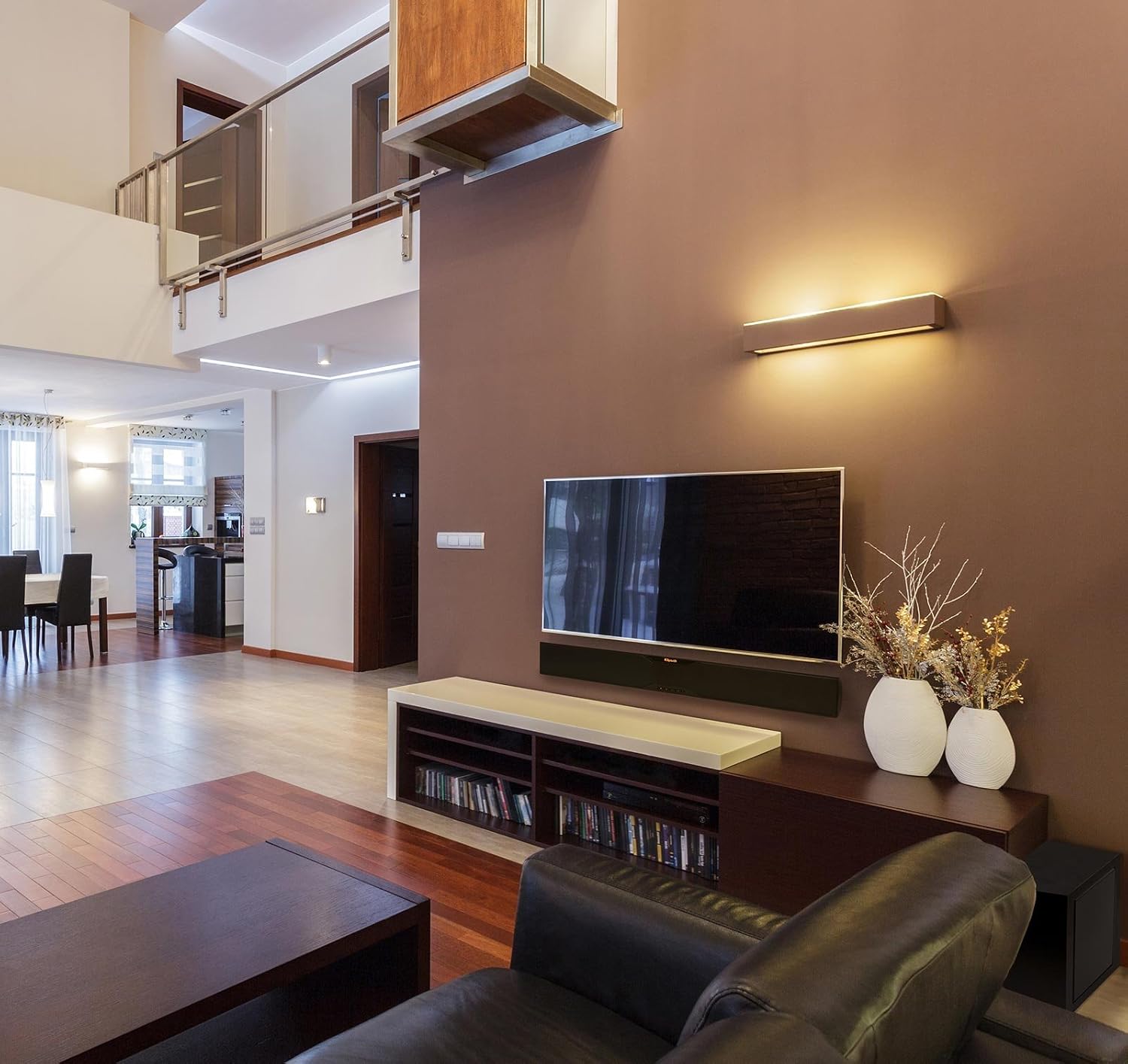
Image: A Klipsch R-10B soundbar integrated into a modern living room setup, placed beneath a wall-mounted television. The room features contemporary decor with warm lighting and a comfortable seating area, demonstrating typical product placement.
3. Connections
Power: Connect the provided power cords to the soundbar and the wireless subwoofer, then plug them into active wall outlets.
Audio Input: For optimal sound quality, connect your television or audio source to the soundbar using the supplied optical digital audio cable. Insert one end into the OPTICAL OUT port on your TV and the other end into the OPTICAL IN port on the soundbar.

Image: The rear panel of the Klipsch R-10B wireless subwoofer, showing the power input, a power switch (OFF/ON), and a 'SUBWOOFER VOLUME' knob for adjusting bass levels. This panel also includes regulatory information and model details.
4. Wireless Subwoofer Pairing
The Klipsch R-10B soundbar and wireless subwoofer are designed to pair automatically upon initial power-up. Ensure both units are plugged in and powered on.
If the subwoofer does not pair automatically, or if the connection is lost:
- Ensure both the soundbar and subwoofer are powered on.
- Locate the 'PAIR' button on the rear of the subwoofer (if available, or refer to the manual for specific pairing instructions).
- Press and hold the 'PAIR' button on the subwoofer until its status indicator begins to flash.
- On the soundbar, press and hold the 'SOURCE' button (or a dedicated 'PAIR' button if present) until its indicator also flashes.
- Once successfully paired, the indicators on both units will turn solid.
Operating Instructions
1. Power On/Off
Press the POWER button on the soundbar or the remote control to turn the system on or off. The soundbar may also automatically power on when an audio signal is detected from the connected TV.
2. Input Selection
Press the SOURCE button on the soundbar or remote control to cycle through available audio inputs (e.g., Optical, Bluetooth). The corresponding indicator light on the soundbar will illuminate to show the selected input.
3. Bluetooth Operation
The Klipsch R-10B features Bluetooth wireless technology for streaming audio from compatible devices.
- Press the SOURCE button on the soundbar or remote until the Bluetooth indicator light is selected. The light will flash, indicating it is in pairing mode.
- On your Bluetooth-enabled device (smartphone, tablet, computer), enable Bluetooth and search for available devices.
- Select "Klipsch R-10B" from the list of devices.
- Once connected, the Bluetooth indicator on the soundbar will turn solid. You can now play audio from your device through the soundbar.
- To disconnect, either turn off Bluetooth on your device or select a different input on the soundbar.
4. Volume Control
Soundbar Volume: Use the VOLUME UP (+) and VOLUME DOWN (-) buttons on the soundbar or remote control to adjust the overall system volume.
Subwoofer Volume: The wireless subwoofer has a dedicated SUBWOOFER VOLUME knob on its rear panel. Use this knob to fine-tune the bass level independently of the main soundbar volume. Adjust it to your preference for movies, music, or gaming.
Maintenance
To maintain the appearance and performance of your Klipsch R-10B system, follow these simple guidelines:
- Cleaning: Use a soft, dry cloth to wipe down the soundbar and subwoofer surfaces. Do not use abrasive cleaners, waxes, or solvents, as they may damage the finish.
- Grilles: The speaker grilles are not removable. Do not attempt to remove them, as this may damage the drivers.
- Dust: Regularly dust the units to prevent accumulation, which can affect performance and appearance.
Troubleshooting
If you experience issues with your Klipsch R-10B system, consult the table below for common problems and solutions.
| Problem | Possible Solution |
|---|---|
| No power to soundbar/subwoofer | Ensure power cords are securely connected to both units and wall outlets. Verify outlets are active. |
| No sound from soundbar | Check that the correct input source is selected (e.g., Optical, Bluetooth). Ensure volume is not muted or too low. Verify audio cable connection. |
| No sound from subwoofer | Ensure the subwoofer is powered on and its volume knob is adjusted. Re-pair the subwoofer with the soundbar if the connection is lost (refer to Wireless Subwoofer Pairing section). |
| Bluetooth device won't pair | Ensure the soundbar is in Bluetooth pairing mode. Move your device closer to the soundbar. Disconnect other Bluetooth devices from the soundbar. Try restarting both the soundbar and your device. |
| Remote control not working | Check and replace the battery in the remote. Ensure there are no obstructions between the remote and the soundbar's sensor. |
Specifications
| Feature | Detail |
|---|---|
| Model Name | Klipsch R-10B |
| Speaker Type | Soundbar, Subwoofer |
| Connectivity Technology | Bluetooth (with aptX Audio Coding Technology) |
| Speaker Maximum Output Power | 250 Watts (Peak) |
| Subwoofer Diameter | 8 Inches |
| Tweeter Diameter | 19 Millimeters (0.75 inches) |
| Product Dimensions (Soundbar) | 2.8 x 40 x 4.1 inches |
| Item Weight (Soundbar) | 7 Pounds |
| Included Components | Soundbar, Wireless Subwoofer, Remote Control, Power Cords, Optical Cable |
| Color | Satin Black |
Warranty and Support
Klipsch products are built to last, and the R-10B is backed by a limited manufacturer's warranty. Please refer to the warranty card included with your product for specific terms and conditions, including coverage duration and limitations.
For technical support, service, or warranty claims, please visit the official Klipsch website or contact their customer service department. Keep your proof of purchase for warranty validation.
Klipsch Official Website: www.klipsch.com
Related documentsR-10B


Ask a question about this manual
Ask about setup, troubleshooting, compatibility, parts, safety, or missing instructions. Manuals+ will review the question and use this page’s manual context to help answer it.