
Introduction
This manual provides essential instructions for the safe and efficient operation of your Muse M-28 VF Portable CD/MP3 Radio with USB Player. Please read this manual thoroughly before using the device and retain it for future reference.
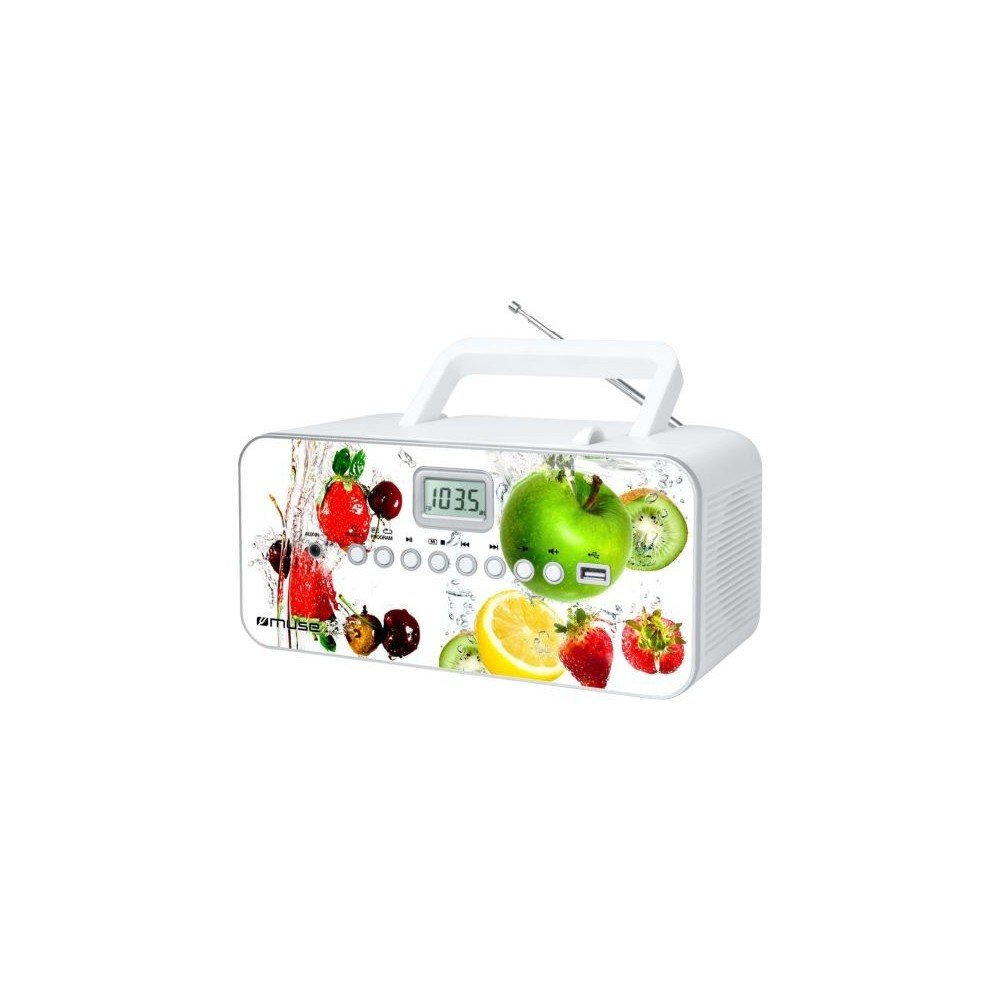
Front view of the Muse M-28 VF portable CD/MP3 radio, showing the CD compartment, display, and control buttons.
Safety Information
- Do not expose the unit to rain or moisture.
- Do not block any ventilation openings.
- Ensure proper ventilation around the unit.
- Use only attachments/accessories specified by the manufacturer.
- Unplug the unit during lightning storms or when unused for long periods.
- Refer all servicing to qualified service personnel.
Setup
1. Power Connection
- Locate the AC power cord.
- Insert the small end of the power cord into the AC IN jack on the back of the unit.
- Plug the other end of the power cord into a standard wall outlet.
2. Antenna Adjustment
For optimal FM radio reception, fully extend the telescopic antenna. For MW (AM) reception, the unit has a built-in antenna; rotate the unit for best reception.
Operating Instructions
1. Power On/Off
Press the POWER button to turn the unit on or off.
2. Mode Selection
Press the MODE button repeatedly to switch between CD, USB, FM Radio, MW Radio, and AUX modes.
3. CD Playback
- Open the CD compartment door.
- Place a CD (CD/CD-R/CD-RW/MP3 compatible) with the label side facing up.
- Close the CD compartment door.
- Select CD mode using the MODE button.
- Press the PLAY/PAUSE button to start playback.
- Use the SKIP buttons (<< / >>) to navigate tracks.
- Press the STOP button to end playback.
- The unit features a full or partial repeat function. Refer to the display for repeat mode indicators.
4. USB Playback
- Insert a USB flash drive into the USB port.
- Select USB mode using the MODE button.
- Playback will start automatically or by pressing the PLAY/PAUSE button.
- Use the SKIP buttons (<< / >>) to navigate tracks.
5. FM/MW Radio Operation
- Select FM or MW mode using the MODE button.
- Press and hold the TUNE +/- buttons to automatically scan for the next available station.
- Press the TUNE +/- buttons briefly to fine-tune the frequency.
- To store a station: Tune to the desired station, then press and hold the PROGRAM button. Use SKIP buttons to select a preset number, then press PROGRAM again to confirm. The unit supports 20 FM and 10 MW storable stations.
- To recall a stored station: Press the MEMORY or PRESET button, then use SKIP buttons to select the desired preset.
6. Auxiliary Input (AUX IN)
- Connect an external audio device (e.g., smartphone, MP3 player) to the AUX IN jack using a 3.5mm audio cable (not supplied).
- Select AUX mode using the MODE button.
- Control playback from the connected external device.
7. Volume Control
Rotate the VOLUME knob to adjust the sound level.
Maintenance
1. Cleaning the Unit
- Before cleaning, ensure the unit is powered off and unplugged from the wall outlet.
- Use a soft, dry cloth to wipe the exterior surfaces.
- For stubborn stains, slightly dampen the cloth with water. Do not use abrasive cleaners, waxes, or solvents.
- Clean the CD lens periodically with a specialized CD lens cleaner disc (not supplied).
2. Storage
When not in use for extended periods, store the unit in a cool, dry place, away from direct sunlight and extreme temperatures.
Troubleshooting
| Problem | Possible Cause | Solution |
|---|---|---|
| No power | Power cord not connected properly. | Check if the power cord is securely plugged into the unit and the wall outlet. |
| No sound | Volume is too low or muted. Incorrect mode selected. | Increase the volume. Ensure the correct playback mode (CD, USB, Radio, AUX) is selected. |
| CD not playing | CD inserted incorrectly. CD is dirty or scratched. Incorrect mode. | Insert CD with label side up. Clean or replace the CD. Select CD mode. |
| USB not playing | USB drive not inserted correctly. Incompatible file format. | Ensure USB drive is fully inserted. Check if files are MP3 format. |
| Poor radio reception | Antenna not extended/positioned correctly. Interference. | Fully extend and adjust the FM telescopic antenna. Rotate the unit for MW reception. Move away from other electronic devices. |
Specifications
- Model: M-28 VF
- Brand: MUSE
- Compatible Disc Types: CD, CD-R, CD-RW, MP3
- Radio Tuner: PLL FM/MW
- Preset Stations: 20 FM, 10 MW
- Connectivity: USB Port (1), Auxiliary Input (3.5mm)
- Speaker Type: Stereo
- Power Source: AC Cable
- Output Power: 14 Watts
- Dimensions (L x W x H): 17 x 26 x 13 cm (approximately 6.7 x 10.2 x 5.1 inches)
- Weight: 1.4 Kilograms (approximately 3.1 lbs)
- Bluetooth Compatible: No
Warranty Information
This product comes with a manufacturer's warranty of 1 year from the date of purchase. Please retain your proof of purchase for warranty claims. The warranty covers defects in materials and workmanship under normal use. It does not cover damage caused by misuse, accident, unauthorized modification, or external causes.
Customer Support
For further assistance, technical support, or warranty inquiries, please refer to the contact information provided with your product packaging or visit the official MUSE website. Do not attempt to repair the unit yourself.


