
1. Introduction
This manual provides detailed instructions for the safe operation, installation, maintenance, and troubleshooting of your Midea AKPD12CR4 Arctic King 12000 BTU Portable Air Conditioner. Please read this manual thoroughly before using your appliance and retain it for future reference.
The Midea AKPD12CR4 is designed to cool your living space efficiently, offering 12,000 BTUs of cooling power. Its portable design allows for flexible placement within your home.
2. Safety Information
WARNING: To reduce the risk of fire, electrical shock, or injury, observe the following safety precautions:
- Always plug the unit into a grounded 110-Volt, 60 Hz electrical outlet.
- Do not operate the unit with a damaged power cord or plug.
- Do not block air outlets or inlets.
- Keep flammable materials away from the unit.
- Do not insert objects into the air vents.
- Unplug the unit before cleaning or servicing.
- This appliance is not intended for use by persons (including children) with reduced physical, sensory or mental capabilities, or lack of experience and knowledge, unless they have been given supervision or instruction concerning use of the appliance by a person responsible for their safety.
3. Product Overview
The Midea AKPD12CR4 Portable AC unit consists of the main air conditioner body, an exhaust hose, a window slider kit, and a remote control.
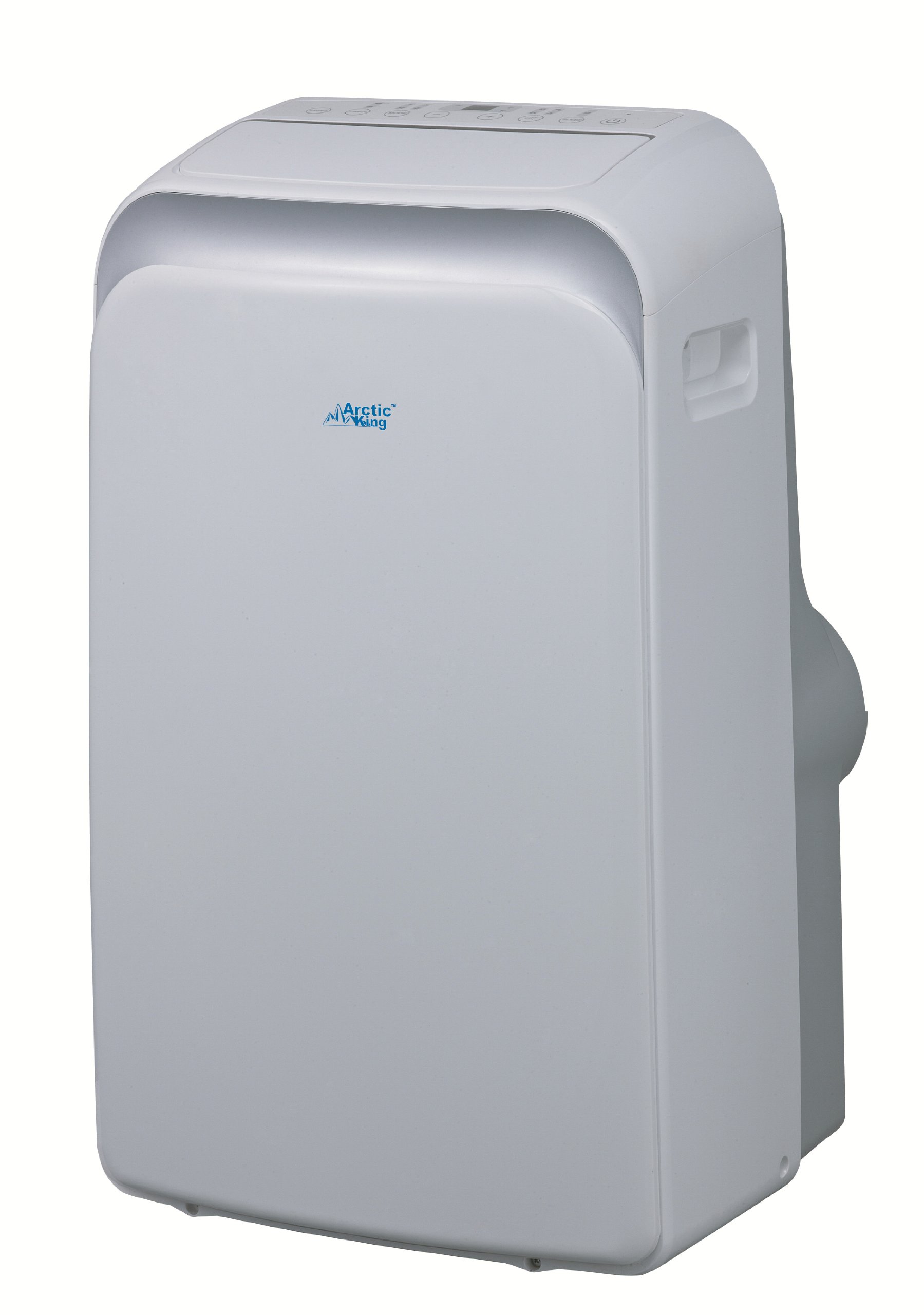
Image 1: Front view of the Midea AKPD12CR4 Portable AC unit. The unit is white with a control panel on top and an air outlet at the front.
Main Components:
- Control Panel: Located on the top of the unit for manual operation.
- Air Outlet: Front-facing vent for cool air distribution.
- Air Inlet: Rear-facing vents for drawing in room air.
- Exhaust Air Outlet: Connection point for the exhaust hose.
- Drain Port: For removing condensed water.
- Power Cord: 110-Volt, UL rated.
- Remote Control: For convenient operation from a distance.
4. Setup and Installation
The Midea AKPD12CR4 is designed for window installation to exhaust hot air. Ensure the unit is placed on a flat, stable surface near a grounded electrical outlet and a window.
4.1 Unpacking
- Carefully remove the unit and all accessories from the packaging.
- Inspect the unit for any shipping damage. Report any damage to your retailer immediately.
- Retain the original packaging for future storage or transport.
4.2 Window Kit Installation
- Assemble the window slider kit according to the instructions provided with the kit. Adjust its length to fit your window opening.
- Open the window and place the assembled window slider kit into the window opening. Secure it in place.
- Attach one end of the exhaust hose to the exhaust air outlet on the back of the AC unit.
- Attach the other end of the exhaust hose to the adapter on the window slider kit. Ensure both connections are secure to prevent hot air from re-entering the room.
- Position the unit at least 20 inches (50 cm) away from walls or other objects to ensure proper airflow.
4.3 Electrical Connection
- Plug the power cord into a dedicated, grounded 110-Volt, 60 Hz electrical outlet. Do not use extension cords or adapter plugs.
- The unit is UL rated for electrical safety.
5. Operating Instructions
Your Midea AKPD12CR4 Portable AC can be operated using the control panel on the unit or the provided remote control.
5.1 Control Panel
- Power Button: Press to turn the unit ON or OFF.
- Mode Button: Cycle through cooling, fan, and dehumidify modes.
- Temperature Up/Down Buttons: Adjust the desired temperature setting.
- Fan Speed Button: Select low, medium, or high fan speed.
- Timer Button: Set a timer for automatic ON/OFF.
5.2 Remote Control
The remote control duplicates most functions of the control panel, allowing for convenient adjustments from a distance. Ensure there are no obstructions between the remote control and the unit's receiver.
5.3 Operating Modes
- Cool Mode: Provides cooling to the room. Set your desired temperature (e.g., 68°F - 86°F / 20°C - 30°C).
- Fan Mode: Circulates air without cooling. Use for ventilation.
- Dehumidify Mode: Reduces humidity in the room. The fan speed is typically fixed in this mode.
6. Maintenance
Regular maintenance ensures optimal performance and extends the lifespan of your portable AC unit.
6.1 Cleaning the Air Filter
- Unplug the unit from the power outlet.
- Locate the air filter(s) on the back or side of the unit.
- Remove the filter(s) by sliding them out.
- Wash the filter(s) with warm, soapy water. Rinse thoroughly and allow to air dry completely before reinstalling. Do not expose to direct sunlight.
- Reinstall the dry filter(s) into the unit.
- Clean the air filter every two weeks or more frequently if the unit is used in a dusty environment.
6.2 Draining Water
The unit has an internal self-evaporation system. However, in high humidity conditions, the water tank may fill up. When full, the unit will stop operating and display an error code (refer to troubleshooting). To drain:
- Unplug the unit.
- Place a shallow pan or tray under the drain port at the bottom rear of the unit.
- Remove the drain plug to allow water to flow out.
- Once drained, replace the drain plug securely.
6.3 Storage
If storing the unit for an extended period:
- Drain all condensed water from the unit.
- Clean the air filter.
- Run the unit in fan-only mode for a few hours to dry the interior.
- Unplug the power cord and wrap it neatly.
- Store the unit in a cool, dry place, preferably in its original packaging.
7. Troubleshooting
Before contacting customer service, refer to the following table for common issues and solutions.
| Problem | Possible Cause | Solution |
|---|---|---|
| Unit does not turn on. | No power; power cord unplugged; circuit breaker tripped. | Ensure unit is plugged in; check circuit breaker; press reset button on plug if applicable. |
| Unit does not cool. | Air filter dirty; exhaust hose not properly installed; room too large; doors/windows open. | Clean air filter; ensure exhaust hose is sealed; close doors/windows; check room size against unit capacity. |
| Unit is noisy. | Unit not on a level surface; fan speed too high. | Place unit on a flat surface; select a lower fan speed. |
| Water leaks from unit. | Drain plug loose; unit tilted; internal water tank full. | Tighten drain plug; ensure unit is level; drain water from the unit. |
8. Specifications
Key technical specifications for the Midea AKPD12CR4 Portable AC unit:
- Model: AKPD12CR4
- Cooling Capacity: 12,000 BTUs
- Power: 110 Volts
- Electrical Rating: UL rated
- Energy Efficiency Rating (EER): 8.9
- Seasonal Energy Efficiency Ratio (SEER): 13
- Noise Level: 55 Decibels
- Refrigerant: R 410A
- Item Weight: 70 Pounds
- Control Method: Remote Control
- Color: White
- Installation Type: Window (with included kit)
9. Warranty and Customer Support
For warranty information, please refer to the warranty card included with your product or visit the official Midea website. For technical assistance or customer support, please contact Midea customer service.
You can find more information and support resources by visiting the Midea Store on Amazon.


