
VTech DM111
VTech DM111 Audio Baby Monitor
Model: DM111
Introduction
The VTech DM111 Audio Baby Monitor provides a reliable and secure way to monitor your baby from another room. Utilizing digital transmission, it minimizes static and interference, ensuring clear audio. This manual provides detailed instructions for setting up, operating, and maintaining your baby monitor.

The VTech DM111 Audio Baby Monitor system, featuring both the Parent Unit and Baby Unit, designed for reliable monitoring.
What's in the Box
Ensure all items are present in your package:
- Parent Unit
- Baby Unit
- 2 AC power plugs (110V)
- Owner's manual (this document)
Product Overview
The VTech DM111 system consists of two main components: the Baby Unit and the Parent Unit.
Baby Unit
The Baby Unit is placed in your baby's room and transmits audio to the Parent Unit. It features a power indicator and a microphone.

Front view of the Baby Unit, showing the power indicator and microphone.

Side view of the Baby Unit, highlighting the AC power adapter port.
Parent Unit
The Parent Unit allows you to hear your baby. It is portable and features a speaker, volume controls, sound indicators, and a belt clip.

The Parent Unit displaying its key features: secure digital transmission, power light, volume control buttons, and a 5-level sound indicator.

Detailed diagram illustrating the various features and components of both the Baby and Parent Units.
Setup
Follow these steps to set up your VTech DM111 Audio Baby Monitor:
- Install Battery in Parent Unit: The Parent Unit includes a rechargeable battery. Open the battery compartment and insert the provided AAA batteries.
- Connect Power: Plug one AC power adapter into the Baby Unit and the other into the Parent Unit. Connect both adapters to a wall outlet.
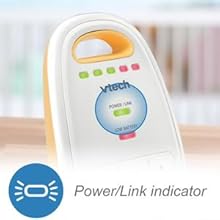
- Power On: Press the power button on both the Baby Unit and the Parent Unit. Allow approximately one minute for the units to link to each other. The Power/Link indicator on the Parent Unit will illuminate when a connection is established.
- Position Units: Place the Baby Unit in your baby's room, ensuring it is out of reach of the baby. Position the Parent Unit in a location where you can easily hear it.

The Parent Unit's battery compartment, where the rechargeable battery is installed.
The Power/Link indicator on the Parent Unit, which confirms a successful connection.
Operating Instructions
Range and Transmission
The VTech DM111 offers a dependable long operation range of up to 1,000 feet, allowing you to stay connected with your baby from various locations within your home or yard. The monitor uses secured internal DECT 6.0 frequency channels to ensure privacy and clear transmission.

Illustration of the monitor's long range capability, covering up to 1,000 feet outdoors.

The monitor uses DECT 6.0 technology for secure and private audio transmission.
Volume Control
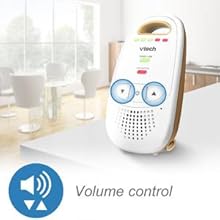
Adjust the speaker volume on the Parent Unit using the up and down arrow keys. This allows you to set the listening level to your preference.
The volume control buttons on the Parent Unit for adjusting audio output.
5-Level Sound Indicator
The Parent Unit features a set of five LED lights that visually indicate the level of sound detected in your baby's room. This allows you to monitor noise levels even when the unit is muted.
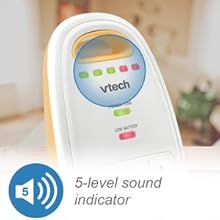
The 5-level sound indicator provides a visual representation of noise in the baby's room.
Belt Clip
The Parent Unit includes a convenient belt clip, allowing you to attach it to your clothing for hands-free portability while moving around your home.

The Parent Unit with its integrated belt clip for easy portability.
Maintenance
Battery Care
The Parent Unit's built-in rechargeable battery supports up to 8 hours of portable operation on a single charge. To maximize battery life, ensure the unit is fully charged before initial use and when not in use for extended periods, connect it to the power adapter.

The Parent Unit offers up to 8 hours of battery life, ideal for portable use around the home.
Cleaning
To clean your monitor units, wipe them with a soft, damp cloth. Do not use cleaning sprays or liquid cleaners. Ensure the units are dry before reconnecting to power.
Troubleshooting
If you experience issues with your VTech DM111 Audio Baby Monitor, refer to the following common problems and solutions:
- No Sound from Parent Unit:
- Ensure both the Baby Unit and Parent Unit are powered on and properly linked.
- Increase the volume on the Parent Unit using the up arrow button.
- Check that the power adapters are securely connected to both units and wall outlets.
- Static or Interference:
- Move the Baby Unit or Parent Unit to a different location, away from other electronic devices that may cause interference (e.g., cordless phones, Wi-Fi routers).
- Ensure units are within range.
- Out of Range Alert:
- If the Parent Unit emits an out-of-range alert, move it closer to the Baby Unit.
- Obstacles like thick walls or large metal objects can reduce range. Try repositioning the units.
- Low Battery Alert:
- When the Parent Unit indicates low battery, connect it to the AC power adapter to recharge.
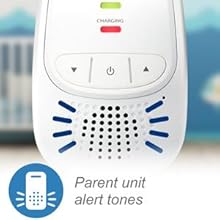
The Parent Unit emits different alert tones for situations requiring your attention, such as low battery or being out of range.
The Parent Unit provides audible alerts for various conditions.
Specifications
| Feature | Detail |
|---|---|
| Item Model Number | DM111 |
| Product Dimensions | 1.9 x 4.6 x 2.6 inches |
| Item Weight | 13.7 ounces |
| Batteries | 2 AAA batteries required (included) |
| Talking Range Maximum | 1000 Feet |
| Voltage | 110 Volts |
| Special Feature | 2-Way Audio, Low Battery Alert, Out of Range Alert, Volume Control |
| Manufacturer Recommended Age | 0 - 8 years |
| Date First Available | April 2, 2014 |
Warranty and Support
Warranty Information
The VTech DM111 Audio Baby Monitor comes with a 1 Year Limited Warranty from the date of purchase. Please retain your proof of purchase for warranty claims.
Customer Support
For technical assistance or warranty inquiries, please contact VTech Customer Support:
Phone: 1-800-595-9511
Related documentsDM111


Ask a question about this manual
Ask about setup, troubleshooting, compatibility, parts, safety, or missing instructions. Manuals+ will review the question and use this page’s manual context to help answer it.