
Standard Motor Products HP2800
Standard Motor Products HP2800 Battery Cable Lug User Manual
Model: HP2800
Introduction
This manual provides instructions for the proper use, installation, and maintenance of the Standard Motor Products HP2800 Copper Battery Cable Lug. This product is designed to provide a secure and conductive connection for battery cables in various automotive and marine applications.
Safety Information
Always prioritize safety when working with electrical components and battery systems. Failure to follow these guidelines may result in injury or damage.
- Disconnect the battery's negative terminal first, then the positive terminal, before working on any battery connections.
- Wear appropriate personal protective equipment (PPE), including safety glasses and gloves.
- Ensure the vehicle's ignition is off and the parking brake is engaged.
- Avoid short-circuiting battery terminals or cables.
- Work in a well-ventilated area to prevent accumulation of hazardous gases.
- Keep tools and metal objects away from battery terminals to prevent accidental short circuits.
Product Overview
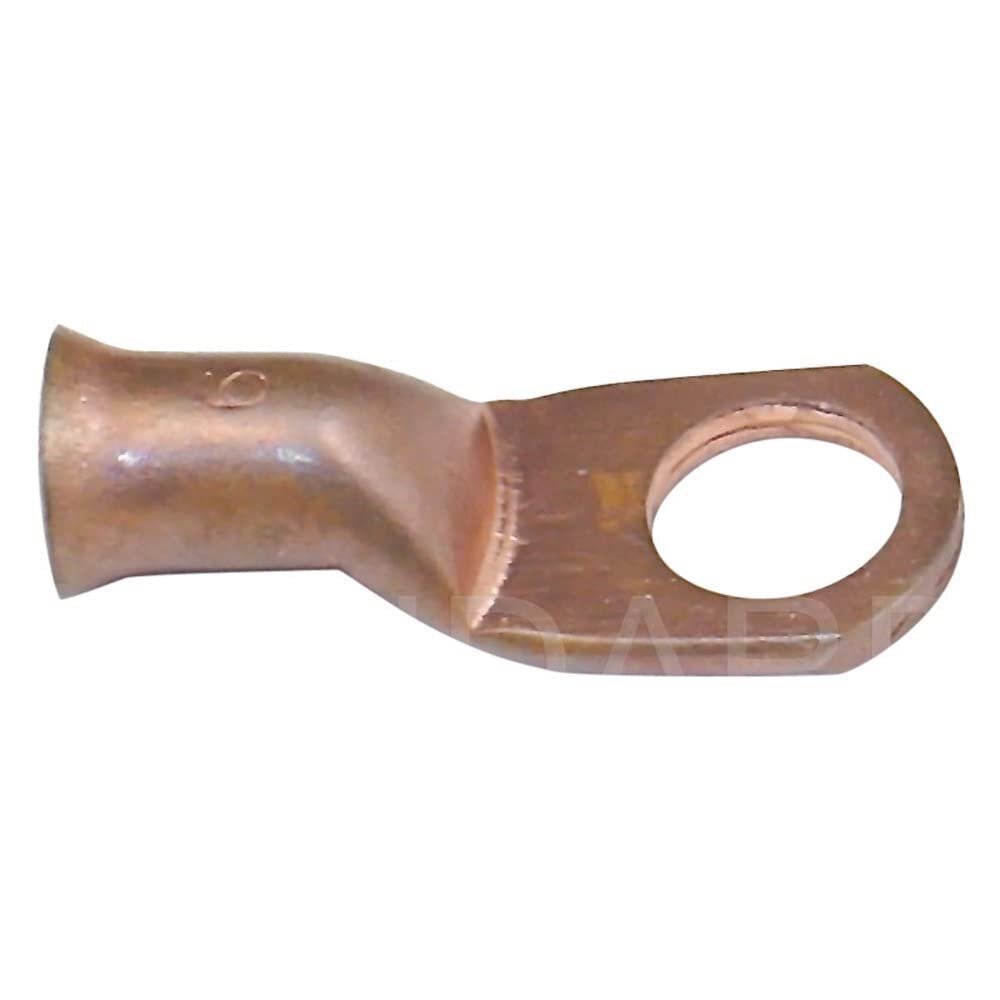
Figure 1: Standard Motor Products HP2800 Copper Battery Cable Lug. This image shows the copper lug with a cylindrical opening on one end for cable insertion and a flat, circular terminal on the other end for bolt connection. The lug is made of copper, indicating high conductivity.
Installation Instructions
Follow these steps for proper installation of the battery cable lug:
- Prepare the Cable: Strip approximately 1/2 to 3/4 inch of insulation from the end of the battery cable, exposing the bare copper strands. Ensure the strands are clean and free of corrosion.
- Insert Cable: Insert the stripped end of the battery cable fully into the cylindrical barrel of the HP2800 lug. Ensure all strands are contained within the lug and no stray strands are exposed.
- Crimp the Lug: Using a suitable crimping tool designed for battery cable lugs, firmly crimp the barrel of the lug onto the cable. Multiple crimps may be necessary to ensure a secure, low-resistance connection. Verify the crimp is tight and the cable cannot be pulled out.
- Connect to Terminal: Attach the flat, circular end of the lug to the appropriate battery terminal or electrical post using a bolt and nut. Ensure the connection is clean, tight, and free of corrosion. Use a washer if necessary to ensure proper contact.
- Test Connection: After installation, gently tug on the cable to confirm the lug is securely attached. Check for any loose connections or signs of arcing once power is reconnected.
Usage Considerations
The HP2800 battery cable lug is a passive component designed for permanent electrical connections. Proper installation is critical for its performance and the safety of your electrical system.
- Ensure the lug size matches the gauge of the battery cable for optimal conductivity and secure crimping. An undersized lug can lead to overheating.
- Use appropriate torque when tightening the lug to the battery terminal to prevent overtightening (which can damage the terminal or lug) or loosening (which can cause poor connection).
- Regularly inspect connections for corrosion or damage, especially in harsh environments or areas exposed to moisture and chemicals.
Maintenance
Minimal maintenance is required for the HP2800 battery cable lug once properly installed. Periodic checks will ensure long-term reliability.
- Periodic Inspection: Annually or as needed, inspect the lug and its connection points for signs of corrosion, looseness, or physical damage. Look for green or white powdery buildup.
- Cleaning: If corrosion is present, disconnect the battery (following safety procedures) and clean the lug and terminal surfaces with a wire brush and a battery terminal cleaner solution. Rinse with water and dry thoroughly. Reapply dielectric grease or anti-corrosion spray if desired to prevent future corrosion.
- Replacement: Replace the lug if it shows signs of significant corrosion that cannot be cleaned, cracking, deformation, or if the connection becomes loose and cannot be re-secured.
Troubleshooting
| Problem | Possible Cause | Solution |
|---|---|---|
| Poor electrical connection / Voltage drop | Loose crimp, corroded surfaces, incorrect lug size for cable gauge. | Re-crimp the lug securely, clean all contact surfaces thoroughly, ensure correct lug-to-cable gauge match. |
| Lug overheating | Loose connection, undersized lug for current draw, excessive resistance due to poor crimp or corrosion. | Tighten connections, verify lug is rated for application's current, replace if damaged or undersized. |
| Corrosion buildup | Exposure to moisture and chemicals, lack of protective measures. | Clean regularly, apply anti-corrosion grease or spray, ensure proper ventilation if applicable. |
Specifications
- Model: HP2800
- Material: Copper
- Item Weight: Approximately 1.6 ounces
- Package Dimensions: Approximately 10.75 x 6.52 x 3.61 inches
- Manufacturer: Standard Motor Products
- Manufacturer Part Number: HP2800
Warranty and Support
For warranty information or technical support regarding your Standard Motor Products HP2800 Battery Cable Lug, please contact Standard Motor Products directly or refer to their official website. Keep your purchase receipt as proof of purchase.
Manufacturer Contact:
- Brand: Standard Motor Products
- Website: www.smpcorp.com
- Customer Service: Refer to the manufacturer's website for current contact details and support options.
Related documentsHP2800


Ask a question about this manual
Ask about setup, troubleshooting, compatibility, parts, safety, or missing instructions. Manuals+ will review the question and use this page’s manual context to help answer it.