
Claber 8428
Claber Aquauno Video-2 Instruction Manual
Model: 8428
Product Overview
The Claber Aquauno Video-2 is a reliable one-way tap programmer designed to automate your garden watering. It features a user-friendly interface with three programming buttons and a large format LCD display, making it easy to set up and manage your irrigation schedules. This device is capable of performing up to two distinct irrigation cycles per day.
Key features include:
- One-way automatic tap programmer
- Three programming buttons and large format display for clear communication
- Two settable daily programs
- Manual function for immediate watering
- Operates on one 9V alkaline battery (not included)
- Working pressure range: 0.5 - 10 bar

Image: Front view of the Claber Aquauno Video-2 tap programmer, showing its black and teal casing, LCD screen, and orange control buttons.
Video: A product summary video showcasing the Claber Aquauno Video-2, highlighting its features and design. This video provides a visual overview of the product's appearance and basic functionalities.
Setup and Installation
1. Battery Installation
The Aquauno Video-2 operates on one 9V alkaline battery (not included). To install the battery:
- Open the battery compartment cover, usually located on the back or side of the unit.
- Insert a new 9V alkaline battery, ensuring correct polarity.
- Close the battery compartment cover securely to ensure water resistance.
2. Connecting to the Tap
Attach the programmer directly to your outdoor tap. Ensure the connection is tight to prevent leaks. The unit is designed for outdoor use and should not be placed in valve boxes or areas prone to freezing.

Image: The Claber Aquauno Video-2 attached to a standard outdoor water tap, demonstrating its typical installation setup.
3. Initial Setup
Upon battery installation, the display will activate. You will need to set the current time and day before programming irrigation cycles. Use the designated buttons (TIME, DAY, and arrow buttons) to navigate and adjust settings.
Operating Instructions
Programming Irrigation Cycles
The Aquauno Video-2 allows for up to two daily irrigation programs. Use the SELECT button to choose between program 1 and program 2. The large LCD display provides clear feedback during programming.
- Set Start Time: Use the arrow buttons to adjust the start time for each program. Press ENTER to confirm.
- Set Duration: Specify the watering duration for each program, from 1 minute up to 23 hours and 59 minutes. Press ENTER to confirm.
- Select Watering Days: Choose the specific days of the week you want the irrigation to occur. Press ENTER to confirm your selection.

Image: A detailed view of the Claber Aquauno Video-2's LCD screen and control buttons, including SELECT, RUNNING, LOW OK, ENTER, TIME, and DAY.
Manual Function
To initiate watering immediately, independent of the programmed cycles, use the manual function. This is useful for quick, on-demand watering. Refer to the display and buttons for activating and deactivating manual mode.
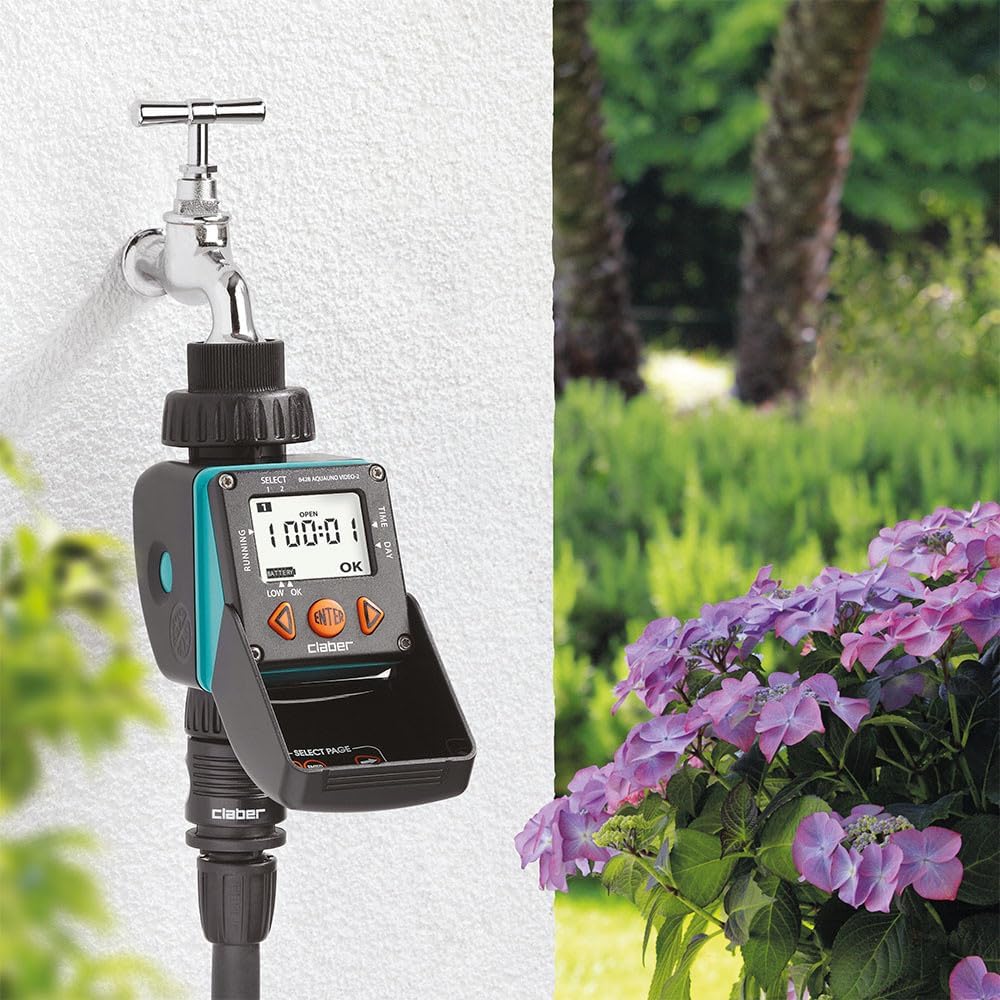
Image: The Claber Aquauno Video-2 installed on a tap in a lush garden environment, demonstrating its practical application for automated watering.
Maintenance
Battery Replacement
When the 'LOW OK' indicator appears on the display, it's time to replace the 9V alkaline battery. Prompt replacement ensures continuous operation and prevents loss of programming.
Cleaning the Filter
The programmer includes an internal filter to prevent debris from entering the unit. Periodically check and clean this filter to ensure optimal water flow and prevent blockages.
Winterization
Before the first frost, it is crucial to remove the programmer from the tap and store it in a dry, frost-free location. This prevents damage to the internal components caused by freezing water.

Image: A page from the multi-language instruction manual, showing diagrams for battery installation, filter cleaning, and proper winter storage of the unit.
Troubleshooting
- No water flow: Check if the tap is fully open. Ensure the internal filter is clean and not blocked. Verify that the working pressure is within the specified range (0.5 - 10 bar).
- Display not working: Check the 9V battery. Replace it if the 'LOW OK' indicator is on or if the display is blank.
- Incorrect watering times: Re-check your programmed settings for start times, durations, and selected watering days. Ensure the current time and day are set correctly on the unit.
- Unit not responding: Try removing and re-inserting the battery to reset the unit. If issues persist, consult the full manual or contact customer support.
Specifications
| Feature | Specification |
|---|---|
| Model Number | 8428 |
| Item Weight | 13 ounces (368 Grams) |
| Product Dimensions | 2.68"L x 4.41"W x 6.3"H |
| Material | Plastic |
| Display Type | LCD |
| Operating Temperature | 15 Degrees Celsius (approx. 59°F) |
| Voltage | 9 Volts (requires 9V alkaline battery) |
| Working Pressure | 0.5 - 10 bar |
| UPC | 798256204715 |
| Manufacturer | Claber |
Warranty and Support
For detailed warranty information and customer support, please refer to the official Claber website or the documentation included with your product. You can also find additional resources and tutorials online.
For further assistance, visit the official Claber website: Claber Support
Related documents8428


Ask a question about this manual
Ask about setup, troubleshooting, compatibility, parts, safety, or missing instructions. Manuals+ will review the question and use this page’s manual context to help answer it.