
Introduction
The Power Probe III is a versatile electrical diagnostic tool designed for automotive electrical systems. It simplifies the process of testing circuits, components, and identifying electrical issues in 12-24 VDC systems. This manual provides essential information for the safe and effective use of your Power Probe III.
Product Features
The Power Probe III is equipped with several key features to assist in automotive electrical diagnostics:
- Digital Voltmeter: Provides precise voltage readings.
- Min/Max Function: Records minimum and maximum voltage values during testing.
- Audible Circuit Monitoring: Alerts the user to circuit status.
- 4mm Standard Banana Jack with Auxiliary Ground: Allows for comprehensive component testing.
- 20-foot Cord: Provides extended reach for testing various parts of a vehicle.
- 8 Amp Circuit Breaker: Protects the tool from overloads.
- LED Lights: Provide active feedback and illumination.
- Bad Ground Indicator: Helps identify poor ground connections.
- Continuity Tester: Checks for open or closed circuits.
- Short Circuit Indicator: Detects short circuits.
- Relay and Component Tester: Facilitates testing of various electrical components.
- 12-24 VDC System Compatibility: Operates with standard automotive electrical systems.

Setup
Before using your Power Probe III, ensure it is properly connected to a 12-24 VDC power source.
- Connect Battery Hookup Clips: Attach the red battery hookup clip to the positive (+) terminal of the vehicle's battery and the black clip to the negative (-) terminal. Ensure a secure connection.
- Verify Power: Once connected, the Power Probe III's LCD display should illuminate, indicating it is powered on and ready for use.
- Auxiliary Ground Connection: For certain tests, connect the auxiliary ground cable to a known good ground point on the vehicle chassis.

Operating Instructions
The Power Probe III offers various testing modes. Familiarize yourself with each function for effective diagnostics.
1. Voltage Testing
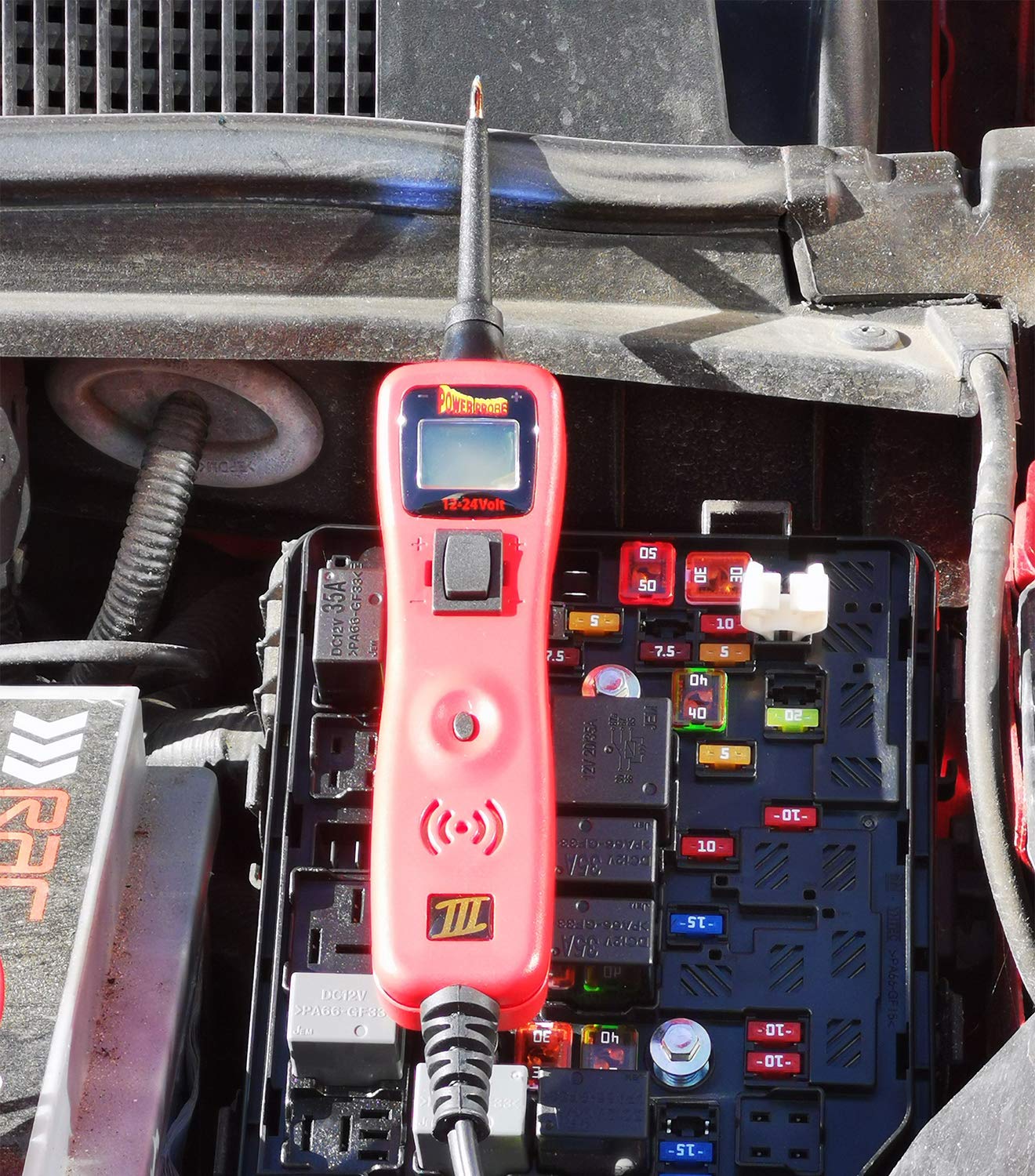
- Touch the probe tip to the circuit or component you wish to test.
- The LCD display will show the voltage reading.
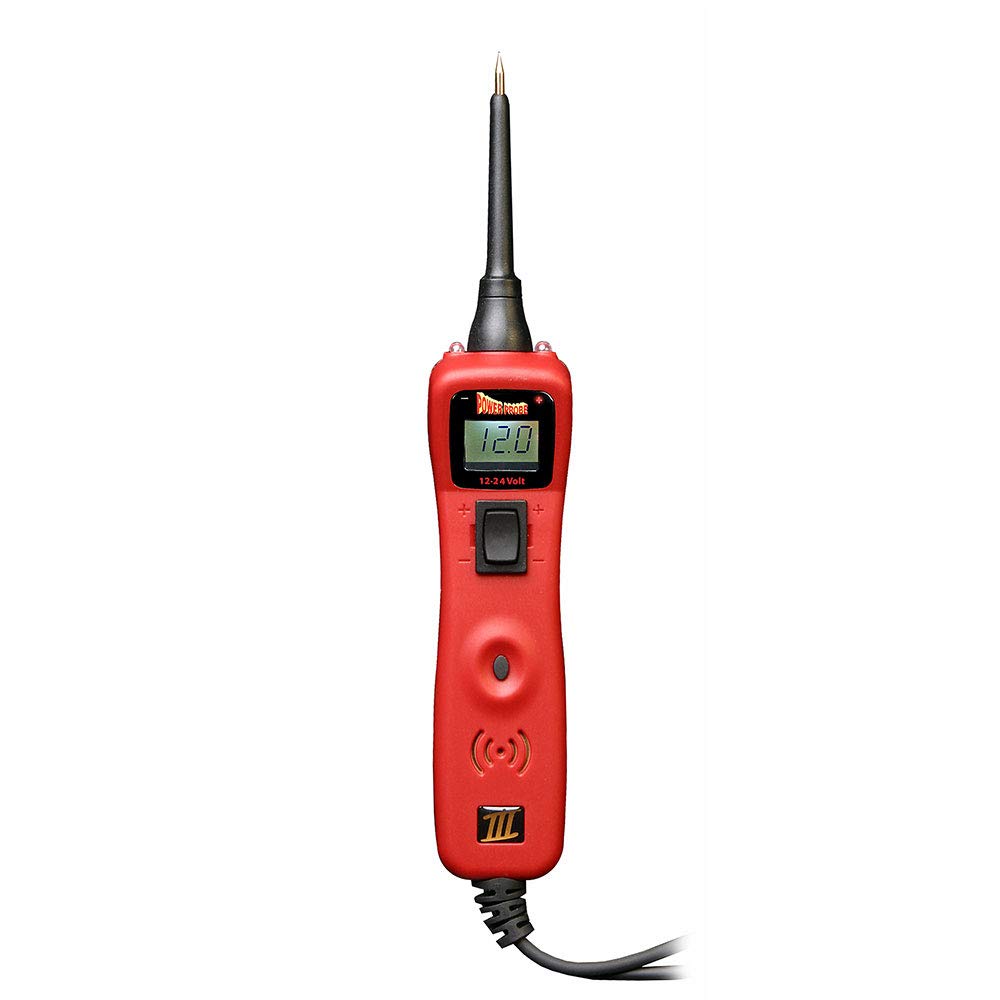
- The Red/Green Polarity Indicators will illuminate: Red for positive voltage, Green for negative (ground).
2. Powering Components
- To apply positive voltage to a component, press the power switch forward (+).
- To apply ground to a component, press the power switch backward (-).
- Always ensure the component can handle the applied voltage/ground to prevent damage. The 8 Amp circuit breaker will trip if an overload occurs.

3. Continuity Testing
- Connect the auxiliary ground lead to a known good ground.
- Touch the probe tip to the circuit or component.
- If continuity exists, the green polarity indicator will light, and an audible tone will sound.
4. Circuit Breaker Reset
- If the tool's internal circuit breaker trips due to an overload, disconnect the probe tip from the circuit.
- Press the circuit breaker reset button to restore functionality.
Maintenance
Proper maintenance ensures the longevity and accuracy of your Power Probe III.
- Cleaning: Wipe the tool with a clean, damp cloth. Do not use abrasive cleaners or solvents.
- Storage: Store the Power Probe III in a dry, cool place, away from direct sunlight and extreme temperatures.
- Cable Inspection: Regularly inspect the power cable and probe tip for any signs of wear, cuts, or damage. Replace if necessary.
Troubleshooting
If you encounter issues with your Power Probe III, consider the following common troubleshooting steps:
- No Power/Display:
- Ensure battery hookup clips are securely connected to a functional 12-24 VDC battery.
- Check the vehicle battery for sufficient charge.
- Circuit Breaker Trips Frequently:
- Verify that the component being powered does not exceed the 8 Amp limit.
- Check for short circuits in the component or wiring being tested.
- Reset the circuit breaker after identifying and resolving the overload cause.
- Inaccurate Readings:
- Ensure the probe tip has good contact with the test point.
- Check for corrosion on battery terminals or probe connections.
Specifications
| Specification | Value |
|---|---|
| Model Number | PP3CSRED |
| Operating Voltage | 12-24 VDC |
| Circuit Breaker | 8 Amp |
| Product Dimensions | 7.5 x 12 x 2 inches |
| Item Weight | 1.36 Pounds |
| Manufacturer | Power Probe |
| Color | Red |
Warranty and Support
Power Probe products are designed for durability and reliability. For warranty information or technical support, please refer to the official Power Probe website or contact their customer service department. Keep your purchase receipt for warranty claims.
For additional resources and product information, visit: www.powerprobe.com


