
FLIR MR77
FLIR MR77 Pinless Moisture Meter User Manual
Comprehensive instructions for operation and maintenance of your FLIR MR77 Moisture Meter.
1. Introduction
The FLIR MR77 Pinless Moisture Meter is a professional-grade instrument designed for accurate moisture and environmental measurements. This device combines pinless moisture detection with an external pin probe, relative humidity, and temperature sensing capabilities, making it a versatile tool for various applications.
This manual provides detailed instructions for the setup, operation, maintenance, and troubleshooting of your FLIR MR77 meter to ensure optimal performance and longevity.
2. Unpacking and Contents
Carefully unpack all items from the packaging. Verify that all components are present and undamaged. If any items are missing or damaged, contact your supplier immediately.
Package Contents:
- FLIR MR77 Moisture Meter
- Temperature/Relative Humidity Sensor (MR01)
- Pin Probe (MR02)
- 9V Battery
- User Manual (this document)
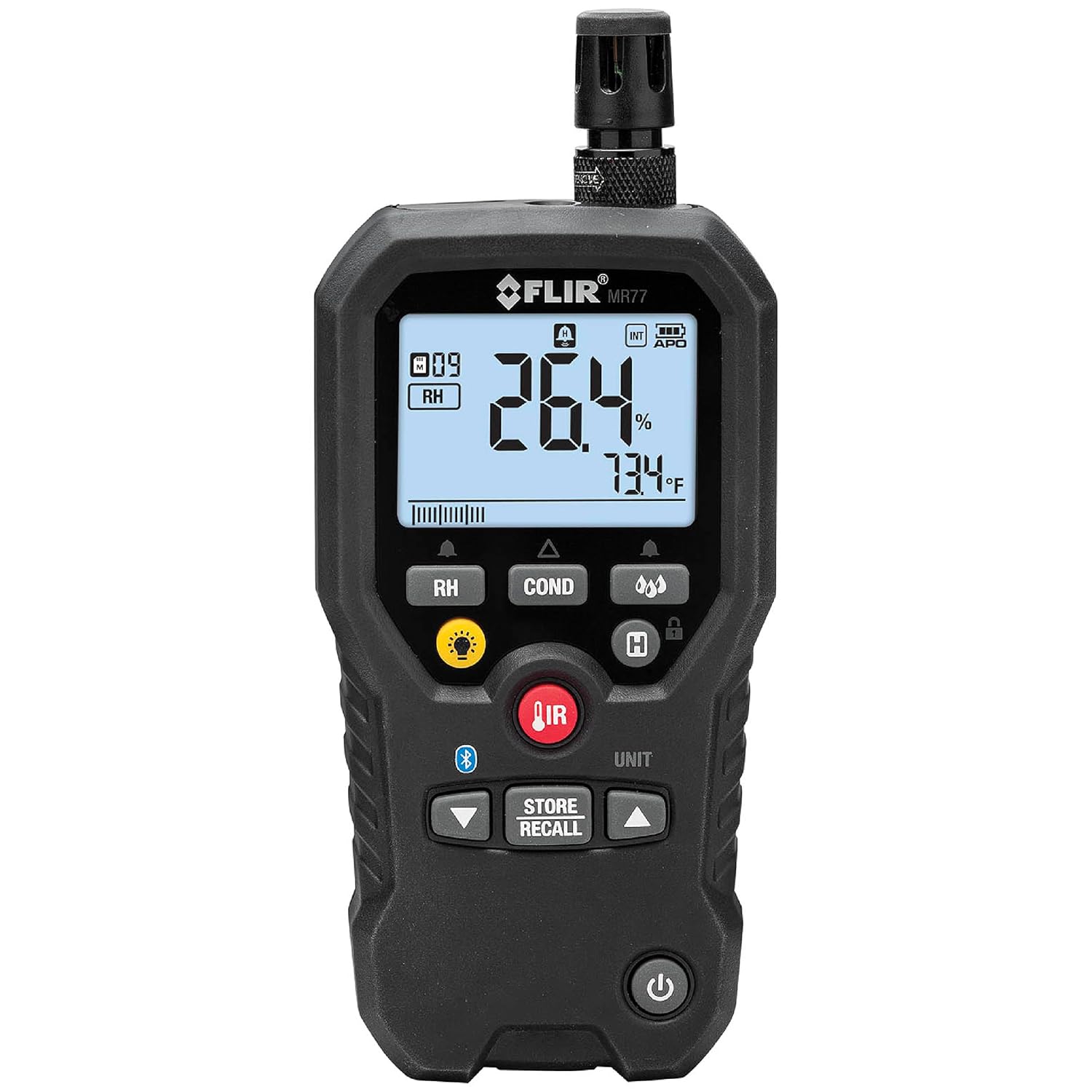
Figure 2.1: The FLIR MR77 Pinless Moisture Meter with its integrated sensor and display.
3. Setup and Battery Installation
3.1 Battery Installation
- Locate the battery compartment on the back of the meter.
- Open the battery compartment cover.
- Insert the included 9V battery, observing correct polarity.
- Close the battery compartment cover securely.
3.2 Attaching Sensors
The MR77 comes with an integrated pinless sensor and ports for external sensors.
- Temperature/Relative Humidity Sensor (MR01): This sensor is typically pre-attached to the top of the unit. Ensure it is securely fastened for accurate environmental readings.
- Pin Probe (MR02): For penetrating moisture measurements, connect the pin probe cable to the designated port on the side of the MR77.

Figure 3.1: The external temperature and relative humidity sensor (MR01).

Figure 3.2: The pin probe (MR02) for penetrating moisture measurements.
4. Operating Instructions
4.1 Powering On/Off
Press the Power button (usually located at the bottom of the device) to turn the meter on or off.
4.2 Display Overview

Figure 4.1: Close-up of the MR77 display showing various readings.
The backlit LCD displays moisture readings, relative humidity, air temperature, dew point, and other relevant data. Icons indicate measurement mode, battery status, and other functions.
4.3 Measurement Modes
The FLIR MR77 offers multiple measurement capabilities:
- Pinless Moisture: For non-invasive moisture detection up to 0.75 inches (19 mm) deep. Place the back of the meter flat against the surface to be measured.
- Pin Moisture: Use the external pin probe for direct contact measurements in materials like wood or drywall. Insert the pins into the material.
- Relative Humidity (RH): Measures the percentage of moisture in the air using the integrated or external RH sensor.
- Air Temperature: Measures ambient air temperature.
- Dew Point: Calculates the dew point temperature based on RH and air temperature.
- Non-Contact IR Thermometer: Use the IR button and laser pointer to measure surface temperatures.

Figure 4.2: Performing a pinless moisture measurement with the FLIR MR77.

Figure 4.3: Using the integrated IR thermometer with laser targeting.
4.4 Material Group Selection
The MR77 allows selection of different material groups for more accurate moisture readings. Refer to the "Material Group Reference" table in the Specifications section for details on specific materials.

Figure 4.4: The display indicating the selected material group (M09) and Relative Humidity (RH).
4.5 Data Storage and Recall
Use the STORE/RECALL button to save and retrieve measurement data. Consult the full user manual for detailed instructions on data logging and management.
4.6 Meter Link Smartphone App
The FLIR MR77 can connect to a smartphone app via Bluetooth for enhanced data monitoring, comparison, and reporting. Download the Meter Link app from your device's app store.

Figure 4.5: The Meter Link smartphone app interface for data monitoring and comparison.
5. Maintenance
5.1 Cleaning
Wipe the meter's exterior with a damp cloth. Do not use abrasive cleaners or solvents. Keep the sensor areas clean and free of debris.
5.2 Sensor Replacement
The temperature/relative humidity sensor (MR01) is field-replaceable. If readings become inaccurate or the sensor is damaged, replace it with an authorized FLIR replacement part. Refer to the full user manual for detailed replacement instructions.
5.3 Storage
Store the FLIR MR77 in a cool, dry place when not in use. Remove the battery if storing for extended periods to prevent leakage.
6. Troubleshooting
| Problem | Possible Cause | Solution |
|---|---|---|
| Meter does not power on. | Dead or incorrectly installed battery. | Check battery polarity, replace battery. |
| Inaccurate moisture readings. | Incorrect material group selected; sensor dirty or damaged; external interference. | Verify material group; clean or replace sensor; move away from strong electromagnetic fields. |
| Inaccurate RH/Temperature readings. | Sensor dirty or damaged. | Clean or replace the MR01 sensor. |
| Bluetooth connectivity issues. | Meter not in pairing mode; app issues; distance from device. | Ensure meter Bluetooth is active; restart app/meter; reduce distance. |
For further assistance, refer to the official FLIR MR77 User Manual (PDF) or contact FLIR customer support.
7. Specifications
General Specifications:
- Model: MR77
- Dimensions: 6.3 x 3 x 8 inches (16 x 7.6 x 20.3 cm)
- Weight: 1.54 Pounds (0.7 Kilograms)
- Battery: 1 Lithium Ion battery (included), 9V Alkaline recommended for replacement.
- Battery Life: Approximately 100 hours (without worklight)
- Manufacturer: FLIR Systems
- Mounting Type: Tabletop
- Drop Resistance: Withstands a drop of 2 meters.
Measurement Specifications:
- Pinless Moisture Depth (Max): 0.75 inches (19 mm)
- Pin Moisture Range: 7–30% (100% reference only)
- Pin Moisture Accuracy: ±1.5% MC (Moisture Content)
- Pinless Moisture Range: 0–99.9 (relative measurement)
- Relative Humidity Range: 10–90%
- Relative Humidity Accuracy: ±2.5% RH
- Vapor Pressure Range: 0.0–20.0 kPa
- Vapor Pressure Accuracy: Greater of ±2.0 or 0.2 kPa
- Dew Point Temperature Range: -22°F to 122°F (-30°C to 50°C)

Figure 7.1: Detailed specifications for the FLIR MR77.
Material Group Reference:

Figure 7.2: Reference table for selecting appropriate material groups for moisture measurements.
This table provides common names of timbers and other materials, along with their corresponding material group numbers (e.g., Group 1-8 for timbers, Group 9 for plywood, drywall, and oriented strand board, Group 10 for brick, cement screed, and concrete, Group 11 for cement mortar, anhydrite screed, lime mortar, and plaster). Groups 10 and 11 are not specified for accuracy and should be used for reference only.
8. Warranty Information
The FLIR MR77 Pinless Moisture Meter is covered by a Limited Lifetime Warranty. For specific terms and conditions, including details on coverage and how to make a warranty claim, please refer to the official warranty documentation provided with your product or visit the FLIR website.
9. Support and Additional Resources
For further information, technical support, or to access the complete user manual, please use the resources below:
- Download Full User Manual (PDF)
- Visit the Official FLIR Store on Amazon
- Contact FLIR Customer Support (refer to FLIR's official website for contact details).
Related documentsMR77


Ask a question about this manual
Ask about setup, troubleshooting, compatibility, parts, safety, or missing instructions. Manuals+ will review the question and use this page’s manual context to help answer it.