
1. Introduction
The OREI DA25 is an advanced audio converter designed to extract and convert digital audio signals from your TV's HDMI ARC/eARC port into analog audio. This device allows you to connect modern TVs with ARC/eARC capabilities to older audio systems, soundbars, headphones, or speakers that only accept analog RCA L/R or 3.5mm AUX inputs. It supports PCM/LPCM 2.0 channel audio up to 192kHz / 24-bit, ensuring high-quality stereo sound.
2. Package Contents
- 1x OREI DA25 HDMI eARC & ARC Audio Extractor Converter
- 1x USB Cable (USB-A to Micro USB)
- 1x User Manual
Note: RCA, 3.5mm, and HDMI cables are not included and must be purchased separately.
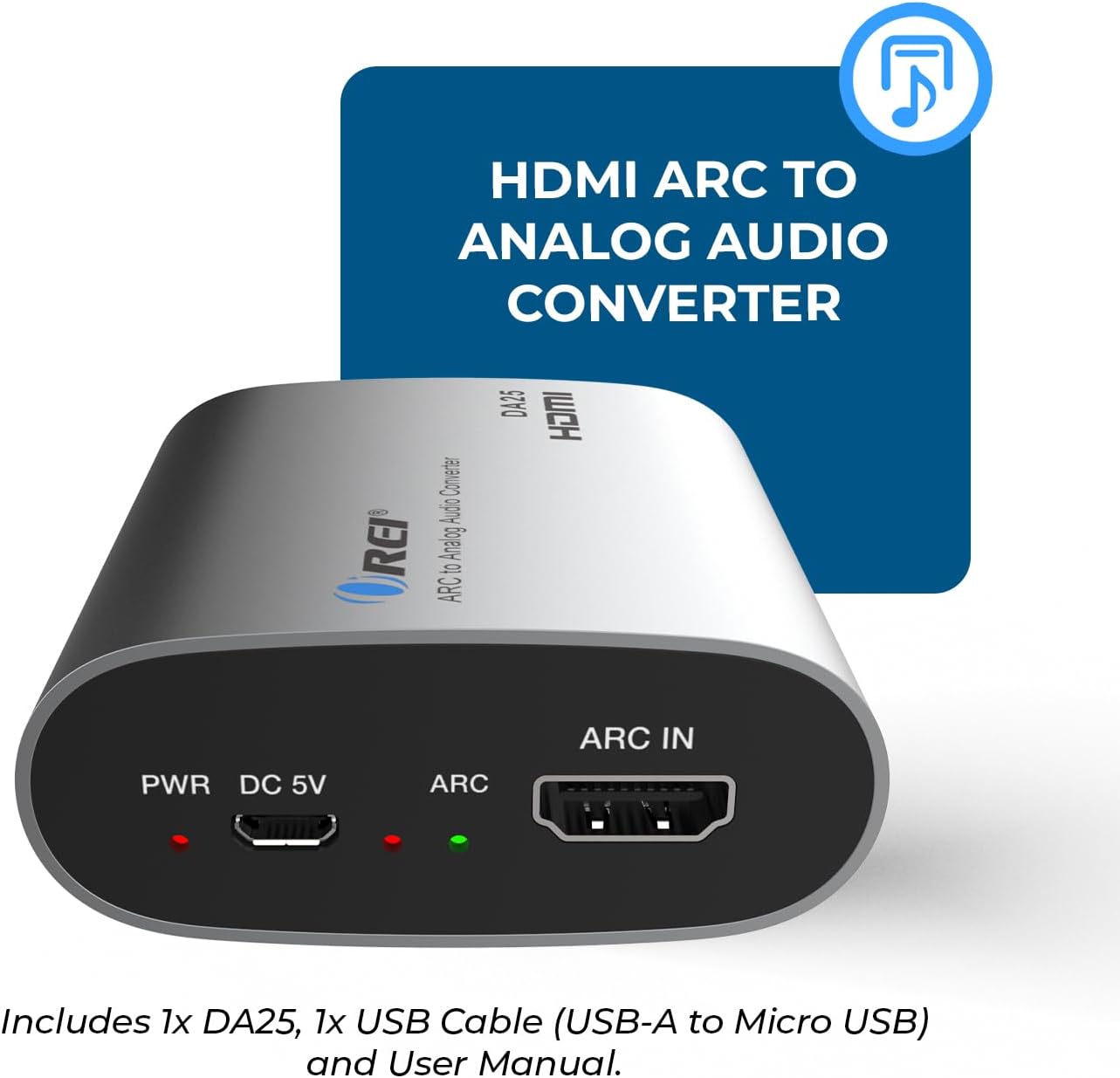
Image: The OREI DA25 converter, USB power cable, and user manual are shown on a wooden surface, illustrating the items included in the package.
3. Product Overview
3.1 Front Panel
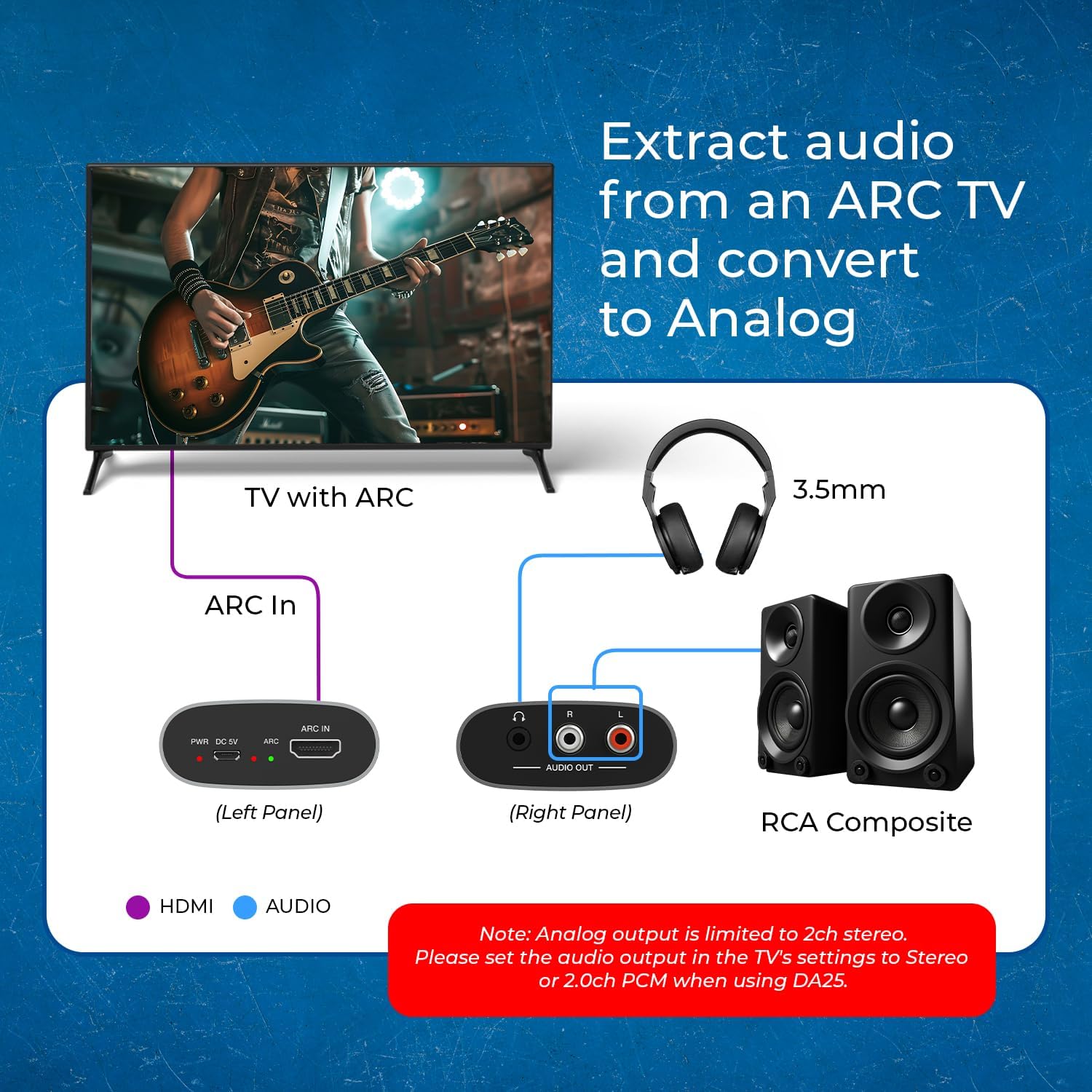
Image: The front panel of the OREI DA25 converter, featuring a 3.5mm headphone jack (AUDIO OUT) and red (R) and white (L) RCA audio output ports.
- 3.5mm AUX Output: Connects to headphones or audio systems requiring a 3.5mm stereo jack.
- RCA L/R Audio Output: Connects to audio systems or soundbars with RCA stereo inputs.
- Note: Both 3.5mm AUX and RCA L/R outputs are active simultaneously.
3.2 Rear Panel
Image: The rear panel of the OREI DA25 converter, showing the PWR (Power) LED, DC 5V (Micro USB power input), ARC LED, and ARC IN (HDMI) port.
- PWR (Power) LED: Illuminates when the device receives power.
- DC 5V (Micro USB Input): Connect the provided USB power cable here.
- ARC LED: Illuminates when an active HDMI ARC/eARC signal is detected.
- ARC IN (HDMI Port): Connect your TV's HDMI ARC/eARC output port to this input.
4. Setup & Installation
- Connect HDMI: Connect an HDMI cable (not included) from your TV's HDMI ARC/eARC port to the "ARC IN" port on the OREI DA25 converter. Ensure your TV's HDMI port supports ARC/eARC.
- Connect Audio Output:
- For RCA input devices (e.g., older stereo, soundbar): Connect an RCA L/R cable (not included) from the "AUDIO OUT" RCA ports on the DA25 to the corresponding L/R inputs on your audio device.
- For 3.5mm AUX input devices (e.g., headphones, portable speakers): Connect a 3.5mm stereo audio cable (not included) from the "AUDIO OUT" 3.5mm jack on the DA25 to your audio device.
- Connect Power: Connect the provided USB power cable to the "DC 5V" micro USB port on the DA25. Plug the USB-A end into a standard USB wall charger (not included) or an available USB-A port on your TV/media equipment.
- Power On: The PWR LED will illuminate, indicating the device is powered. The ARC LED will light up once an active ARC/eARC signal is detected from your TV.
- TV Audio Settings: Access your TV's audio settings and ensure the audio output format is set to PCM/LPCM 2.0 channel. This device does not support Dolby, DTS, or other multi-channel audio formats.

Image: A diagram illustrating the connection flow: a TV with ARC output connects via HDMI to the OREI DA25. The DA25 then outputs audio simultaneously to headphones via a 3.5mm jack and to RCA speakers via L/R RCA cables. A note emphasizes setting TV audio output to Stereo or 2.0ch PCM.
5. Operating Instructions
The OREI DA25 is designed for plug-and-play operation. Once all connections are made and your TV's audio output is configured to PCM/LPCM 2.0, the converter will automatically extract and convert the audio. There are no additional controls on the device for volume or CEC functionality.
- Ensure your TV's HDMI ARC/eARC feature is enabled.
- Verify that your TV's audio output format is set to PCM/LPCM 2.0.
- Adjust volume directly on your connected audio system or headphones.
Video: An official OREI video demonstrating how to use the DA25 Audio Extractor, including setup and operation steps.
6. Troubleshooting
- No Audio Output:
- Ensure all cables (HDMI, audio output, USB power) are securely connected.
- Verify the DA25 is receiving power (PWR LED is on).
- Check your TV's audio settings: Set HDMI audio output to PCM/LPCM 2.0. This device does not support Dolby, DTS, or other multi-channel formats.
- Confirm your TV's HDMI ARC/eARC function is enabled.
- Increase the volume on your connected audio system/headphones.
- Poor Audio Quality:
- Ensure high-quality HDMI and audio cables are used.
- Check for any loose connections.
- Verify TV audio settings are correctly configured for PCM/LPCM 2.0.
- ARC LED Not On:
- Confirm your TV's HDMI port is an ARC/eARC compatible port and that the feature is enabled in your TV settings.
- Try a different HDMI cable.
7. Specifications
| Model | DA25 |
| Input | 1x HDMI ARC/eARC |
| Output | 1x RCA L/R, 1x 3.5mm AUX |
| Audio Format Support | PCM/LPCM 2.0 Channel (up to 192kHz / 24-bit) |
| Unsupported Audio Formats | Dolby, DTS, Multi-channel audio |
| Power Supply | DC 5V (via Micro USB) |
| Material | Aluminum, Plastic |
| Dimensions (L x W x H) | 70mm x 65mm x 27mm (2.75" x 2.55" x 1.06") |
| Weight | 80g (2.82 oz) |

Image: The OREI DA25 converter with an overlay detailing its technical specifications, including dimensions (L: 70mm/2.75in, W: 65mm/2.55in, H: 27mm/1.06in), weight (80g/2.82oz), material (Aluminum), and color (Silver).
8. Warranty & Support
OREI products come with a 12-Month Manufacturer's Warranty. For technical assistance or warranty claims, please contact OREI customer support.
- Manufacturer: Orei Products
- Contact Information: info@orei.com
- Lifetime Tech Support: OREI offers lifetime technical support for its products.


